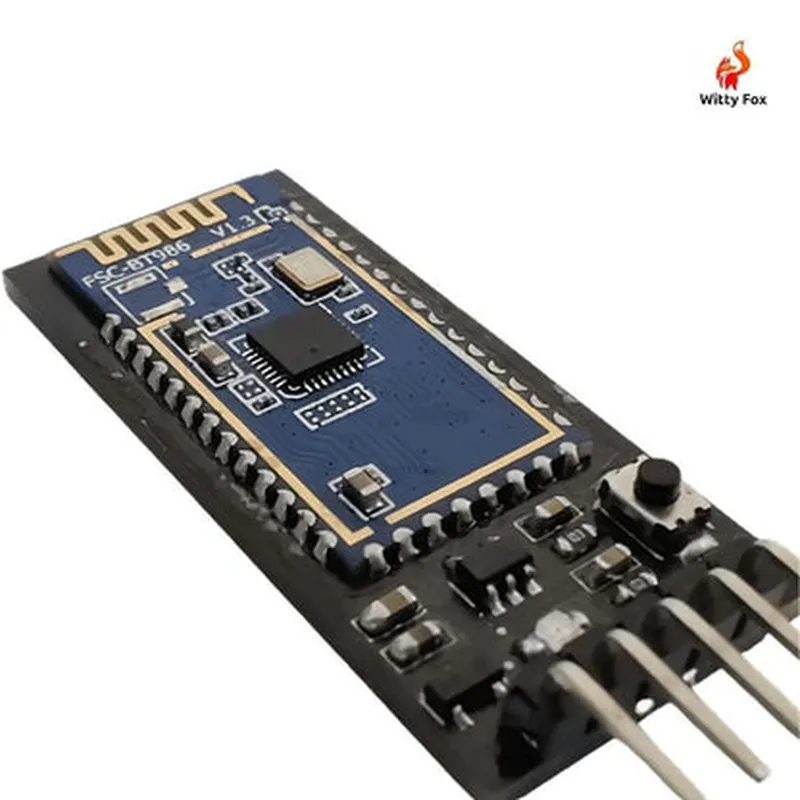
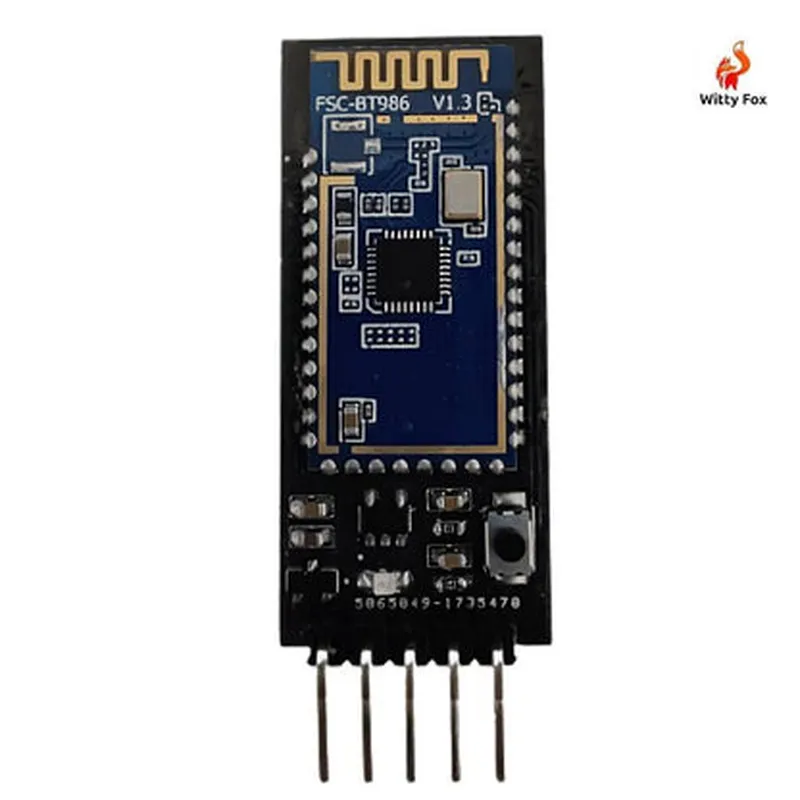
Witty Fox WF-05 Bluetooth Module Documentation
The Witty Fox WF-05 Bluetooth Module is a compact, low-power Bluetooth 4.0 module designed for Internet of Things (IoT) applications. It provides a reliable and efficient way to add Bluetooth connectivity to devices, enabling them to communicate with smartphones, tablets, and other Bluetooth-enabled devices.
Bluetooth 4.0 specification
Operating frequency: 2.4 GHz
 Data transfer rate: up to 2 Mbps
 Range: up to 10 meters (33 feet)
 Low power consumption: 3.3V to 4.2V
 Supports master and slave modes
 Compatible with Android and iOS devices
The WF-05 module has a compact PCB design with the following interface:
RX ( Receive) : Connects to the Tx pin of the microcontroller
 TX (Transmit) : Connects to the Rx pin of the microcontroller
 VCC : Power supply (3.3V to 4.2V)
 GND : Ground
 EN (Enable) : Active high, enables the module
 KEY : Reset pin, active low
The WF-05 module can be easily integrated with various microcontrollers and development boards. Here are a few code examples to demonstrate its usage:
Example 1: Arduino Uno - Basic Bluetooth Communication
In this example, we'll use the WF-05 module to send and receive data between an Arduino Uno board and a smartphone.
```c++
#include <SoftwareSerial.h>
#define RX_PIN 2
#define TX_PIN 3
#define BT_EN_PIN 4
SoftwareSerial BTSerial(RX_PIN, TX_PIN);
void setup() {
  pinMode(BT_EN_PIN, OUTPUT);
  digitalWrite(BT_EN_PIN, HIGH);
  BTSerial.begin(9600);
  Serial.begin(9600);
}
void loop() {
  if (BTSerial.available() > 0) {
    char c = BTSerial.read();
    Serial.print(c);
  }
  if (Serial.available() > 0) {
    char c = Serial.read();
    BTSerial.print(c);
  }
}
```
Example 2: ESP8266 NodeMCU - Creating a Bluetooth Low Energy (BLE) Peripheral
In this example, we'll use the WF-05 module to create a BLE peripheral on an ESP8266 NodeMCU board, allowing it to advertise and communicate with nearby BLE devices.
```c++
#include <BLEPeripheral.h>
#define RX_PIN D6
#define TX_PIN D5
#define BT_EN_PIN D7
BLEPeripheral blePeripheral = BLEPeripheral(RX_PIN, TX_PIN);
BLEService service = BLEService("12345678-1234-1234-1234-1234567890ab");
BLECharCharacteristic characteristic = BLECharCharacteristic("7772E5DB-3868-4112-A1A9-F2669D10669B", BLECharacteristic::PROPERTY_NOTIFY);
void setup() {
  pinMode(BT_EN_PIN, OUTPUT);
  digitalWrite(BT_EN_PIN, HIGH);
  blePeripheral.setLocalName("WittyFox_BLE_Peripheral");
  blePeripheral.setDeviceName("WittyFox_BLE_Peripheral");
  blePeripheral.setAppearance(0x0180);
  blePeripheral.addService(service);
  service.addCharacteristic(characteristic);
  blePeripheral.begin();
}
void loop() {
  blePeripheral.poll();
}
```
Note: These code examples are for illustration purposes only and may require modifications to suit specific project requirements.
By following these examples and understanding the WF-05 module's specifications, you can integrate it into your IoT projects and enable seamless Bluetooth connectivity.