Stufin
Home Quick Cart Profile

Heliway 902 Series 6 Axis Quadcopter Kit


Buy Now on Stufin

Component Name

Heliway 902 Series 6 Axis Quadcopter Kit
Overview

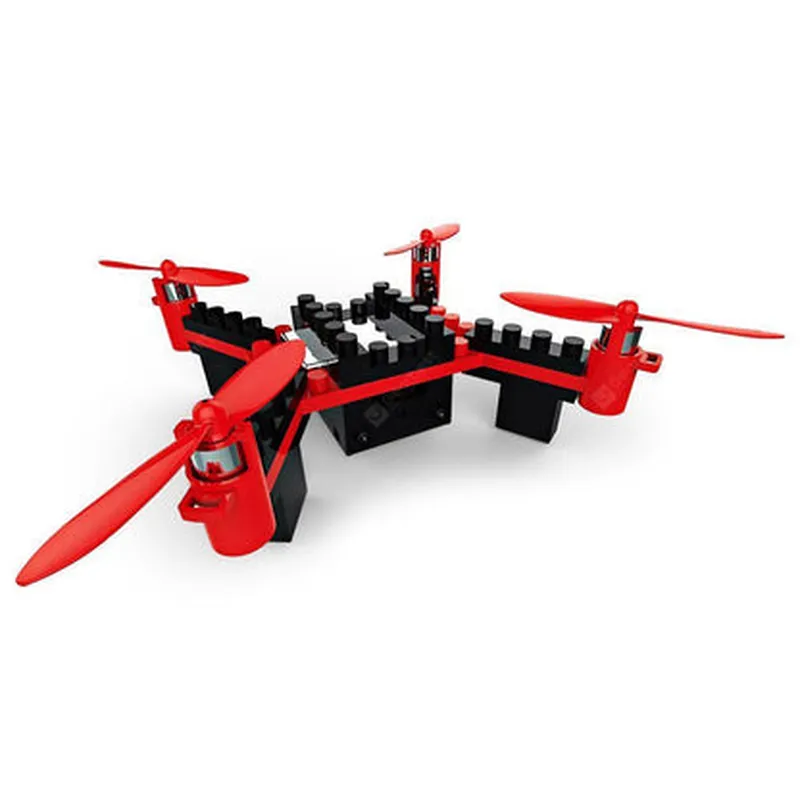
The Heliway 902 Series 6 Axis Quadcopter Kit is a comprehensive DIY drone kit designed for enthusiasts and professionals alike. This kit provides a robust and versatile platform for building and customizing quadcopter drones, ideal for aerial photography, surveillance, and research applications.
Functionality

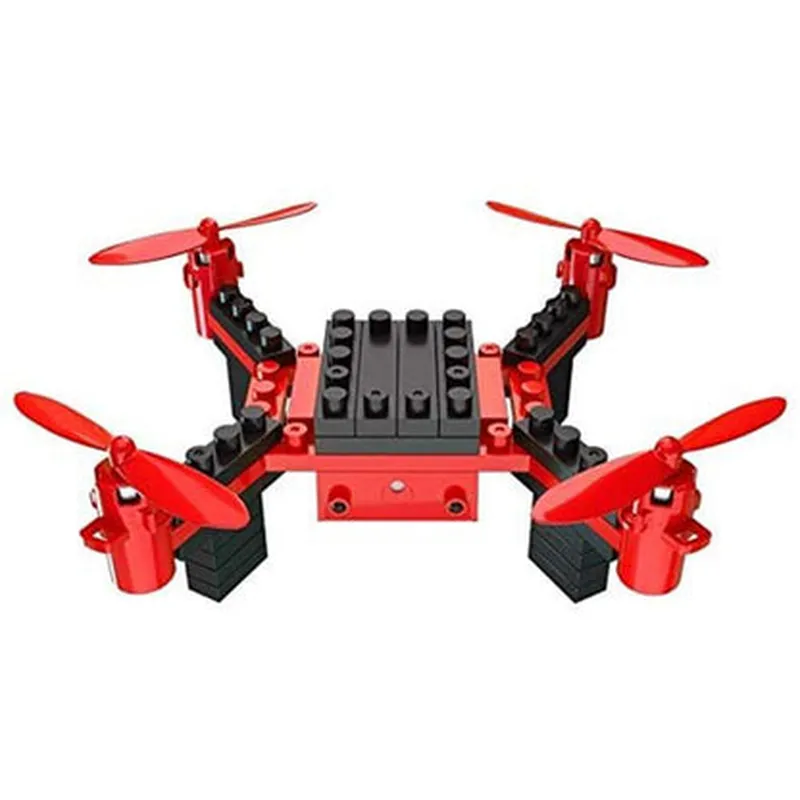
The Heliway 902 Series 6 Axis Quadcopter Kit is a modular system that enables users to assemble and configure a quadcopter drone with a range of features and functionalities. The kit includes a 6-axis flight control system, which allows for precise control and stabilization of the drone during flight. The kit also includes a range of sensors, motors, and electronics necessary for building a fully functional quadcopter drone.

Key Features

  • 6-Axis Flight Control System:

Supports roll, pitch, yaw, and yaw-rate control

Integrated accelerometers, gyroscopes, and barometers for precise flight stabilization

Adjustable flight modes, including stabilizer, acrobat, and manual modes

  • Modular Design:

Easy-to-assemble design with clearly labeled components and connections

Compatible with a range of frame designs and sizes

Allows for customization and upgrade of individual components

  • High-Torque Motors:

Brushless motors with high-efficiency propulsion

Support for up to 12-inch propellers

Maximum thrust-to-weight ratio for efficient flight performance

  • Advanced Sensors:

Integrated GPS module for precision navigation

3-axis accelerometer and 3-axis gyroscope for precise attitude and orientation tracking

Barometer for accurate altitude measurement

  • Communication:

Supports various communication protocols, including serial, I2C, and UART

Compatible with popular flight control software and interfaces, such as QGroundControl and Mission Planner

  • Power Management:

Supports up to 4S Li-Po batteries

Integrated power distribution board (PDB) for efficient power management

Over-current protection and short-circuit detection for safe operation

  • Compatibility:

Compatible with a range of cameras, including GoPro, Sony, and Canon

Supports various sensors, such as temperature, humidity, and UV sensors

  • Durability:

High-quality, durable components designed for prolonged use

Weather-resistant design for operation in various environmental conditions

Flight Control System

6-Axis (Roll, Pitch, Yaw, Yaw-Rate, Acceleration, and Angular Velocity)

Motor Type

Brushless, High-Torque

Propeller Size

Up to 12 inches

Battery Compatibility

Up to 4S Li-Po

Communication Protocols

Serial, I2C, UART

Operating Temperature

-20C to 40C

Operating Humidity

20% to 80%

Kit Contents

6-Axis Flight Control System Board

4 x Brushless Motors

4 x Propellers (12 inches)

Power Distribution Board (PDB)

GPS Module

3-Axis Accelerometer and 3-Axis Gyroscope

Barometer

Serial, I2C, and UART Communication Interfaces

Frame and mounting hardware (depending on the selected frame design)

User manual and documentation

Conclusion

The Heliway 902 Series 6 Axis Quadcopter Kit is a comprehensive and versatile DIY drone kit that provides a robust platform for building and customizing quadcopter drones. With its advanced sensors, high-torque motors, and modular design, this kit is ideal for enthusiasts and professionals looking to develop and deploy aerial applications.

Pin Configuration

  • Heliway 902 Series 6 Axis Quadcopter Kit Pinout Documentation
  • The Heliway 902 Series 6 Axis Quadcopter Kit is a comprehensive drone kit that includes a flight controller, ESCs, motors, and other essential components. To ensure proper assembly and functionality, it is crucial to understand the pinout of each component. This documentation provides a detailed explanation of the pins on the flight controller, ESCs, and other components, along with guidance on how to connect them.
  • Flight Controller Pins:
  • 1. VCC (Power Input) Pin:
  • Pin number: 1
  • Description: This pin is the power input for the flight controller. Connect the positive terminal of the LiPo battery to this pin.
  • 2. GND (Ground) Pin:
  • Pin number: 2
  • Description: This pin is the ground connection for the flight controller. Connect the negative terminal of the LiPo battery to this pin.
  • 3. UART_TX (Transmit) Pin:
  • Pin number: 3
  • Description: This pin is used for serial communication between the flight controller and other components, such as the telemetry system. Connect this pin to the RX pin of the telemetry system.
  • 4. UART_RX (Receive) Pin:
  • Pin number: 4
  • Description: This pin is used for serial communication between the flight controller and other components, such as the telemetry system. Connect this pin to the TX pin of the telemetry system.
  • 5. SCL (I2C Clock) Pin:
  • Pin number: 5
  • Description: This pin is used for I2C communication between the flight controller and other components, such as sensors. Connect this pin to the SCL pin of the I2C device.
  • 6. SDA (I2C Data) Pin:
  • Pin number: 6
  • Description: This pin is used for I2C communication between the flight controller and other components, such as sensors. Connect this pin to the SDA pin of the I2C device.
  • 7. PPM_IN (PPM Input) Pin:
  • Pin number: 7
  • Description: This pin is used to connect the receiver output to the flight controller. Connect this pin to the PPM output of the receiver.
  • 8. PPM_OUT (PPM Output) Pin:
  • Pin number: 8
  • Description: This pin is used to send PPM signals to other components, such as the servos. Connect this pin to the PPM input of the servo.
  • 9. M1 (Motor 1) Pin:
  • Pin number: 9
  • Description: This pin is used to control Motor 1. Connect this pin to the M1 input of the ESC.
  • 10. M2 (Motor 2) Pin:
  • Pin number: 10
  • Description: This pin is used to control Motor 2. Connect this pin to the M2 input of the ESC.
  • 11. M3 (Motor 3) Pin:
  • Pin number: 11
  • Description: This pin is used to control Motor 3. Connect this pin to the M3 input of the ESC.
  • 12. M4 (Motor 4) Pin:
  • Pin number: 12
  • Description: This pin is used to control Motor 4. Connect this pin to the M4 input of the ESC.
  • 13. LED (Indicator LED) Pin:
  • Pin number: 13
  • Description: This pin is used to connect an indicator LED to the flight controller. Connect this pin to the positive terminal of the LED, and the negative terminal to a ground pin.
  • ESC Pins:
  • 1. VCC (Power Input) Pin:
  • Pin number: 1
  • Description: This pin is the power input for the ESC. Connect the positive terminal of the LiPo battery to this pin through the PDB (Power Distribution Board).
  • 2. GND (Ground) Pin:
  • Pin number: 2
  • Description: This pin is the ground connection for the ESC. Connect the negative terminal of the LiPo battery to this pin through the PDB.
  • 3. M.Signal (Motor Signal) Pin:
  • Pin number: 3
  • Description: This pin is used to receive control signals from the flight controller. Connect this pin to the corresponding motor output pin on the flight controller (M1, M2, M3, or M4).
  • 4. Telemetry Pin:
  • Pin number: 4
  • Description: This pin is used for telemetry data transmission between the ESC and the flight controller. Connect this pin to the telemetry input pin on the flight controller.
  • Connecting the Pins:
  • To assemble the quadcopter, follow these steps:
  • 1. Connect the LiPo battery to the PDB, making sure to connect the positive terminal to the VCC pin and the negative terminal to the GND pin.
  • 2. Connect the PDB to the ESCs, making sure to connect the VCC pin to the VCC pin on each ESC, and the GND pin to the GND pin on each ESC.
  • 3. Connect the motor signal pins on each ESC to the corresponding motor output pins on the flight controller (M1, M2, M3, or M4).
  • 4. Connect the telemetry pins on each ESC to the telemetry input pin on the flight controller.
  • 5. Connect the UART_TX pin on the flight controller to the RX pin on the telemetry system.
  • 6. Connect the UART_RX pin on the flight controller to the TX pin on the telemetry system.
  • 7. Connect the SCL pin on the flight controller to the SCL pin on the I2C device.
  • 8. Connect the SDA pin on the flight controller to the SDA pin on the I2C device.
  • 9. Connect the PPM_IN pin on the flight controller to the PPM output of the receiver.
  • 10. Connect the PPM_OUT pin on the flight controller to the PPM input of the servo.
  • 11. Connect the LED pin on the flight controller to the positive terminal of the indicator LED, and the negative terminal to a ground pin.
  • Important Notes:
  • Make sure to double-check the pin connections before powering on the quadcopter to avoid damage to the components.
  • Use the correct polarity when connecting the battery and other components to avoid damage.
  • Consult the user manual and datasheets for each component for more detailed information on pin connections and usage.

Code Examples

Heliway 902 Series 6 Axis Quadcopter Kit Documentation
Overview
The Heliway 902 Series 6 Axis Quadcopter Kit is a comprehensive quadcopter solution for IoT projects, featuring a robust and stable 6-axis flight control system. This kit includes the quadcopter frame, motors, ESCs, flight controller, and a receiver. This documentation provides an overview of the kit's components, technical specifications, and code examples to get you started with integrating the quadcopter into your IoT projects.
Technical Specifications
Flight Controller: Heliway 902 FC, 32-bit ARM Cortex-M4 processor, 128KB flash memory
  Motors: 4x 2212 920KV brushless motors
 ESCs: 4x 20A brushless ESCs
 Receiver: 2.4GHz 6-channel receiver
 Frame: Carbon fiber and aluminum alloy construction, 350mm diagonal wheelbase
 Weight: 550g (without battery or payload)
 Communication: UART, I2C, SPI, and Serial interfaces
Code Examples
### Example 1: Basic Flight Control using Arduino
This example demonstrates basic flight control using an Arduino board connected to the Heliway 902 flight controller.
```c
#include <Heliway902.h>
Heliway902 heliway;
void setup() {
  Serial.begin(115200);
  heliway.init();
}
void loop() {
  // Set roll, pitch, and yaw angles (in degrees)
  heliway.setAngles(10, 20, 30);
  
  // Set motor speeds (0-1000)
  heliway.setMotorSpeeds(500, 500, 500, 500);
  
  delay(50);
}
```
In this example, we initialize the Heliway 902 flight controller using the `init()` function. Then, in the `loop()` function, we set the roll, pitch, and yaw angles using the `setAngles()` function, and set the motor speeds using the `setMotorSpeeds()` function.
### Example 2: IoT Integration with Wi-Fi using ESP32
This example demonstrates IoT integration with Wi-Fi using an ESP32 board connected to the Heliway 902 flight controller. We'll use the ESP32 to send telemetry data to a remote server.
```c
#include <WiFi.h>
#include <Heliway902.h>
Heliway902 heliway;
const char ssid = "your_wifi_ssid";
const char password = "your_wifi_password";
void setup() {
  Serial.begin(115200);
  heliway.init();
  
  // Connect to Wi-Fi
  WiFi.begin(ssid, password);
  while (WiFi.status() != WL_CONNECTED) {
    delay(1000);
    Serial.println("Connecting to Wi-Fi...");
  }
  
  Serial.println("Connected to Wi-Fi");
  Serial.println("Initializing telemetry...");
}
void loop() {
  // Read telemetry data from Heliway 902
  float roll = heliway.getRoll();
  float pitch = heliway.getPitch();
  float yaw = heliway.getYaw();
  
  // Create a JSON payload
  String payload = "{""roll"": """;
  payload += String(roll);
  payload += ""