Peltier with Heatsink and Fan


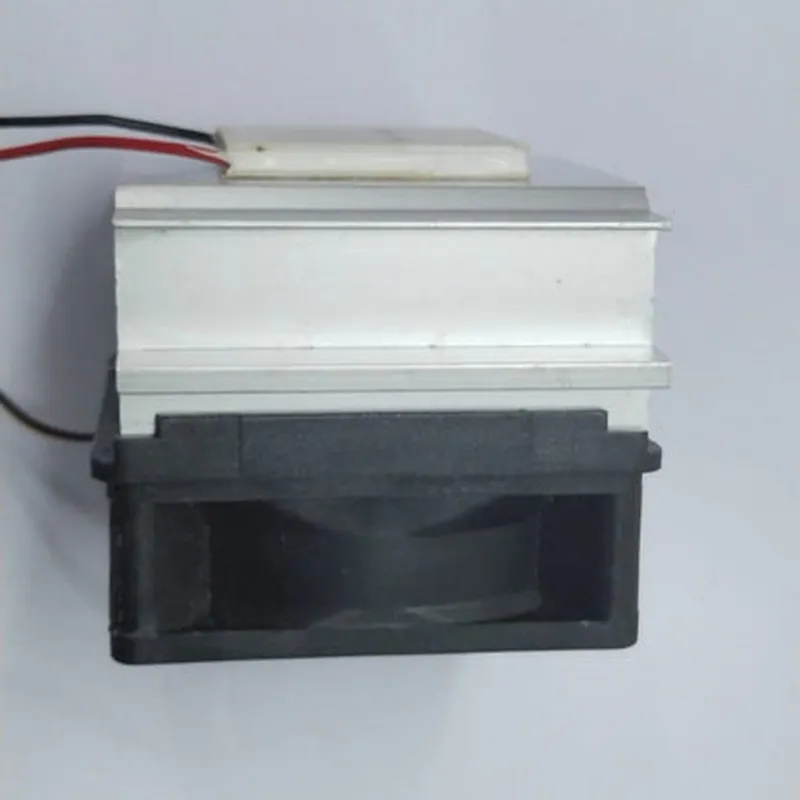
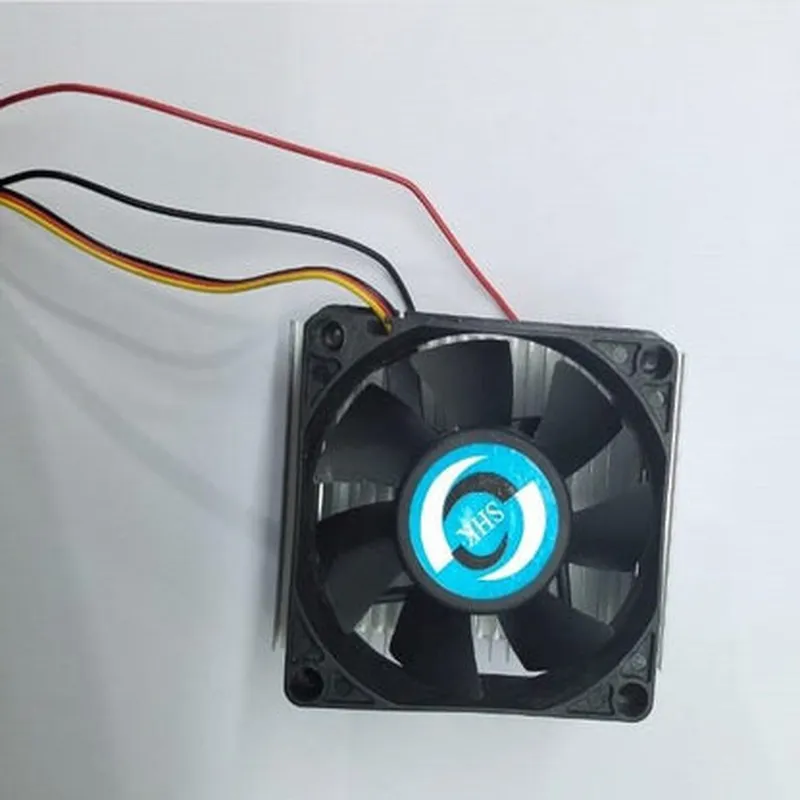
Peltier with Heatsink and Fan
A Peltier with Heatsink and Fan is a thermoelectric cooling module designed to efficiently manage heat dissipation in various applications, particularly in IoT devices, electronic systems, and industrial equipment. This component combines the benefits of a Peltier element, a heatsink, and a fan to provide effective temperature control and heat dissipation.
The Peltier with Heatsink and Fan module operates based on the principle of thermoelectric cooling, where an electric current is used to transfer heat from one side of the Peltier element to the other. The module's primary function is to cool down a specific area or component by absorbing heat from one side and dissipating it to the environment through the heatsink and fan.
| + Material | Bismuth Telluride (Bi2Te3) |
| + Maximum Cooling Capacity | 50W |
| + Operating Voltage | 12V |
| + Operating Current | 5A |
| + Material | Aluminum |
| + Dimensions | 20mm x 20mm x 5mm |
| + Thermal Conductivity | 200W/mK |
| + Type | Brushless DC Fan |
| + Dimensions | 20mm x 20mm x 10mm |
| + RPM Range | 2000-4000 RPM |
| + Airflow | 10CFM |
| + Length | 40mm |
| + Width | 40mm |
| + Height | 20mm |
50g
IoT devices (sensors, gateways, etc.)
Electronic systems (servers, workstations, etc.)
Industrial equipment (motors, pumps, etc.)
Medical devices (imaging equipment, etc.)
Aerospace and automotive systems
The Peltier with Heatsink and Fan module must be used in accordance with the manufacturer's instructions and guidelines to ensure safe and reliable operation.
The module's performance and lifespan may be affected by environmental factors, such as humidity, vibration, and temperature extremes.
Proper thermal management and heat dissipation are crucial to ensure the reliability and lifespan of the module.
Peltier with Heatsink and Fan IoT Component DocumentationOverviewThe Peltier with Heatsink and Fan is a thermoelectric cooling component designed for efficient heat management in IoT applications. This component combines a Peltier element, a heatsink, and a fan to effectively cool or heat small areas, making it ideal for applications such as temperature control, thermal management, and precision cooling.Technical Specifications| Parameter | Value |
| --- | --- |
| Peltier Element | High-performance thermoelectric material, 12V, 6A, 72W |
| Heatsink | Aluminum, 50mm x 50mm x 20mm, 20 fins |
| Fan | Brushless, 12V, 0.5A, 5000 RPM, 20mm x 20mm x 10mm |
| Operating Temperature | -20C to 80C |
| Weight | approximately 120g |Code Examples### Example 1: Basic Temperature Control using ArduinoThis example demonstrates how to use the Peltier with Heatsink and Fan component to control the temperature of a small area using an Arduino board.```c++
#include <Arduino.h>const int peltierPin = 9; // Peltier element connected to digital pin 9
const int fanPin = 10; // Fan connected to digital pin 10void setup() {
pinMode(peltierPin, OUTPUT);
pinMode(fanPin, OUTPUT);
}void loop() {
// Set the Peltier element to cool (negative voltage)
digitalWrite(peltierPin, HIGH);
delay(5000);// Set the Peltier element to heat (positive voltage)
digitalWrite(peltierPin, LOW);
delay(5000);// Turn the fan on and off to control airflow
digitalWrite(fanPin, HIGH);
delay(2000);
digitalWrite(fanPin, LOW);
delay(2000);
}
```### Example 2: Advanced Temperature Control using Raspberry Pi and PythonThis example demonstrates how to use the Peltier with Heatsink and Fan component to control the temperature of a small area using a Raspberry Pi board and Python programming language.```python
import RPi.GPIO as GPIO
import time# Set up GPIO pins for Peltier element and fan
GPIO.setmode(GPIO.BCM)
peltier_pin = 17
fan_pin = 23
GPIO.setup(peltier_pin, GPIO.OUT)
GPIO.setup(fan_pin, GPIO.OUT)def set_temperature(temperature):
if temperature < 25:
# Cool
GPIO.output(peltier_pin, GPIO.HIGH)
GPIO.output(fan_pin, GPIO.HIGH)
elif temperature > 30:
# Heat
GPIO.output(peltier_pin, GPIO.LOW)
GPIO.output(fan_pin, GPIO.LOW)
else:
# Maintain current temperature
GPIO.output(peltier_pin, GPIO.LOW)
GPIO.output(fan_pin, GPIO.LOW)while True:
# Read temperature from a temperature sensor (not included in this example)
temperature = read_temperature()
set_temperature(temperature)
time.sleep(1)
```Note: These examples are for demonstration purposes only and may require additional components, such as temperature sensors, power supplies, and safety measures, to operate safely and effectively.Safety PrecautionsHandle the Peltier element with care, as it can be damaged by excessive voltage, current, or temperature.
Ensure proper thermal management and heat dissipation to prevent overheating.
Use appropriate safety measures, such as fuses or overcurrent protection, to prevent electrical shock or fire hazards.datasheetPlease refer to the datasheet for the Peltier with Heatsink and Fan component for more detailed technical specifications, electrical characteristics, and safety guidelines.