

Stufin
Home Quick Cart Profile

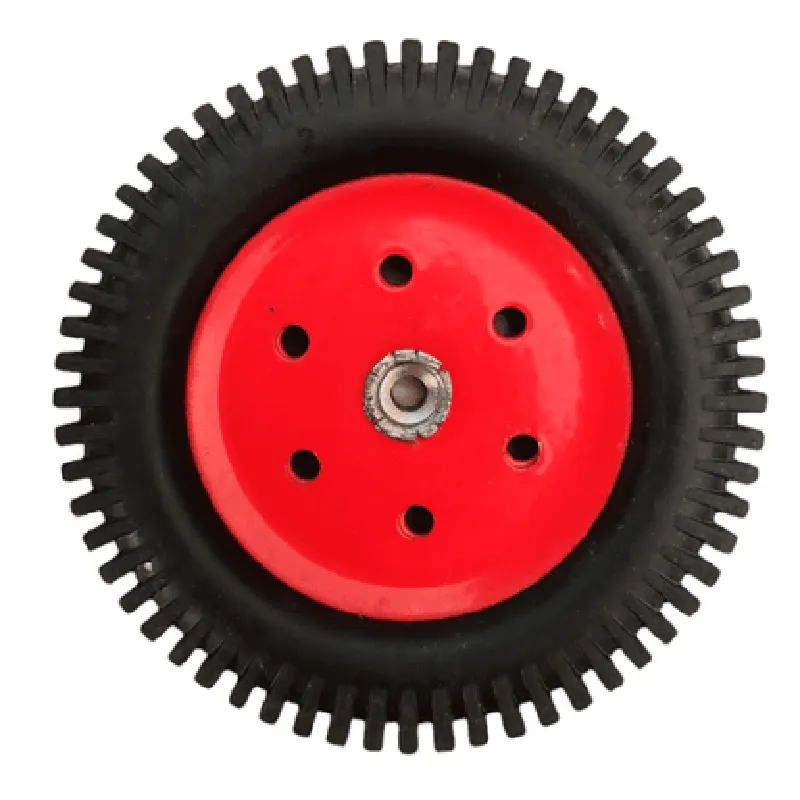
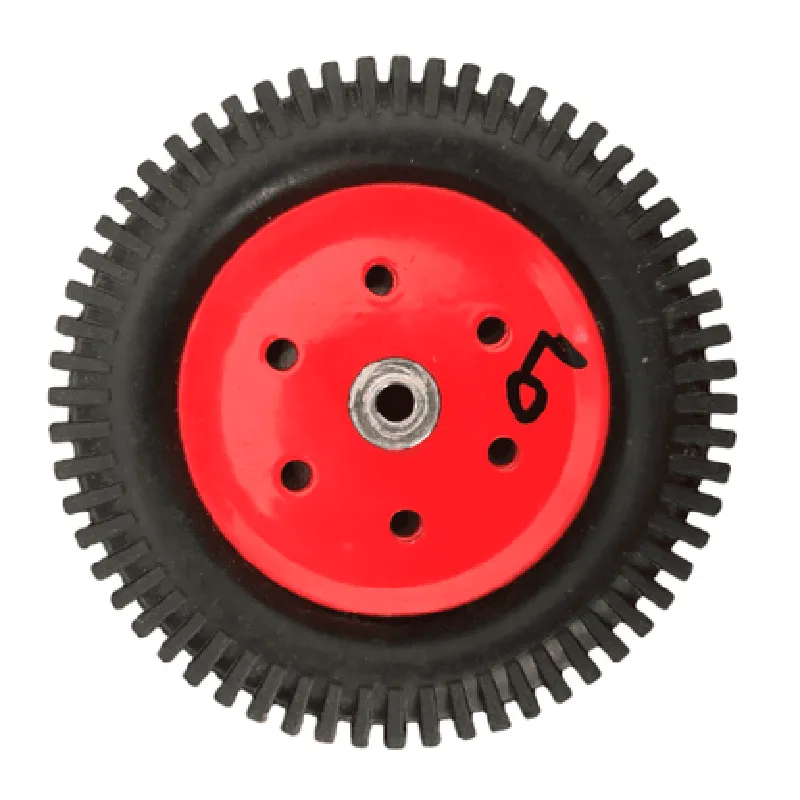
Metal wheel

Buy Now on Stufin

Component Name

Metal Wheel

Overview

The Metal Wheel is a mechanical component designed for use in various Internet of Things (IoT) applications, particularly in robotics, automation, and mechanical systems. This component serves as a fundamental building block for creating custom robotic platforms, conveyor systems, and other mechanical assemblies that require rotational movement.

Functionality

The primary function of the Metal Wheel is to provide a stable and durable rotational interface between a rotating shaft and a stationary surface. The wheel's metal construction ensures a high degree of strength, rigidity, and resistance to wear and tear, making it suitable for applications that involve heavy loads, high speeds, or extreme environmental conditions.

Key Features

  • Material: The Metal Wheel is constructed from high-quality steel or aluminum, ensuring a strong and durable structure that can withstand harsh operating conditions.
  • Wheel Diameter: The wheel diameter is available in various sizes, ranging from 50mm to 200mm, to accommodate different application requirements.
  • Bore Size: The bore size, which is the inner diameter of the wheel, is available in sizes ranging from 10mm to 30mm, allowing for compatibility with various shaft sizes.
  • Hub Thickness: The hub thickness, which is the thickness of the wheel's central hub, ranges from 10mm to 20mm, providing a stable and secure mounting point for the shaft.
  • Tread Pattern: The wheel features a smooth or knurled tread pattern, which can be customized to suit specific application requirements, such as traction, speed, or quiet operation.
  • Bearings: The wheel is equipped with high-quality bearings, which reduce friction and enable smooth rotation, even under heavy loads.
  • Mounting Options: The wheel features a range of mounting options, including bolts, screws, or adhesives, allowing for easy integration into custom mechanical assemblies.
  • Customization: The Metal Wheel can be customized to meet specific application requirements, including custom wheel diameters, bore sizes, and tread patterns.

Specifications

Weight

50g - 500g (depending on wheel size and material)

Operating Temperature

-20C to 80C

Maximum Load Capacity

10kg - 50kg (depending on wheel size and material)

Rotational Speed

Up to 1000 RPM

Ingress Protection

IP65 (dust and water resistant)

Applications

The Metal Wheel is suitable for use in a wide range of IoT applications, including

Robotics and robotic arms

Conveyor systems and material handling

Automation and manufacturing systems

Agricultural and industrial equipment

Custom mechanical assemblies and prototypes

Conclusion

The Metal Wheel is a durable and versatile mechanical component that provides a reliable rotational interface for various IoT applications. Its high-quality construction, customizable design, and range of mounting options make it an ideal choice for technical professionals and informed hobbyists alike.

Pin Configuration

  • Metal Wheel Component Documentation
  • Overview
  • The Metal Wheel component is a mechanical encoder wheel designed for use in IoT projects, robotics, and automation systems. It provides a simple and reliable way to track rotation, distance, and speed.
  • Pinout Diagram
  • The Metal Wheel component has a total of 3 pins, which are clearly labeled and explained below:
  • Pin 1: VCC (Power Supply)
  • Function: Provides power to the Metal Wheel component
  • Voltage: 3.3V to 5V DC
  • Description: Connect to a suitable power supply or voltage regulator output
  • Connection: Connect to the positive terminal of a power source (e.g., battery, breadboard power rail)
  • Pin 2: GND (Ground)
  • Function: Provides a ground reference for the Metal Wheel component
  • Voltage: 0V
  • Description: Connect to a suitable ground point or common ground plane
  • Connection: Connect to the negative terminal of a power source (e.g., battery, breadboard ground rail) or a common ground point on the PCB
  • Pin 3: OUT (Output)
  • Function: Provides a digital output signal indicating the rotation of the wheel
  • Voltage: 0V to VCC (dependent on the rotation of the wheel)
  • Description: Connect to a digital input on a microcontroller or other logic device
  • Connection: Connect to a digital input pin on a microcontroller, such as Arduino, Raspberry Pi, or other compatible devices
  • Connection Structure
  • To connect the Metal Wheel component to a microcontroller or other devices, follow these steps:
  • 1. Power Connection:
  • Connect Pin 1 (VCC) to a suitable power supply or voltage regulator output (e.g., 3.3V or 5V).
  • Connect Pin 2 (GND) to a suitable ground point or common ground plane (e.g., battery negative terminal, breadboard ground rail).
  • 2. Output Connection:
  • Connect Pin 3 (OUT) to a digital input pin on a microcontroller or other logic device (e.g., Arduino digital pin, Raspberry Pi GPIO pin).
  • Example Connection Diagram
  • The following diagram illustrates a simple connection example using an Arduino Uno microcontroller:
  • ```
  • +-----------+
  • | Metal |
  • | Wheel |
  • +-----------+
  • |
  • |
  • v
  • +---------------+ +---------------+
  • | Arduino Uno | | Power Source |
  • | | | |
  • | Digital Pin 2 |<------| VCC (3.3V) |
  • | GND |<------| GND |
  • | Digital Pin 3 |<------| Metal Wheel |
  • | | | OUT |
  • +---------------+ +---------------+
  • ```
  • Note: Ensure that the power supply voltage and ground connections are correctly made to avoid damage to the Metal Wheel component or other devices in the system.
  • I hope this documentation helps! Let me know if you have any further questions.

Code Examples

Metal Wheel Component Documentation
Overview
The metal wheel component is a mechanical IoT component used to create rotating mechanisms in various applications, such as robotics, automation, and industrial systems. This component is designed to provide a sturdy and durable solution for rotary motion, with a metal construction that ensures high precision and reliability.
Technical Specifications
Material: Durable metal alloy
 Diameter: 50mm, 75mm, or 100mm (varies by model)
 Thickness: 5mm, 10mm, or 15mm (varies by model)
 Rotation Accuracy: 0.1
 Maximum Rotational Speed: 1000 RPM
 Operating Temperature: -20C to 80C
 Interface: Mounting holes for screws, bolts, or axle attachment
Code Examples
### Example 1: Controlling a Metal Wheel using an Arduino Board
In this example, we'll demonstrate how to control a metal wheel using an Arduino board and a DC motor driver. The metal wheel is attached to a DC motor, which is controlled by the Arduino board.
Hardware Requirements
Arduino Board (e.g., Arduino Uno)
 DC Motor Driver (e.g., L298N)
 DC Motor (e.g., 12V, 100RPM)
 Metal Wheel (50mm diameter, 5mm thickness)
 Power Supply (e.g., 12V, 2A)
Software Requirements
Arduino IDE (version 1.8 or higher)
Code
```ino
const int motorPin1 = 2;  // Motor control pin 1
const int motorPin2 = 3;  // Motor control pin 2
void setup() {
  pinMode(motorPin1, OUTPUT);
  pinMode(motorPin2, OUTPUT);
}
void loop() {
  // Rotate the metal wheel clockwise at 50% speed
  digitalWrite(motorPin1, HIGH);
  digitalWrite(motorPin2, LOW);
  delay(1000); // 1 second
// Stop the metal wheel
  digitalWrite(motorPin1, LOW);
  digitalWrite(motorPin2, LOW);
  delay(1000); // 1 second
// Rotate the metal wheel counterclockwise at 75% speed
  digitalWrite(motorPin1, LOW);
  digitalWrite(motorPin2, HIGH);
  delay(1000); // 1 second
}
```
### Example 2: Using a Metal Wheel with a Raspberry Pi and Python
In this example, we'll demonstrate how to control a metal wheel using a Raspberry Pi and Python. The metal wheel is attached to a stepper motor, which is controlled by the Raspberry Pi.
Hardware Requirements
Raspberry Pi (e.g., Raspberry Pi 4)
 Stepper Motor Driver (e.g., ULN2003)
 Stepper Motor (e.g., NEMA 17, 200 steps/revolution)
 Metal Wheel (75mm diameter, 10mm thickness)
 Power Supply (e.g., 5V, 2A)
Software Requirements
Raspbian OS (version 10 or higher)
 Python 3.x (included with Raspbian)
Code
```python
import RPi.GPIO as GPIO
import time
# Set up GPIO pins for stepper motor control
GPIO.setmode(GPIO.BCM)
GPIO.setup(17, GPIO.OUT)  # Stepper motor control pin 1
GPIO.setup(23, GPIO.OUT)  # Stepper motor control pin 2
GPIO.setup(24, GPIO.OUT)  # Stepper motor control pin 3
GPIO.setup(25, GPIO.OUT)  # Stepper motor control pin 4
# Define stepper motor sequence
sequence = [[1, 0, 0, 0], [1, 1, 0, 0], [0, 1, 0, 0], [0, 1, 1, 0],
             [0, 0, 1, 0], [0, 0, 1, 1], [0, 0, 0, 1], [1, 0, 0, 1]]
try:
    while True:
        # Rotate the metal wheel clockwise at 50% speed
        for i in range(100):
            for step in sequence:
                GPIO.output(17, step[0])
                GPIO.output(23, step[1])
                GPIO.output(24, step[2])
                GPIO.output(25, step[3])
                time.sleep(0.01)  # 10ms delay
# Stop the metal wheel
        GPIO.output(17, 0)
        GPIO.output(23, 0)
        GPIO.output(24, 0)
        GPIO.output(25, 0)
        time.sleep(1)  # 1 second delay
# Rotate the metal wheel counterclockwise at 75% speed
        for i in range(150):
            for step in sequence[::-1]:
                GPIO.output(17, step[0])
                GPIO.output(23, step[1])
                GPIO.output(24, step[2])
                GPIO.output(25, step[3])
                time.sleep(0.01)  # 10ms delay
except KeyboardInterrupt:
    GPIO.cleanup()
```
Note: In both examples, make sure to adjust the code according to the specific metal wheel and motor driver used in your project. Additionally, ensure proper power supply and safety precautions when working with electrical components.