

Stufin
Home Quick Cart Profile

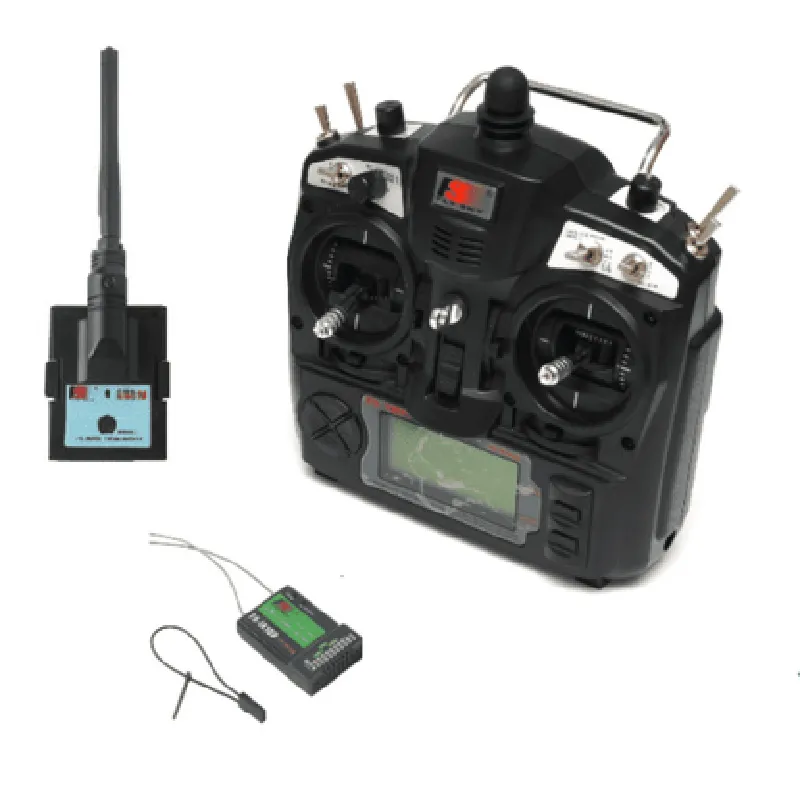
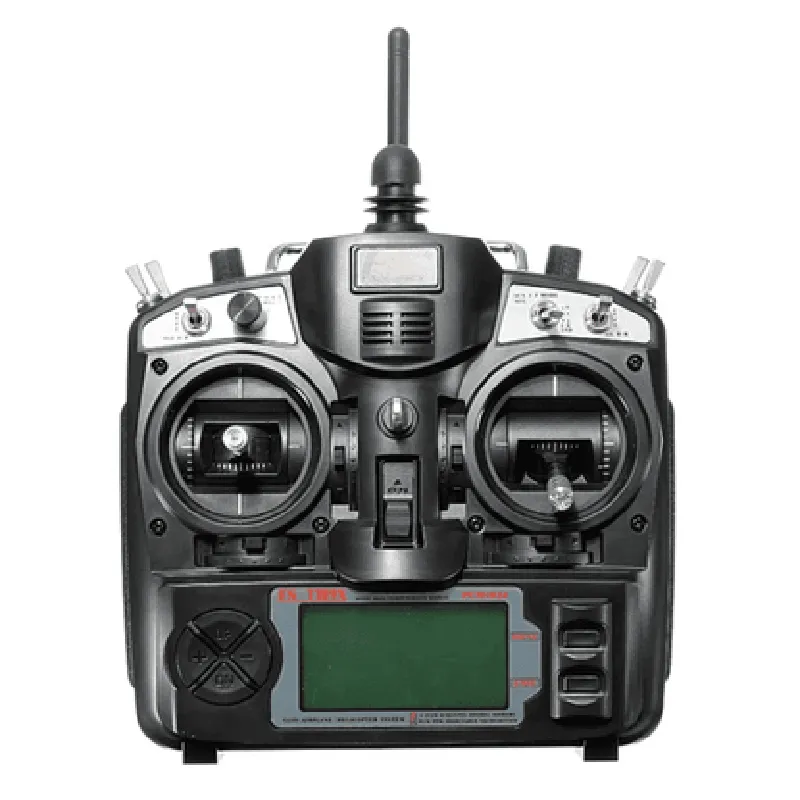
FS-TH9X 2.4GHz 9CH Upgrade Transmitter with FS-IA10B Receiver

Buy Now on Stufin

Frequency Band

2.4GHz

Number of Channels

10 (compatible with 9-channel transmitter)

Transmission Range

Up to 1.5km (depending on the environment and antenna type)

Modulation

GFSK (Gaussian Frequency Shift Keying)

Transmission Power

100mW

Power Supply

2 x 1.5V AA batteries (not included)

Operating Current

<20mA

Dimension

41 x 23 x 15mm

Weight

12g

Receiving Sensitivity

-95dBm

Operating Voltage

4.5-6V

Output

9 x 3-pin servo connectors ( compatible with standard servo motors)

### Other Features

Dual Antenna Design

Both transmitter and receiver feature dual antennas for improved signal strength and reliability.

Low Voltage Warning

The transmitter features a low voltage warning system to prevent damage from low battery levels.

Compatibility

Compatible with most standard servo motors and other devices with 3-pin connectors.

Technical Specifications

Operating Temperature

-10C to +60C

Storage Temperature

-20C to +80C

Humidity

5% to 95% RH (non-condensing)

Package Includes

FS-TH9X 2.4GHz 9CH Upgrade Transmitter

FS-IA10B Receiver

2 x Antennas (for transmitter and receiver)

User Manual

Applications

The FS-TH9X transmitter and FS-IA10B receiver system is suitable for various applications, including

Robotics

Drones

Model engineering

RC cars and boats

Industrial automation

Home automation

Warranty and Support

The FS-TH9X transmitter and FS-IA10B receiver are backed by a one-year warranty against manufacturing defects. Technical support is available through the manufacturer's website and customer support channels.

Pin Configuration

  • FS-TH9X 2.4GHz 9CH Upgrade Transmitter with FS-IA10B Receiver Pinout Explanation
  • The FS-TH9X 2.4GHz 9CH Upgrade Transmitter with FS-IA10B Receiver is a popular IoT component used in various applications such as robotics, drones, and remote control systems. Understanding the pinout of this component is crucial for proper connection and functionality. Below is a detailed explanation of each pin:
  • Transmitter (FS-TH9X) Pinout:
  • 1. VCC (Power Supply):
  • Pin: 1
  • Function: Provides power to the transmitter module
  • Recommended Voltage: 3.0V - 12.6V
  • Note: Ensure a stable power supply to avoid instability or damage to the component
  • 2. GND (Ground):
  • Pin: 2
  • Function: Provides a common ground reference for the transmitter module
  • Note: Connect to a reliable ground source to avoid noise and interference
  • 3. ANT (Antenna):
  • Pin: 3
  • Function: Connects to an external antenna for 2.4GHz signal transmission
  • Note: Use a suitable antenna designed for 2.4GHz frequency to ensure optimal performance
  • 4. CH1 - CH9 (Channel Inputs):
  • Pins: 4-12
  • Function: Accepts analog input signals from various sources (e.g., joysticks, potentiometers, or sensors) to control the 9 channels
  • Note: Each channel input can be connected to a separate signal source or multiplexed using a microcontroller or other interface
  • 5. BAT (Battery Indication):
  • Pin: 13
  • Function: Outputs a voltage level indicating the battery status (e.g., low battery warning)
  • Note: Can be connected to a voltage divider or a microcontroller for battery monitoring
  • 6. RSSI (Received Signal Strength Indication):
  • Pin: 14
  • Function: Outputs a voltage level indicating the signal strength received by the transmitter
  • Note: Can be connected to a voltage divider or a microcontroller for signal strength monitoring
  • Receiver (FS-IA10B) Pinout:
  • 1. VCC (Power Supply):
  • Pin: 1
  • Function: Provides power to the receiver module
  • Recommended Voltage: 3.0V - 12.6V
  • Note: Ensure a stable power supply to avoid instability or damage to the component
  • 2. GND (Ground):
  • Pin: 2
  • Function: Provides a common ground reference for the receiver module
  • Note: Connect to a reliable ground source to avoid noise and interference
  • 3. ANT (Antenna):
  • Pin: 3
  • Function: Connects to an external antenna for 2.4GHz signal reception
  • Note: Use a suitable antenna designed for 2.4GHz frequency to ensure optimal performance
  • 4. CH1 - CH9 (Channel Outputs):
  • Pins: 4-12
  • Function: Outputs analog signals corresponding to the 9 channels received from the transmitter
  • Note: Each channel output can be connected to a separate device or multiplexed using a microcontroller or other interface
  • 5. RSSI (Received Signal Strength Indication):
  • Pin: 13
  • Function: Outputs a voltage level indicating the signal strength received by the receiver
  • Note: Can be connected to a voltage divider or a microcontroller for signal strength monitoring
  • Connection Structure:
  • To connect the FS-TH9X transmitter and FS-IA10B receiver, follow these steps:
  • 1. Power Supply:
  • Connect the VCC pin of the transmitter and receiver to a stable power source (e.g., 3.7V LiPo battery or a voltage regulator).
  • Ensure the power supply is within the recommended voltage range (3.0V - 12.6V) for both components.
  • 2. Ground Connection:
  • Connect the GND pins of the transmitter and receiver to a common ground source (e.g., a breadboard or a PCB).
  • Ensure a reliable ground connection to avoid noise and interference.
  • 3. Antenna Connection:
  • Connect the ANT pin of the transmitter to a suitable 2.4GHz antenna.
  • Connect the ANT pin of the receiver to a suitable 2.4GHz antenna.
  • 4. Channel Connections:
  • Connect the CH1 - CH9 pins of the transmitter to the corresponding channel inputs (e.g., joysticks, potentiometers, or sensors).
  • Connect the CH1 - CH9 pins of the receiver to the corresponding channel outputs (e.g., servo motors, LEDs, or other devices).
  • 5. BAT and RSSI Connections:
  • Connect the BAT pin of the transmitter to a voltage divider or a microcontroller for battery monitoring.
  • Connect the RSSI pin of the transmitter or receiver to a voltage divider or a microcontroller for signal strength monitoring.
  • Important Notes:
  • Ensure proper antenna orientation and placement to optimize signal strength and reception.
  • Follow proper soldering and assembly techniques to avoid damaging the components.
  • Use suitable connectors, cables, and wiring to connect the components and avoid signal degradation.
  • Consult the datasheets and user manuals for detailed specifications, operating conditions, and precautions when working with the FS-TH9X transmitter and FS-IA10B receiver.

Code Examples

FS-TH9X 2.4GHz 9CH Upgrade Transmitter with FS-IA10B Receiver Documentation
Overview
The FS-TH9X 2.4GHz 9CH Upgrade Transmitter is a wireless remote control system designed for robotic, drone, and other IoT applications. Paired with the FS-IA10B Receiver, this system provides a reliable and high-speed communication link for controlling and monitoring devices remotely. This documentation provides an overview of the component's features, specifications, and code examples to demonstrate its usage in various contexts.
Features and Specifications
Transmitter (FS-TH9X)
	+ Frequency: 2.4GHz
	+ Channels: 9
	+ Transmission Power: 100mW
	+ Range: Up to 1.5km (line of sight)
	+ Supported Protocols: PWM, PPM, SBUS, and DSHOT
 Receiver (FS-IA10B)
	+ Frequency: 2.4GHz
	+ Channels: 10
	+ Sensitivity: -105dBm
	+ Range: Up to 1.5km (line of sight)
	+ Supported Protocols: PWM, PPM, SBUS, and DSHOT
Code Examples
### Example 1: Basic Transmitter and Receiver Communication using Arduino
In this example, we will demonstrate how to use the FS-TH9X Transmitter and FS-IA10B Receiver to control a robotic arm using an Arduino board.
Transmitter Side (Arduino)
```cpp
#include <TH9X.h>
TH9X transmitter;
void setup() {
  // Initialize the transmitter
  transmitter.begin();
}
void loop() {
  // Define channel values (0-1023)
  int channel1 = 512; // throttle
  int channel2 = 512; // steering
  int channel3 = 512; // arm movement
// Send channel values using PPM protocol
  transmitter.setChannelsPPM(channel1, channel2, channel3);
  transmitter.send();
  delay(20);
}
```
Receiver Side (Arduino)
```cpp
#include <IA10B.h>
IA10B receiver;
void setup() {
  // Initialize the receiver
  receiver.begin();
}
void loop() {
  // Read channel values from receiver
  int channel1 = receiver.getChannel(1);
  int channel2 = receiver.getChannel(2);
  int channel3 = receiver.getChannel(3);
// Use channel values to control the robotic arm
  // ...
  delay(20);
}
```
### Example 2: Using the FS-TH9X with a Raspberry Pi to Control a Drone
In this example, we will demonstrate how to use the FS-TH9X Transmitter with a Raspberry Pi to control a drone using Python.
Transmitter Side (Raspberry Pi)
```python
import RPi.GPIO as GPIO
from fs_th9x import TH9X
# Initialize the transmitter
transmitter = TH9X()
# Define channel values (0-1023)
channel1 = 512  # throttle
channel2 = 512  # roll
channel3 = 512  # pitch
# Send channel values using PPM protocol
transmitter.sendPPM(channel1, channel2, channel3)
```
Note: This example assumes you have installed the `fs_th9x` Python library and have configured the Raspberry Pi's GPIO pins to communicate with the FS-TH9X Transmitter.
These examples demonstrate the basic usage of the FS-TH9X 2.4GHz 9CH Upgrade Transmitter with FS-IA10B Receiver in various contexts. You can modify and expand these examples to suit your specific IoT project requirements.