ESP32 Dual-Core 32-bit LX6


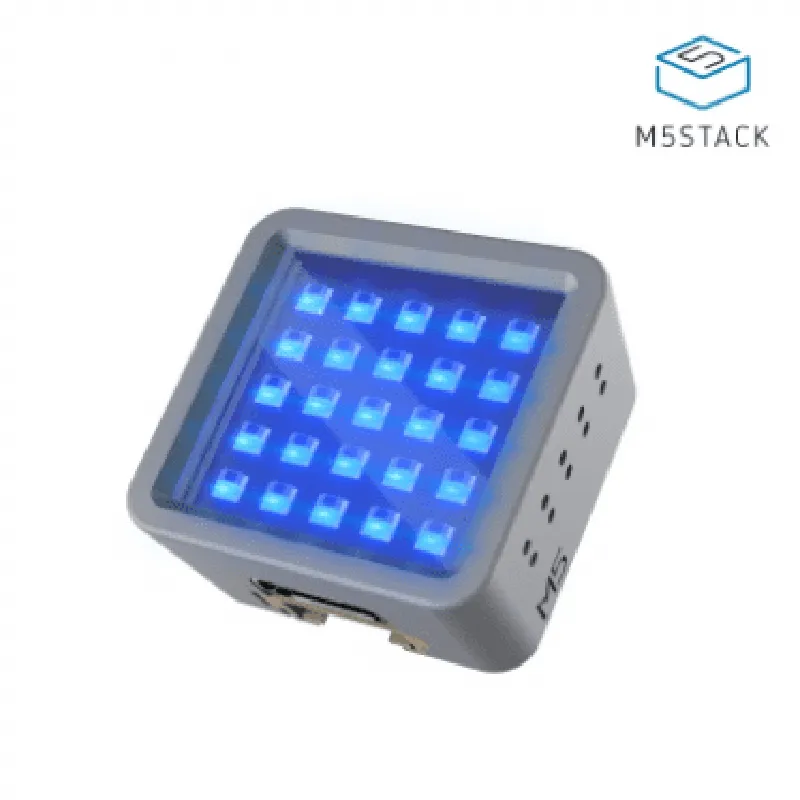
ESP32 Dual-Core 32-bit LX6
Up to 240 MHz
| Wi-Fi | 2.4 GHz and 5 GHz dual-band |
4.2 and 5.0 compatible
4 MB
520 KB
1.14 inches, 240x135 resolution
3.3V to 5V
-20C to 85C
Conclusion
The M5Stack ATOM Matrix is a powerful, versatile, and compact IoT development board that offers a unique combination of processing power, wireless connectivity, and modular design. Its small form factor, low power consumption, and ease of use make it an ideal platform for rapid prototyping and development of innovative IoT projects.
M5Stack ATOM Matrix DocumentationOverviewThe M5Stack ATOM Matrix is a compact, versatile IoT development board designed for prototyping and development of IoT projects. It features a powerful ESP32 microcontroller, Wi-Fi and Bluetooth connectivity, and a range of sensors and interfaces. The ATOM Matrix is ideal for projects requiring wireless connectivity, sensor integration, and compact size.Hardware SpecificationsMicrocontroller: ESP32 Dual-Core 32-bit LX6 Microprocessor
Wi-Fi: 802.11 b/g/n
Bluetooth: BLE 4.2
Sensors:
+ Accelerometer (LIS3DHTR)
+ Gyroscope (L3GD20H)
+ Magnetometer (MAG3110)
+ Ambient Light Sensor (BH1750)
+ Temperature Sensor (TMP102)
Interfaces:
+ USB-C
+ I2C
+ I/O Pins (12x)
+ LED (RGB)Software SupportThe M5Stack ATOM Matrix is compatible with a range of programming languages, including:MicroPython
C/C++
Lua
ArduinoCode Examples### Example 1: Wi-Fi Connectivity and Temperature Sensor (MicroPython)This example demonstrates how to connect to a Wi-Fi network and read temperature data from the on-board temperature sensor using MicroPython.```python
import wifi
import machine
import time# Initialize Wi-Fi
wifi.init()# Connect to Wi-Fi network
wifi.connect('your_ssid', 'your_password')while True:
# Read temperature data from TMP102 sensor
temp_sensor = machine.ADC(machine.Pin(32))
temp_c = temp_sensor.read_u16() (3.3 / 65536) 100
print('Temperature: {:.2f}C'.format(temp_c))
time.sleep(1)
```### Example 2: Accelerometer Data and LED Indication (C/C++)This example demonstrates how to read accelerometer data and indicate the orientation of the board using the on-board RGB LED.```c
#include <M5Atom.h>M5Atom atom;void setup() {
atom.begin();
}void loop() {
// Read accelerometer data
int16_t ax, ay, az;
atom.lis.readData(&ax, &ay, &az);// Determine orientation based on accelerometer data
if (ax > 2000) {
atom.led.fill(0x0000ff); // Blue for upright orientation
} else if (ax < -2000) {
atom.led.fill(0xff0000); // Red for inverted orientation
} else {
atom.led.fill(0x00ff00); // Green for horizontal orientation
}delay(50);
}
```### Example 3: IoT Remote Monitoring using MQTT (Arduino)This example demonstrates how to use the M5Stack ATOM Matrix as an IoT device to send sensor data to an MQTT broker for remote monitoring.```c
#include <WiFi.h>
#include <PubSubClient.h>// MQTT broker details
const char mqttServer = "your_mqtt_broker";
const char mqttTopic = "your_mqtt_topic";
const char mqttUsername = "your_mqtt_username";
const char mqttPassword = "your_mqtt_password";WiFiClient espClient;
PubSubClient client(espClient);void setup() {
// Initialize Wi-Fi and connect to network
WiFi.begin("your_ssid", "your_password");
while (WiFi.status() != WL_CONNECTED) {
delay(1000);
Serial.println("Connecting to Wi-Fi...");
}
Serial.println("Connected to Wi-Fi");// Connect to MQTT broker
client.setServer(mqttServer, 1883);
}void loop() {
// Read temperature data from TMP102 sensor
int temp_c = analogRead(32) (3.3 / 4095) 100;// Publish sensor data to MQTT topic
char message[50];
sprintf(message, "Temperature: %dC", temp_c);
client.publish(mqttTopic, message);delay(5000);
}
```These examples demonstrate the versatility and ease of use of the M5Stack ATOM Matrix in various IoT applications.