Stufin
Home Quick Cart Profile

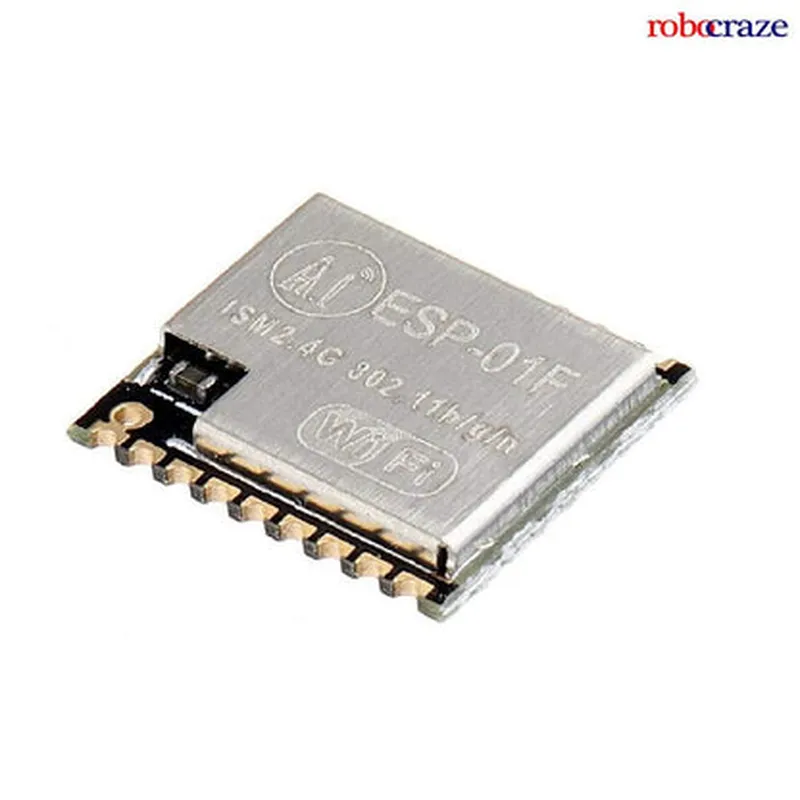
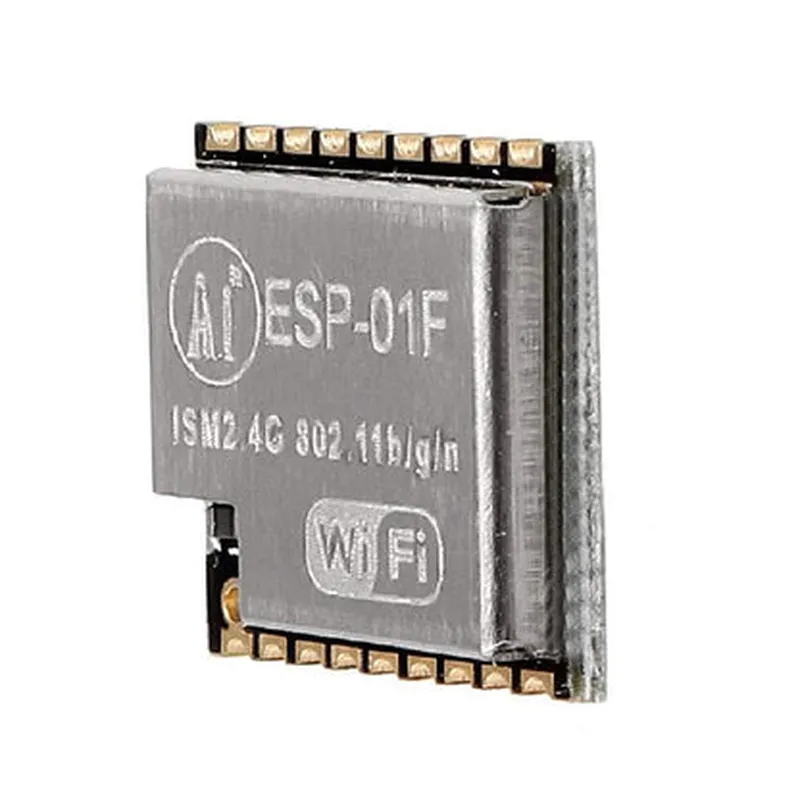
Ai Thinker ESP-01F ESP8285 Serial WiFi Module

Buy Now on Stufin

Microprocessor

ESP8285 32-bit LX6 microprocessor


Flash Memory

1MB

WiFi Frequency

2.4GHz

WiFi Protocol

802.11 b/g/n

Data Transfer Rate

Up to 20Mbps

Serial Interface

UART

Baud Rate

Up to 115200bps

Operating Voltage

3.3V

Power Consumption

150mA (active), 10mA (standby)

Dimensions

14.3mm x 16.3mm

Operating Temperature

-40C to 125C

Conclusion

The Ai Thinker ESP-01F ESP8285 Serial WiFi Module is a powerful and versatile WiFi module that provides a compact and cost-effective solution for adding WiFi connectivity to devices. Its small form factor, low power consumption, and easy-to-use serial interface make it an ideal choice for a wide range of IoT applications.

Pin Configuration

  • Ai Thinker ESP-01F ESP8285 Serial WiFi Module Pinout Guide
  • The Ai Thinker ESP-01F ESP8285 Serial WiFi Module is a popular IoT component that integrates a microcontroller and Wi-Fi capabilities into a compact package. This module features a total of 8 pins, each with a specific function. Here's a detailed explanation of each pin and how to connect them:
  • Pin 1: VCC
  • Function: Power supply input (3.3V)
  • Connection: Connect to a 3.3V power source. Ensure the power supply is stable and can provide enough current to power the module.
  • Pin 2: GND
  • Function: Ground
  • Connection: Connect to the ground of your circuit or power source.
  • Pin 3: RX (UART Receive)
  • Function: Receive data from the microcontroller (UART interface)
  • Connection: Connect to the transmit (TX) pin of a serial communication device (e.g., a USB-to-TTL serial adapter or a microcontroller's TX pin).
  • Pin 4: TX (UART Transmit)
  • Function: Transmit data from the microcontroller (UART interface)
  • Connection: Connect to the receive (RX) pin of a serial communication device (e.g., a USB-to-TTL serial adapter or a microcontroller's RX pin).
  • Pin 5: IO0 (GPIO0)
  • Function: General-purpose input/output pin (GPIO0)
  • Connection: Can be used as an input or output, depending on the firmware configuration. Typically used for firmware upload, resetting the module, or as a general-purpose I/O.
  • Pin 6: RST (Reset)
  • Function: Reset pin (active low)
  • Connection: Connect to a pull-up resistor (e.g., 10k) to ensure the module stays in a stable state. You can also connect this pin to a reset button or a microcontroller's output to control the module's reset.
  • Pin 7: CH_PD (Chip Power Down)
  • Function: Chip power-down control (active high)
  • Connection: Connect to a pull-down resistor (e.g., 10k) to keep the module powered on. This pin is used to control the module's power state.
  • Pin 8: none (NC)
  • Function: Not connected (NC)
  • Connection: Leave this pin unconnected.
  • Additional Notes:
  • Make sure to use a logic level shifter if your device operates at a voltage other than 3.3V.
  • Always use a stable power supply to prevent module malfunction or damage.
  • Be cautious when handling the module to avoid damage from electrostatic discharge.
  • By following this pinout guide, you'll be able to properly connect the Ai Thinker ESP-01F ESP8285 Serial WiFi Module to your project circuit and utilize its Wi-Fi and microcontroller capabilities.

Code Examples

Ai Thinker ESP-01F ESP8285 Serial WiFi Module Documentation
Overview
The Ai Thinker ESP-01F ESP8285 Serial WiFi Module is a compact, low-cost WiFi module based on the ESP8285 microcontroller. It provides a reliable and convenient way to add WiFi connectivity to IoT projects. This module is widely used in various applications, including smart home devices, wearable electronics, and robot control systems.
Pinout
The ESP-01F module has a total of 8 pins, with the following pinout:
| Pin | Function |
| --- | --- |
| 1 | VCC (3.3V) |
| 2 | GND |
| 3 | RX (Serial Input) |
| 4 | TX (Serial Output) |
| 5 | EN (Enable) |
| 6 | IO0 (GPIO0) |
| 7 | IO2 (GPIO2) |
| 8 | RST (Reset) |
Communication Protocol
The ESP-01F module communicates using a serial protocol, with a default baud rate of 115200bps. It supports both Serial WiFi (AT commands) and SPI protocols.
Code Examples
### Example 1: Connecting to WiFi using AT Commands
This example demonstrates how to connect to a WiFi network using AT commands.
Code:
```c
#include <SoftwareSerial.h>
#define ESP_RX 3 // RX pin of ESP-01F module
#define ESP_TX 4 // TX pin of ESP-01F module
SoftwareSerial espSerial(ESP_RX, ESP_TX);
void setup() {
  Serial.begin(115200);
  espSerial.begin(115200);
// Reset the ESP-01F module
  espSerial.println("AT+RST");
  delay(1000);
// Set WiFi mode to station mode
  espSerial.println("AT+CWMODE=1");
  delay(1000);
// Connect to WiFi network
  espSerial.print("AT+CWJAP=""your_wifi_ssid"