L1 band (1575.42 MHz)


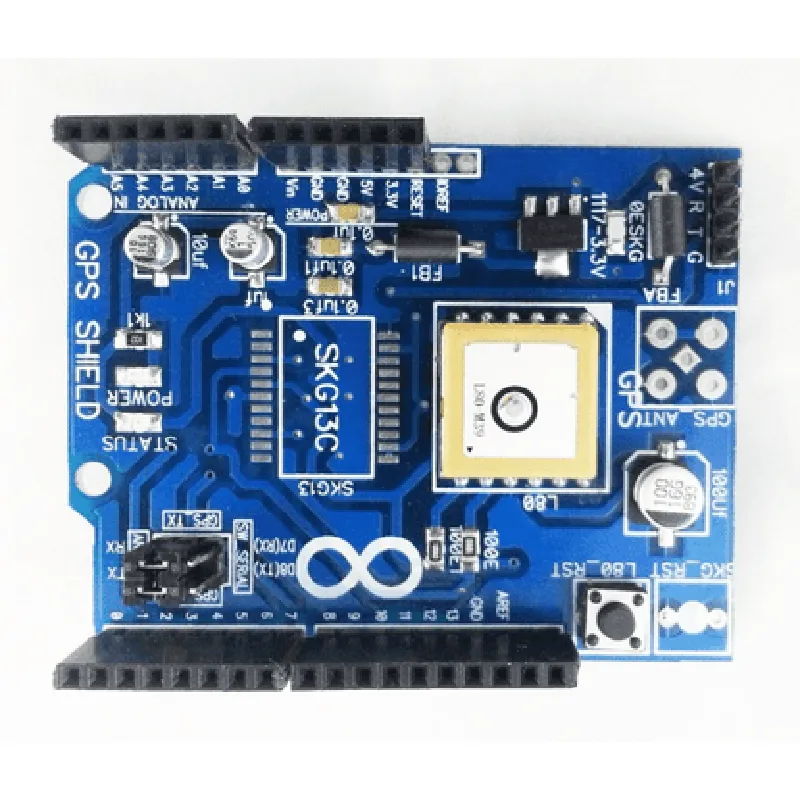
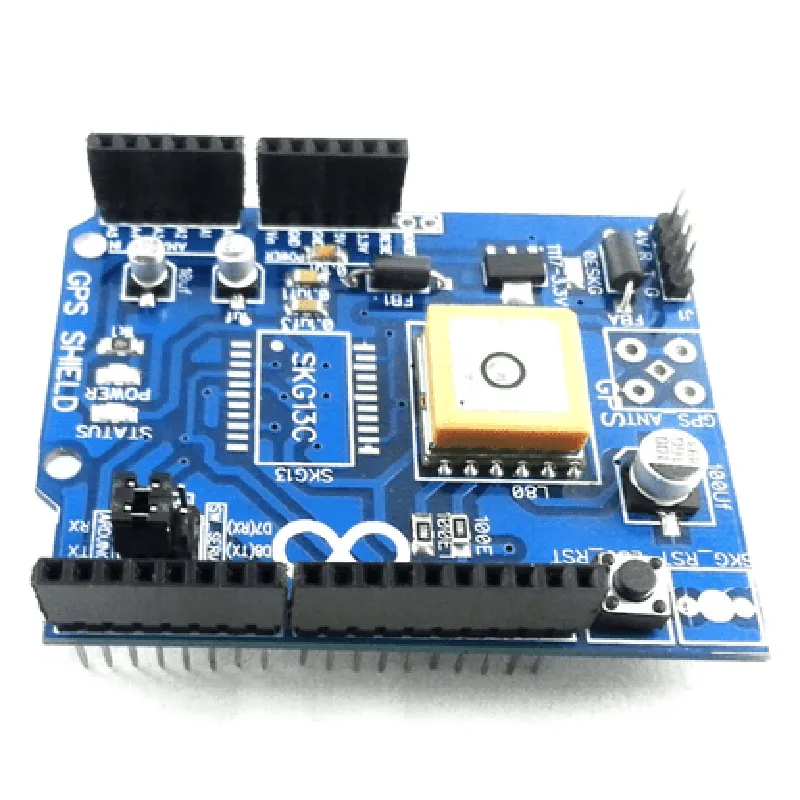
L1 band (1575.42 MHz)
-165 dBm
Horizontal accuracy of up to 2.5 meters, velocity accuracy of up to 0.1 m/s
20 mA (tracking mode), 1 mA (power saver mode)
3.3 V to 5 V
-40C to +85C
25 mm x 25 mm
Applications
| The L80 GPS Shield is suitable for a wide range of IoT applications, including |
Location tracking and monitoring
Navigation and mapping
Asset tracking and monitoring
Industrial automation and control
Autonomous vehicles and drones
Wearable devices and fitness trackers
L80 GPS Shield DocumentationOverviewThe L80 GPS Shield is a compact and high-performance GPS module designed for robotic, automotive, and IoT applications. It is based on the Quectel L80 GPS module, which provides a high-sensitivity receiver with a built-in antenna and supports multiple satellite systems including GPS, GLONASS, and Galileo. This shield is compatible with most microcontrollers and single-board computers, making it an ideal choice for GPS-enabled projects.Technical SpecificationsGPS Module: Quectel L80
Frequency: L1 band (1575.42 MHz)
Sensitivity: -148 dBm
Cold Start: 32 seconds
Hot Start: 1 second
Accuracy: 2.5 meters
Interface: UART, I2C, and SPI
Power Supply: 3.3V to 5V
Operating Temperature: -40C to 85CConnecting the L80 GPS ShieldThe L80 GPS Shield can be connected to most microcontrollers and single-board computers using the following pins:VCC: Power supply (3.3V to 5V)
GND: Ground
TX/RX: UART communication pins
SCL/SDA: I2C communication pins
SCK/MISO/MOSI: SPI communication pinsCode Examples### Example 1: Getting GPS Data using Arduino (UART)In this example, we will use the L80 GPS Shield with an Arduino Board to read GPS data using the UART interface.```cpp
#include <SoftwareSerial.h>#define GPS_RX 2
#define GPS_TX 3SoftwareSerial gpsSerial(GPS_RX, GPS_TX);void setup() {
Serial.begin(9600);
gpsSerial.begin(9600);
}void loop() {
while (gpsSerial.available()) {
char c = gpsSerial.read();
Serial.print(c);
}
delay(1000);
}
```This code initializes the SoftwareSerial library to communicate with the GPS shield using the UART interface. It then reads the GPS data and prints it to the serial monitor.### Example 2: Parsing NMEA Sentences using Python (I2C)In this example, we will use the L80 GPS Shield with a Raspberry Pi to read and parse NMEA sentences using the I2C interface.```python
import smbus
import timeI2C_BUS = 1
GPS_ADDRESS = 0x10bus = smbus.SMBus(I2C_BUS)def read_nmea_sentence():
data = bus.read_i2c_block_data(GPS_ADDRESS, 0x00, 64)
sentence = ''.join([chr(x) for x in data])
return sentencewhile True:
sentence = read_nmea_sentence()
if sentence.startswith("$GPGGA"):
print("GPS Data:", sentence)
time.sleep(1)
```This code initializes the I2C bus and reads NMEA sentences from the GPS shield. It then parses the sentences and prints the GPS data to the console.### Example 3: Using GPS Data for Location-Based Services (SPI)In this example, we will use the L80 GPS Shield with an ESP32 Board to read GPS data and use it for location-based services.```cpp
#include <WiFi.h>
#include <HTTPClient.h>WiFiClient client;
HTTPClient http;#define SPI_CLK 18
#define SPI_MISO 19
#define SPI_MOSI 23void setup() {
Serial.begin(115200);
SPI.begin(SPI_CLK, SPI_MISO, SPI_MOSI, -1);
WiFi.begin("your_wifi_ssid", "your_wifi_password");
while (WiFi.status() != WL_CONNECTED) {
delay(1000);
Serial.println("Connecting to WiFi...");
}
Serial.println("Connected to WiFi");
}void loop() {
uint8_t gps_data[64];
SPI.transfer(0x00, gps_data, 64);
String sentence = (char)gps_data;
if (sentence.startsWith("$GPGGA")) {
int idx = sentence.indexOf(",");
String latitude = sentence.substring(idx + 1, idx + 10);
idx = sentence.indexOf(",", idx + 1);
String longitude = sentence.substring(idx + 1, idx + 12);
http.begin("http://example.com/locate");
http.addHeader("Content-Type", "application/x-www-form-urlencoded");
http.POST("lat=" + latitude + "&lon=" + longitude);
int statusCode = http.responseStatusCode();
http.end();
}
delay(10000);
}
```This code initializes the SPI interface and reads GPS data from the shield. It then parses the latitude and longitude from the NMEA sentence and sends a POST request to a server with the location data.