6-axis (accelerometer and gyroscope combination)


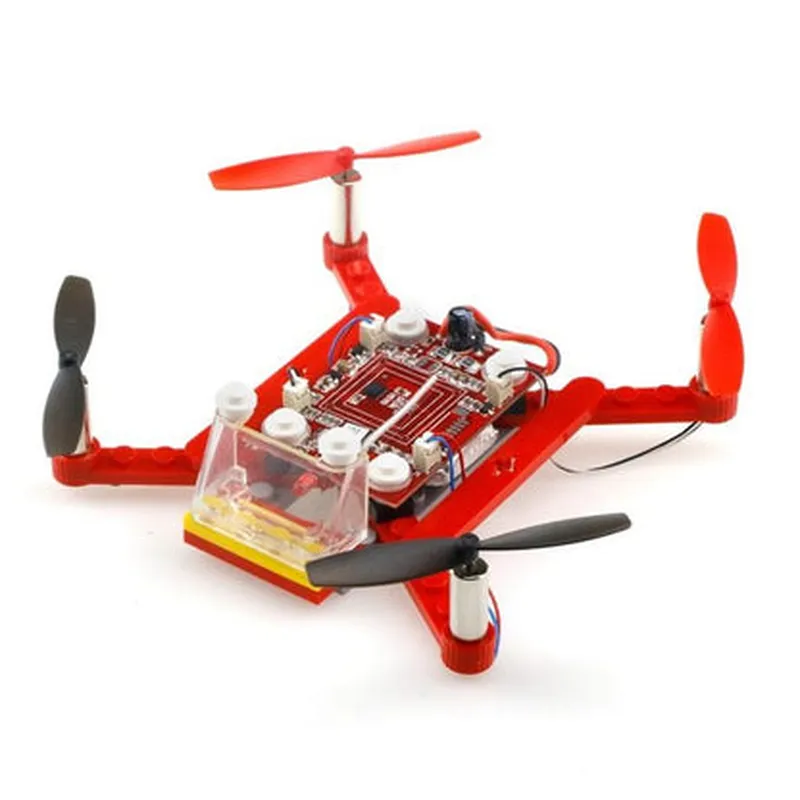
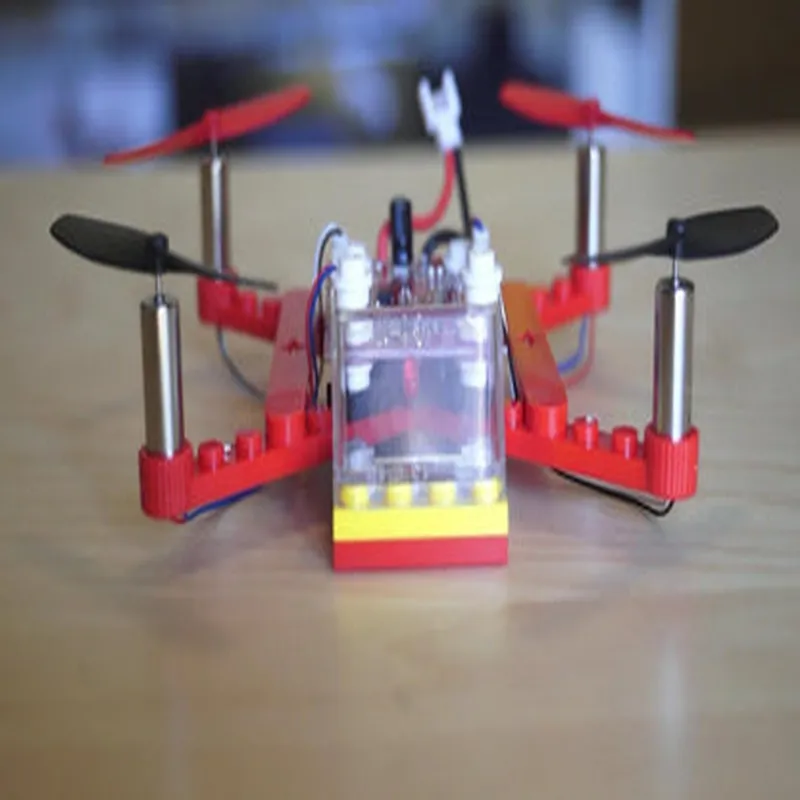
6-axis (accelerometer and gyroscope combination)
4-channel RF controller
4x Brushless motors
4x Electronic Speed Controllers
Lightweight and durable frame
4x Optimized propellers for aerodynamics and performance
Integrated power distribution board
Approximately 150g (without battery)
120mm x 120mm x 30mm (without propellers)
Applications
| The DIY 4CH 6-Axis Gyro Mini Quadcopter Kit is suitable for various applications, including |
Aerial photography and videography
Surveillance and monitoring
Research and development
Hobbyist projects and prototypes
This kit requires assembly, soldering, and programming to operate. Users are advised to have basic electronics and programming knowledge before using this kit.
DIY 4CH 6-Axis Gyro Mini Quadcopter Kit DocumentationOverviewThe DIY 4CH 6-Axis Gyro Mini Quadcopter Kit is a compact and versatile quadcopter kit designed for hobbyists and enthusiasts. It features a 6-axis gyro sensor, providing stable flight performance and precise control. This kit is perfect for building and customizing mini quadcopters for various applications, such as aerial photography, racing, and robotics.Technical SpecificationsMicrocontroller: ATmega328P
Gyro Sensor: 6-axis (3-axis accelerometer, 3-axis gyroscope)
ESC: 4x 10A Brushed ESC
Motor: 4x 7mm Coreless Motor
Receiver: 4CH 2.4GHz Receiver
Power Supply: 7.4V 200mAh LiPo BatterySetting Up the KitTo get started with the DIY 4CH 6-Axis Gyro Mini Quadcopter Kit, follow these steps:1. Assemble the quadcopter frame and attach the motors, ESCs, and gyro sensor.
2. Connect the receiver and battery to the flight controller.
3. Upload the flight control firmware to the microcontroller using a programming interface (e.g., Arduino IDE).
4. Calibrate the gyro sensor and configure the flight controller settings using the provided software or a serial terminal.Code Examples### Example 1: Basic Flight Control Using ArduinoThis example demonstrates how to control the quadcopter using the Arduino IDE and the built-in flight control firmware.
```c
#include <Quadcopter.h>Quadcopter quad;void setup() {
// Initialize the quadcopter
quad.init();// Set the motor speeds to zero
quad.setMotorSpeeds(0, 0, 0, 0);
}void loop() {
// Read the receiver input
int roll = quad RECEIVER_READ Roll;
int pitch = quad RECEIVER_READ Pitch;
int yaw = quad RECEIVER_READ Yaw;
int throttle = quad RECEIVER_READ Throttle;// Calculate the motor speeds based on the receiver input
int motor1Speed = throttle + roll + yaw;
int motor2Speed = throttle - roll + yaw;
int motor3Speed = throttle + pitch - yaw;
int motor4Speed = throttle - pitch - yaw;// Set the motor speeds
quad.setMotorSpeeds(motor1Speed, motor2Speed, motor3Speed, motor4Speed);
delay(20); // 20ms refresh rate
}
```
### Example 2: Stability Control Using PID AlgorithmThis example demonstrates how to implement a basic PID (Proportional-Integral-Derivative) control algorithm to stabilize the quadcopter.
```c
#include <Quadcopter.h>
#include <PID.h>Quadcopter quad;
PID pidRoll, pidPitch, pidYaw;void setup() {
// Initialize the quadcopter
quad.init();// Initialize the PID controllers
pidRoll.init(2.0, 0.5, 1.0); // Roll PID gains
pidPitch.init(2.0, 0.5, 1.0); // Pitch PID gains
pidYaw.init(2.0, 0.5, 1.0); // Yaw PID gains
}void loop() {
// Read the gyro sensor data
int gyroRoll = quad GYRO_READ Roll;
int gyroPitch = quad GYRO_READ Pitch;
int gyroYaw = quad GYRO_READ Yaw;// Calculate the PID outputs
int pidOutputRoll = pidRoll.calculate(gyroRoll, 0);
int pidOutputPitch = pidPitch.calculate(gyroPitch, 0);
int pidOutputYaw = pidYaw.calculate(gyroYaw, 0);// Calculate the motor speeds based on the PID outputs
int motor1Speed = pidOutputRoll + pidOutputPitch + pidOutputYaw;
int motor2Speed = pidOutputRoll - pidOutputPitch + pidOutputYaw;
int motor3Speed = pidOutputPitch + pidOutputYaw - pidOutputRoll;
int motor4Speed = pidOutputPitch - pidOutputYaw - pidOutputRoll;// Set the motor speeds
quad.setMotorSpeeds(motor1Speed, motor2Speed, motor3Speed, motor4Speed);
delay(20); // 20ms refresh rate
}
```
Note: These code examples are for illustrative purposes only and may require modifications to work with your specific setup and requirements.