Bluetooth 2.0 USB Dongle For Laptop and PC


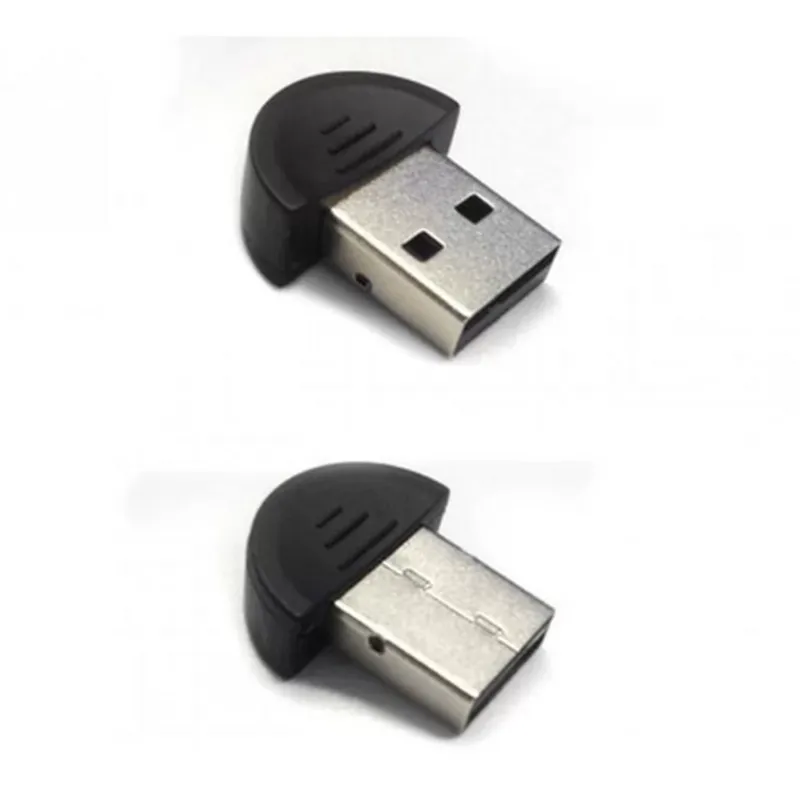
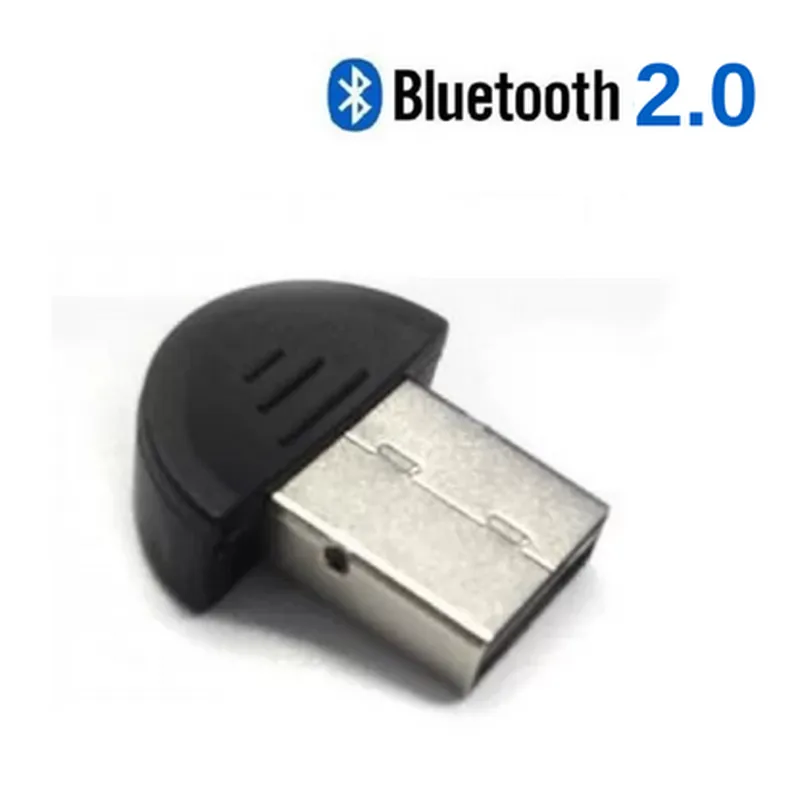
Bluetooth 2.0 USB Dongle For Laptop and PC
The Bluetooth 2.0 USB Dongle is a compact, plug-and-play device that enables Bluetooth connectivity on laptop and PC devices. This dongle allows users to connect to various Bluetooth-enabled devices, such as headphones, speakers, keyboards, and phones, without the need for built-in Bluetooth capabilities.
The Bluetooth 2.0 USB Dongle provides a simple and convenient way to enable Bluetooth connectivity on devices that lack built-in Bluetooth capabilities. Once plugged into a USB port, the dongle establishes a Bluetooth connection with compatible devices, allowing for wireless data transfer, audio streaming, and device control.
Headphones and speakers
Keyboards and mice
Smartphones and tablets
Printers and scanners
Gaming controllers
2.0 + EDR
2.4 GHz
Up to 3 Mbps
Up to 10 meters (33 feet)
USB 2.0
Low power consumption (<100 mA)
0C to 40C (32F to 104F)
-20C to 70C (-4F to 158F)
45 mm x 18 mm x 10 mm (1.77 in x 0.71 in x 0.39 in)
Approximately 10 grams (0.35 oz)
Bluetooth 2.0 USB Dongle
Driver software CD
User manual
The Bluetooth 2.0 USB Dongle comes with a 1-year limited warranty and dedicated customer support for troubleshooting and technical assistance.
Bluetooth 2.0 USB Dongle For Laptop and PC DocumentationOverviewThe Bluetooth 2.0 USB Dongle is a compact, plug-and-play device that enables Bluetooth connectivity on laptops and PCs. It supports data transfer rates of up to 3 Mbps and is compatible with Windows and Linux operating systems.Technical SpecificationsBluetooth Version: 2.0 + EDR
Operating Frequency: 2.4 GHz
Data Transfer Rate: Up to 3 Mbps
Range: Up to 10 meters (33 feet)
Power Consumption: 100 mA (average)
Dimensions: 45 mm x 17 mm x 9 mm (1.77 in x 0.67 in x 0.35 in)
Weight: 10 grams (0.35 oz)Programming and DevelopmentThe Bluetooth 2.0 USB Dongle can be used in various programming languages and development environments. Here are a few examples:Example 1: Python on WindowsIn this example, we will use the PyBluez library to connect to a Bluetooth device using the Bluetooth 2.0 USB Dongle.```
import bluetooth# Search for nearby Bluetooth devices
print("Scanning for devices...")
devices = bluetooth.discover_devices(lookup_names=True, duration=5)# Select the first device found
device_addr = devices[0][0]
device_name = devices[0][1]print("Connecting to device:", device_name)# Create a socket and connect to the device
sock = bluetooth.BluetoothSocket(bluetooth.RFCOMM)
sock.connect((device_addr, 1))# Send a message to the device
sock.send("Hello from Python!")# Receive a message from the device
msg = sock.recv(1024)
print("Received message:", msg)# Close the socket
sock.close()
```Example 2: C++ on LinuxIn this example, we will use the BlueZ library to create a Bluetooth server that accepts incoming connections using the Bluetooth 2.0 USB Dongle.```
#include <iostream>
#include <bluetooth/rfcomm.h>int main() {
// Create a Bluetooth socket
int sock = socket(AF_BLUETOOTH, SOCK_STREAM, BTPROTO_RFCOMM);// Bind the socket to a local address
struct sockaddr_rc loc_addr = { 0 };
loc_addr.rc_family = AF_BLUETOOTH;
loc_addr.rc_bdaddr = BDADDR_ANY;
loc_addr.rc_channel = 1;
bind(sock, (struct sockaddr )&loc_addr, sizeof(loc_addr));// Listen for incoming connections
listen(sock, 1);std::cout << "Bluetooth server started. Waiting for incoming connections..." << std::endl;// Accept an incoming connection
struct sockaddr_rc rem_addr = { 0 };
socklen_t opt = sizeof(rem_addr);
int client_sock = accept(sock, (struct sockaddr )&rem_addr, &opt);std::cout << "Connected to device: " << ba2str(&rem_addr.rc_bdaddr, NULL) << std::endl;// Communicate with the connected device
char msg[1024];
read(client_sock, msg, 1024);
std::cout << "Received message: " << msg << std::endl;// Close the sockets
close(client_sock);
close(sock);return 0;
}
```Troubleshooting and SupportFor troubleshooting and support, please refer to the manufacturer's documentation and online resources. Common issues include:Driver installation errors
Device pairing failures
Data transfer rate limitations
Interference with other Bluetooth devicesConclusionThe Bluetooth 2.0 USB Dongle is a versatile and easy-to-use device that enables Bluetooth connectivity on laptops and PCs. With its compact design and plug-and-play functionality, it's an ideal solution for a wide range of applications, from wireless file transfer to IoT device development.