Stufin
Home Quick Cart Profile

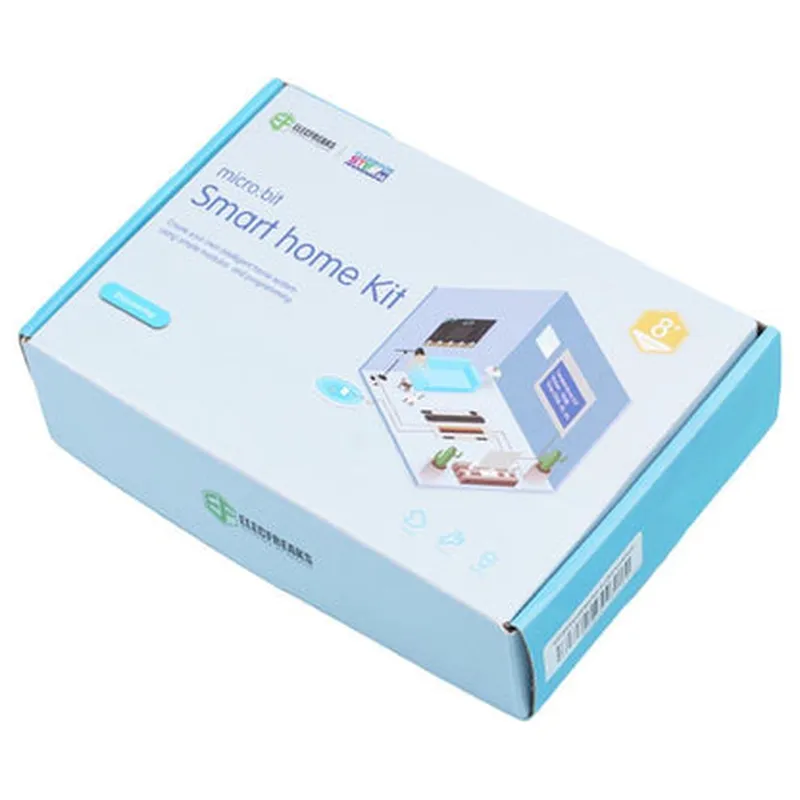
Smart Home Kit with sensors compatible with Micro:Bit by Elecfreaks

Buy Now on Stufin

Smart Home Kit with Sensors Compatible with Micro

Bit by Elecfreaks

Overview

The Smart Home Kit with Sensors Compatible with Micro

Bit by Elecfreaks is an excellent choice for anyone looking to explore the world of IoT and smart home automation. With its comprehensive range of sensors, wireless communication capabilities, and ease of use, this kit provides a solid foundation for developing innovative and practical smart home projects.

Operating Voltage

3.3V

Communication Protocols

Wi-Fi, Bluetooth, Zigbee

Sensor Accuracy

+ Temperature1C
+ Humidity5%
+ Light10 lux
+ Sound5 dB
+ Motion1m

Micro

Bit Compatibility100% compatible with Micro:Bit V1 and V2

Conclusion

Pin Configuration

  • Smart Home Kit with Sensors Compatible with Micro:Bit by Elecfreaks - Pinout Explanation
  • The Smart Home Kit with Sensors by Elecfreaks is designed to work seamlessly with the Micro:Bit microcontroller, providing a comprehensive solution for IoT-based projects. The kit consists of various sensors and modules, each with its own set of pins. In this documentation, we will explain the pins of each component in the kit, along with a step-by-step guide on how to connect them.
  • Pins on the Micro:Bit
  • Before diving into the kit's components, let's quickly review the Micro:Bit's pins:
  • Pin 0: Digital Input/Output
  • Pin 1: Digital Input/Output
  • Pin 2: Digital Input/Output
  • Pin 3V: Power Output (3.3V)
  • Pin GND: Ground
  • Pin 5V: Power Input (5V)
  • Smart Home Kit Components and their Pins
  • Now, let's explore the components in the Smart Home Kit and their corresponding pins:
  • 1. Temperature and Humidity Sensor (DHT11)
  • VCC: Connect to Micro:Bit's Pin 3V (3.3V power output)
  • GND: Connect to Micro:Bit's Pin GND (ground)
  • Data: Connect to Micro:Bit's Pin 0 (digital input/output)
  • 2. Light Sensor (LDR)
  • VCC: Connect to Micro:Bit's Pin 3V (3.3V power output)
  • GND: Connect to Micro:Bit's Pin GND (ground)
  • OUT: Connect to Micro:Bit's Pin 1 (digital input/output)
  • 3. Ultrasonic Sensor (HC-SR04)
  • VCC: Connect to Micro:Bit's Pin 3V (3.3V power output)
  • GND: Connect to Micro:Bit's Pin GND (ground)
  • Trig: Connect to Micro:Bit's Pin 2 (digital input/output)
  • Echo: Connect to Micro:Bit's Pin 2 (digital input/output)
  • 4. Infrared Receiver (TSOP4838)
  • VCC: Connect to Micro:Bit's Pin 3V (3.3V power output)
  • GND: Connect to Micro:Bit's Pin GND (ground)
  • OUT: Connect to Micro:Bit's Pin 1 (digital input/output)
  • 5. Relay Module
  • VCC: Connect to Micro:Bit's Pin 3V (3.3V power output)
  • GND: Connect to Micro:Bit's Pin GND (ground)
  • IN1: Connect to Micro:Bit's Pin 0 (digital input/output)
  • IN2: Connect to Micro:Bit's Pin 1 (digital input/output)
  • Connection Structure:
  • To connect the components, follow this structure:
  • 1. Connect the VCC pin of each component to the Micro:Bit's Pin 3V (3.3V power output).
  • 2. Connect the GND pin of each component to the Micro:Bit's Pin GND (ground).
  • 3. Connect the data pins of each component to the corresponding digital input/output pins on the Micro:Bit (e.g., Temperature and Humidity Sensor's Data pin to Micro:Bit's Pin 0, Light Sensor's OUT pin to Micro:Bit's Pin 1, etc.).
  • Important Note:
  • Make sure to use the correct pin connections to avoid damaging the components or the Micro:Bit.
  • Use jumper wires or breadboard to connect the components, ensuring secure and reliable connections.
  • Refer to the Micro:Bit's documentation and the Smart Home Kit's user manual for more information on programming and usage.
  • By following this documentation, you should be able to connect the Smart Home Kit's components to the Micro:Bit correctly, paving the way for exciting IoT projects and experiments.

Code Examples

Smart Home Kit with Sensors Compatible with Micro:Bit by Elecfreaks
Overview

The Smart Home Kit with sensors is a comprehensive IoT component designed for use with the Micro:Bit microcontroller board. This kit provides a range of sensors and modules that enable users to create intelligent home automation systems, monitoring environmental conditions, and detecting various parameters. The kit is compatible with the Micro:Bit board, making it an ideal choice for educational projects, prototyping, and DIY enthusiasts.
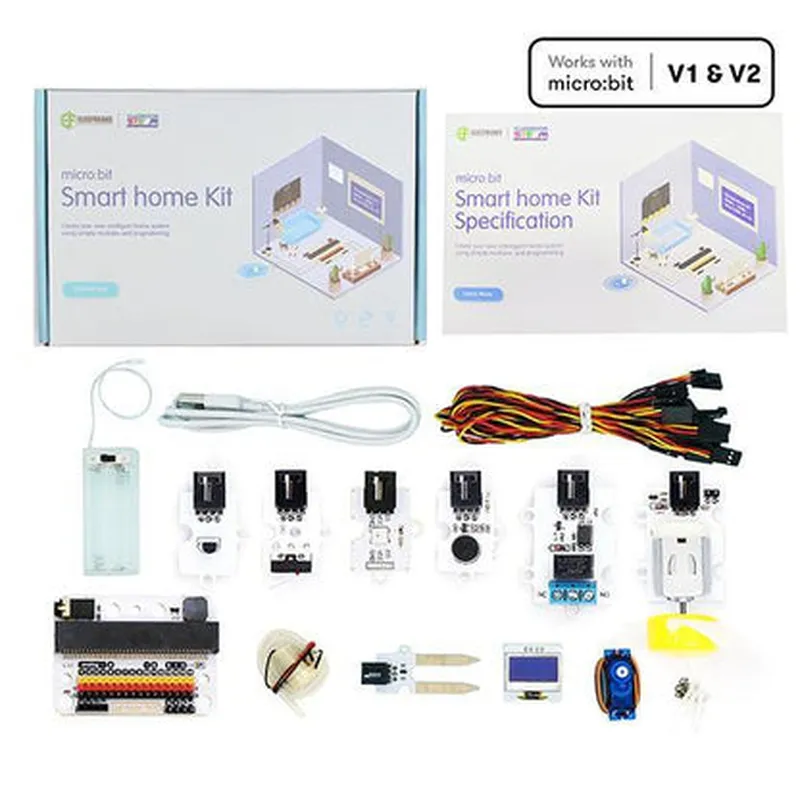
Kit Components
Micro:Bit compatible board
 Temperature and Humidity sensor (DHT11)
 Light sensor (LDR)
 Sound sensor (Microphone)
 PIR Motion sensor
 3-Color LED module
 Buzzer module
 Jumper wires and breadboard
Technical Specifications
Operating Voltage: 3.3V
 Communication Protocol: I2C
 Connectivity: Micro:Bit compatible headers
 Dimensions: 65mm x 55mm x 20mm (main board)
Code Examples
### Example 1: Temperature and Humidity Monitoring
In this example, we will use the DHT11 temperature and humidity sensor to monitor environmental conditions and display the readings on the Micro:Bit's LED display.
Code:
```python
from microbit import 
import ustruct
while True:
    # Read temperature and humidity data from DHT11 sensor
    temp_humd = i2c.read(0x27, 5)
    temp = ustruct.unpack('H', temp_humd[0:2])[0]
    humd = ustruct.unpack('H', temp_humd[2:4])[0]
# Display temperature and humidity readings on Micro:Bit's LED display
    display.scroll("Temp: " + str(temp) + "C, Humd: " + str(humd) + "%")
# Wait for 1 second before taking the next reading
    sleep(1000)
```
### Example 2: Motion-Activated LED Lighting
In this example, we will use the PIR motion sensor to detect motion and trigger the 3-Color LED module to turn on when motion is detected.
Code:
```python
from microbit import
while True:
    # Read PIR motion sensor data
    pir_data = pin0.read_digital()
# If motion is detected, turn on the 3-Color LED module
    if pir_data == 1:
        pin1.write_digital(1)  # Turn on the LED module
        sleep(500)  # Keep the LED on for 500ms
    else:
        pin1.write_digital(0)  # Turn off the LED module
```
### Example 3: Sound-Activated Buzzer
In this example, we will use the sound sensor to detect loud noises and trigger the buzzer module to emit a warning sound.
Code:
```python
from microbit import
while True:
    # Read sound sensor data
    sound_data = pin2.read_analog()
# If the sound level is above a certain threshold, trigger the buzzer
    if sound_data > 500:
        pin3.write_digital(1)  # Turn on the buzzer module
        sleep(200)  # Keep the buzzer on for 200ms
    else:
        pin3.write_digital(0)  # Turn off the buzzer module
```
Note: In these examples, we assume that the Micro:Bit board is connected to the Smart Home Kit's sensors and modules according to the manufacturer's instructions. Additionally, the code examples provided are for illustration purposes only and may require modifications to suit specific use cases.