The module supports sending and receiving SMS messages, which can be used for various purposes, such as device configuration, alarm notifications, and user interactions.


The module supports sending and receiving SMS messages, which can be used for various purposes, such as device configuration, alarm notifications, and user interactions.
The module allows for voice calls, enabling applications like voice-based user interfaces, voice commands, and voice-based notifications.
Key Features
Technical Specifications
3.4V to 4.4V
Up to 2A
Up to 115200 bps
USB 2.0, supports up to 480 Mbps
12-bit GPIO interface, supports up to 12 GPIO pins
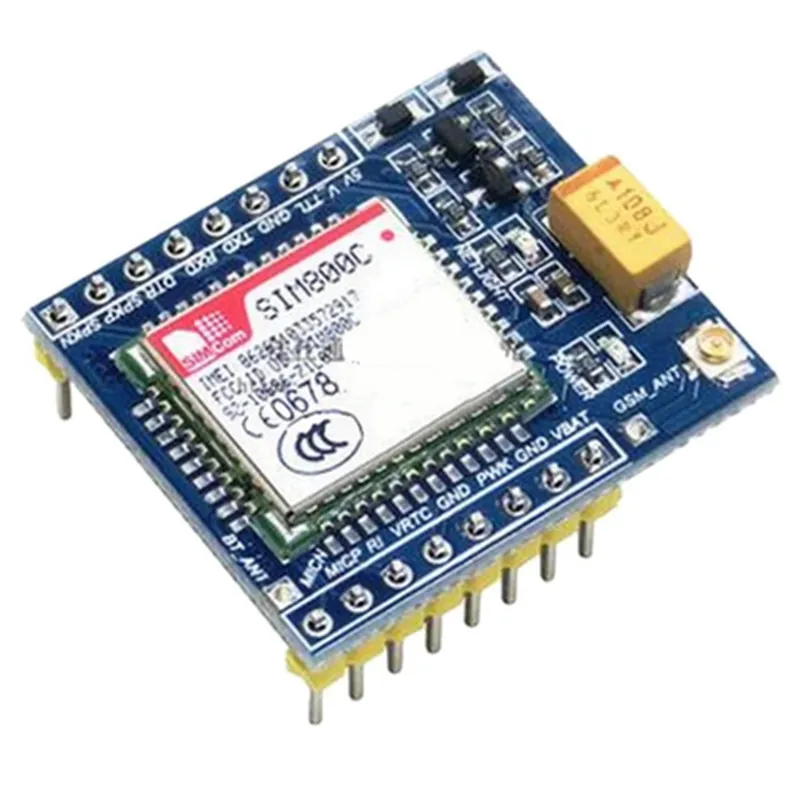
Supports external antenna connection
Applications
| The SIM800C GSM module is suitable for a wide range of IoT projects, including |
Remote monitoring and control systems
IoT device management and tracking
Voice-based user interfaces
Alarm systems and notifications
Industrial automation and control
Wearable devices and trackers
robotics and autonomous systems
Conclusion
The SIM800C GSM module is a versatile and feature-rich development board that provides a wide range of wireless communication capabilities for IoT projects. Its compact design, low power consumption, and ease of integration make it an ideal solution for a variety of applications.
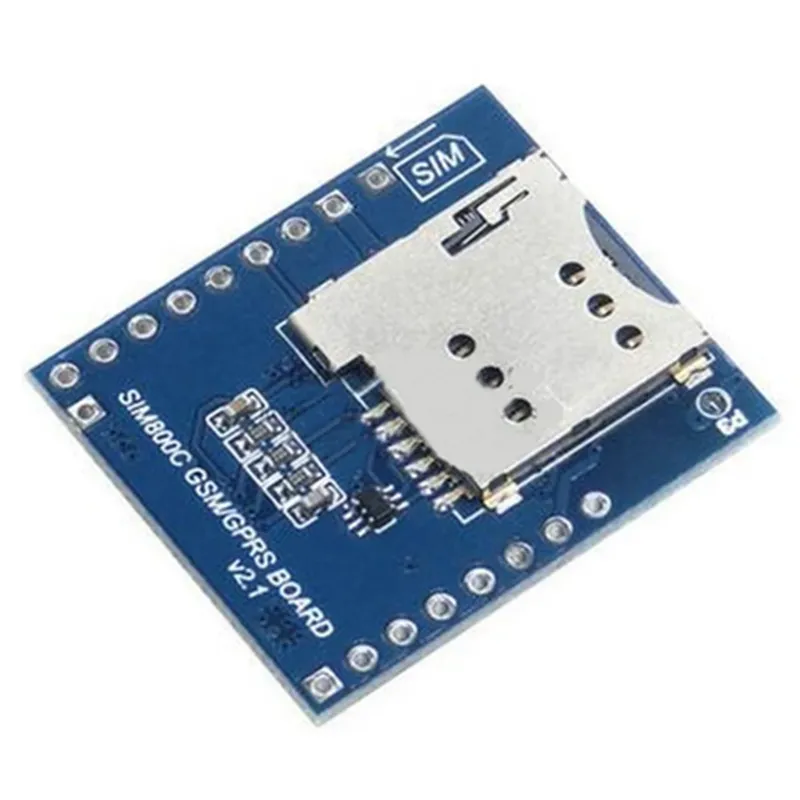
SIM800C GSM Module GPRS SMS Voice Phone Development Board DocumentationOverviewThe SIM800C GSM module is a popular and compact development board that enables cellular communication capabilities in IoT projects. It supports GPRS, SMS, and voice calls, making it an ideal choice for a wide range of applications, from simple notification systems to complex IoT devices.SpecificationsSupported frequency bands: GSM850, EGSM900, DCS1800, PCS1900
GPRS class 12, multi-slot class 12
SMS support (MT, MO, and CB)
Voice call support
UART interface for communication
Operating voltage: 3.4V to 4.5V
Dimensions: 30mm x 30mmCode Examples### Example 1: Sending an SMS using ArduinoIn this example, we will use the SIM800C GSM module with an Arduino board to send an SMS. We will use the Arduino's serial communication capabilities to send AT commands to the SIM800C module.Hardware RequirementsArduino Board (e.g., Arduino Uno)
SIM800C GSM module
Breadboard and jumper wiresSoftware RequirementsArduino IDECode
```c
#include <SoftwareSerial.h>// Define the SIM800C module's RX and TX pins
#define SIM800C_RX 2
#define SIM800C_TX 3// Create a software serial object
SoftwareSerial sim800c(SIM800C_RX, SIM800C_TX);void setup() {
// Initialize the software serial object
sim800c.begin(9600);
// Wait for the SIM800C module to boot up
delay(2000);
// Check if the module is ready
sendCommand("AT");
delay(1000);
// Set the SMS mode
sendCommand("AT+CMGF=1");
delay(1000);
// Set the recipient's phone number
sendCommand("AT+CMGS=""+1234567890""");
delay(1000);
// Send the SMS message
sendCommand("Hello from Arduino!");
delay(1000);
// Send the SMS confirmation command
sendCommand((char)26); // ASCII code for CTRL+Z
delay(1000);
}void loop() {
// Do nothing
}void sendCommand(String command) {
sim800c.print(command);
sim800c.println();
delay(1000);
}
```
### Example 2: Making a Voice Call using PythonIn this example, we will use the SIM800C GSM module with a Raspberry Pi to make a voice call using Python.Hardware RequirementsRaspberry Pi
SIM800C GSM module
Breadboard and jumper wiresSoftware RequirementsPython 3.x
pyserial libraryCode
```python
import serial# Open the serial connection to the SIM800C module
ser = serial.Serial('/dev/ttyUSB0', 9600, timeout=1)# Wait for the module to boot up
ser.readline()# Check if the module is ready
ser.write(b'AT
')
response = ser.readline()
if response == b'OK
':
print("Module is ready")
else:
print("Module not ready")# Make a voice call
ser.write(b'ATD+1234567890;
')
response = ser.readline()
if response == b'OK
':
print("Call connected")
else:
print("Call failed")# Hang up the call
ser.write(b'ATH
')
response = ser.readline()
if response == b'OK
':
print("Call hung up")
else:
print("Call not hung up")
```
Note: In this example, we assume that the SIM800C module is connected to the Raspberry Pi's serial port `/dev/ttyUSB0`. You may need to adjust the serial port depending on your setup.These code examples demonstrate how to use the SIM800C GSM module in different contexts. You can modify and extend these examples to suit your specific IoT project requirements.