Wi-Fi and Bluetooth 5 antennas integrated on the board


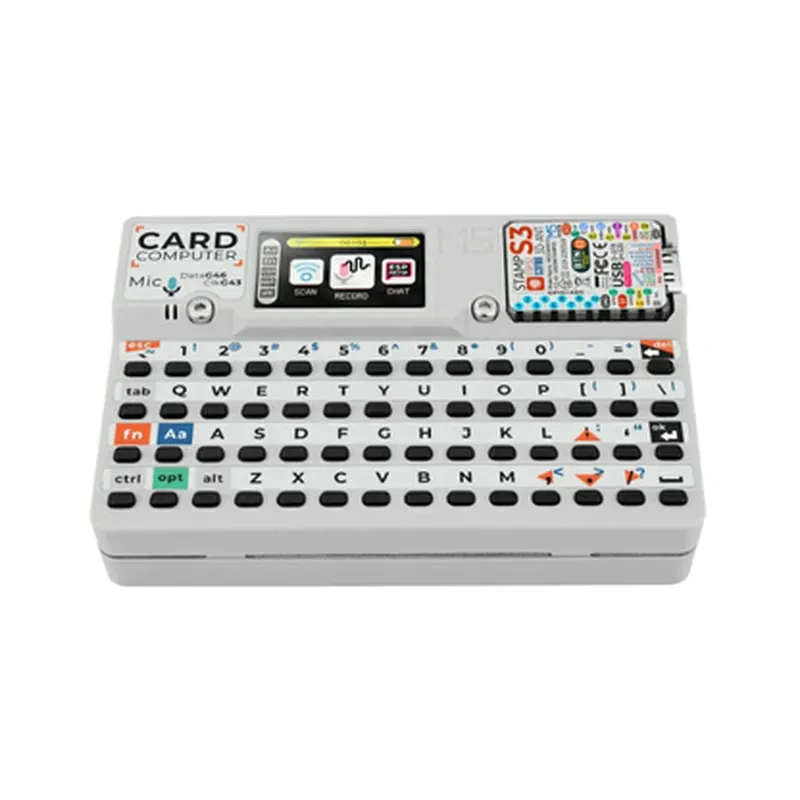
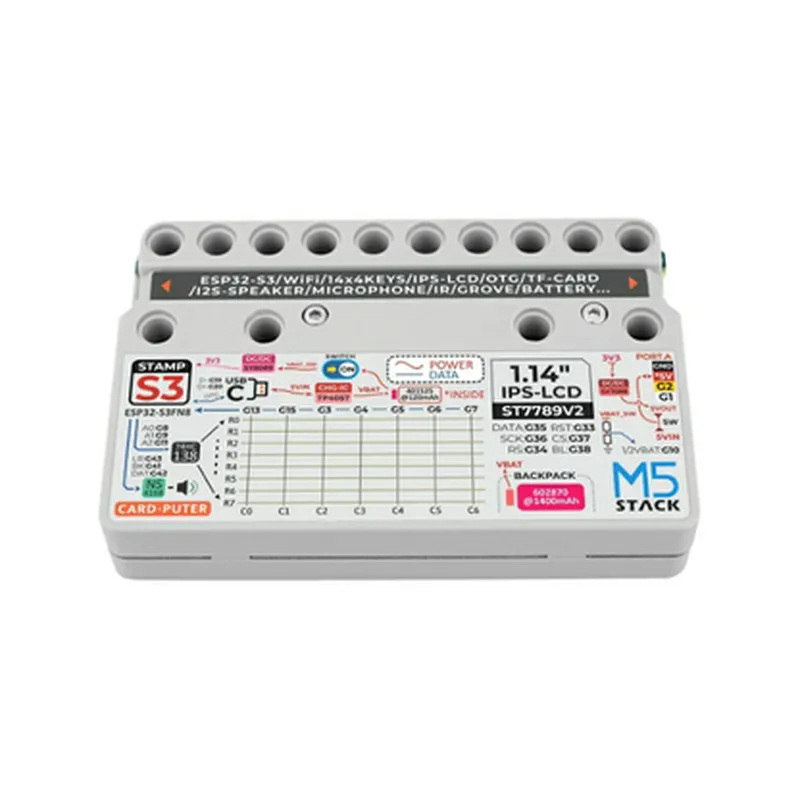
Wi-Fi and Bluetooth 5 antennas integrated on the board
54 x 54 mm (2.13 x 2.13 in) with a 30-pin GPIO header
+ 2 x I2C interfaces
+ 2 x UART interfaces (1 x with HW flow control)
+ 1 x SPI interface
+ 1 x I2S interface
+ 12-bit ADC (8 channels)
+ 2 x DAC channels
USB-C port for power supply and programming, 2 x 1.8 V and 3.3 V power rails
30-pin GPIO header with access to all peripherals, breadboard-friendly design
### Additional Features
MicroSD card slot for storage expansion (up to 4 GB)
RGB LED for status indication
Reset button, BOOT button, and a 3-position slide switch
JTAG interface for debugging and programming
Software Support
| The M5Stack Cardputer Kit with M5StampS3 is supported by a range of software platforms, including | |
| M5Stack's UIFlow | A Python-based, visual programming environment for IoT development |
Compatible with the Arduino IDE for C/C++ development
Supports MicroPython for rapid prototyping and development
In the Box
M5Stack Cardputer Kit with M5StampS3 module
USB-C cable for power supply and programming
Quick start guide and documentation resources
Specifications
-20C to 85C (-4F to 185F)
-40C to 125C (-40F to 257F)
5% to 95% RH (non-condensing)
Ordering Information
The M5Stack Cardputer Kit with M5StampS3 is available for purchase through authorized distributors and online marketplaces. Please refer to the manufacturer's website for the latest pricing and availability information.
M5Stack Cardputer Kit with M5StampS3 DocumentationOverviewThe M5Stack Cardputer Kit with M5StampS3 is an innovative IoT development board designed for rapid prototyping and project development. It integrates the M5StampS3 module, which is based on the ESP32-S3-WROOM module, providing Wi-Fi, Bluetooth, and various peripherals. This documentation provides an overview of the component, its features, and code examples to get you started.FeaturesM5StampS3 module with ESP32-S3-WROOM
Wi-Fi and Bluetooth capabilities
Micro SD card slot for storage expansion
USB-C interface for programming and power supply
16MB Flash and 8MB PSRAM
Support for various peripherals (I2C, SPI, UART, etc.)PinoutThe M5StampS3 module has the following pinout:| Pin | Function |
| --- | --- |
| GND | Ground |
| 3V3 | Power supply (3.3V) |
| EN | Enable pin (active low) |
| RX | UART receive pin |
| TX | UART transmit pin |
| SCL | I2C clock pin |
| SDA | I2C data pin |
| SPI_CS | SPI chip select pin |
| SPI_CLK | SPI clock pin |
| SPI_MOSI | SPI MOSI pin |
| SPI_MISO | SPI MISO pin |
| GPIO0-39 | General-purpose I/O pins |Code Examples### Example 1: Wi-Fi Connection and Web ServerThis example demonstrates how to connect to a Wi-Fi network and create a simple web server using the M5Stack Cardputer Kit with M5StampS3.```c
#include <WiFi.h>
#include <WiFiClient.h>
#include <ESP8266WebServer.h>const char ssid = "your_wifi_ssid";
const char password = "your_wifi_password";WiFiClient client;
ESP8266WebServer server(80);void setup() {
Serial.begin(115200);
WiFi.begin(ssid, password);
while (WiFi.status() != WL_CONNECTED) {
delay(1000);
Serial.println("Connecting to WiFi...");
}
Serial.println("Connected to WiFi");
Serial.println("Starting web server...");
server.begin();
Serial.println("Web server started");
}void loop() {
server.handleClient();
}void handleRoot() {
server.send(200, "text/plain", "M5Stack Cardputer Kit with M5StampS3 Web Server");
}void setup() {
server.on("/", handleRoot);
}
```### Example 2: I2C Communication with an external sensor (e.g., MPU6050)This example demonstrates how to use the I2C interface of the M5StampS3 module to communicate with an external sensor, such as the MPU6050 accelerometer and gyroscope.```c
#include <Wire.h>#define MPU6050_ADDRESS 0x68void setup() {
Serial.begin(115200);
Wire.begin();
Serial.println("Initializing I2C...");
Wire.beginTransmission(MPU6050_ADDRESS);
Wire.write(0x6B); // PWR_MGMT_1 register
Wire.write(0x00); // wake up device
Wire.endTransmission(true);
Serial.println("I2C initialized");
}void loop() {
Wire.beginTransmission(MPU6050_ADDRESS);
Wire.write(0x3B); // ACCEL_XOUT_H register
Wire.endTransmission(false);
Wire.requestFrom(MPU6050_ADDRESS, 2, true);
int16_t accX = Wire.read() << 8 | Wire.read();
Serial.print("Acceleration X: ");
Serial.println(accX);
delay(500);
}
```Note: These examples are for illustration purposes only and may require modification to suit your specific project requirements.I hope this documentation helps you get started with the M5Stack Cardputer Kit with M5StampS3. For more information, please refer to the official documentation and datasheets provided by the manufacturer.