DIY Raspberry Pi 400 Kit



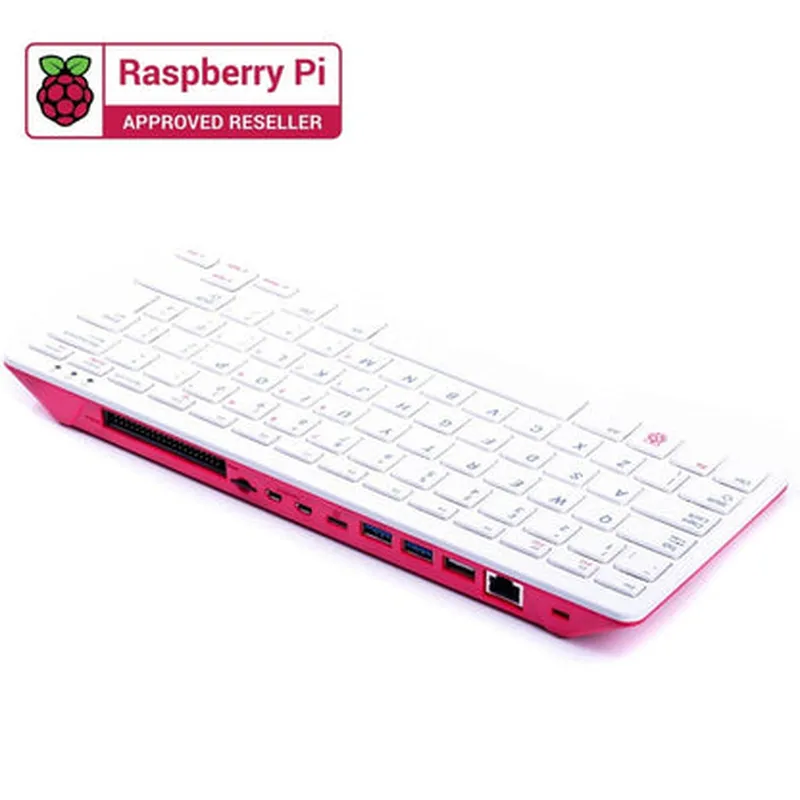
DIY Raspberry Pi 400 Kit
The DIY Raspberry Pi 400 Kit is a comprehensive bundle that includes a Raspberry Pi 400, a popular single-board computer, along with various accessories and peripherals to help users build and customize their own IoT projects. This kit provides an excellent starting point for makers, hobbyists, and professionals looking to explore the world of IoT and develop innovative solutions.
| The DIY Raspberry Pi 400 Kit enables users to create a wide range of IoT projects, including |
Quad-core Cortex-A72 CPU (ARM v8) 1.8GHz
4GB LPDDR4 RAM
32GB eMMC storage
Dual-band 802.11ac wireless LAN
Bluetooth 5.0
Gigabit Ethernet
2 x USB 3.0 ports
1 x USB 2.0 port
HDMI 2.0 port
Audio jack
Power adapter (5V, 3A)
MicroSD card (16GB)
HDMI cable (1.5m)
USB cable (1m)
Breadboard and jumper wires
GPIO pin headers
Pre-installed Raspberry Pi OS (64-bit)
Supports other Linux distributions and Windows 10 IoT Enterprise
Supports Python, Java, C++, and Scratch
Compatible with various IoT development platforms and frameworks
40-pin GPIO header for connecting sensors, actuators, and peripherals
Supports I2C, SPI, UART, and I2S protocols
Compatible with various IoT modules and accessories
Optional cases and enclosures available for custom projects
Supports DIY enclosures and custom designs
| Specification | Description |
| --- | --- |
| Processor | Quad-core Cortex-A72 CPU (ARM v8) 1.8GHz |
| RAM | 4GB LPDDR4 |
| Storage | 32GB eMMC |
| Wireless | Dual-band 802.11ac wireless LAN, Bluetooth 5.0 |
| Operating System | Raspberry Pi OS (64-bit), compatible with other Linux distributions and Windows 10 IoT Enterprise |
| Power Supply | 5V, 3A |
| Dimensions | 85 x 56 x 17 mm (Raspberry Pi 400 board) |
The DIY Raspberry Pi 400 Kit offers a versatile and powerful platform for building a wide range of IoT projects. With its extensive features, accessories, and compatibility with various operating systems and programming languages, this kit is an excellent choice for anyone looking to explore the world of IoT and develop innovative solutions.
DIY Raspberry Pi 400 Kit DocumentationThe DIY Raspberry Pi 400 Kit is a comprehensive bundle that includes the Raspberry Pi 400, a quad-core Cortex-A72 CPU-based single-board computer, along with accessories and peripherals. This kit is perfect for DIY enthusiasts, hobbyists, and professionals looking to create innovative IoT projects.Technical Specifications:Raspberry Pi 400 Board:
+ Quad-core Cortex-A72 CPU
+ 4GB RAM
+ Dual-band 802.11ac wireless network
+ Bluetooth 5.0
+ 2x USB 3.0, 1x USB 2.0
+ HDMI, MIPI DSI, MIPI CSI
Accessories:
+ Power adapter
+ HDMI cable
+ MicroSD card
+ Keyboard and mouse
+ CaseCode Examples:Example 1: Temperature and Humidity Monitoring using DHT11 SensorIn this example, we will use the Raspberry Pi 400 to read temperature and humidity data from a DHT11 sensor and display it on an HDMI monitor.Hardware Requirements:DHT11 temperature and humidity sensor
Breadboard
Jumper wires
HDMI monitorSoftware Requirements:Raspbian OS (latest version)
Python 3.xPython Code:
```python
import Adafruit_DHT
import time# Set up DHT11 sensor
dht_sensor = Adafruit_DHT.DHT11# Set up pin connections
pin = 17 # GPIO 17 for DHT11 data pinwhile True:
# Read temperature and humidity data
humidity, temperature = Adafruit_DHT.read(dht_sensor, pin)
# Print values to console
print("Temperature: {:.1f}C Humidity: {:.1f}%".format(temperature, humidity))
# Wait for 1 second before taking the next reading
time.sleep(1)
```
Example 2: IoT-based Home Automation using Relay ModuleIn this example, we will use the Raspberry Pi 400 to control an LED light and a fan using a relay module, creating a basic IoT-based home automation system.Hardware Requirements:Relay module (SRD-05VDC-SL-C)
Breadboard
Jumper wires
LED light
Fan
Power source for LED and fanSoftware Requirements:Raspbian OS (latest version)
Python 3.xPython Code:
```python
import RPi.GPIO as GPIO
import time# Set up GPIO mode
GPIO.setmode(GPIO.BCM)# Set up relay pin connections
relay_pin_led = 18 # GPIO 18 for LED relay
relay_pin_fan = 23 # GPIO 23 for fan relay# Set up relay modules as outputs
GPIO.setup(relay_pin_led, GPIO.OUT)
GPIO.setup(relay_pin_fan, GPIO.OUT)while True:
# Turn LED on and fan off
GPIO.output(relay_pin_led, GPIO.HIGH)
GPIO.output(relay_pin_fan, GPIO.LOW)
print("LED is ON, Fan is OFF")
time.sleep(5)
# Turn LED off and fan on
GPIO.output(relay_pin_led, GPIO.LOW)
GPIO.output(relay_pin_fan, GPIO.HIGH)
print("LED is OFF, Fan is ON")
time.sleep(5)
```
Note: In this example, we assume that the relay module is connected to the Raspberry Pi 400's GPIO pins 18 and 23. Make sure to modify the pin connections according to your specific setup.