Stufin
Home Quick Cart Profile

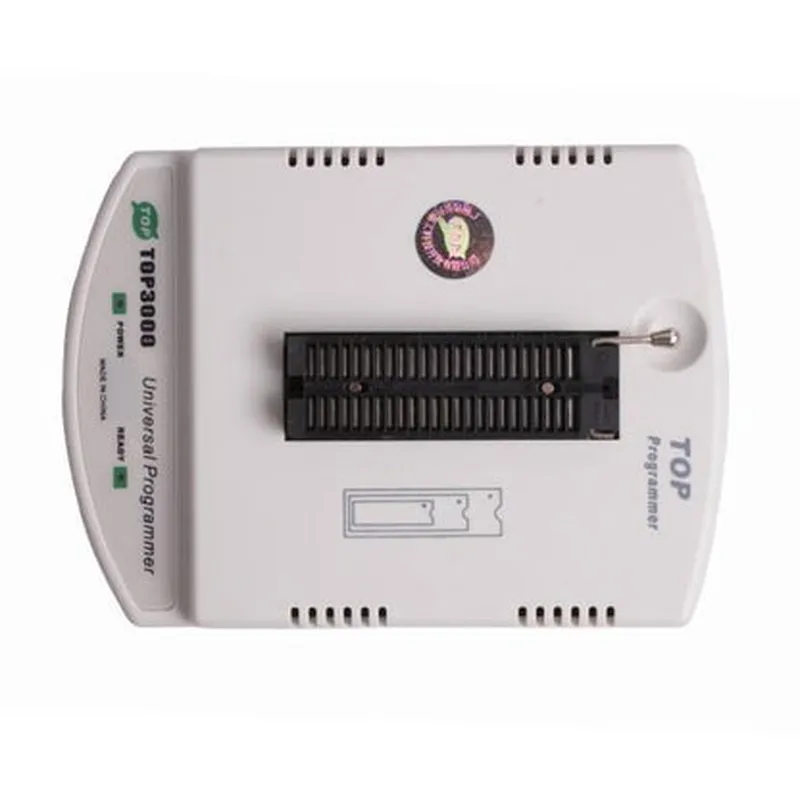
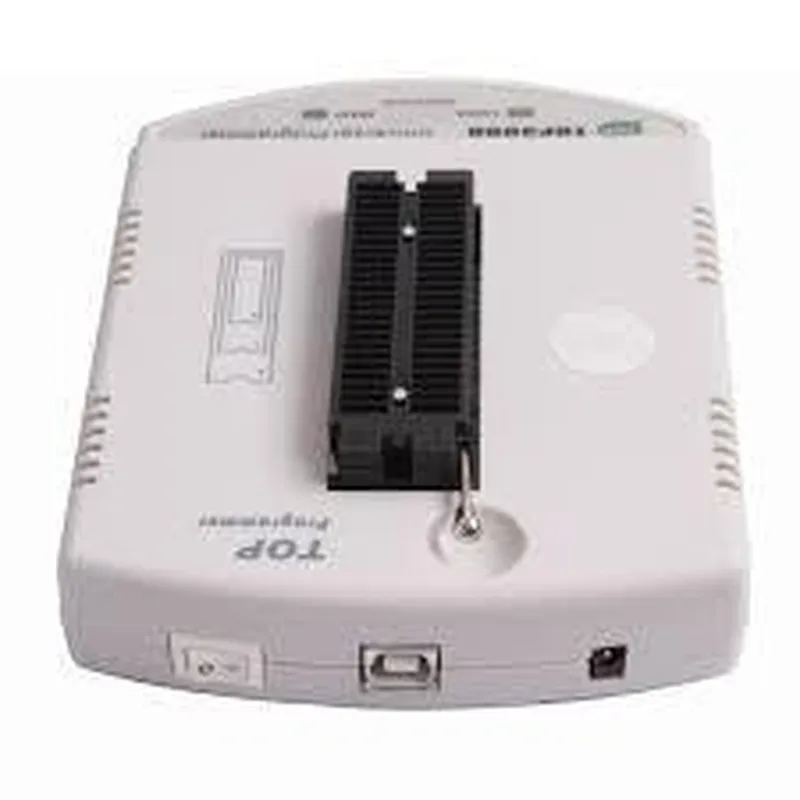
TOP3000 Universal Programmer

Buy Now on Stufin

Programming

The programmer can write data to a wide range of devices, including EPROM, EEPROM, Flash, and microcontrollers.


Reading

The device can read data from programmed devices, allowing users to verify the contents of the device.

Verifying

The TOP3000 can verify the data written to a device, ensuring that the programming process was successful and the data is correct.

Device Operations

The programmer supports various device operations, such as chip erase, blank check, and device identification.

Key Features

  • Universal Device Support: The TOP3000 supports over 75,000 devices from various manufacturers, including Atmel, STMicroelectronics, Texas Instruments, and more.
  • High-Speed Programming: The programmer can operate at speeds of up to 1.5 Mbps, reducing programming time and increasing productivity.
  • Multi-Device Programming: The TOP3000 can program multiple devices simultaneously, making it ideal for high-volume production environments.
  • Advanced Security Features: The programmer supports various security features, including device encryption, secure erase, and password protection.
  • User-Friendly Interface: The TOP3000 features a intuitive graphical user interface (GUI) that simplifies the programming process and provides real-time status updates.
  • Auto-Detection: The programmer can automatically detect the type of device connected, eliminating the need for manual device selection.
  • In-System Programming (ISP): The TOP3000 supports ISP, allowing users to program devices in-circuit, reducing the need for device removal and re-insertion.
  • Programmer-to-Host Interface: The programmer provides a USB interface for connecting to a host computer, ensuring easy and reliable communication.
  • Built-In Power Supply: The TOP3000 features a built-in power supply, eliminating the need for an external power source.
  • Compact Design: The programmer is designed to be compact and lightweight, making it easy to integrate into various IoT projects.

Technical Specifications

Programming Voltage

1.5V to 5V

Current Rating

Up to 200mA

Device Support

Over 75,000 devices from various manufacturers

Operating System

Windows XP/Vista/7/8/10 (32-bit and 64-bit)

Dimensions

120mm x 80mm x 30mm (4.7" x 3.1" x 1.2")

Weight

200g (7 oz)

Conclusion

The TOP3000 Universal Programmer is a highly versatile and powerful tool that is essential for anyone working with IoT projects. Its advanced features, high-speed programming, and universal device support make it an ideal solution for developers, engineers, and technicians.

Pin Configuration

  • TOP3000 Universal Programmer Pinout Description
  • The TOP3000 Universal Programmer is a versatile device that supports programming of various types of ICs, including microcontrollers, memories, and other programmable devices. The programmer has a 40-pin ZIF (Zero Insertion Force) socket, which allows easy insertion and removal of devices to be programmed. Here is a detailed description of each pin on the TOP3000 Universal Programmer:
  • Pin 1-8: VCC, GND, and Address Lines
  • Pin 1: VCC (Power Supply, typically 5V)
  • Pin 2: GND (Ground)
  • Pin 3: A0 (Address Line 0)
  • Pin 4: A1 (Address Line 1)
  • Pin 5: A2 (Address Line 2)
  • Pin 6: A3 (Address Line 3)
  • Pin 7: A4 (Address Line 4)
  • Pin 8: A5 (Address Line 5)
  • These pins are used to provide power to the device and address lines for communicating with the target device.
  • Pin 9-16: Data Lines
  • Pin 9: D0 (Data Line 0)
  • Pin 10: D1 (Data Line 1)
  • Pin 11: D2 (Data Line 2)
  • Pin 12: D3 (Data Line 3)
  • Pin 13: D4 (Data Line 4)
  • Pin 14: D5 (Data Line 5)
  • Pin 15: D6 (Data Line 6)
  • Pin 16: D7 (Data Line 7)
  • These pins are used for bi-directional data transfer between the programmer and the target device.
  • Pin 17-24: Control Lines
  • Pin 17: RST (Reset)
  • Pin 18: RDY (Ready)
  • Pin 19: PGC (Program Clock)
  • Pin 20: PGD (Program Data)
  • Pin 21: VPP (Programming Voltage)
  • Pin 22: VCC (Power Supply, typically 5V)
  • Pin 23: GND (Ground)
  • Pin 24: NC (No Connection)
  • These pins are used to control the programming process, provide clock and data signals, and regulate the programming voltage.
  • Pin 25-32: Additional Control Lines and Voltage Outputs
  • Pin 25: AUX1 (Auxiliary 1)
  • Pin 26: AUX2 (Auxiliary 2)
  • Pin 27: VDD (Voltage Output, typically 3.3V or 5V)
  • Pin 28: VPP2 (Programming Voltage 2)
  • Pin 29: VPP3 (Programming Voltage 3)
  • Pin 30: GND (Ground)
  • Pin 31: NC (No Connection)
  • Pin 32: NC (No Connection)
  • These pins provide additional control signals and voltage outputs for specific programming applications.
  • Pin 33-40: GPIO and Legacy Pins
  • Pin 33: GPIO0 (General Purpose Input/Output 0)
  • Pin 34: GPIO1 (General Purpose Input/Output 1)
  • Pin 35: GPIO2 (General Purpose Input/Output 2)
  • Pin 36: GPIO3 (General Purpose Input/Output 3)
  • Pin 37: TX (Transmit)
  • Pin 38: RX (Receive)
  • Pin 39: CTS (Clear to Send)
  • Pin 40: RTS (Request to Send)
  • These pins provide general-purpose input/output lines, as well as legacy serial communication pins (UART) for connecting to other devices.
  • Connecting the Pins
  • When connecting devices to the TOP3000 Universal Programmer, ensure that you follow the correct pinout configuration for your specific device. Typically, the programmer provides a ZIF socket, which allows easy insertion and removal of devices. Make sure to consult the datasheet of your device and the programmer's documentation to ensure correct pin connections.
  • Here are some general guidelines to keep in mind when connecting the pins:
  • .Align the pins of the device with the corresponding pins on the ZIF socket.
  • Gently insert the device into the ZIF socket, ensuring that all pins are securely seated.
  • Verify that the device is properly seated and all pins are making good contact with the socket.
  • Consult the programmer's documentation and software for specific programming configuration and settings.
  • Remember to handle the devices and programmer with care, as static electricity and physical damage can cause damage to the components.

Code Examples

TOP3000 Universal Programmer Documentation
Overview
The TOP3000 Universal Programmer is a versatile programming tool designed for various programmable devices, including microcontrollers, memory chips, and logic devices. This programmer supports a wide range of devices from different manufacturers, making it a comprehensive solution for development, production, and repair applications.
Features
Supports over 30,000 devices from various manufacturers
 High-speed programming via USB 2.0 interface
 Automatic device recognition and configuration
 Multi-protocol support (e.g., SPI, I2C, UART, JTAG, etc.)
 Software updates available for new device support
Code Examples
The following code examples demonstrate how to use the TOP3000 Universal Programmer in different contexts:
### Example 1: Programming a Microcontroller (Arduino)
Language: C++ (Arduino IDE)
Device: ATmega328P (Arduino Uno)
Task: Program the ATmega328P microcontroller with a simple "Hello World" sketch.
```cpp
#include <Arduino.h>
void setup() {
  Serial.begin(9600);
}
void loop() {
  Serial.println("Hello, World!");
  delay(1000);
}
```
TOP3000 Configuration:
1. Connect the TOP3000 programmer to the computer via USB.
2. Open the TOP3000 software (e.g., TopProg) and select the ATmega328P device.
3. Load the compiled Arduino sketch (.hex file) into the TOP3000 software.
4. Connect the ATmega328P microcontroller to the TOP3000 programmer.
5. Click the "Program" button to start the programming process.
### Example 2: Reading and Writing to a Serial Flash Memory (SPI)
Language: Python (using PySerial and pyftdi libraries)
Device: Winbond W25Q64JV serial flash memory
Task: Read and write data to the serial flash memory using the SPI protocol.
```python
import serial
import pyftdi.serialext
# Open the serial connection to the TOP3000 programmer
ser = serial.Serial('COM3', 115200)
# Initialize the FTDI device (TOP3000)
ftdi_dev = pyftdi.serialext.serial_with_ftdi(ser, freq=10000000)
# Set the TOP3000 to SPI mode
ftdi_dev.set_bitmode(0x00, 0x00)
# Define the SPI commands for reading and writing
READ_CMD = 0x03
WRITE_CMD = 0x02
# Define the memory address and data to write
addr = 0x0000
data_to_write = b'Hello, World!'
# Write data to the serial flash memory
ftdi_dev.write(WRITE_CMD + addr.to_bytes(3, 'big') + data_to_write)
# Read data from the serial flash memory
ftdi_dev.write(READ_CMD + addr.to_bytes(3, 'big'))
data_read = ftdi_dev.read(12)  # Read 12 bytes
print(data_read.decode())  # Output: b'Hello, World!'
# Close the serial connection
ser.close()
```
TOP3000 Configuration:
1. Connect the TOP3000 programmer to the computer via USB.
2. Open the TOP3000 software (e.g., TopProg) and select the Winbond W25Q64JV device.
3. Configure the TOP3000 to use the SPI protocol.
4. Connect the serial flash memory to the TOP3000 programmer.
5. Run the Python script to read and write data to the serial flash memory.
These examples demonstrate the versatility of the TOP3000 Universal Programmer in different programming contexts. For more information on using the TOP3000 with specific devices, refer to the device datasheets and the TOP3000 software documentation.