11-18V


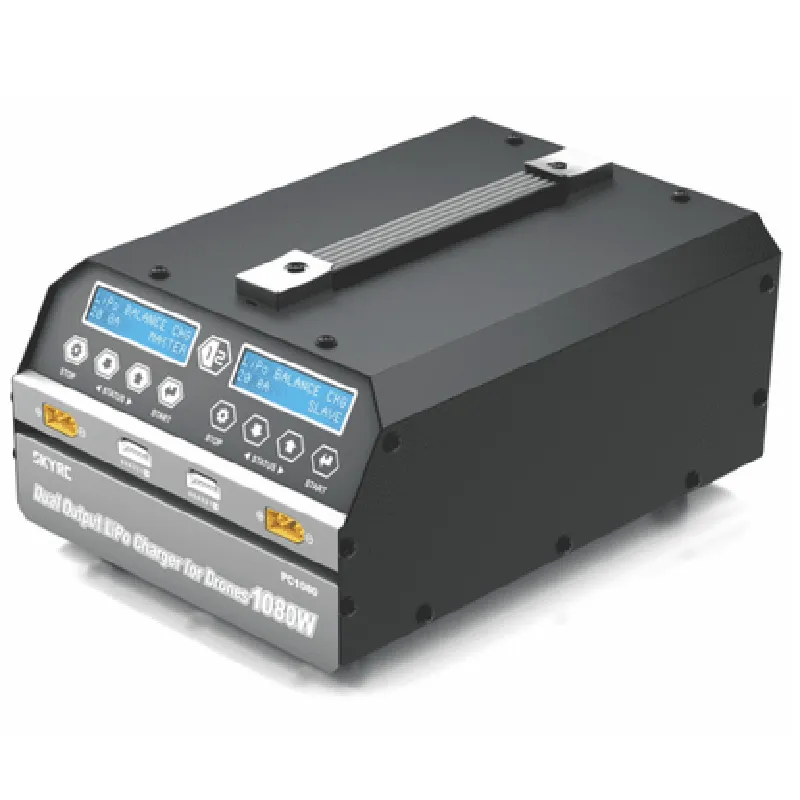
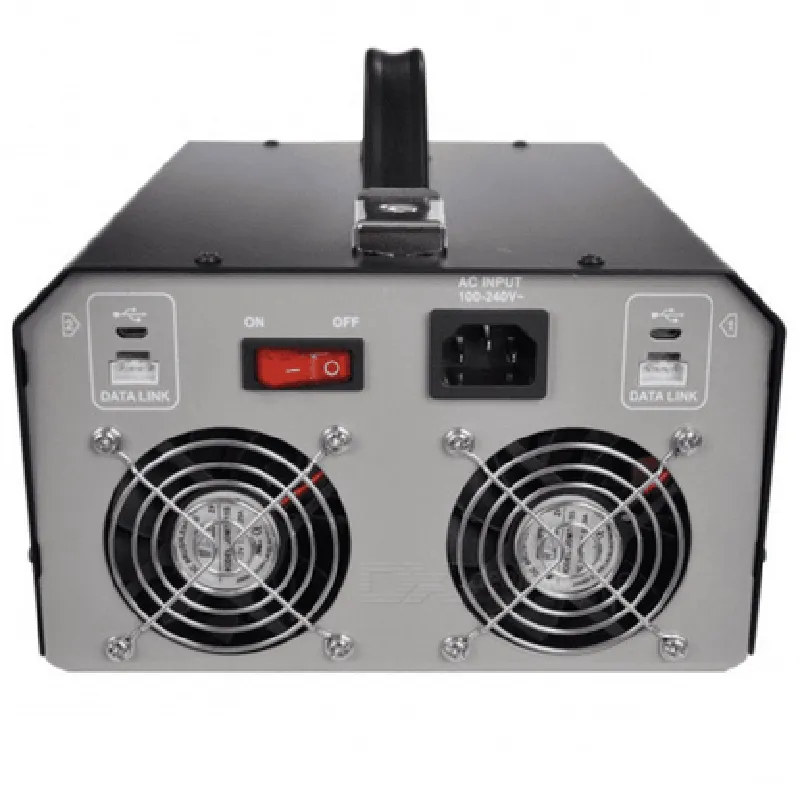
11-18V
3.85-22.2V
0.1-8A per channel
Up to 5 cycles
Supports batteries up to 6S (22.2V)
130 x 90 x 30mm
240g
0-40C (32-104F)
Conclusion
The SKYRC PC1080 Dual Channel LiPo Battery Charger is a versatile and efficient charging solution designed for LiPo battery users. Its advanced features, compact design, and safety features make it an ideal choice for professional and hobbyist applications. With its dual-channel charging capability, users can charge multiple batteries simultaneously, increasing productivity and reducing charging times.
SKYRC PC1080 Dual Channel LiPo Battery Charger DocumentationOverviewThe SKYRC PC1080 is a dual-channel LiPo battery charger, capable of simultaneously charging two Lithium-Polymer (LiPo) batteries with independent charge currents and voltages. This charger is designed for use with a wide range of LiPo batteries, from small-scale RC models to larger industrial applications.Technical SpecificationsInput Voltage: 11-15V DC
Output Voltage: 3.85-4.2V per cell (automatic cell count detection)
Charge Current: 0.1-8A per channel (independent)
Balance Current: 500mA per channel
Power Consumption: 20W max per channel
Dimensions: 130 x 90 x 40mm
Weight: 350gInterface and ControlThe SKYRC PC1080 charger does not have a direct digital interface for programming or control. Instead, it relies on manual configuration through its built-in LCD display and buttons. The charger can be controlled using external control signals, but this requires additional circuitry and programming.Example 1: Basic Charging with Manual ConfigurationIn this example, we will demonstrate how to use the SKYRC PC1080 charger to charge two LiPo batteries with different capacities and cell counts.Manual Configuration Steps1. Connect the charger to a power source (11-15V DC).
2. Connect the first LiPo battery to Channel 1 (CH1).
3. Set the charge current and voltage for CH1 using the LCD display and buttons.
4. Connect the second LiPo battery to Channel 2 (CH2).
5. Set the charge current and voltage for CH2 using the LCD display and buttons.
6. Start the charging process by pressing the "Start" button.Example 2: External Control with ArduinoIn this example, we will demonstrate how to use an Arduino board to control the SKYRC PC1080 charger using external control signals.Hardware RequirementsArduino board (e.g., Arduino Uno)
SKYRC PC1080 charger
2x LiPo batteries
Jumper wires
BreadboardSoftware RequirementsArduino IDE (version 1.8.x or later)
Arduino sketch (see below)Arduino Sketch
```c
const int chargerControlPin = 2; // Pin for controlling the chargervoid setup() {
pinMode(chargerControlPin, OUTPUT);
}void loop() {
// Set the charger to charge both batteries at 1A each
digitalWrite(chargerControlPin, HIGH);
delay(1000); // Wait for 1 second// Stop the charger
digitalWrite(chargerControlPin, LOW);
delay(1000); // Wait for 1 second
}
```
Note: This example assumes that the SKYRC PC1080 charger is configured to respond to external control signals. Consult the charger's documentation for specific instructions on how to enable external control.In this example, we use an Arduino board to control the SKYRC PC1080 charger by sending a digital signal to the charger's control input. The sketch sets the charger to charge both batteries at 1A each, waits for 1 second, and then stops the charger. This process can be repeated to cycle the charger on and off.Example 3: Integration with a Raspberry PiIn this example, we will demonstrate how to use a Raspberry Pi to monitor the charging process of the SKYRC PC1080 charger using Python scripting.Hardware RequirementsRaspberry Pi (e.g., Raspberry Pi 4)
SKYRC PC1080 charger
2x LiPo batteries
Jumper wires
BreadboardSoftware RequirementsRaspbian OS (version 10 or later)
Python 3.x
Python libraries: `RPi.GPIO`, `pyusb`Python Script
```python
import RPi.GPIO as GPIO
import usb.core
import usb.util# Set up GPIO pins for communication
GPIO.setmode(GPIO.BCM)
GPIO.setup(17, GPIO.OUT) # Charger control pin# Initialize the USB device
dev = usb.core.find(idVendor=0x03EB, idProduct=0x6124)# Set the charger to charge both batteries at 1A each
GPIO.output(17, GPIO.HIGH)
usb.util_claim_interface(dev, 0)# Monitor the charging process
while True:
# Read the charger's status (e.g., charging, finished, error)
status = usb.util_CONTROL_IN(dev, 0x01, 0x01, 0x0000, 0x0000, 0x0010)
print("Charger status:", status)# Update the charging process every 10 seconds
time.sleep(10)# Stop the charger
GPIO.output(17, GPIO.LOW)
usb.util_release_interface(dev, 0)
```
Note: This example assumes that the SKYRC PC1080 charger is configured to respond to external control signals and that the Raspberry Pi has the necessary Python libraries installed. Consult the charger's documentation for specific instructions on how to enable external control.In this example, we use a Raspberry Pi to monitor the charging process of the SKYRC PC1080 charger using Python scripting. The script sets the charger to charge both batteries at 1A each, monitors the charging status, and stops the charger when the process is complete.