

Stufin
Home Quick Cart Profile

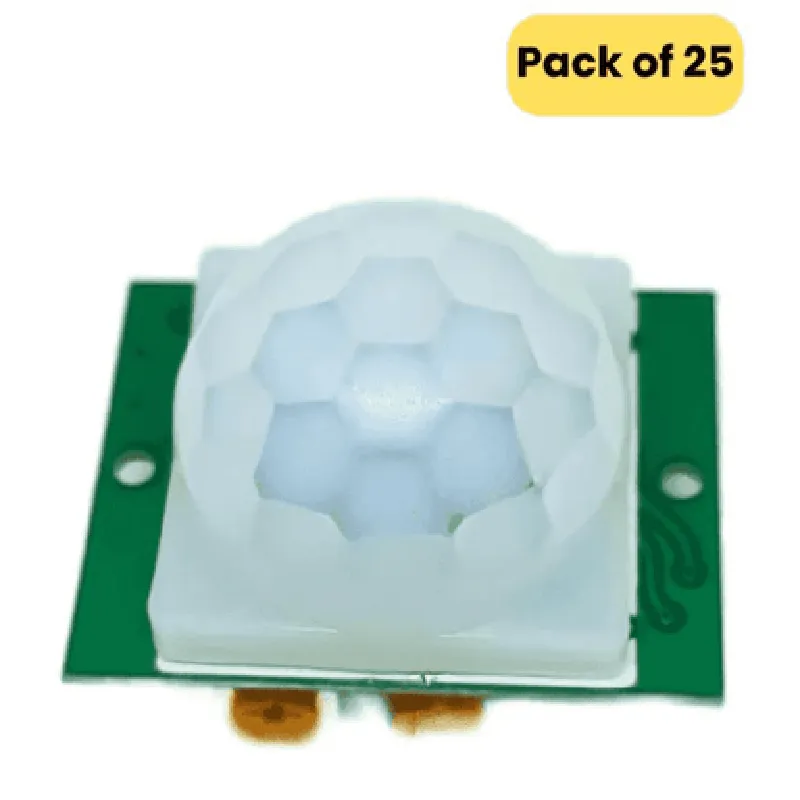
HCSR501 PIR Motion Sensor (Passive Infrared Sensor) (Pack of 25)

Buy Now on Stufin

Component Description

HCSR501 PIR Motion Sensor (Passive Infrared Sensor)

Overview

The HCSR501 PIR Motion Sensor is a passive infrared sensor designed to detect human motion and movement. This sensor is widely used in various applications, including security systems, automation, and IoT projects. This pack of 25 sensors offers a cost-effective solution for large-scale projects or prototyping.

Functionality

The HCSR501 PIR Motion Sensor detects changes in infrared radiation patterns caused by the movement of warm objects, such as humans. When a person enters the sensor's detection zone, the sensor outputs a high signal, indicating motion detection. The sensor is designed to operate in low-light environments, making it suitable for applications where lighting conditions are poor.

Key Features

  • High Sensitivity: The HCSR501 PIR Motion Sensor has a high sensitivity, allowing it to detect even slight movements.
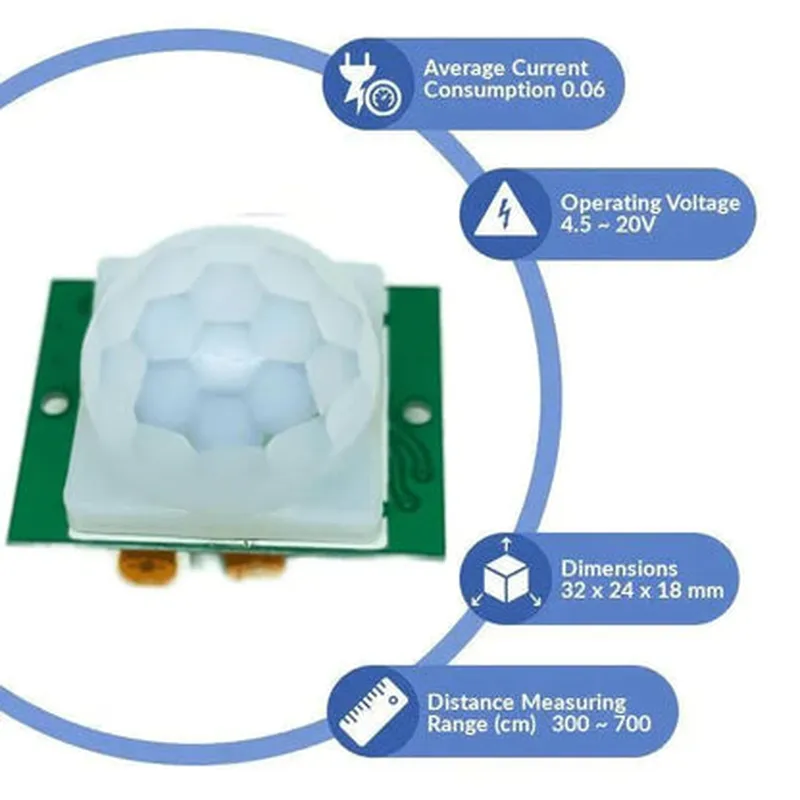
  • Low Power Consumption: The sensor operates at a low voltage (5V) and consumes minimal power (65mA), making it suitable for battery-powered devices.
  • Adjustable Sensitivity: The sensor's sensitivity can be adjusted using an onboard potentiometer, allowing users to fine-tune the detection range.
  • Bypass Mode: The sensor features a bypass mode, which allows users to bypass the internal signal processing and output the raw sensor data.
  • Digital Output: The sensor provides a digital output (HIGH/LOW) that can be easily interfaced with microcontrollers, such as Arduino or Raspberry Pi.
  • Detection Range: The sensor has a detection range of approximately 6 meters (20 feet) and a horizontal angle of 120 degrees.
  • Operating Temperature: The sensor operates within a wide temperature range of -20C to 80C (-4F to 176F).
  • Compact Design: The sensor has a compact size (24mm x 18mm x 10mm) and a lightweight design, making it easy to integrate into various applications.
  • Multi-Trigger Mode: The sensor can be set to trigger on multiple events, such as continuous motion detection or single-pulse detection.

Technical Specifications

Supply Voltage

5V

Current Consumption

65mA

Output

Digital (HIGH/LOW)

Detection Range

6 meters (20 feet)

Horizontal Angle

120 degrees

Operating Temperature

-20C to 80C (-4F to 176F)

Storage Temperature

-30C to 100C (-22F to 212F)

Dimensions

24mm x 18mm x 10mm

Applications

Security systems

Home automation

IoT projects

Robotics

Alarm systems

Motion-activated lighting

Smart home devices

Notes

The HCSR501 PIR Motion Sensor is a sensitive device and may require proper shielding and noise reduction techniques to ensure accurate readings.

It is recommended to use a voltage regulator or a voltage stabilizer to ensure a stable power supply to the sensor.

The sensor should be mounted at a height of 1-2 meters (3-6 feet) to minimize false triggers and ensure optimal performance.

Pin Configuration

  • HCSR501 PIR Motion Sensor (Passive Infrared Sensor) Pinout and Connection Guide
  • The HCSR501 PIR Motion Sensor is a popular and widely used passive infrared sensor module in IoT and robotics projects. It has three pins, which are essential to understand for proper connection and usage.
  • Pinout:
  • 1. VCC (Power Supply Pin)
  • Function: Supplies power to the module
  • Voltage: Typically 5V, but can operate from 4.5V to 20V
  • Connection: Connect to the positive terminal of the power supply or a microcontroller's VCC pin
  • 2. GND (Ground Pin)
  • Function: Provides a ground connection for the module
  • Connection: Connect to the negative terminal of the power supply or a microcontroller's GND pin
  • 3. OUT (Output Pin)
  • Function: Provides a digital output signal when motion is detected
  • Logic Level: Active high (3.3V or 5V)
  • Connection: Connect to a digital input pin on a microcontroller, such as an Arduino or Raspberry Pi, to read the output signal
  • Connection Structure:
  • To connect the HCSR501 PIR Motion Sensor, follow these steps:
  • Step 1: Power Connection
  • Connect the VCC pin to a 5V power supply or a microcontroller's VCC pin.
  • Make sure the power supply is within the recommended voltage range (4.5V to 20V).
  • Step 2: Ground Connection
  • Connect the GND pin to a common ground point, such as the negative terminal of the power supply or a microcontroller's GND pin.
  • Step 3: Output Connection
  • Connect the OUT pin to a digital input pin on a microcontroller, such as D2 on an Arduino Uno or GPIO 17 on a Raspberry Pi.
  • Use a pull-down resistor (e.g., 10k) between the OUT pin and GND to prevent floating inputs, if necessary.
  • Example Connection Diagram:
  • ```
  • +-----------+
  • | Power |
  • | Supply |
  • +-----------+
  • |
  • |
  • v
  • +-----------+
  • | HCSR501 |
  • | PIR Motion |
  • | Sensor |
  • +-----------+
  • |
  • |
  • v
  • +-----------+
  • | Micro- |
  • | controller |
  • | (e.g., |
  • | Arduino Uno) |
  • +-----------+
  • |
  • |
  • v
  • +-----------+
  • | Digital |
  • | Input Pin |
  • | (e.g., D2) |
  • +-----------+
  • ```
  • Note:
  • When no motion is detected, the OUT pin will be low (0V). When motion is detected, the OUT pin will be high (3.3V or 5V, depending on the supply voltage).
  • The HCSR501 PIR Motion Sensor has a built-in potentiometer to adjust the sensitivity and time delay for motion detection. Adjust these settings according to your project requirements.
  • By following this pinout and connection guide, you can successfully integrate the HCSR501 PIR Motion Sensor into your IoT or robotics project.

Code Examples

HCSR501 PIR Motion Sensor (Passive Infrared Sensor) Documentation
Overview
The HCSR501 PIR Motion Sensor is a popular and widely used passive infrared sensor module designed to detect human or animal movement. It's a low-power, low-cost, and easy-to-use module that can be integrated into various IoT projects, including security systems, home automation, and robotics.
Pinout
The HCSR501 PIR Motion Sensor module has three pins:
VCC: Power supply pin (3.3V to 5V)
 GND: Ground pin
 OUT: Digital output pin ( HIGH when motion is detected, LOW when no motion is detected)
Connections
To use the HCSR501 PIR Motion Sensor, connect the VCC pin to a power source (e.g., an Arduino board), the GND pin to ground, and the OUT pin to a digital input pin on your microcontroller or Arduino board.
Code Examples
Here are three code examples demonstrating how to use the HCSR501 PIR Motion Sensor in various contexts:
Example 1: Basic Motion Detection with Arduino
In this example, we'll use the HCSR501 PIR Motion Sensor to detect motion and turn on an LED when motion is detected.
```c++
const int pirPin = 2; // connect OUT pin of PIR sensor to digital pin 2
const int ledPin = 13; // connect LED to digital pin 13
void setup() {
  pinMode(pirPin, INPUT);
  pinMode(ledPin, OUTPUT);
}
void loop() {
  int pirState = digitalRead(pirPin);
  if (pirState == HIGH) {
    digitalWrite(ledPin, HIGH); // turn on LED when motion is detected
  } else {
    digitalWrite(ledPin, LOW); // turn off LED when no motion is detected
  }
  delay(50); // adjust delay to reduce false triggers
}
```
Example 2: Motion Detection with Raspberry Pi (Python)
In this example, we'll use the HCSR501 PIR Motion Sensor to detect motion and send a notification using the Raspberry Pi's GPIO library.
```python
import RPi.GPIO as GPIO
import time
# set up GPIO library
GPIO.setmode(GPIO.BCM)
# set up PIR sensor pin
pir_pin = 17
GPIO.setup(pir_pin, GPIO.IN)
while True:
  pir_state = GPIO.input(pir_pin)
  if pir_state == 1:
    print("Motion detected!")
    # send notification (e.g., using email or a messaging service)
    time.sleep(1) # adjust delay to reduce false triggers
```
Example 3: Motion Detection with ESP32 (MicroPython)
In this example, we'll use the HCSR501 PIR Motion Sensor to detect motion and send an HTTP request to a remote server using the ESP32's WiFi capabilities.
```python
import machine
import urequests
# set up PIR sensor pin
pir_pin = machine.Pin(32, machine.Pin.IN)
while True:
  pir_state = pir_pin.value()
  if pir_state == 1:
    print("Motion detected!")
    # send HTTP request to remote server
    urequests.get("http://example.com/motion_detected")
    time.sleep(1) # adjust delay to reduce false triggers
```
Notes and Precautions
The HCSR501 PIR Motion Sensor is sensitive to temperature and humidity changes, which may cause false triggers. Adjust the sensor's sensitivity by adjusting the potentiometer on the module.
 Use a power supply with a stable voltage to ensure accurate motion detection.
 The PIR sensor may take a few seconds to calibration after power-on, so allow some time for the sensor to settle before using it in your project.
I hope this documentation helps you get started with the HCSR501 PIR Motion Sensor!