| + Voltage | 0.1mV to 1000V (DC), 0.1mV to 750V (AC) |
| + Current | 0.1mA to 10A (DC), 0.1mA to 10A (AC) |
| + Resistance | 0.1 to 20M |
| + Capacitance | 0.1nF to 100mF |
| + Frequency | 0.1Hz to 10MHz |


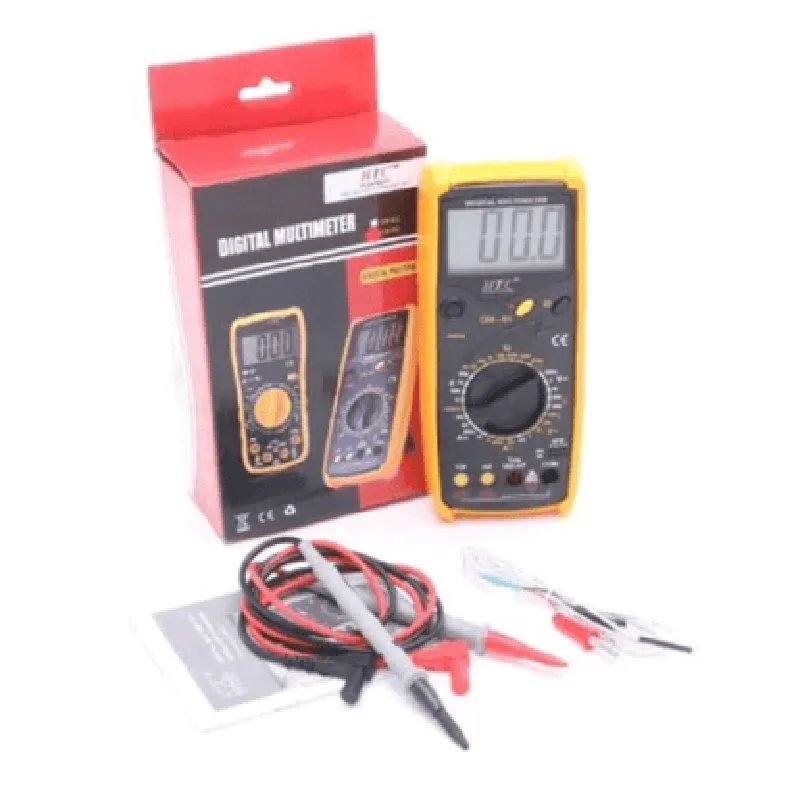
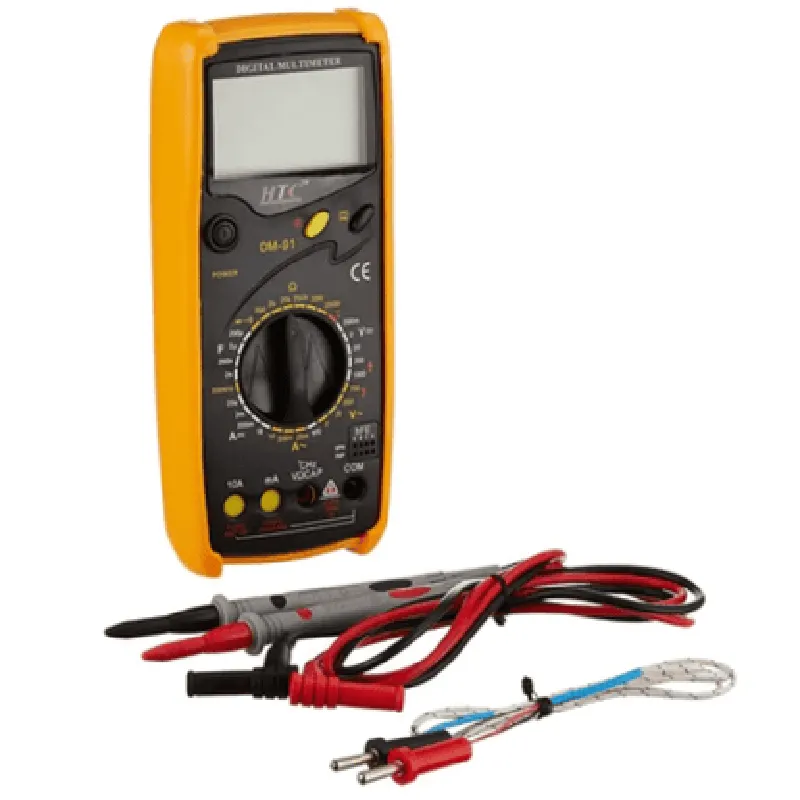
| + Voltage | 0.1mV to 1000V (DC), 0.1mV to 750V (AC) |
| + Current | 0.1mA to 10A (DC), 0.1mA to 10A (AC) |
| + Resistance | 0.1 to 20M |
| + Capacitance | 0.1nF to 100mF |
| + Frequency | 0.1Hz to 10MHz |
| + Voltage | (0.5% + 1) |
| + Current | (0.5% + 1) |
| + Resistance | (0.8% + 1) |
0C to 40C (32F to 104F)
-20C to 60C (-4F to 140F)
165 x 70 x 35mm (6.5 x 2.8 x 1.4 inches)
250g (8.8 oz)
Certifications and Compliance
| The HTC DM-91 Digital Multimeter meets the following safety and regulatory standards | |
| IEC 61010-1 | 2010 |
| EN 61010-1 | 2010 |
| UL 61010-1 | 2012 |
| CSA C22.2 No. 61010-1 | 2012 |
Warranty and Support
The HTC DM-91 Digital Multimeter comes with a 1-year limited warranty and dedicated customer support for technical assistance and troubleshooting.
HTC DM-91 Digital Multimeter DocumentationOverviewThe HTC DM-91 Digital Multimeter is a versatile and accurate measurement tool designed for IoT applications. It measures various electrical parameters, including voltage, current, resistance, continuity, and temperature. This documentation provides an overview of the module's features, specifications, and code examples to demonstrate its usage in different contexts.Features and SpecificationsMeasurements: Voltage (AC/DC), Current (AC/DC), Resistance, Continuity, Temperature (C/F)
Accuracy: 0.5% for voltage and current, 1% for resistance
Resolution: 0.1mV, 0.1mA, 0.1, 0.1C/F
Input impedance: 10M
Operating temperature: -20C to 50C
Communication interface: UART (9600 bps)Code Examples### Example 1: Measuring Voltage and Current using ArduinoIn this example, we'll use the HTC DM-91 Digital Multimeter to measure voltage and current using an Arduino board.Hardware ConnectionConnect the HTC DM-91's UART pins (TX, RX, GND) to the Arduino's digital pins (10, 11, GND).
Connect the voltage and current measurement leads to the module's measurement terminals.Arduino Code
```c
#include <SoftwareSerial.h>#define DM91_RX 10
#define DM91_TX 11
#define DM91_GND GNDSoftwareSerial dm91Serial(DM91_RX, DM91_TX);void setup() {
Serial.begin(9600);
dm91Serial.begin(9600);
}void loop() {
String voltage, current;
dm91Serial.println("VOLT?"); // Send command to measure voltage
delay(50);
voltage = dm91Serial.readStringUntil('
');
Serial.print("Voltage: ");
Serial.println(voltage);dm91Serial.println("CURR?"); // Send command to measure current
delay(50);
current = dm91Serial.readStringUntil('
');
Serial.print("Current: ");
Serial.println(current);delay(1000);
}
```
This code sends commands to the HTC DM-91 to measure voltage and current, then reads the responses using the `SoftwareSerial` library.### Example 2: Measuring Temperature using Python (Raspberry Pi)In this example, we'll use the HTC DM-91 Digital Multimeter to measure temperature using a Raspberry Pi and Python.Hardware ConnectionConnect the HTC DM-91's UART pins (TX, RX, GND) to the Raspberry Pi's GPIO pins (Tx, Rx, GND).Python Code
```python
import serial
import time# Open the serial connection
ser = serial.Serial('/dev/ttyUSB0', 9600, timeout=1)while True:
ser.write(b"TEMP?
") # Send command to measure temperature
response = ser.readline().decode().strip()
print("Temperature:", response)
time.sleep(1)
```
This code opens a serial connection to the HTC DM-91, sends a command to measure temperature, and reads the response.Note: In both examples, ensure that the HTC DM-91 Digital Multimeter is properly calibrated and configured according to the manufacturer's instructions before use.