3-32VDC


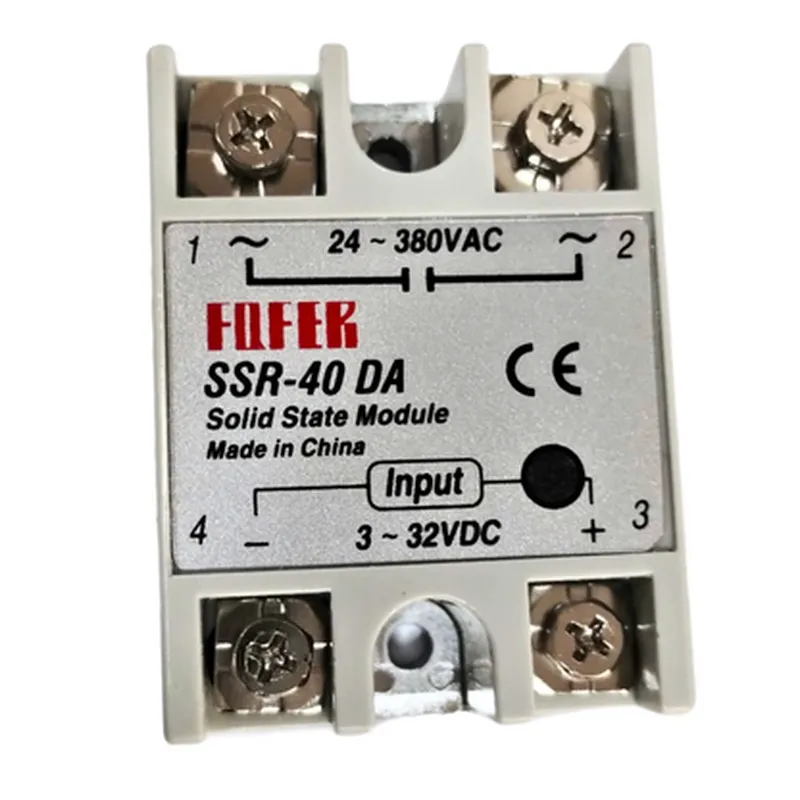
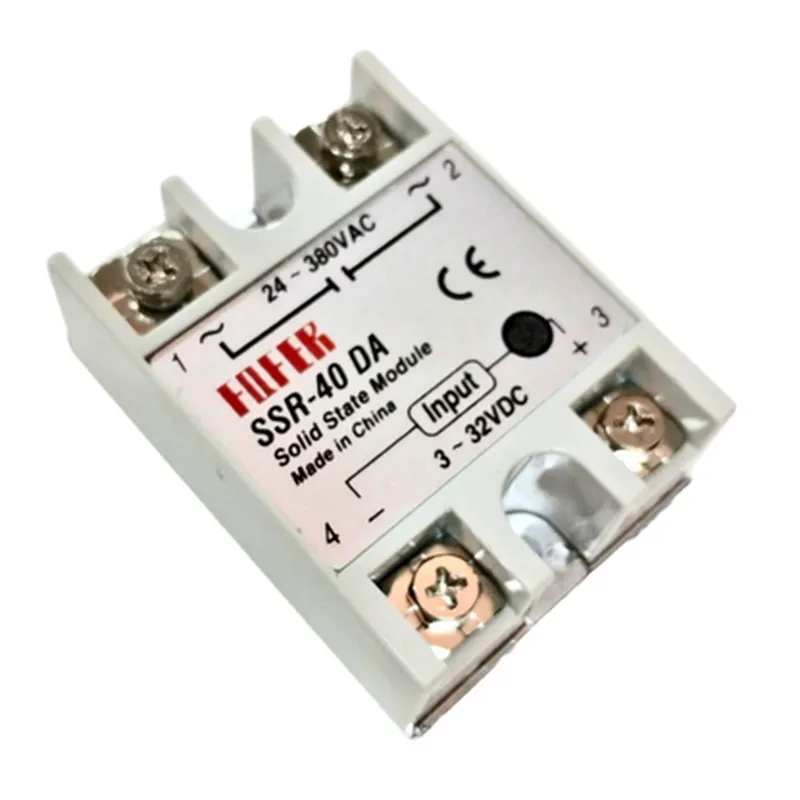
3-32VDC
3-10mA
1k
24-380VAC
40A
1000VA
50/60Hz
| Turn-on time | 10ms |
| Turn-off time | 10ms |
| Input-to-output isolation voltage | 2500VAC |
| Input-to-output isolation resistance | 100M |
Yes
Yes
| Short-circuit protection | Yes |
-40C to +80C
-40C to +125C
5-95% RH (non-condensing)
DIN rail mount
60mm x 35mm x 105mm (L x W x H)
approximately 250g
CE marked
RoHS compliant
UL94-V0 certified
Application Notes
| The Fofek SSR-40DA is suitable for various applications, including |
Industrial automation
HVAC systems
Lighting control systems
Power supplies
Medical devices
Audio and video equipment
Precautions and Safety Considerations
Ensure proper heat dissipation to avoid overheating
Use a suitable heatsink if the relay is operated near maximum load
Avoid exposure to moisture and dust
Use proper electrical connections and insulation to prevent electrical shock
By following proper installation, operation, and maintenance guidelines, the Fofek SSR-40DA solid-state relay provides a reliable and efficient solution for controlling AC loads in a wide range of applications.
Fofek SSR-40DA Solid State Relay DocumentationOverviewThe Fofek SSR-40DA is a solid-state relay (SSR) that provides a safe and efficient way to control AC loads using a DC signal. It features an input voltage range of 3-32VDC and can switch AC loads with a voltage range of 24-380VAC. This relay is ideal for applications that require high reliability, low power consumption, and fast switching times.PinoutThe Fofek SSR-40DA has a total of 4 pins:VCC: Input voltage (3-32VDC)
IN: Input signal (active low)
AC1: AC load positive terminal
AC2: AC load negative terminalExample 1: Controlling an AC Fan with an ArduinoIn this example, we will use an Arduino Uno to control an AC fan using the Fofek SSR-40DA.Code:
```cpp
const int relayPin = 2; // Choose a digital pin on the Arduinovoid setup() {
pinMode(relayPin, OUTPUT);
}void loop() {
digitalWrite(relayPin, LOW); // Turn the fan on
delay(5000); // Wait for 5 seconds
digitalWrite(relayPin, HIGH); // Turn the fan off
delay(5000); // Wait for 5 seconds
}
```
Connection:Connect the VCC pin of the SSR-40DA to a 5V power source (e.g., Arduino's 5V pin)
Connect the IN pin of the SSR-40DA to digital pin 2 of the Arduino
Connect the AC1 and AC2 pins of the SSR-40DA to the fan's power terminalsExample 2: Controlling an AC LED Strip with a Raspberry PiIn this example, we will use a Raspberry Pi to control an AC LED strip using the Fofek SSR-40DA.Code:
```python
import RPi.GPIO as GPIO
import timeGPIO.setmode(GPIO.BCM)
relay_pin = 17 # Choose a GPIO pin on the Raspberry PiGPIO.setup(relay_pin, GPIO.OUT)while True:
GPIO.output(relay_pin, GPIO.LOW) # Turn the LED strip on
time.sleep(5) # Wait for 5 seconds
GPIO.output(relay_pin, GPIO.HIGH) # Turn the LED strip off
time.sleep(5) # Wait for 5 seconds
```
Connection:Connect the VCC pin of the SSR-40DA to a 3.3V or 5V power source (e.g., Raspberry Pi's GPIO pins)
Connect the IN pin of the SSR-40DA to GPIO pin 17 of the Raspberry Pi
Connect the AC1 and AC2 pins of the SSR-40DA to the LED strip's power terminalsImportant NotesMake sure to connect the SSR-40DA to a suitable power source that can handle the current requirements of the AC load.
Ensure the input signal to the SSR-40DA is active low (i.e., the relay turns on when the input signal is LOW).
Use proper electrical safety precautions when working with AC voltages to avoid electrical shock or injury.