Stufin
Home Quick Cart Profile

Ultrabase 220220mm 3D Printer Platform Tempered Heated Bed Glass Plate with Microporous Coating


Buy Now on Stufin

Component Name

Ultrabase 220220mm 3D Printer Platform Tempered Heated Bed Glass Plate with Microporous Coating
Overview

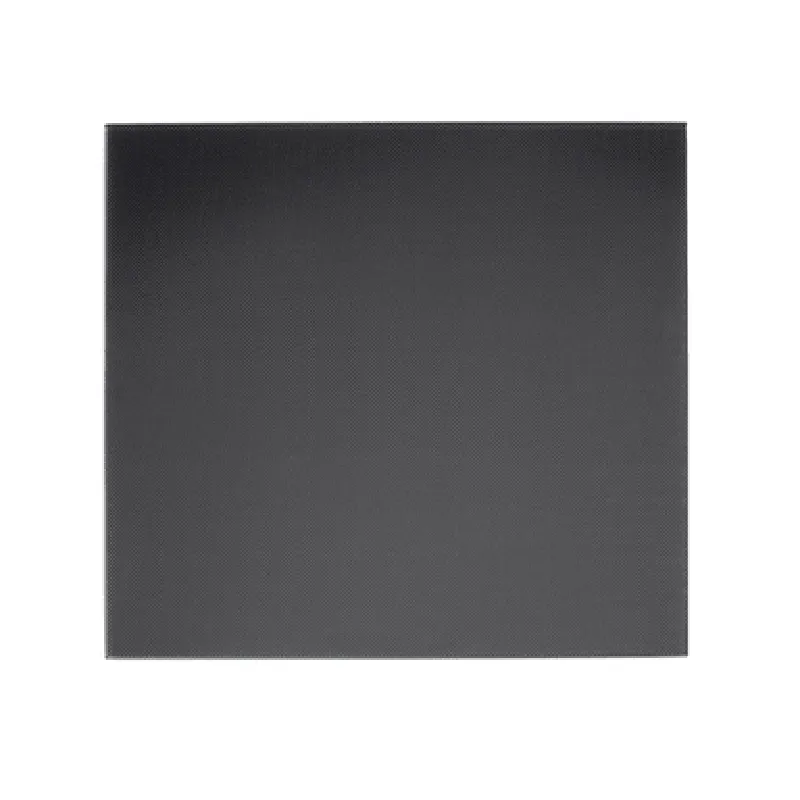
The Ultrabase 220220mm 3D Printer Platform Tempered Heated Bed Glass Plate with Microporous Coating is a high-quality, precision-engineered component designed for 3D printing applications. This heated bed glass plate is specifically designed to provide a stable, even, and reliable printing surface for FDM (Fused Deposition Modeling) and FFF (Fused Filament Fabrication) 3D printing technologies.
Functionality

  • Maintain a consistent and uniform temperature across the printing surface, ensuring optimal print adhesion and quality.
  • Provide a smooth, flat, and stable surface for the 3D printing process, reducing warping and improving print accuracy.
  • Enable consistent and reliable bonding between the printing material and the printing surface.
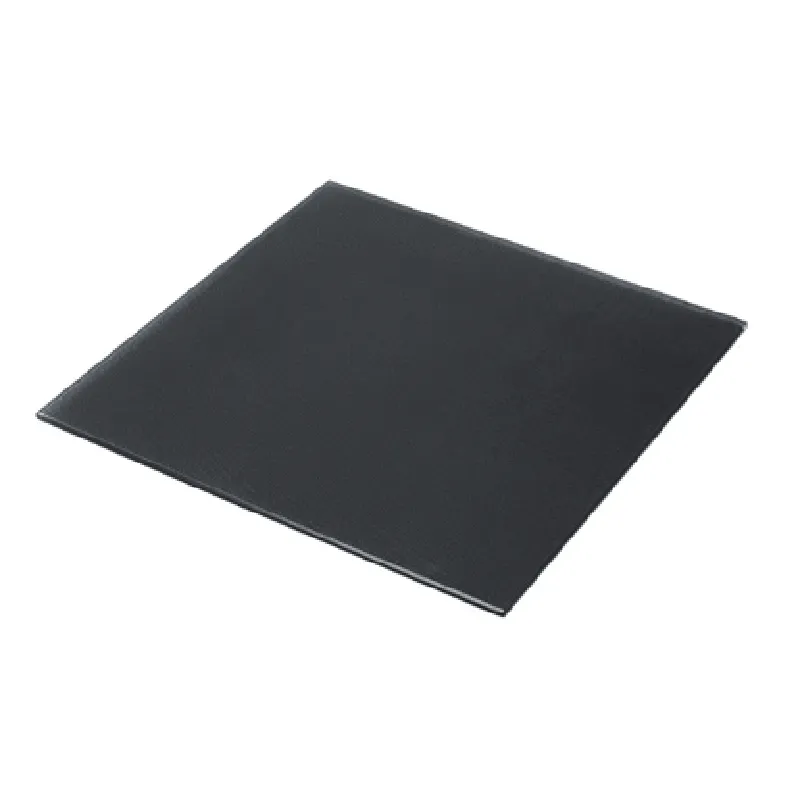
The primary function of the Ultrabase 220220mm 3D Printer Platform Tempered Heated Bed Glass Plate with Microporous Coating is to provide a stable and efficient printing surface for 3D printing applications. The heated bed glass plate is designed to

Key Features

  • Tempered Glass Construction: The Ultrabase 220220mm 3D Printer Platform is made from tempered glass, providing exceptional durability, strength, and thermal resistance.
  • Heated Bed: The glass plate features a heated bed design, allowing for precise temperature control and uniform heat distribution across the printing surface.
  • Microporous Coating: The glass plate is coated with a microporous layer, providing a high-quality printing surface with improved adhesion properties.
  • Large Printing Area: With a diameter of 220mm x 220mm, the Ultrabase 220220mm 3D Printer Platform offers a spacious printing area for large 3D printing projects.
  • High-Temperature Resistance: The tempered glass construction and microporous coating enable the Ultrabase to withstand high temperatures up to 120C (248F), making it suitable for a wide range of 3D printing materials.
  • Easy Installation: The Ultrabase 220220mm 3D Printer Platform is designed for easy installation and integration with most 3D printing machines.
  • Precision-Machined Edges: The glass plate features precision-machined edges, ensuring a smooth and even surface for printing.

Material

Tempered Glass

Size

220mm x 220mm

Thickness

4mm

Temperature Range

Up to 120C (248F)

Heated Bed Power

24V, 100W

Microporous Coating Thickness

0.1mm

Printing Area

220mm x 220mm

Applications

The Ultrabase 220220mm 3D Printer Platform Tempered Heated Bed Glass Plate with Microporous Coating is suitable for a wide range of 3D printing applications, including

FDM (Fused Deposition Modeling)

FFF (Fused Filament Fabrication)

3D printing of PLA, ABS, PETG, and other thermoplastic materials

Professional and industrial 3D printing applications

Hobbyist and DIY 3D printing projects

Conclusion

The Ultrabase 220220mm 3D Printer Platform Tempered Heated Bed Glass Plate with Microporous Coating is a high-quality, precision-engineered component designed to provide a stable, even, and reliable printing surface for 3D printing applications. Its unique combination of tempered glass construction, heated bed design, and microporous coating make it an ideal component for a wide range of 3D printing projects.

Pin Configuration

  • Ultrabase 220220mm 3D Printer Platform Tempered Heated Bed Glass Plate with Microporous Coating: Pinout and Connection Guide
  • The Ultrabase 220220mm 3D Printer Platform Tempered Heated Bed Glass Plate with Microporous Coating is designed for precision 3D printing applications. The platform features a tempered heated bed glass plate with a microporous coating, ensuring excellent print adhesion and easy print removal. The platform is equipped with a set of pins for connecting to the 3D printer's control board and power supply. In this documentation, we will explore the pinout and connection guide for the Ultrabase 220220mm 3D Printer Platform.
  • Pinout:
  • The Ultrabase 220220mm 3D Printer Platform has a total of 6 pins, arranged in a single row. The pinout is as follows:
  • Pin 1: VCC (Power Supply Voltage)
  • Function: Supplies power to the heated bed
  • Type: Power pin
  • Voltage: Typically 12V or 24V, depending on the printer's power supply
  • Current: Depends on the printer's power supply and heated bed specifications
  • Pin 2: GND (Ground)
  • Function: Provides a ground connection for the heated bed
  • Type: Ground pin
  • Voltage: 0V
  • Pin 3: THB (Thermistor)
  • Function: Connects to the thermistor sensor on the heated bed
  • Type: Analog signal pin
  • Signal: Thermistor signal (typically 0-5V)
  • Note: Connect to the thermistor input on the 3D printer's control board
  • Pin 4: HEAT (Heated Bed Control)
  • Function: Controls the heated bed's power supply
  • Type: Digital signal pin
  • Signal: PWM (Pulse Width Modulation) signal (typically 0-5V)
  • Note: Connect to the heated bed control output on the 3D printer's control board
  • Pin 5: THERMAL (Thermal Protection)
  • Function: Provides thermal protection for the heated bed
  • Type: Digital signal pin
  • Signal: Thermal protection signal (typically 0-5V)
  • Note: Connect to the thermal protection input on the 3D printer's control board
  • Pin 6: FAULT (Fault Detection)
  • Function: Detects faults in the heated bed circuitry
  • Type: Digital signal pin
  • Signal: Fault detection signal (typically 0-5V)
  • Note: Connect to the fault detection input on the 3D printer's control board
  • Connection Guide:
  • To connect the Ultrabase 220220mm 3D Printer Platform to your 3D printer's control board and power supply, follow these steps:
  • 1. Connect VCC (Pin 1) to the power supply's positive terminal (typically 12V or 24V).
  • 2. Connect GND (Pin 2) to the power supply's negative terminal (0V) and the control board's ground pin.
  • 3. Connect THB (Pin 3) to the thermistor input on the control board.
  • 4. Connect HEAT (Pin 4) to the heated bed control output on the control board.
  • 5. Connect THERMAL (Pin 5) to the thermal protection input on the control board.
  • 6. Connect FAULT (Pin 6) to the fault detection input on the control board.
  • Important Notes:
  • Ensure the power supply voltage matches the rated voltage of the heated bed.
  • Use a suitable gauge wire for connections to prevent voltage drops and heat generation.
  • Verify the thermistor type and range to ensure accurate temperature readings.
  • Consult the 3D printer's control board and power supply documentation for specific connection requirements.
  • By following this pinout and connection guide, you can successfully integrate the Ultrabase 220220mm 3D Printer Platform with your 3D printer's control board and power supply, ensuring precise temperature control and optimal printing performance.

Code Examples

Ultrabase 220220mm 3D Printer Platform Tempered Heated Bed Glass Plate with Microporous Coating Documentation
Overview
The Ultrabase 220220mm 3D Printer Platform Tempered Heated Bed Glass Plate with Microporous Coating is a high-quality, durable, and adhesive printing surface designed for 3D printing applications. This component features a tempered glass plate with a microporous coating, providing excellent heat distribution, scratch resistance, and improved print adhesion.
Technical Specifications
Size: 220mm x 220mm
 Material: Tempered glass
 Coating: Microporous
 Thickness: 3mm
 Operating Temperature: Up to 120C
 Adhesive: Microporous coating for improved print adhesion
Connecting the Ultrabase to a 3D Printer Controller Board
The Ultrabase can be connected to a 3D printer controller board using a thermistor and a heater element. Here's an example of how to connect the Ultrabase to an Arduino Mega-based 3D printer controller board:
Example 1: Connecting the Ultrabase to an Arduino Mega-based 3D Printer Controller Board
```cpp
// Define the pin connections
const int heaterPin = 2;  // Heater pin connected to the Ultrabase
const int thermistorPin = A0;  // Thermistor pin connected to the Ultrabase
void setup() {
  // Initialize the heater pin as an output
  pinMode(heaterPin, OUTPUT);
// Initialize the thermistor pin as an analog input
  pinMode(thermistorPin, INPUT);
}
void loop() {
  // Read the thermistor temperature
  int temperature = analogRead(thermistorPin);
  temperature = (temperature  5.0 / 1024.0 - 0.5)  100.0;  // Convert to Celsius
// Control the heater based on the temperature
  if (temperature < 60) {
    digitalWrite(heaterPin, HIGH);  // Turn on the heater
  } else {
    digitalWrite(heaterPin, LOW);  // Turn off the heater
  }
delay(1000);  // Wait 1 second before checking the temperature again
}
```
Example 2: Using the Ultrabase with a Marlin-based 3D Printer Firmware
In this example, we'll demonstrate how to configure the Marlin firmware to work with the Ultrabase:
```cpp
// marlin configuration file (Configuration.h)
// Define the heated bed pin
#define HEATED_BED_PIN 2
// Define the thermistor pin
#define TEMP_BED_PIN A0
// Define the heated bed settings
#define BED_HEATER_PWM frequency 31
#define BED_HEATER_OFF_PWM 0
```
In the `Marlin_main.cpp` file:
```cpp
// Initialize the heated bed
void heated_bed_init() {
  pinMode(HEATED_BED_PIN, OUTPUT);
  pinMode(TEMP_BED_PIN, INPUT);
}
// Temperature control function
void temperature_control() {
  int temperature = analogRead(TEMP_BED_PIN);
  temperature = (temperature  5.0 / 1024.0 - 0.5)  100.0;  // Convert to Celsius
if (temperature < 60) {
    digitalWrite(HEATED_BED_PIN, HIGH);  // Turn on the heater
  } else {
    digitalWrite(HEATED_BED_PIN, LOW);  // Turn off the heater
  }
}
```
These examples demonstrate how to connect and control the Ultrabase 220220mm 3D Printer Platform Tempered Heated Bed Glass Plate with Microporous Coating using an Arduino Mega-based 3D printer controller board and a Marlin-based 3D printer firmware.