Stufin
Home Quick Cart Profile

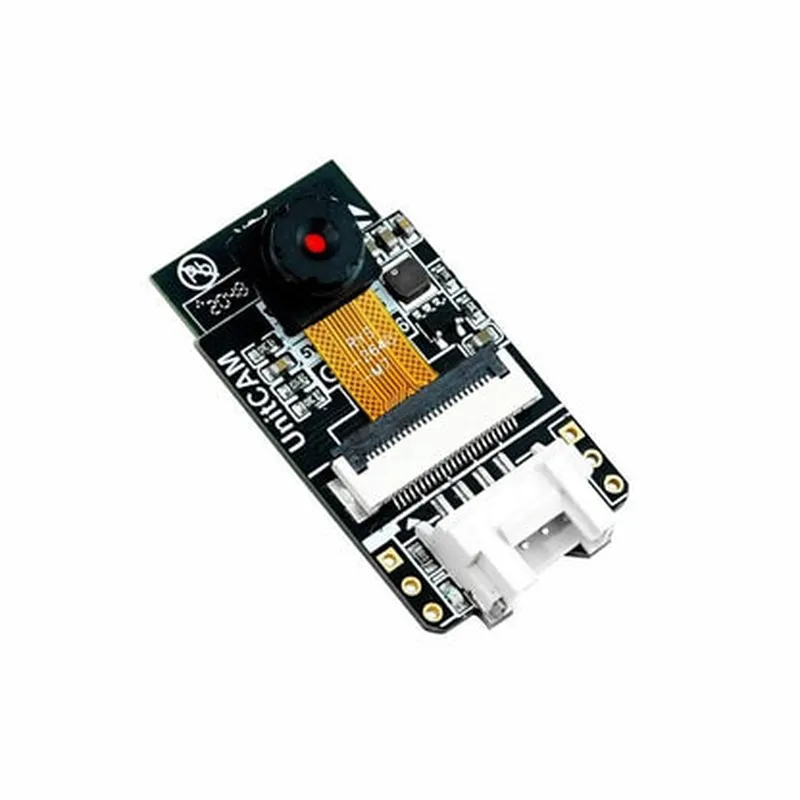
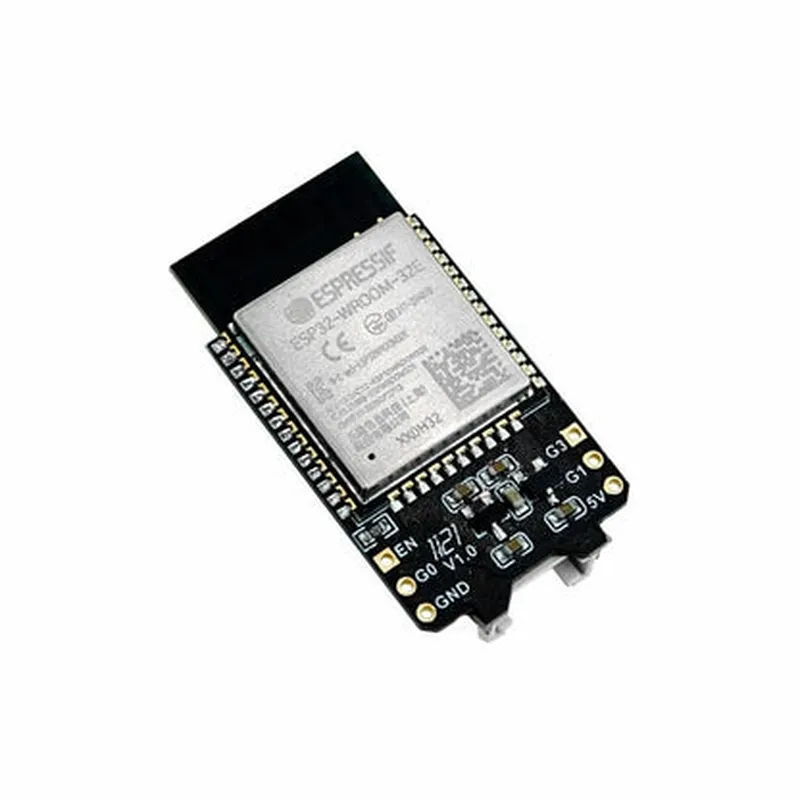
M5 Stick Unit Cam Wi-Fi Camera (OV2640)

Buy Now on Stufin

Component Name

M5 Stick Unit Cam Wi-Fi Camera (OV2640)

Overview

----------------

The M5 Stick Unit Cam Wi-Fi Camera (OV2640) is a compact, versatile, and high-performance camera module specifically designed for IoT applications. It combines a high-quality OV2640 image sensor with Wi-Fi connectivity, making it an ideal solution for various projects, such as surveillance systems, robotics, and smart home automation.

Functionality

-----------------

The M5 Stick Unit Cam Wi-Fi Camera (OV2640) is a wireless camera module that captures high-quality images and videos, which can be transmitted wirelessly to a smartphone, tablet, or computer via Wi-Fi. The camera module is equipped with an OV2640 image sensor, which provides excellent image quality, low power consumption, and a wide dynamic range.

Key Features

-----------------

### Image Sensor

OV2640A 1/4-inch CMOS image sensor with a 2-megapixel resolution (1600x1200) and a pixel size of 3.0m x 3.0m.
High-quality imagesCapture high-quality images with a wide viewing angle, excellent low-light sensitivity, and minimized noise.

### Wi-Fi Connectivity

Wi-Fi moduleIntegrated Wi-Fi module with a wireless frequency of 2.4GHz.

Wireless transmission

Transmit images and videos wirelessly to a smartphone, tablet, or computer.

Wi-Fi protocolSupports 802.11 b/g/n protocols.

### Interface and Compatibility

UART interface

Supports UART serial communication protocol for easy integration with microcontrollers and other devices.

Microcontrollers compatibility

Compatible with various microcontrollers, including ESP32, ESP8266, and Arduino.

Operating system compatibility

Supports Android, iOS, Windows, and Linux operating systems.

### Power and Performance

Low power consumption

Designed for low power consumption, making it suitable for battery-powered applications.

Power supply

Operates on a 3.3V to 5V power supply.

Operating temperature

Functional in a wide operating temperature range of -20C to 70C.

### Mechanical and Physical

Compact design

Measuring only 42.5mm x 21.5mm x 13.5mm in size, making it ideal for space-constrained applications.

Weight

Lightweight, weighing approximately 10 grams.

Mounting options

Includes holes for screw mounting or breadboarding.

Applications

-----------------

The M5 Stick Unit Cam Wi-Fi Camera (OV2640) is suitable for various IoT applications, including

Surveillance systems

Robotics and automation

Smart home automation

Wearable devices

Industrial monitoring

Security systems

Documentation and Resources

-----------------------------

For more information, please refer to the following resources

Datasheet

OV2640 datasheet for detailed technical specifications.

User manual

M5 Stick Unit Cam Wi-Fi Camera user manual for setup and configuration guidelines.

SDK and libraries

Available software development kits (SDKs) and libraries for various programming languages and platforms.

By integrating the M5 Stick Unit Cam Wi-Fi Camera (OV2640) into your IoT project, you can leverage its advanced features and capabilities to capture high-quality images and videos, enabling innovative and practical applications.

Pin Configuration

  • M5 Stick Unit Cam Wi-Fi Camera (OV2640) Pinout Documentation
  • The M5 Stick Unit Cam Wi-Fi Camera (OV2640) is a compact and powerful IoT device that integrates a Wi-Fi camera module, microcontroller, and various peripherals. This document provides a detailed explanation of each pin on the M5 Stick Unit Cam Wi-Fi Camera (OV2640), facilitating easy connection and integration into your IoT projects.
  • Pinout Structure:
  • The M5 Stick Unit Cam Wi-Fi Camera (OV2640) has a total of 12 pins, organized into two rows of 6 pins each. The pinout structure is as follows:
  • Row 1:
  • 1. GND (Ground)
  • Description: Ground pin for power supply and signal return
  • Function: Connect to the ground pin of your power source or other devices
  • 2. 5V (Power)
  • Description: Power pin for the M5 Stick Unit Cam (OV2640)
  • Function: Connect to a 5V power source (e.g., USB, battery, or external power supply)
  • 3. RX (Serial Receive)
  • Description: Receive pin for serial communication (UART)
  • Function: Connect to the transmit (TX) pin of another device for serial communication
  • 4. TX (Serial Transmit)
  • Description: Transmit pin for serial communication (UART)
  • Function: Connect to the receive (RX) pin of another device for serial communication
  • 5. SCL (I2C Clock)
  • Description: Clock pin for I2C communication
  • Function: Connect to the SCL pin of other I2C devices
  • 6. SDA (I2C Data)
  • Description: Data pin for I2C communication
  • Function: Connect to the SDA pin of other I2C devices
  • Row 2:
  • 1. CAMCLK (Camera Clock)
  • Description: Clock signal for the OV2640 camera module
  • Function: Connect to the clock input of the OV2640 camera module
  • 2. CAMSDA (Camera SDA)
  • Description: Data pin for camera module communication
  • Function: Connect to the SDA pin of the OV2640 camera module
  • 3. CAM_SCL (Camera SCL)
  • Description: Clock pin for camera module communication
  • Function: Connect to the SCL pin of the OV2640 camera module
  • 4. VSYNC (Vertical Sync)
  • Description: Vertical sync signal from the camera module
  • Function: Connect to the VSYNC input of the microcontroller or other devices
  • 5. PCLK (Pixel Clock)
  • Description: Pixel clock signal from the camera module
  • Function: Connect to the PCLK input of the microcontroller or other devices
  • 6. D0 (GPIO)
  • Description: General-purpose input/output pin
  • Function: Can be used as an input or output for custom applications
  • Connection Guidelines:
  • When connecting the M5 Stick Unit Cam Wi-Fi Camera (OV2640) to other devices, ensure proper wiring and follow these guidelines:
  • Use suitable wires or cables for connections, taking into account the current and voltage requirements of each pin.
  • Ensure the power supply is stable and sufficient for the M5 Stick Unit Cam Wi-Fi Camera (OV2640) and other connected devices.
  • Pay attention to the correct pinout and avoid reversals or misconnections, which can damage the device.
  • Use pull-up or pull-down resistors as required for I2C and UART communication.
  • Refer to the M5 Stick Unit Cam Wi-Fi Camera (OV2640) datasheet and documentation for specific connection requirements and guidelines for your application.
  • By following this pinout documentation and connection guidelines, you can successfully integrate the M5 Stick Unit Cam Wi-Fi Camera (OV2640) into your IoT projects and take advantage of its features and capabilities.

Code Examples

M5 Stick Unit Cam Wi-Fi Camera (OV2640) Documentation
Overview
The M5 Stick Unit Cam Wi-Fi Camera is a compact, low-power Wi-Fi camera module based on the OV2640 image sensor. It is designed to be used with the M5Stick series of microcontrollers, but can also be used with other microcontrollers and development boards. This camera module provides a high-quality VGA (640x480) image resolution, making it suitable for a wide range of IoT applications, such as home security, robotics, and computer vision projects.
Technical Specifications
Image Sensor: OV2640
 Resolution: VGA (640x480)
 Lens Type: Fixed Focus
 Angle of View: 65
 Interface: Wi-Fi, UART
 Power Consumption: 150mA (typical), 250mA (max)
 Operating Voltage: 3.3V
 Dimensions: 24.5 x 24.5 x 15.5 mm
Example Code 1: Taking a Photo and Sending it via Wi-Fi using the M5StickC
This example demonstrates how to use the M5 Stick Unit Cam Wi-Fi Camera with an M5StickC microcontroller to take a photo and send it to a server using Wi-Fi.
```c
#include <M5StickC.h>
#include <WiFi.h>
#include <HTTPClient.h>
const char ssid = "your_wifi_ssid";
const char password = "your_wifi_password";
const char serverUrl = "http://your_server_url.com/upload_image";
M5StickC m5stickc;
WiFiClient client;
HTTPClient http;
void setup() {
  Serial.begin(115200);
  m5stickc.begin();
  WiFi.begin(ssid, password);
  while (WiFi.status() != WL_CONNECTED) {
    delay(1000);
    Serial.println("Connecting to Wi-Fi...");
  }
  Serial.println("Wi-Fi connected");
}
void loop() {
  camera_init(); // Initialize the camera
  camera_snap(); // Take a photo
  char imageData = camera_get_image(); // Get the image data
  size_t imageSize = camera_get_image_size(); // Get the image size
  
  http.begin(client, serverUrl);
  http.addHeader("Content-Type", "image/jpeg");
  int httpResponseCode = http.POST((uint8_t)imageData, imageSize);
  http.end();
  
  if (httpResponseCode > 0) {
    Serial.println("Image uploaded successfully");
  } else {
    Serial.println("Error uploading image");
  }
  
  delay(10000); // Take a new photo every 10 seconds
}
void camera_init() {
  pinMode(M5_STICK_CAM_PIN, OUTPUT);
  digitalWrite(M5_STICK_CAM_PIN, LOW);
  delay(100);
  digitalWrite(M5_STICK_CAM_PIN, HIGH);
  delay(100);
}
void camera_snap() {
  digitalWrite(M5_STICK_CAM_PIN, LOW);
  delay(50);
  digitalWrite(M5_STICK_CAM_PIN, HIGH);
  delay(50);
}
char camera_get_image() {
  // Implement image data retrieval using UART communication
  // with the camera module
}
size_t camera_get_image_size() {
  // Implement image size retrieval using UART communication
  // with the camera module
}
```
Example Code 2: Streaming Video using the M5 Stick Unit Cam Wi-Fi Camera with a Raspberry Pi
This example demonstrates how to use the M5 Stick Unit Cam Wi-Fi Camera with a Raspberry Pi to stream video over Wi-Fi using the FFmpeg library.
```python
import os
import cv2
import socket
# Set up the camera
-camera_url = "http://m5stickcam.local:8080	video"
cam = cv2.VideoCapture(camera_url)
# Set up the socket
HOST = '0.0.0.0'
PORT = 8080
sock = socket.socket(socket.AF_INET, socket.SOCK_STREAM)
sock.bind((HOST, PORT))
sock.listen(1)
while True:
    conn, addr = sock.accept()
    print('Connected by', addr)
    
    # Stream video using FFmpeg
    os.system('ffmpeg -re -i %s -c:v libx264 -pix_fmt yuv420p -crf 18 -f flv tcp://%s:%d' % (camera_url, addr[0], PORT))
```
Note: In this example, the Raspberry Pi acts as a server, and the M5 Stick Unit Cam Wi-Fi Camera is the client streaming video to the Raspberry Pi. The FFmpeg library is used to stream the video from the camera module to the Raspberry Pi.
These examples demonstrate the basic functionality of the M5 Stick Unit Cam Wi-Fi Camera and provide a starting point for more complex IoT projects.