Stufin
Home Quick Cart Profile

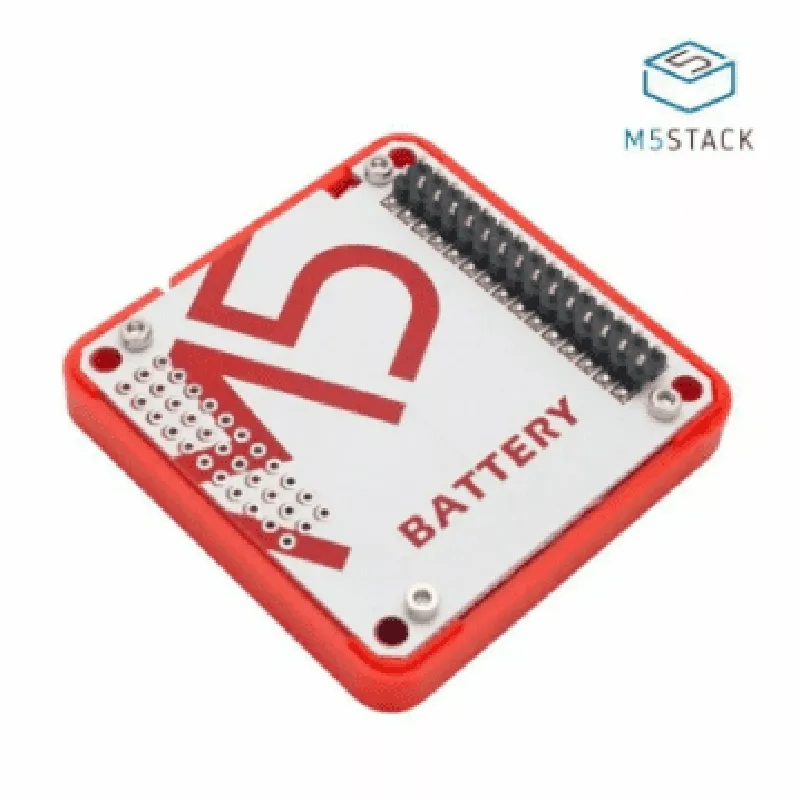
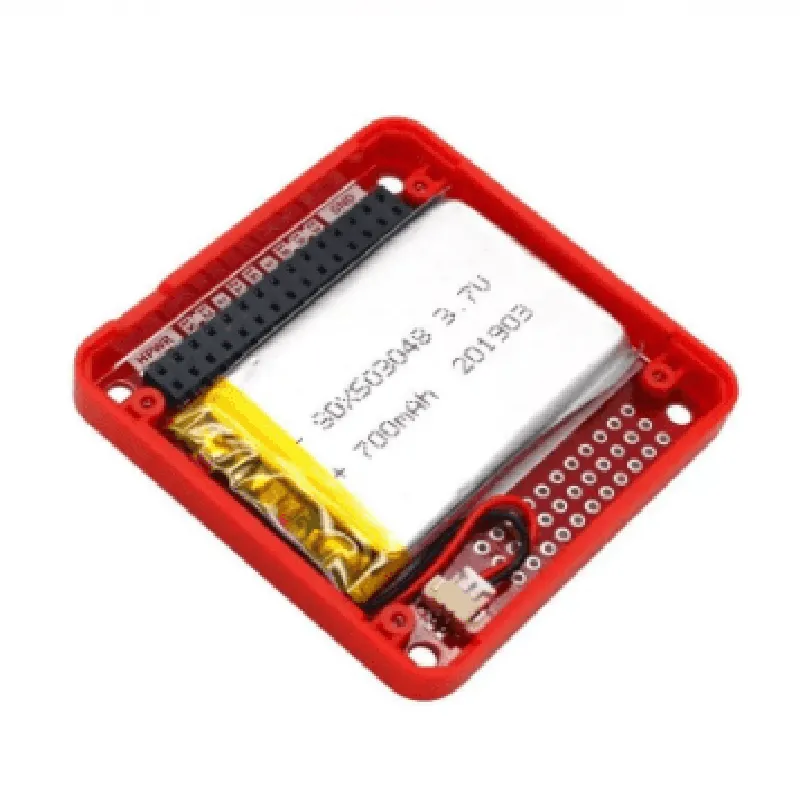
M5 Stack Battery Module for ESP32 Core Development Kit

Buy Now on Stufin

Battery Type

Rechargeable Li-Polymer


Battery Capacity

150mAh

Charging Input

Micro-USB

Charging Voltage

5V

Charging Current

500mA

Operating Temperature Range

-20C to 70C

Dimensions

25mm x 25mm x 7mm

Weight

10g

Applications

The M5 Stack Battery Module is ideal for use in a variety of IoT applications, including

Wearable devices

Wireless sensors

Robotics

Automation systems

Smart home devices

By providing a reliable and efficient power management solution, the M5 Stack Battery Module enables developers to focus on building innovative IoT applications with the ESP32 Core Development Kit.

Pin Configuration

  • M5 Stack Battery Module for ESP32 Core Development Kit Pinout Guide
  • The M5 Stack Battery Module is a compact power management solution designed specifically for the ESP32 Core Development Kit. This module provides a convenient and efficient way to power your ESP32-based projects. Below is a detailed explanation of the pins on the Battery Module, along with a step-by-step guide on how to connect them.
  • Pinout:
  • 1. VIN: Input voltage pin (3.3V - 6.0V)
  • Connect to a power source, such as a USB port or a battery, to charge the internal battery.
  • Note: Make sure the input voltage does not exceed 6.0V to avoid damaging the module.
  • 2. VOUT: Output voltage pin (3.3V)
  • Connect to the ESP32 Core Development Kit's power input pin (VCC) to provide power to the board.
  • 3. GND: Ground pin
  • Connect to the ESP32 Core Development Kit's ground pin (GND) to provide a common ground reference.
  • 4. B+: Positive terminal of the internal battery
  • Connect to the positive terminal of an external battery (if used) or leave unconnected if using the internal battery only.
  • 5. B-: Negative terminal of the internal battery
  • Connect to the negative terminal of an external battery (if used) or leave unconnected if using the internal battery only.
  • 6. CHG: Charging indicator pin
  • Connect to a digital pin on the ESP32 Core Development Kit to monitor the charging status.
  • When the module is charging, this pin will be high (3.3V); when charging is complete, it will be low (0V).
  • 7. PWR: Power enable pin
  • Connect to a digital pin on the ESP32 Core Development Kit to control the power output of the module.
  • When this pin is high (3.3V), the module will output power; when it's low (0V), the module will shut down.
  • Connection Structure:
  • To connect the M5 Stack Battery Module to your ESP32 Core Development Kit, follow these steps:
  • Step 1: Power Connection
  • Connect the VIN pin on the Battery Module to a power source (e.g., a USB port or a battery).
  • Connect the VOUT pin on the Battery Module to the VCC pin on the ESP32 Core Development Kit.
  • Step 2: Ground Connection
  • Connect the GND pin on the Battery Module to the GND pin on the ESP32 Core Development Kit.
  • Step 3: Charging Indication (Optional)
  • Connect the CHG pin on the Battery Module to a digital pin on the ESP32 Core Development Kit (e.g., GPIO 2).
  • Use this pin to monitor the charging status in your code.
  • Step 4: Power Control (Optional)
  • Connect the PWR pin on the Battery Module to a digital pin on the ESP32 Core Development Kit (e.g., GPIO 15).
  • Use this pin to control the power output of the module in your code.
  • Tips and Precautions:
  • Make sure to handle the module by the edges to prevent damaging the pins.
  • Avoid shorting the pins or applying excessive voltage to prevent damage to the module or the ESP32 Core Development Kit.
  • Use a suitable power source and battery to ensure safe and efficient operation.
  • By following these steps and precautions, you can successfully integrate the M5 Stack Battery Module into your ESP32-based projects, ensuring a reliable and efficient power management solution.

Code Examples

M5 Stack Battery Module for ESP32 Core Development Kit Documentation
Overview
The M5 Stack Battery Module is a rechargeable lithium-ion polymer battery designed for use with the ESP32 Core Development Kit. It provides a convenient and compact power solution for IoT projects, enabling developers to create portable and battery-powered devices.
Technical Specifications
Battery Type: Lithium-ion Polymer
 Capacity: 390mAh
 Voltage: 3.7V
 Charging Current: 500mA
 Dimensions: 35.5 x 25.5 x 4.5 mm
 Weight: 15g
Connecting the Battery Module
To use the M5 Stack Battery Module with the ESP32 Core Development Kit, connect the module to the Kit's battery pins as follows:
Vbat pin on the Kit to the Vbat pin on the Battery Module
 GND pin on the Kit to the GND pin on the Battery Module
Code Examples
### Example 1: Battery Voltage Monitoring
This example demonstrates how to use the M5 Stack Battery Module to monitor the battery voltage level using the ESP32's analog-to-digital converter (ADC).
```c
#include <M5Stack.h>
void setup() {
  Serial.begin(115200);
}
void loop() {
  int batteryVoltage = analogRead(BATTERY_PIN);
  float voltage = (batteryVoltage  2  3.3) / 4095;
  Serial.print("Battery Voltage: ");
  Serial.print(voltage);
  Serial.println(" V");
  delay(1000);
}
```
In this example, the `analogRead()` function is used to read the voltage level from the BATTERY_PIN on the ESP32. The voltage value is then calculated using the ADC conversion formula and printed to the serial console.
### Example 2: Low Battery Warning
This example demonstrates how to use the M5 Stack Battery Module to trigger a low battery warning when the voltage level falls below a certain threshold.
```c
#include <M5Stack.h>
#define LOW_BATTERY_THRESHOLD 3.5
void setup() {
  Serial.begin(115200);
}
void loop() {
  int batteryVoltage = analogRead(BATTERY_PIN);
  float voltage = (batteryVoltage  2  3.3) / 4095;
  
  if (voltage < LOW_BATTERY_THRESHOLD) {
    Serial.println("Low Battery Warning!");
    // Add additional code here to trigger an alarm or notification
  }
  
  delay(1000);
}
```
In this example, the voltage level is continuously monitored and compared to the `LOW_BATTERY_THRESHOLD` value. When the voltage level falls below the threshold, a low battery warning message is printed to the serial console. You can add additional code to trigger an alarm or notification based on your specific requirements.
Note: These examples assume you have the M5Stack library installed and configured for your ESP32 Core Development Kit.