Retrieves data from ISO/IEC 15693 and ISO/IEC 14443A compliant transponders, including tags, cards, and key fobs.


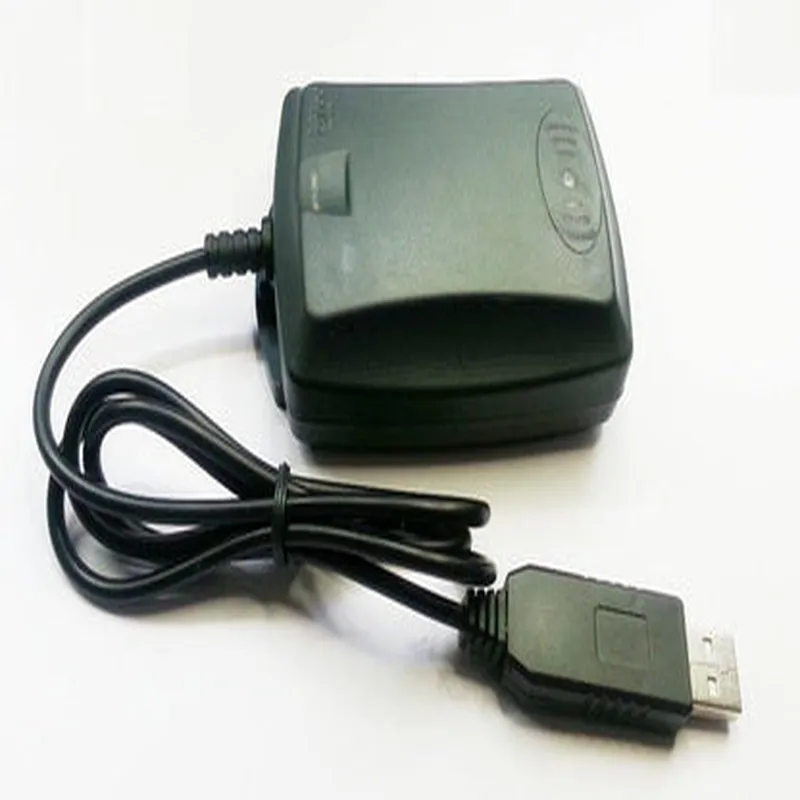
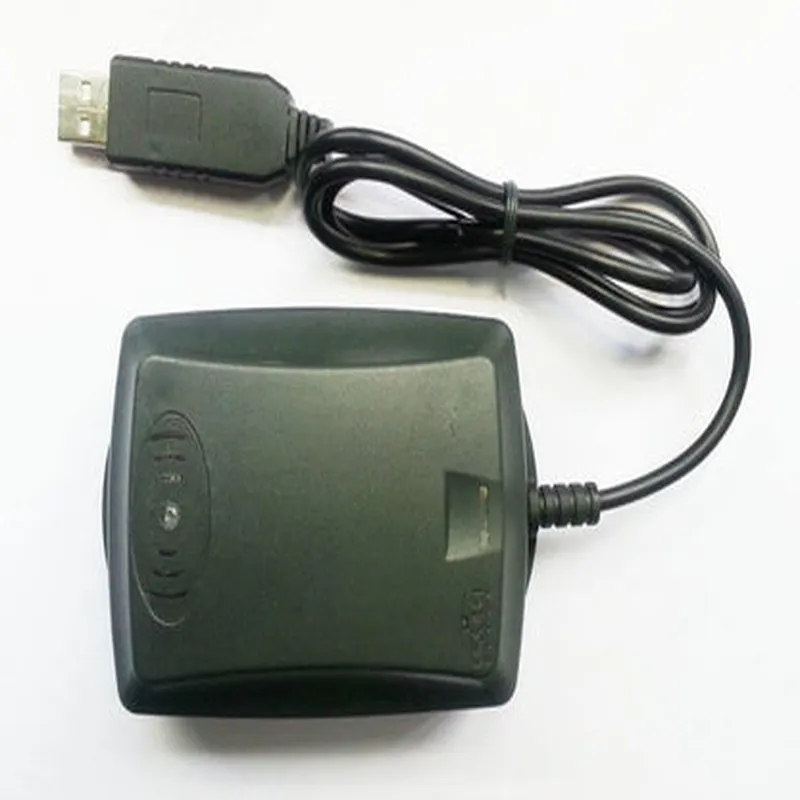
Retrieves data from ISO/IEC 15693 and ISO/IEC 14443A compliant transponders, including tags, cards, and key fobs.
Writes data to ISO/IEC 15693 and ISO/IEC 14443A compliant transponders, enabling the modification of existing data or the creation of new data.
Verifies the authenticity of transponders and data, ensuring secure communication and preventing unauthorized access.
Key Features
Technical Specifications
USB bus-powered, 5V DC
Typically 50 mA
0C to 50C (32F to 122F)
-20C to 70C (-4F to 158F)
5% to 95% non-condensing
Certifications and Compliance
Meets the essential health and safety requirements of the European Union
Meets the guidelines and regulations set by the Federal Communications Commission (FCC) in the United States
Meets the Restriction of Hazardous Substances directive, ensuring the device is free from hazardous materials.
13.56MHz USB RFID Reader-Writer with Card & Keychain DocumentationOverviewThe 13.56MHz USB RFID Reader-Writer with Card & Keychain is a versatile and compact device that enables reading and writing to RFID cards and keychains at a frequency of 13.56MHz. This device is ideal for various applications such as access control, inventory management, and identity verification. The reader is connected to a computer via a USB interface, making it easy to integrate into existing systems.Technical SpecificationsFrequency: 13.56MHz
Reading distance: Up to 5cm
Communication interface: USB 2.0
Power supply: USB bus-powered
Operating system: Windows, Linux, macOS
Supported cards: ISO/IEC 14443-4, ISO/IEC 15693, Mifare, DESFire, FelicaCode Examples### Example 1: Reading a Mifare Card using PythonThis example demonstrates how to read a Mifare card using the 13.56MHz USB RFID Reader-Writer with Card & Keychain in Python.```python
import time
from pyRFID import RFIDReader# Initialize the RFID reader
reader = RFIDReader()# Connect to the reader
reader.connect()while True:
# Wait for a card to be present
if reader.is_card_present():
# Get the card's UID
uid = reader.get_uid()
print("Card detected: ", uid)# Authenticate the card
if reader.authenticate(uid, 0x00, 0x00, 0x06, 0x01, 0x00):
# Read data from block 0
data = reader.read_block(0)
print("Data: ", data)# Release the card
reader.stop_crypto()
else:
print("Authentication failed")# Wait for 1 second before checking again
time.sleep(1)# Disconnect from the reader
reader.disconnect()
```### Example 2: Writing to a DESFire Card using C#This example demonstrates how to write data to a DESFire card using the 13.56MHz USB RFID Reader-Writer with Card & Keychain in C#.```csharp
using System;
using System.Text;
using RFID-reader-lib;class WriteToDESFireCard
{
static void Main(string[] args)
{
// Initialize the RFID reader
RFIDReader reader = new RFIDReader();// Connect to the reader
reader.Connect();// Wait for a card to be present
while (!reader.IsCardPresent())
{
Console.WriteLine("Waiting for card...");
System.Threading.Thread.Sleep(1000);
}// Authenticate the card
byte[] uid = reader.GetUID();
if (reader.Authenticate(uid, 0x00, 0x00, 0x06, 0x01, 0x00))
{
// Create a DESFire file
byte[] fileData = Encoding.ASCII.GetBytes("Hello, World!");
reader.CreateFile(0x01, 0x02, 0x03, fileData.Length);
reader.WriteData(0x01, fileData);// Commit the changes
reader.CommitTransaction();Console.WriteLine("Data written successfully!");
}
else
{
Console.WriteLine("Authentication failed");
}// Disconnect from the reader
reader.Disconnect();
}
}
```### Example 3: Reading a Felica Card using Node.jsThis example demonstrates how to read a Felica card using the 13.56MHz USB RFID Reader-Writer with Card & Keychain in Node.js.```javascript
const rfid = require('node-rfid');const reader = new rfid.Reader();reader.on('card', (card) => {
console.log(`Card detected: ${card.uid}`);// Authenticate the card
card.authenticate((err) => {
if (err) {
console.error(`Authentication failed: ${err}`);
} else {
// Read data from service code 0x090F
card.readServiceCode(0x090F, (err, data) => {
if (err) {
console.error(`Read failed: ${err}`);
} else {
console.log(`Data: ${data}`);
}
});
}
});
});reader.on('error', (err) => {
console.error(`Error: ${err}`);
});reader.start();
```
In this example, we use the `node-rfid` library to interact with the RFID reader. We listen for the `card` event, which is emitted when a card is detected. We then authenticate the card and read data from a specific service code.