Carbon Monoxide (CO)


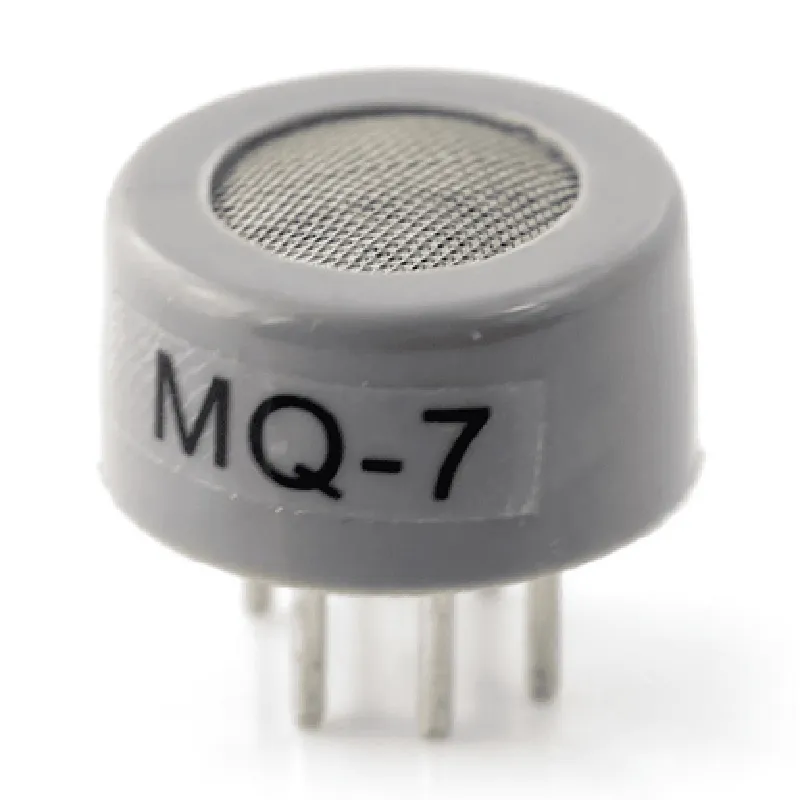
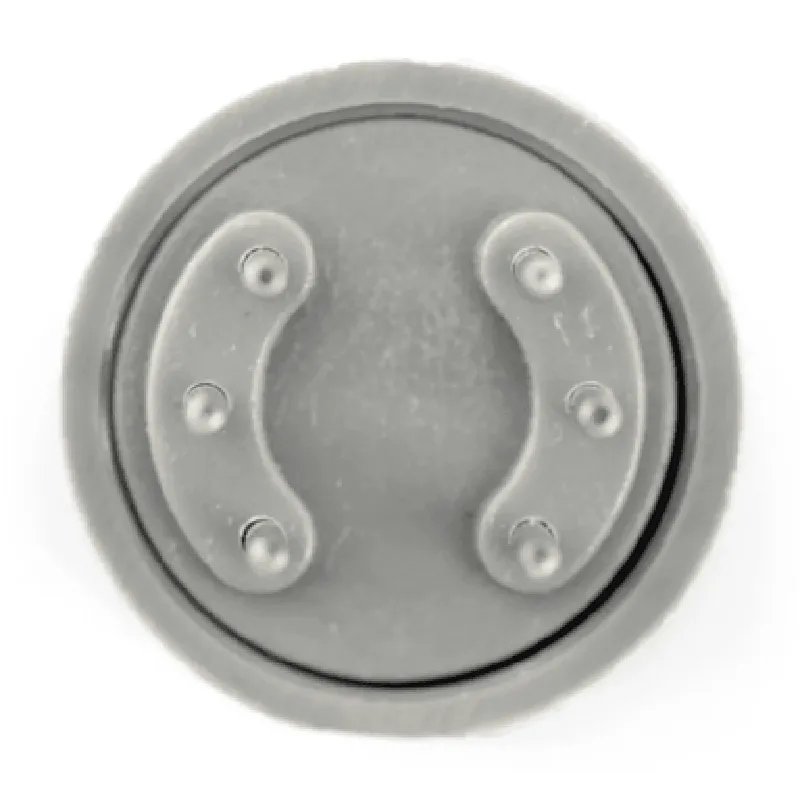
Carbon Monoxide (CO)
10-1000 ppm
1.5 0.5 mV/ppm
Analog (0-5V)
5V 0.5V
<15mA
-10C to 50C
30-90% RH
20.5mm x 13.5mm x 10.5mm
Applications
Conclusion
The MQ-7 Gas Sensor for Carbon Monoxide Detector Module is a highly sensitive and reliable gas detection component suitable for a wide range of applications. Its high sensitivity, wide detection range, and low power consumption make it an ideal choice for detecting carbon monoxide concentrations in various environments.
MQ-7 Gas Sensor For Carbon Monoxide Detector Module DocumentationOverviewThe MQ-7 Gas Sensor is a highly sensitive and accurate module designed to detect Carbon Monoxide (CO) gas in the air. This module is widely used in various applications, including industrial, domestic, and automotive settings, to detect and alert users to the presence of CO gas.Pinout and Connections| Pin | Description |
| --- | --- |
| VCC | Power supply (5V) |
| GND | Ground |
| AO | Analog Output |
| DO | Digital Output |OperationThe MQ-7 Gas Sensor module operates by detecting the presence of CO gas in the air and outputting a corresponding analog signal. The sensor contains a heating element, a sensitive layer, and an electrode. When CO gas is present, it reacts with the sensitive layer, causing a change in the electrical resistance of the sensor. This change is then converted into an analog signal at the AO pin.Programming Examples### Example 1: Basic Analog Output Reading (Arduino)In this example, we will connect the MQ-7 Gas Sensor to an Arduino board and read the analog output signal to detect CO gas.Hardware Connection:Connect VCC to Arduino's 5V pin
Connect GND to Arduino's GND pin
Connect AO to Arduino's Analog Input pin (e.g., A0)Code:
```c++
const int sensorPin = A0; // select the input pin for the sensorvoid setup() {
Serial.begin(9600);
}void loop() {
int sensorValue = analogRead(sensorPin);
float CO_ppm = sensorValue (5.0 / 1023.0); // convert analog value to CO concentration (ppm)
Serial.print("CO Concentration: ");
Serial.print(CO_ppm);
Serial.println(" ppm");
delay(1000);
}
```
### Example 2: Digital Output with Threshold Detection (Raspberry Pi)In this example, we will connect the MQ-7 Gas Sensor to a Raspberry Pi and use the digital output to detect CO gas above a certain threshold.Hardware Connection:Connect VCC to Raspberry Pi's 5V pin
Connect GND to Raspberry Pi's GND pin
Connect DO to Raspberry Pi's GPIO pin (e.g., GPIO 17)Code:
```python
import RPi.GPIO as GPIO
import timeGPIO.setmode(GPIO.BCM)
GPIO.setup(17, GPIO.IN) # set GPIO 17 as inputwhile True:
if GPIO.input(17) == GPIO.HIGH:
print("CO Gas Detected!")
else:
print("No CO Gas Detected.")
time.sleep(1)
```
Note: In this example, we assume a threshold detection logic is built into the sensor module, where the digital output (DO) pin goes high when the CO concentration exceeds a certain threshold.### Example 3: IoT-based CO Monitoring System (ESP32)In this example, we will connect the MQ-7 Gas Sensor to an ESP32 board and create an IoT-based CO monitoring system that sends data to a cloud-based platform.Hardware Connection:Connect VCC to ESP32's 5V pin
Connect GND to ESP32's GND pin
Connect AO to ESP32's Analog Input pin (e.g., ADC1_0)Code:
```c++
#include <WiFi.h>
#include <HTTPClient.h>const char ssid = "your_wifi_ssid";
const char password = "your_wifi_password";
const char serverUrl = "https://your-cloud-platform.com/api/co-monitoring";WiFiClient client;
HTTPClient http;void setup() {
Serial.begin(115200);
WiFi.begin(ssid, password);
while (WiFi.status() != WL_CONNECTED) {
delay(1000);
Serial.println("Connecting to WiFi...");
}
Serial.println("Connected to WiFi");
http.begin(client, serverUrl);
}void loop() {
int sensorValue = analogRead(ADC1_0);
float CO_ppm = sensorValue (5.0 / 1023.0); // convert analog value to CO concentration (ppm)
String payload = "{""co_ppm"": " + String(CO_ppm) + "}";
int httpRequestCode = http.POST(payload);
if (httpRequestCode > 0) {
Serial.println("Data sent successfully!");
} else {
Serial.println("Error sending data:");
Serial.println(http.getString());
}
delay(30000); // send data every 30 seconds
}
```
Note: In this example, we assume you have replaced the placeholders with your own WiFi credentials, cloud platform URL, and API endpoint for sending CO data.