### Display


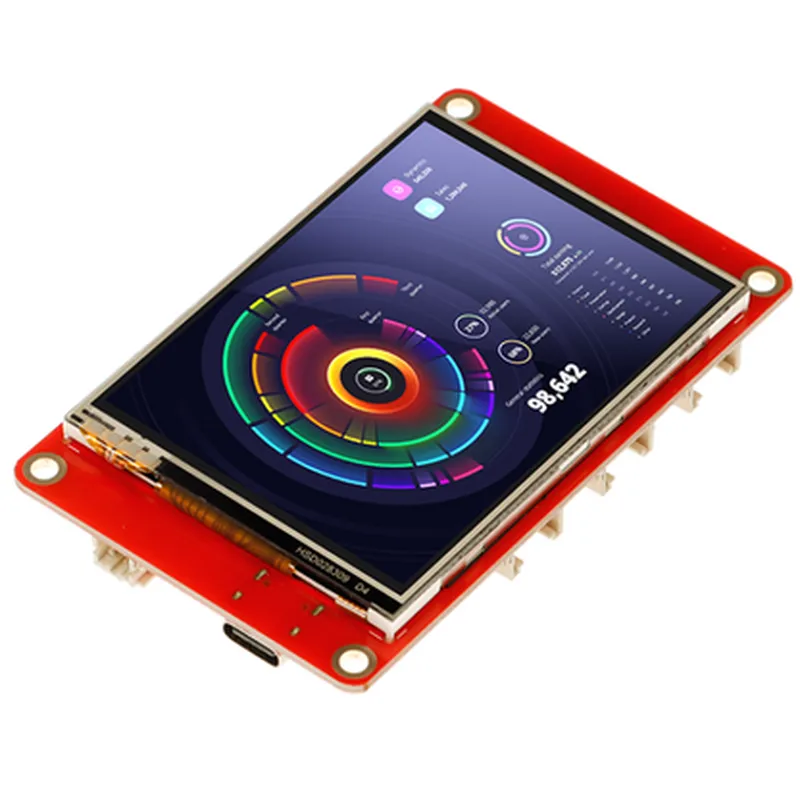
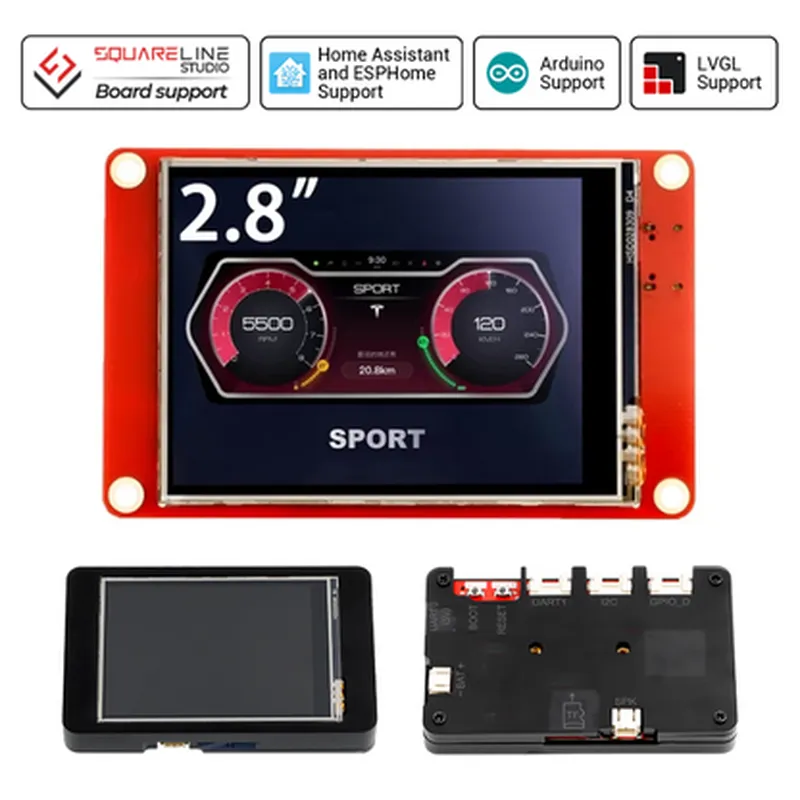
### Display
2.8 inches
TFT LCD with LED backlight
320x240 pixels (QVGA)
Resistive touch panel with 4-wire interface
60 (up), 60 (down), 50 (left), 50 (right)
### Processing Unit
ESP32-D0WDQ6 (Dual-Core 32-bit LX6 Microprocessor)
80 MHz 240 MHz
4MB
520 KB
### Connectivity
| Wi-Fi | 802.11 b/g/n |
4.2 (BR/EDR and BLE)
3 x UART interfaces (1 x with flow control)
3 x SPI interfaces
| I2C | 2 x I2C interfaces |
| I2S | 1 x I2S interface |
### Graphics and GUI
Compatible with the LVGL (Light and Versatile Graphics Library) for easy GUI development
2D graphics acceleration with alpha blending, anti-aliasing, and more
### Power and Operating Conditions
3.3V 5.5V
-20C to 70C
-40C to 85C
### Mechanical Characteristics
70.5 mm x 45.5 mm x 12.5 mm (without acrylic case)
30 grams (approximate)
### Additional Features
Wi-Fi and Bluetooth antennas integrated into the PCB
Supports multiple sleep modes for power-saving and low-power applications
RoHS and REACH compliant
Functionality
| The Elecrow ESP32 Display-2.8 Inch HMI with Touch Screen is a versatile module suitable for a wide range of applications, including |
Overall, this module provides a compact, integrated solution for developing interactive, connected devices with high-resolution displays, Wi-Fi, Bluetooth, and advanced graphics capabilities.
Elecrow ESP32 Display-2.8 Inch HMI with Touch Screen - High Resolution, WiFi, Bluetooth, LVGL SupportOverviewThe Elecrow ESP32 Display-2.8 Inch HMI with Touch Screen is a high-resolution human-machine interface (HMI) display module designed for IoT applications. It features a 2.8-inch capacitive touch screen display with a resolution of 240x320 pixels, WiFi, and Bluetooth connectivity, making it an ideal choice for projects that require a user interface with wireless connectivity.Key Features2.8-inch capacitive touch screen display with 240x320 pixel resolution
High-resolution display with 16-bit color depth
Supports WiFi and Bluetooth connectivity
ESP32 microcontroller with dual-core 32-bit LX6 processor
LVGL (Light and Versatile Graphics Library) support for efficient graphics rendering
Operating voltage: 3.3V
Communication protocols: SPI, I2C, UART, and I2SHardware ConnectionsThe display module has the following hardware connections:ESP32 microcontroller: 24-pin GPIO header
Display: 16-pin FPC connector
Touch screen: 4-pin FPC connector
WiFi and Bluetooth antenna: built-in PCB antennaSoftware SupportThe Elecrow ESP32 Display-2.8 Inch HMI with Touch Screen is compatible with the following software frameworks:Arduino IDE
MicroPython
LVGLCode Examples### Example 1: Wi-Fi Connection and LCD Display using Arduino IDEThis example demonstrates how to connect to a Wi-Fi network and display a message on the LCD screen using the Arduino IDE.```c++
#include <WiFi.h>const char ssid = "your_wifi_ssid";
const char password = "your_wifi_password";void setup() {
Serial.begin(115200);// Initialize the display
pinMode(18, OUTPUT);
pinMode(23, OUTPUT);
digitalWrite(18, HIGH);
digitalWrite(23, LOW);// Connect to Wi-Fi
WiFi.begin(ssid, password);
while (WiFi.status() != WL_CONNECTED) {
delay(1000);
Serial.println("Connecting to WiFi...");
}Serial.println("Connected to WiFi");
Serial.println("Initializing display...");// Initialize the display
lv_init();
lv_theme_set_current(lv_theme_material_init(80, NULL));
lv_scr_act(lv_scr_load("scr_main"));// Create a label on the screen
lv_obj_t label = lv_label_create(lv_scr_act(), NULL);
lv_label_set_text(label, "Connected to Wi-Fi!");
lv_obj_align(label, NULL, LV_ALIGN_CENTER, 0, 0);
}void loop() {
// Nothing to do here
}
```### Example 2: Touch Screen Event Handling using MicroPythonThis example demonstrates how to handle touch screen events using MicroPython.```python
import lvgl as lv
import touchscreen# Initialize the display
lv.init()# Create a screen
scr = lv.scr()# Create a label on the screen
label = lv.label(scr, None)
label.set_text("Touch me!")
label.align(None, lv.ALIGN_CENTER, 0, 0)# Handle touch screen events
def touch_event(arg):
if arg.code == lv.event.PRESS:
label.set_text("You touched me!")
elif arg.code == lv.event.RELEASE:
label.set_text("Touch me!")touchscreen.handler(touch_event)# Start the event loop
lv.task_handler()
```### Example 3: Bluetooth Low Energy (BLE) Advertising using LVGLThis example demonstrates how to advertise a BLE service using LVGL.```c++
#include <lvgl.h>
#include <BLE.h>// Create a BLE service and characteristic
BLEService service = new BLEService("180f");
BLECharacteristic characteristic = new BLECharacteristic("2a19", BLECharacteristic::PROPERTY_NOTIFY);// Initialize the display
lv_init();
lv_theme_set_current(lv_theme_material_init(80, NULL));
lv_scr_act(lv_scr_load("scr_main"));// Create a label on the screen
lv_obj_t label = lv_label_create(lv_scr_act(), NULL);
lv_label_set_text(label, "BLE Advertising...");
lv_obj_align(label, NULL, LV_ALIGN_CENTER, 0, 0);// Start BLE advertising
BLE.advertise();
```TroubleshootingEnsure that the display module is properly connected to the ESP32 microcontroller and powered correctly.
Check the Wi-Fi and Bluetooth antenna connections for proper orientation and positioning.
Verify that the LVGL library is correctly installed and configured for your development environment.Resources[Elecrow ESP32 Display-2.8 Inch HMI with Touch Screen Datasheet](https://www.elecrow.com/download/ESP32_Display_2.8_Inch_HMI_with_Touch_Screen_Datasheet.pdf)
[LVGL Documentation](https://docs.lvgl.io/latest/en/html/index.html)
[ESP32 Arduino Core Documentation](https://docs.espressif.com/projects/arduino-esp32/en/latest/)