Stufin
Home Quick Cart Profile

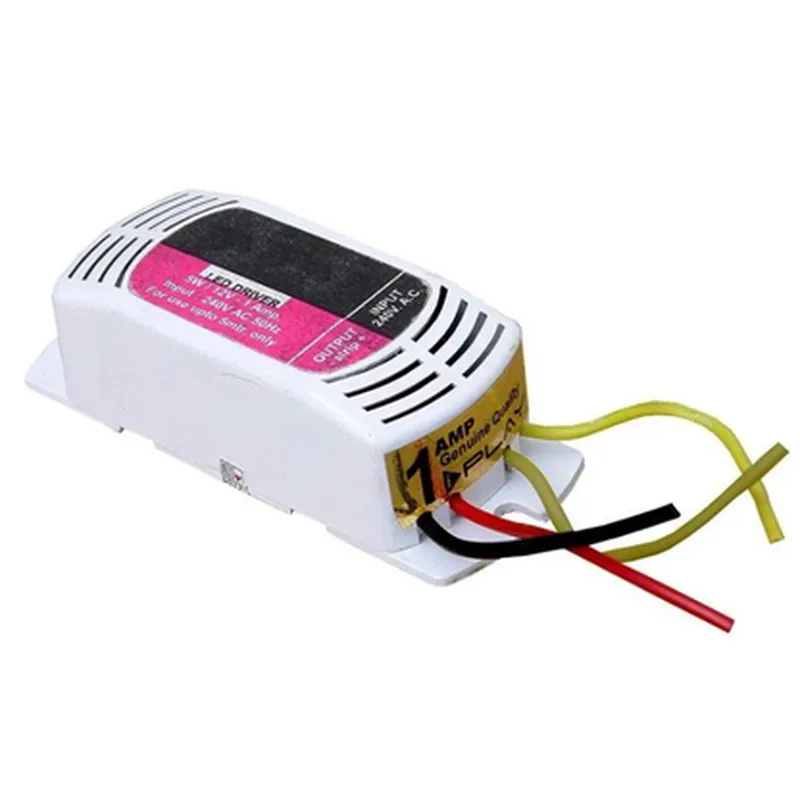
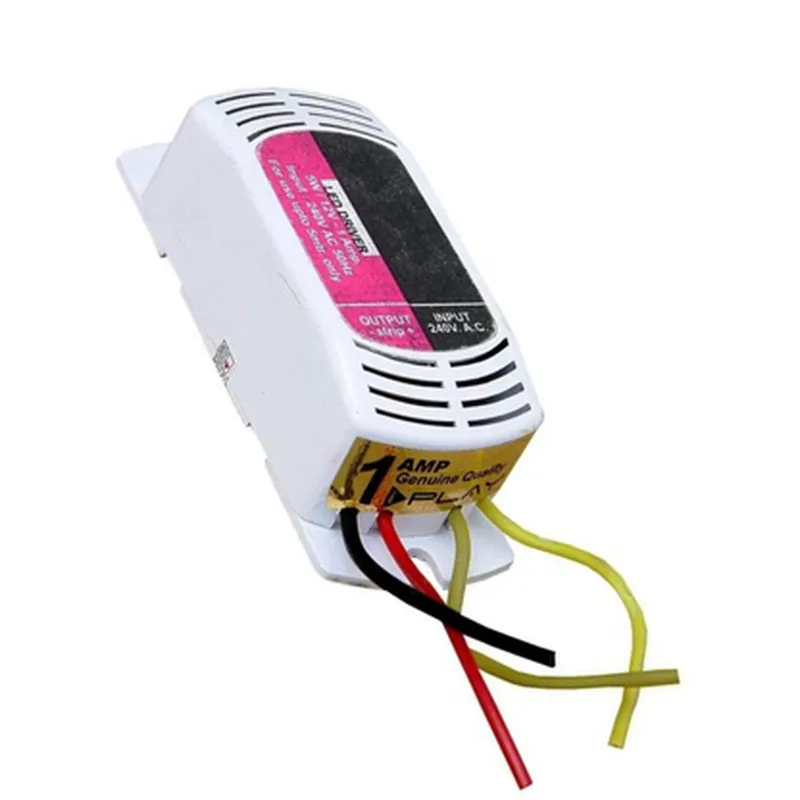
Regulated LED Driver

Buy Now on Stufin

Pin Configuration

  • Regulated LED Driver Component Documentation
  • Overview
  • The Regulated LED Driver is a DC-DC converter specifically designed to drive LEDs with a constant current, ensuring stable and efficient operation. This component is suitable for a wide range of LED applications, including general lighting, backlighting, and automotive lighting.
  • Pinout Description
  • The Regulated LED Driver has the following pins:
  • 1. VIN (Input Voltage)
  • Pin Function: Input voltage supply to the driver
  • Pin Type: Power input
  • Voltage Range: Typically 2.5V to 5.5V (dependent on the specific driver model)
  • Connection: Connect to a power source, such as a battery or a voltage regulator
  • 2. EN (Enable)
  • Pin Function: Enable/disable the driver
  • Pin Type: Digital input
  • Logic Level: Active high (EN=VIN to enable, EN=0V to disable)
  • Connection: Connect to a microcontroller or a logic signal to control the driver's state
  • 3. SET (Current Setting)
  • Pin Function: Sets the output current of the driver
  • Pin Type: Analog input
  • Connection: Connect a resistor between the SET pin and GND to set the output current (see datasheet for calculation)
  • 4. SW (Switching Node)
  • Pin Function: Switching node of the internal power MOSFET
  • Pin Type: Power output
  • Connection: Do not connect directly to any components; this pin is for internal use only
  • 5. OUT+ (LED Positive Terminal)
  • Pin Function: Positive terminal of the output current
  • Pin Type: Power output
  • Connection: Connect to the anode of the LED(s)
  • 6. OUT- (LED Negative Terminal)
  • Pin Function: Negative terminal of the output current
  • Pin Type: Power output
  • Connection: Connect to the cathode of the LED(s)
  • 7. GND (Ground)
  • Pin Function: Ground reference for the driver
  • Pin Type: Power input
  • Connection: Connect to a common ground point in the system
  • Connection Structure
  • To connect the Regulated LED Driver, follow this structure:
  • 1. Connect VIN to a power source (battery or voltage regulator).
  • 2. Connect EN to a microcontroller or a logic signal to control the driver's state.
  • 3. Connect SET to a resistor and GND to set the output current (calculate the resistor value using the datasheet).
  • 4. Leave SW unconnected (internal use only).
  • 5. Connect OUT+ to the anode of the LED(s).
  • 6. Connect OUT- to the cathode of the LED(s).
  • 7. Connect GND to a common ground point in the system.
  • Important Notes
  • Ensure proper thermal management to prevent overheating.
  • Follow the recommended operating conditions (voltage, current, and temperature) to ensure reliable operation.
  • Refer to the datasheet for specific component values, tolerances, and calculations for the SET resistor value.
  • By following this pinout description and connection structure, you can successfully integrate the Regulated LED Driver into your IoT design.

Code Examples

Regulated LED Driver Documentation
Overview
The Regulated LED Driver is a high-performance, low-dropout linear LED driver designed to provide a stable and efficient power supply to LEDs in various Internet of Things (IoT) applications. This component is ideal for use in LED lighting systems, signage, and indicator lamps.
Pinout
The Regulated LED Driver has the following pinout:
VIN (Input Voltage): 2.5V to 5.5V
 VOUT (Output Voltage): Adjustable (see datasheet for details)
 EN (Enable): Active High
 DIM (Dimming): PWM Input (0-100% duty cycle)
 GND (Ground): 0V
Features
High accuracy and stability
 Low dropout voltage (typically 0.5V)
 Supports a wide range of input voltages
 Adjustable output voltage
 PWM dimming capability
 Over-temperature protection
 Short-circuit protection
Code Examples
### Example 1: Basic LED Driver Configuration (Arduino)
In this example, we will demonstrate how to use the Regulated LED Driver to power an LED strip using an Arduino board.
```arduino
const int enPin = 2;  // Enable pin connected to Arduino digital pin 2
const int dimPin = 3;  // Dimming pin connected to Arduino digital pin 3
void setup() {
  pinMode(enPin, OUTPUT);
  pinMode(dimPin, OUTPUT);
  digitalWrite(enPin, HIGH);  // Enable the LED driver
}
void loop() {
  // Dim the LED strip to 50% brightness
  analogWrite(dimPin, 128);
  delay(1000);
  
  // Dim the LED strip to 100% brightness
  analogWrite(dimPin, 255);
  delay(1000);
}
```
### Example 2: PWM Dimming using Raspberry Pi (Python)
In this example, we will demonstrate how to use the Regulated LED Driver to power an LED strip using a Raspberry Pi and Python.
```python
import RPi.GPIO as GPIO
import time
# Set up GPIO mode
GPIO.setmode(GPIO.BCM)
# Define the enable and dimming pins
enPin = 17
dimPin = 18
# Set up the pins as outputs
GPIO.setup(enPin, GPIO.OUT)
GPIO.setup(dimPin, GPIO.OUT)
# Enable the LED driver
GPIO.output(enPin, GPIO.HIGH)
try:
    while True:
        # Dim the LED strip to 25% brightness
        GPIO.PWM(dimPin, 100).start(25)
        time.sleep(1)
        
        # Dim the LED strip to 50% brightness
        GPIO.PWM(dimPin, 100).ChangeDutyCycle(50)
        time.sleep(1)
        
        # Dim the LED strip to 75% brightness
        GPIO.PWM(dimPin, 100).ChangeDutyCycle(75)
        time.sleep(1)
        
        # Dim the LED strip to 100% brightness
        GPIO.PWM(dimPin, 100).ChangeDutyCycle(100)
        time.sleep(1)
except KeyboardInterrupt:
    # Clean up GPIO on exit
    GPIO.cleanup()
```
Note: These examples are for illustration purposes only and may require modification to suit specific use cases and hardware configurations. Always refer to the datasheet and component documentation for detailed specifications and usage guidelines.