10E 3296W Trimpot (Pack of 5)


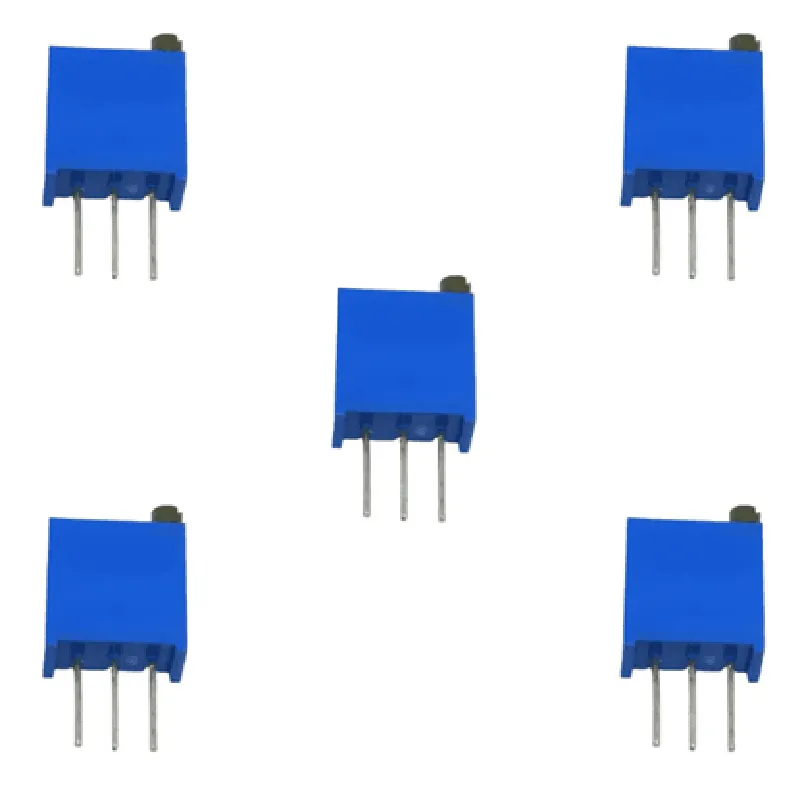
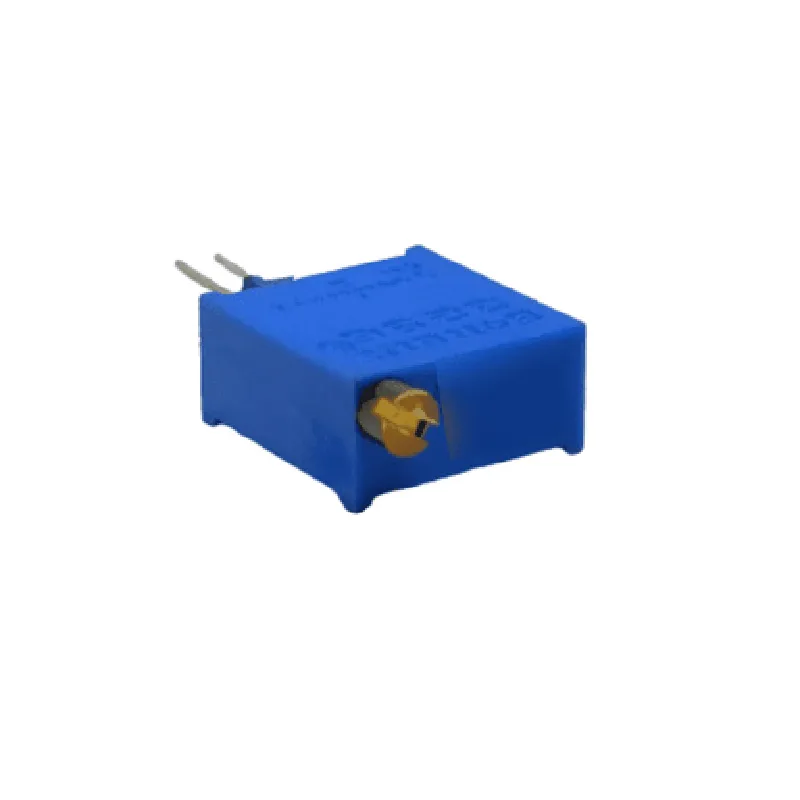
10E 3296W Trimpot (Pack of 5)
The 10E 3296W Trimpot is a type of potentiometer, specifically designed for trimming and adjusting electrical circuits. This component is a convenient and cost-effective solution for fine-tuning voltage levels, signal amplitudes, or impedance matching in various electronic devices and systems.
| The 10E 3296W Trimpot is a variable resistor that allows for precise adjustment of electrical resistance between its input and output terminals. By rotating the shaft, the user can change the resistance value, dividing the input voltage into two parts | one part connected to the wiper terminal and the other part connected to the other two terminals. This enables the trimpot to function as a voltage divider, signal attenuator, or impedance matcher. |
10k
20%
1/4W
>10M
-40C to 85C
Plastic
Metal
Metal
6.1mm x 4.3mm x 2.2mm
0.5g (approximate)
| The 10E 3296W Trimpot is suitable for use in a wide range of applications, including |
Voltage regulators and power supplies
Audio equipment and amplifiers
Industrial control systems and automation
Medical devices and equipment
Consumer electronics and appliances
| When working with the 10E 3296W Trimpot, please observe the following precautions |
Handle the component with care to avoid damage to the shaft or terminals.
Ensure the trimpot is mounted securely on the PCB to prevent mechanical stress or vibration.
Follow proper soldering techniques to avoid overheating or damage to the component.
By understanding the features, functionality, and precautions of the 10E 3296W Trimpot, you can effectively incorporate this component into your designs and achieve precise control over electrical circuits.
Component OverviewThe 10E 3296W Trimpot is a type of potentiometer, a variable resistor used to control the output signal or voltage in an electronic circuit. It is a popular component in IoT projects, robotics, and automation systems. This documentation provides an overview of the component, its specifications, and code examples to help users integrate it into their projects.SpecificationsType: Trimpot (Trimmed Potentiometer)
Model: 3296W
Resistance: 10 k
Power Rating: 0.5 W
Adjusting Torque: 10-20 Ncm
Operating Temperature: -40C to 125C
Package Includes: 5 pieces of 10E 3296W TrimpotCode Examples### Example 1: Analog Voltage Control using ArduinoIn this example, we will use the 10E 3296W Trimpot to control the brightness of an LED connected to an Arduino board.Circuit DiagramConnect the Trimpot to the Arduino board as follows:
+ VCC to 5V on the Arduino board
+ GND to GND on the Arduino board
+ Wiper (middle pin) to Analog Input A0 on the Arduino board
Connect the LED to a digital pin on the Arduino board (e.g., Pin 13)Arduino Code
```c
const int trimpotPin = A0; // Trimpot wiper pin connected to Analog Input A0
const int ledPin = 13; // LED pin connected to Digital Pin 13void setup() {
pinMode(ledPin, OUTPUT);
}void loop() {
int trimpotValue = analogRead(trimpotPin); // Read Trimpot value (0-1023)
int brightness = map(trimpotValue, 0, 1023, 0, 255); // Map Trimpot value to brightness (0-255)
analogWrite(ledPin, brightness); // Set LED brightness
delay(50);
}
```
In this example, the Trimpot controls the analog voltage output, which is read by the Arduino board using the `analogRead()` function. The value is then mapped to a brightness level (0-255) using the `map()` function and written to the LED using the `analogWrite()` function.### Example 2: Voltage Divider Circuit using Raspberry PiIn this example, we will use the 10E 3296W Trimpot as a voltage divider to control the output voltage of a sensor connected to a Raspberry Pi.Circuit DiagramConnect the Trimpot to the Raspberry Pi as follows:
+ VCC to 3.3V on the Raspberry Pi
+ GND to GND on the Raspberry Pi
+ Wiper (middle pin) to GPIO Pin 18 on the Raspberry Pi
Connect the sensor (e.g., a photodiode) to the Trimpot wiper pin and another GPIO pin on the Raspberry Pi (e.g., Pin 23)Python Code
```python
import RPi.GPIO as GPIO
import timeGPIO.setmode(GPIO.BCM)trimpot_pin = 18 # Trimpot wiper pin connected to GPIO Pin 18
sensor_pin = 23 # Sensor pin connected to GPIO Pin 23GPIO.setup(trimpot_pin, GPIO.IN)
GPIO.setup(sensor_pin, GPIO.IN)while True:
trimpot_value = GPIO.input(trimpot_pin) # Read Trimpot value (0 or 1)
if trimpot_value == 1:
sensor_voltage = 3.3 # Set sensor voltage to 3.3V
else:
sensor_voltage = 0 # Set sensor voltage to 0V
print("Sensor Voltage:", sensor_voltage)
time.sleep(0.5)
```
In this example, the Trimpot acts as a voltage divider, controlling the output voltage of the sensor connected to the Raspberry Pi. The Python code reads the Trimpot value and sets the sensor voltage accordingly.Note: These code examples are for illustration purposes only and may require modifications to suit your specific project requirements. Ensure you follow proper safety precautions and circuit design guidelines when working with electronic components.