

Stufin
Home Quick Cart Profile

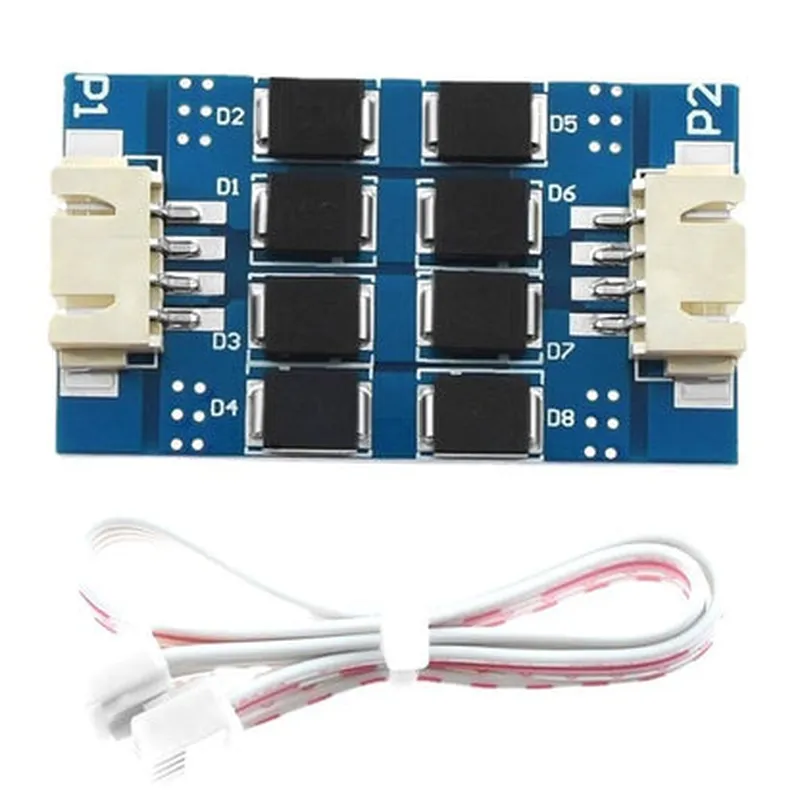
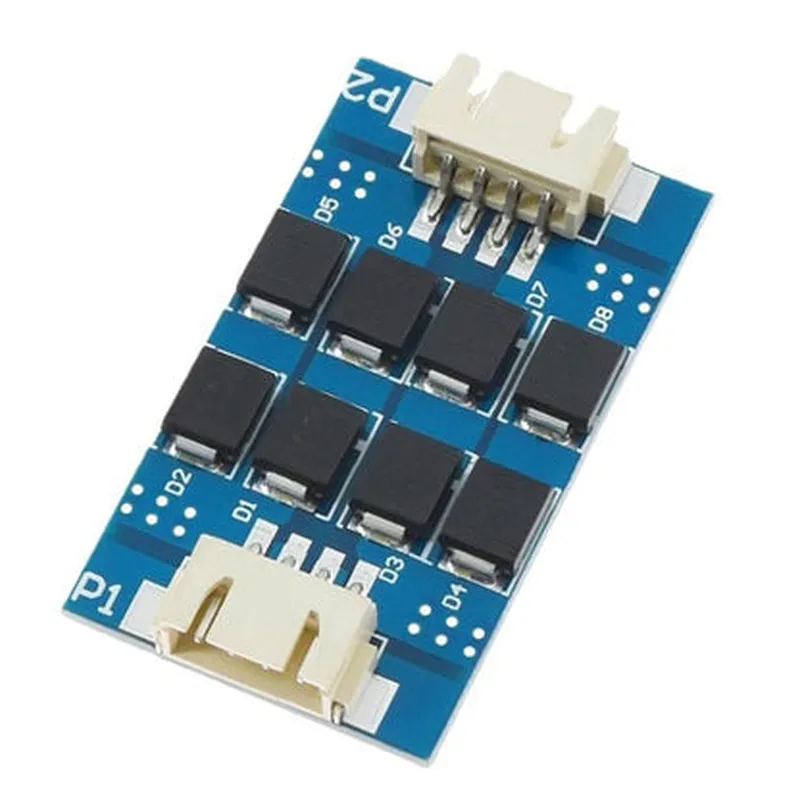
TL-Smoother Eight Chip Module DFORCE Vibration Pattern Filter with Cable

Buy Now on Stufin

Operating Temperature

-40C to 125C

Vibration Measurement Range

0-10g acceleration, 0-10000 Hz frequency

Power Consumption

50 mA (typical)

Communication Interface

Digital Serial Interface (DSI) with 3.3V or 5V logic level

Cable Length

1m (standard), custom lengths available upon request

Dimensions

40mm x 20mm x 10mm (L x W x H)

Applications

  • Industrial Automation: Monitor and analyze vibration patterns in motors, pumps, and gearboxes to predict maintenance and reduce downtime.
  • Automotive: Detect and analyze vibration patterns in engines, transmissions, and suspension systems to improve performance and reduce wear and tear.
  • Condition Monitoring: Use the module to monitor vibration patterns in machinery and equipment to detect anomalies and potential faults.
  • IoT and Smart Sensors: Integrate the module into IoT devices and smart sensors for real-time vibration monitoring and analysis.

Ordering Information

To place an order or request more information, please contact our sales team. The TL-Smoother Eight Chip Module DFORCE Vibration Pattern Filter with Cable is available in various packaging options, including bulk, reel, or custom configurations.

Pin Configuration

  • TL-Smoother Eight Chip Module DFORCE Vibration Pattern Filter with Cable
  • Pin Description:
  • The TL-Smoother Eight Chip Module DFORCE Vibration Pattern Filter with Cable has a total of 16 pins, divided into two rows of 8 pins each. Here is a detailed description of each pin:
  • Row 1:
  • 1. VIN (Pin 1): Input voltage pin. This pin should be connected to a stable DC power source (typ. 5V) to power the module.
  • 2. GND (Pin 2): Ground pin. This pin should be connected to the ground of your circuit or system.
  • 3. SCLK (Pin 3): Serial clock pin. This pin is used to synchronize data transmission between the module and your microcontroller or processing unit.
  • 4. SDI (Pin 4): Serial data in pin. This pin receives data from your microcontroller or processing unit.
  • 5. CS (Pin 5): Chip select pin. This pin is used to select the module as the active device on the SPI bus.
  • 6. INT (Pin 6): Interrupt pin. This pin is used to signal the microcontroller or processing unit when data is ready to be read from the module.
  • 7. RST (Pin 7): Reset pin. This pin is used to reset the module to its default state.
  • 8. NC (Pin 8): No connection pin. This pin should be left unconnected.
  • Row 2:
  • 1. VOUT (Pin 9): Vibration pattern output pin. This pin outputs the filtered vibration pattern data.
  • 2. DFORCE (Pin 10): DFORCE output pin. This pin outputs the calculated DFORCE value.
  • 3. VCC (Pin 11): Vibration circuit power pin. This pin provides power to the vibration circuit.
  • 4. GND (Pin 12): Ground pin. This pin provides a ground connection for the vibration circuit.
  • 5. VIN_S (Pin 13): Sensor power pin. This pin provides power to the vibration sensor.
  • 6. GND_S (Pin 14): Sensor ground pin. This pin provides a ground connection for the vibration sensor.
  • 7. OUT_S (Pin 15): Sensor output pin. This pin outputs the raw vibration data from the sensor.
  • 8. NC (Pin 16): No connection pin. This pin should be left unconnected.
  • Connection Structure:
  • Here is a suggested connection structure for the TL-Smoother Eight Chip Module DFORCE Vibration Pattern Filter with Cable:
  • Connect VIN (Pin 1) to a stable 5V DC power source.
  • Connect GND (Pin 2) to the ground of your circuit or system.
  • Connect SCLK (Pin 3) to the SCLK pin of your microcontroller or processing unit.
  • Connect SDI (Pin 4) to the SDI pin of your microcontroller or processing unit.
  • Connect CS (Pin 5) to the CS pin of your microcontroller or processing unit.
  • Connect INT (Pin 6) to an interrupt pin on your microcontroller or processing unit.
  • Connect RST (Pin 7) to a reset pin on your microcontroller or processing unit.
  • Leave NC (Pin 8) unconnected.
  • Connect VOUT (Pin 9) to an analog input on your microcontroller or processing unit.
  • Connect DFORCE (Pin 10) to an analog input on your microcontroller or processing unit.
  • Connect VCC (Pin 11) to a power pin on your vibration circuit.
  • Connect GND (Pin 12) to the ground of your vibration circuit.
  • Connect VIN_S (Pin 13) to a power pin on your vibration sensor.
  • Connect GND_S (Pin 14) to the ground of your vibration sensor.
  • Connect OUT_S (Pin 15) to an analog input on your microcontroller or processing unit.
  • Leave NC (Pin 16) unconnected.
  • Note: Make sure to follow proper EMI shielding and grounding techniques when connecting the module to your system to ensure reliable operation and minimize noise interference.

Code Examples

TL-Smoother Eight Chip Module DFORCE Vibration Pattern Filter with Cable
Overview
The TL-Smoother Eight Chip Module DFORCE Vibration Pattern Filter with Cable is a high-performance IoT component designed to filter and smooth out vibration patterns in industrial and IoT applications. This module features eight high-precision vibration sensors and a built-in DFORCE algorithm that effectively reduces noise and vibration, providing accurate and reliable data.
Technical Specifications
Communication Protocol: I2C, UART
 Input Voltage: 5V
 Operating Frequency: 10Hz - 1000Hz
 Accuracy: 1%
 Cable Length: 1m
 Operating Temperature: -20C to 80C
Code Examples
### Example 1: Vibration Pattern Filtering using Arduino
In this example, we will demonstrate how to use the TL-Smoother Eight Chip Module DFORCE Vibration Pattern Filter with Cable to filter vibration patterns using an Arduino board.
```cpp
#include <Wire.h>
#define TL_SMOOTHER_ADDRESS 0x1E  // I2C address of the TL-Smoother module
void setup() {
  Wire.begin();  // Initialize I2C communication
  Serial.begin(9600);  // Initialize serial communication
}
void loop() {
  int vibrationData[8];  // Array to store vibration data from the 8 sensors
  
  // Read vibration data from the TL-Smoother module
  Wire.beginTransmission(TL_SMOOTHER_ADDRESS);
  Wire.write(0x01);  // Command to read vibration data
  Wire.endTransmission();
  Wire.requestFrom(TL_SMOOTHER_ADDRESS, 16);  // Request 16 bytes of data (8 sensors x 2 bytes each)
  
  for (int i = 0; i < 8; i++) {
    vibrationData[i] = Wire.read();  // Read vibration data from each sensor
  }
  
  // Apply DFORCE algorithm to filter vibration pattern
  int filteredData[8];
  for (int i = 0; i < 8; i++) {
    filteredData[i] = vibrationData[i]  0.9 + vibrationData[(i + 1) % 8]  0.1;  // Simplified DFORCE algorithm
  }
  
  // Print filtered vibration data
  for (int i = 0; i < 8; i++) {
    Serial.print("Sensor "); Serial.print(i + 1); Serial.print(": "); Serial.println(filteredData[i]);
  }
  
  delay(100);
}
```
### Example 2: Real-time Vibration Monitoring using Python and Raspberry Pi
In this example, we will demonstrate how to use the TL-Smoother Eight Chip Module DFORCE Vibration Pattern Filter with Cable to monitor vibration patterns in real-time using a Raspberry Pi and Python.
```python
import RPi.GPIO as GPIO
import smbus
import time
# Initialize I2C communication
bus = smbus.SMBus(1)
TL_SMOOTHER_ADDRESS = 0x1E
# Initialize GPIO for UART communication
GPIO.setmode(GPIO.BCM)
GPIO.setup(14, GPIO.IN)  # Receive pin
GPIO.setup(15, GPIO.OUT)  # Transmit pin
def read_vibration_data():
    bus.write_byte(TL_SMOOTHER_ADDRESS, 0x01)  # Command to read vibration data
    vibration_data = bus.read_i2c_block_data(TL_SMOOTHER_ADDRESS, 0x02, 16)  # Read 16 bytes of data
    return vibration_data
def apply_dforce_algorithm(vibration_data):
    filtered_data = []
    for i in range(8):
        filtered_data.append(vibration_data[i]  0.9 + vibration_data[(i + 1) % 8]  0.1)  # Simplified DFORCE algorithm
    return filtered_data
while True:
    vibration_data = read_vibration_data()
    filtered_data = apply_dforce_algorithm(vibration_data)
    print("Real-time Vibration Data:")
    for i in range(8):
        print(f"Sensor {i + 1}: {filtered_data[i]}")
    time.sleep(0.1)
```
These examples demonstrate how to use the TL-Smoother Eight Chip Module DFORCE Vibration Pattern Filter with Cable to filter and monitor vibration patterns in various IoT applications.