Stufin
Home Quick Cart Profile

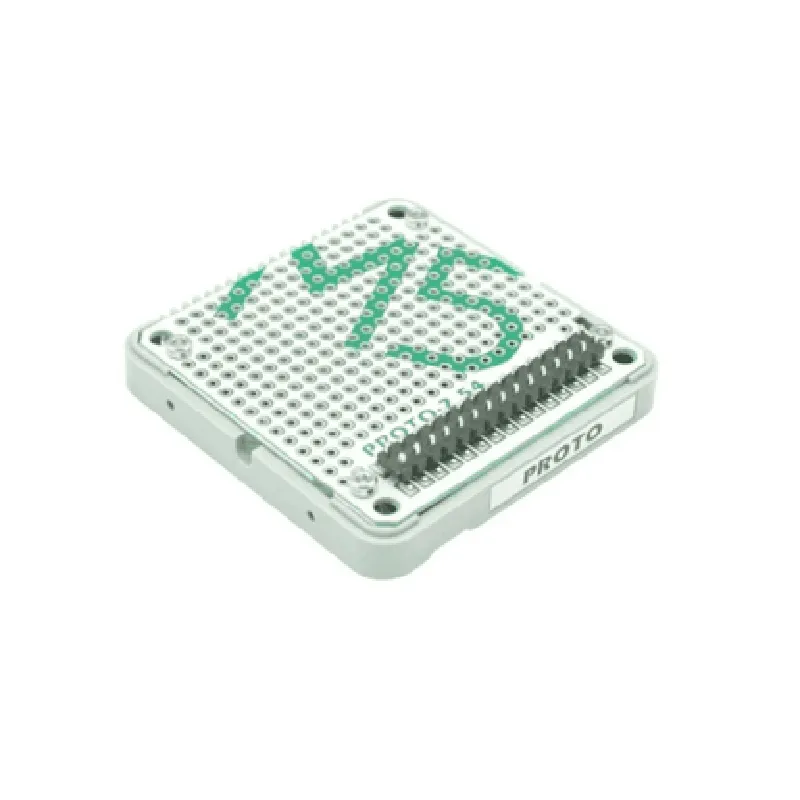
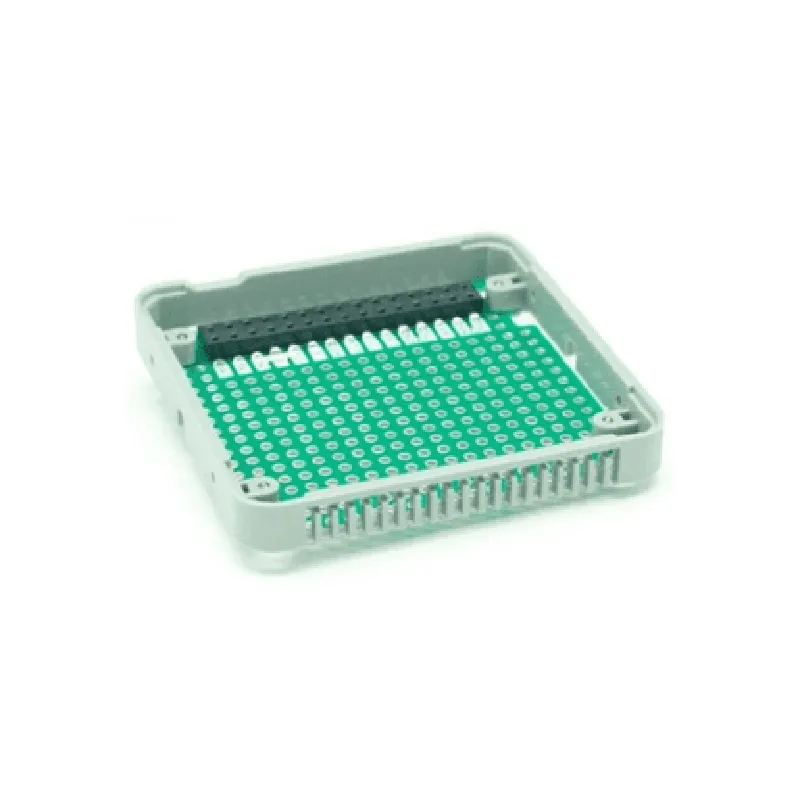
M5 Stack PROTO Module with Extension & Bus Socket

Buy Now on Stufin

Pin Configuration

  • M5 Stack PROTO Module with Extension & Bus Socket Pinout Documentation
  • The M5 Stack PROTO Module with Extension & Bus Socket is a versatile IoT development board that provides a range of GPIO pins, bus sockets, and extension headers for connecting various peripherals and modules. Here's a detailed explanation of each pin:
  • Top Side (Proto Area)
  • 1. 3V3: 3.3V power output. This pin provides a stable 3.3V power supply for external modules and peripherals.
  • 2. GND: Ground pin. This pin is used for connecting the ground wire of external modules and peripherals.
  • 3. VIN: Input voltage pin. This pin is used to supply power to the M5 Stack module. The recommended input voltage range is 4.5V to 5.5V.
  • 4. RST: Reset pin. This pin is used to reset the ESP32 microcontroller on the M5 Stack module.
  • 5. IO0: GPIO0 pin. This pin is used as a general-purpose input/output pin and can be configured as an input, output, or interrupt pin.
  • 6. IO4: GPIO4 pin. This pin is used as a general-purpose input/output pin and can be configured as an input, output, or interrupt pin.
  • 7. IO2: GPIO2 pin. This pin is used as a general-purpose input/output pin and can be configured as an input, output, or interrupt pin.
  • 8. IO14: GPIO14 pin. This pin is used as a general-purpose input/output pin and can be configured as an input, output, or interrupt pin.
  • 9. IO12: GPIO12 pin. This pin is used as a general-purpose input/output pin and can be configured as an input, output, or interrupt pin.
  • 10. IO13: GPIO13 pin. This pin is used as a general-purpose input/output pin and can be configured as an input, output, or interrupt pin.
  • Bus Socket ( Bottom Side )
  • 1. SCL: I2C clock pin. This pin is used to connect I2C devices that require a clock signal.
  • 2. SDA: I2C data pin. This pin is used to connect I2C devices that require a data signal.
  • 3. RX: UART receive pin. This pin is used to connect UART devices that receive data.
  • 4. TX: UART transmit pin. This pin is used to connect UART devices that transmit data.
  • 5. SCK: SPI clock pin. This pin is used to connect SPI devices that require a clock signal.
  • 6. MOSI: SPI master out slave in pin. This pin is used to connect SPI devices that receive data from the master device.
  • 7. MISO: SPI master in slave out pin. This pin is used to connect SPI devices that transmit data to the master device.
  • 8. CS: SPI chip select pin. This pin is used to connect SPI devices that require a chip select signal.
  • Extension Header ( Left Side )
  • 1. ADC1_0: ADC1 channel 0 pin. This pin is used to connect analog sensors or devices that require an analog input.
  • 2. ADC1_1: ADC1 channel 1 pin. This pin is used to connect analog sensors or devices that require an analog input.
  • 3. ADC1_2: ADC1 channel 2 pin. This pin is used to connect analog sensors or devices that require an analog input.
  • 4. ADC1_3: ADC1 channel 3 pin. This pin is used to connect analog sensors or devices that require an analog input.
  • 5. DAC1_1: DAC1 channel 1 pin. This pin is used to connect devices that require a digital-to-analog converted output.
  • 6. DAC1_2: DAC1 channel 2 pin. This pin is used to connect devices that require a digital-to-analog converted output.
  • Connection Structure
  • When connecting external modules or peripherals to the M5 Stack PROTO Module with Extension & Bus Socket, follow these general guidelines:
  • Use jumper wires or breadboard-friendly cables to connect GPIO pins to external modules or peripherals.
  • Use the bus socket pins (SCL, SDA, RX, TX, SCK, MOSI, MISO, and CS) to connect I2C, UART, and SPI devices.
  • Use the extension header pins (ADC1_0, ADC1_1, ADC1_2, ADC1_3, DAC1_1, and DAC1_2) to connect analog sensors or devices that require analog or digital-to-analog converted inputs.
  • Ensure that the voltage levels of the external modules or peripherals match the voltage levels of the M5 Stack module (3.3V or 5V).
  • Consult the datasheet of the external module or peripheral to determine the correct pin connections and configuration.
  • Remember to handle the module with care, as static electricity can damage the sensitive components. Use an anti-static wrist strap or mat when handling the module to prevent damage.

Code Examples

M5 Stack PROTO Module with Extension & Bus Socket Documentation
Overview
The M5 Stack PROTO Module with Extension & Bus Socket is a versatile IoT development module that provides a range of interfaces and features for prototyping and developing IoT projects. This module is part of the M5 Stack series, known for its modular and stackable design, allowing users to easily connect and combine different modules to create complex IoT systems.
Features
PROTO module with extension and bus socket
 Compatible with M5 Stack modules
 Onboard USB-C interface for programming and power supply
 2x10 pin extension socket for connecting sensors, actuators, and other modules
 2x5 pin bus socket for connecting other M5 Stack modules
 Supports ESP32, ESP8266, and other microcontrollers
 Power supply: 5V/3.3V compatible
Technical Specifications
Operating Voltage: 5V/3.3V
 Operating Temperature: -20C to 70C
 Dimensions: 54.5 x 54.5 mm (2.15 x 2.15 inches)
 Weight: approximately 20g (0.7 oz)
Code Examples
Here are three code examples demonstrating how to use the M5 Stack PROTO Module with Extension & Bus Socket in various contexts:
Example 1: Basic LED Blinking with ESP32
In this example, we'll use the M5 Stack PROTO Module with Extension & Bus Socket to blink an LED connected to the extension socket.
```c
#include <M5Stack.h>
#define LED_PIN 21 // Pin 21 on the extension socket
void setup() {
  M5.begin();
  pinMode(LED_PIN, OUTPUT);
}
void loop() {
  digitalWrite(LED_PIN, HIGH);
  delay(1000);
  digitalWrite(LED_PIN, LOW);
  delay(1000);
}
```
Example 2: I2C Communication with a Sensor Module
In this example, we'll use the M5 Stack PROTO Module with Extension & Bus Socket to communicate with a BME280 temperature and humidity sensor module connected to the bus socket.
```c
#include <M5Stack.h>
#include <Wire.h>
#include <BME280.h>
BME280 bme;
void setup() {
  M5.begin();
  Wire.begin();
  bme.begin();
}
void loop() {
  float temp = bme.readTemperature();
  float hum  = bme.readHumidity();
  Serial.printf("Temperature: %.2fC, Humidity: %.2f%%
", temp, hum);
  delay(1000);
}
```
Example 3: Wi-Fi Connectivity with ESP8266
In this example, we'll use the M5 Stack PROTO Module with Extension & Bus Socket to connect to a Wi-Fi network using an ESP8266 microcontroller.
```c
#include <M5Stack.h>
#include <WiFi.h>
const char ssid = "your_wifi_ssid";
const char password = "your_wifi_password";
void setup() {
  M5.begin();
  WiFi.begin(ssid, password);
  while (WiFi.status() != WL_CONNECTED) {
    delay(1000);
    Serial.println("Connecting to Wi-Fi...");
  }
  Serial.println("Connected to Wi-Fi");
  Serial.println("IP address: ");
  Serial.println(WiFi.localIP());
}
void loop() {
  // Your code here
}
```
Conclusion
The M5 Stack PROTO Module with Extension & Bus Socket provides a versatile platform for prototyping and developing IoT projects. With its range of interfaces and features, it can be used in a variety of applications, from simple sensor monitoring to complex IoT systems. The code examples provided demonstrate how to use this module in different contexts, and are meant to serve as a starting point for your own IoT projects.