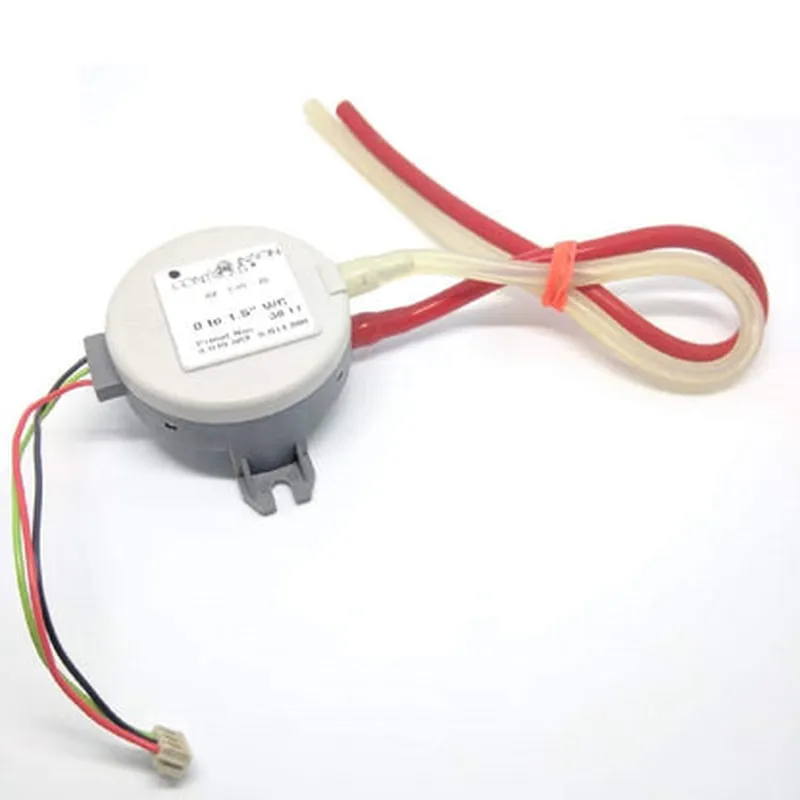
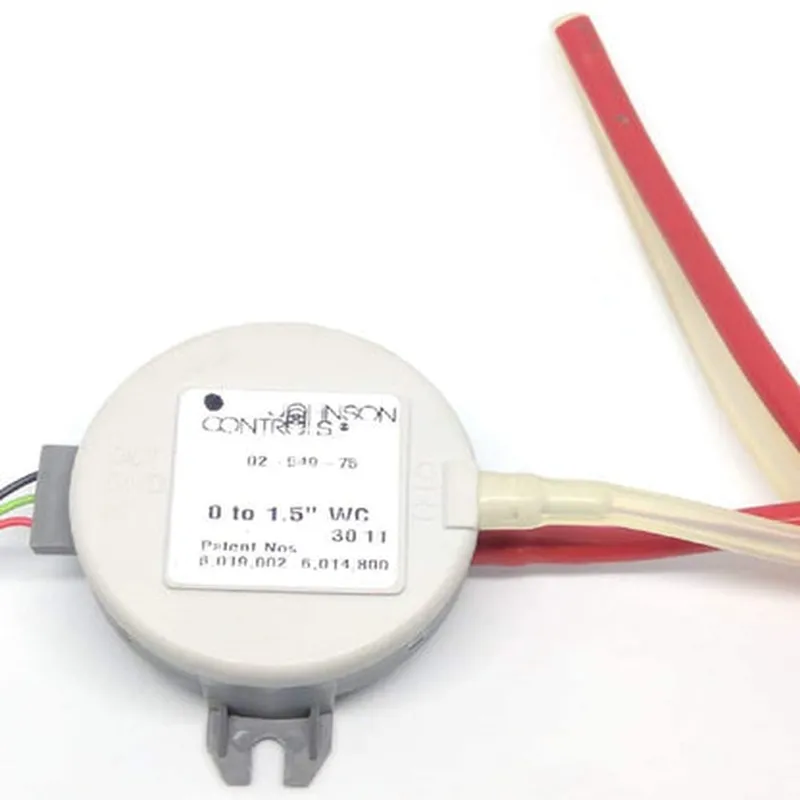
Differential Pressure Transmitter for Variable Air Volume (VAV) Documentation
The Differential Pressure Transmitter for Variable Air Volume (VAV) is a sensor designed to measure the pressure difference between two points in an air flow system, typically used in Heating, Ventilation, and Air Conditioning (HVAC) applications. This transmitter provides a calibrated, linear output signal proportional to the measured pressure difference, enabling precise control of air flow rates in VAV systems.
Measurement Range: 0-100 Pa (0-4 in. w.c.)
 Accuracy: 1% of full scale
 Output Signal: 4-20 mA, 0-10 V, or RS-485 (Modbus RTU)
 Power Supply: 12-24 VDC
 Operating Temperature: -20C to 70C (-4F to 158F)
 Response Time: 100 ms
### Example 1: Interfacing with Arduino
In this example, we will connect the Differential Pressure Transmitter to an Arduino board to read the pressure difference and display it on the serial monitor.
Differential Pressure Transmitter for VAV
 Arduino Board (e.g., Arduino Uno)
 Breadboard and jumper wires
Software
```cpp
const int pressureTransmitterPin = A0;  // Analog input pin for pressure transmitter
void setup() {
  Serial.begin(9600);
}
void loop() {
  int pressureReading = analogRead(pressureTransmitterPin);
  float pressureDifference = (pressureReading / 1023.0)  100;  // Convert to Pa
  Serial.print("Pressure Difference: ");
  Serial.print(pressureDifference);
  Serial.println(" Pa");
  delay(500);
}
```
Explanation
In this example, we connect the output signal of the Differential Pressure Transmitter to an analog input pin on the Arduino board. The `analogRead()` function reads the analog voltage from the transmitter, which is then converted to a pressure difference value in Pa using the transmitter's calibration data.
### Example 2: Integrating with Raspberry Pi using Python
In this example, we will use a Raspberry Pi to read the pressure difference from the Differential Pressure Transmitter and log the data to a CSV file.
Differential Pressure Transmitter for VAV
 Raspberry Pi
 Breadboard and jumper wires
 Python library: `pyserial` for serial communication
Software
```python
import serial
import csv
# Set up serial communication
ser = serial.Serial('/dev/ttyUSB0', 9600, timeout=1)
# Open CSV file for logging
log_file = open('pressure_log.csv', 'w', newline='')
log_writer = csv.writer(log_file)
while True:
    # Read pressure difference from transmitter
    pressure_reading = ser.readline().decode().strip()
    pressure_difference = float(pressure_reading)  100  # Convert to Pa

    # Log data to CSV file
    log_writer.writerow([pressure_difference])
    log_file.flush()

    # Print to console for debugging
    print(f"Pressure Difference: {pressure_difference} Pa")

    # Wait 1 second before taking the next reading
    time.sleep(1)
```
Explanation
In this example, we use the `pyserial` library to establish serial communication with the Differential Pressure Transmitter. The pressure difference is read from the transmitter using the `readline()` function, converted to a float value, and then logged to a CSV file using the `csv` library. The data is also printed to the console for debugging purposes.
Note: These code examples are for illustrative purposes only and may require modifications to suit your specific use case. Consult the datasheet for the Differential Pressure Transmitter and the documentation for your microcontroller or single-board computer for more information on implementation and configuration.