3.3V to 5V


3.3V to 5V
approximately 1.5W (idle) to 3.5W (max)
0C to 50C (operating), -20C to 70C (storage)
### Mechanical and Environmental
67.6mm x 31.1mm x 3.0mm (2.66" x 1.22" x 0.12")
approximately 10g (0.35oz)
20% to 80% non-condensing
### Certifications and Compliance
CE, FCC, and TELEC certified
RoHS and WEEE compliant
### Software and Development
Raspbian, Linux, Windows 10 IoT Enterprise
Compatible with Raspberry Pi software and development tools, including Python, Java, and C/C++
Access to Raspberry Pi community and resources
Applications
| The Raspberry Pi Compute Module 3 is suitable for a wide range of applications, including |
IoT devices and gateways
Industrial automation and control systems
Robotics and autonomous systems
Medical devices and equipment
Audio and video applications
Digital signage and displays
Security and surveillance systems
Conclusion
The Raspberry Pi Compute Module 3 offers a unique combination of performance, flexibility, and cost-effectiveness, making it an ideal solution for designers and developers of IoT and industrial systems. With its compact form factor, extensive interfaces, and ease of development, the CM3 enables rapid prototyping and integration into custom devices and systems.
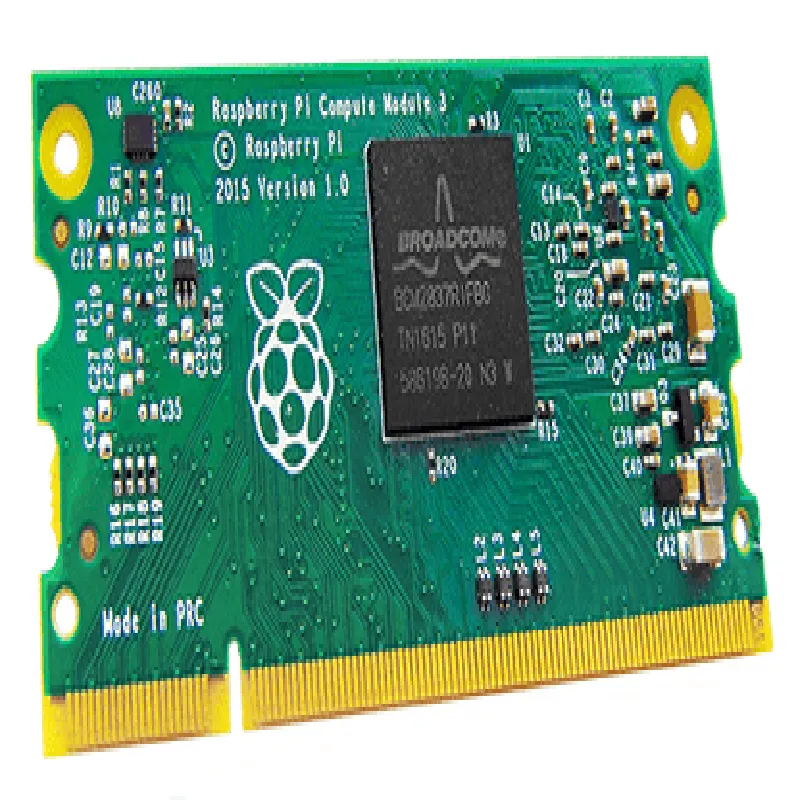
Raspberry Pi Compute Module 3 DocumentationOverviewThe Raspberry Pi Compute Module 3 is a system-on-module (SoM) designed to provide a compact, cost-effective, and highly capable platform for IoT and industrial applications. It is based on the Raspberry Pi 3 Model B, but without the USB ports, Ethernet port, and HDMI port, making it ideal for embedding into custom designs.Technical SpecificationsBroadcom BCM2837 quad-core Cortex-A53 CPU
1GB or 4GB LPDDR2 SDRAM
Wireless connectivity: 802.11b/g/n wireless LAN and Bluetooth 4.1
4GB eMMC flash storage
200-pin edge connector for connecting to a custom baseboard
Operating system: Raspberry Pi OS (based on Linux)Example 1: Getting Started with PythonIn this example, we will demonstrate how to use the Raspberry Pi Compute Module 3 with Python to read and write data to a GPIO pin.Hardware RequirementsRaspberry Pi Compute Module 3
Custom baseboard with GPIO headers
Breadboard and jumper wires
LED and resistor (for output)
Button or switch (for input)Software RequirementsRaspberry Pi OS (latest version)
Python 3.x (pre-installed on Raspberry Pi OS)Code
```python
import RPi.GPIO as GPIO# Set up GPIO mode
GPIO.setmode(GPIO.BCM)# Define GPIO pins
LED_PIN = 17
BUTTON_PIN = 23# Set up GPIO pins as output and input
GPIO.setup(LED_PIN, GPIO.OUT)
GPIO.setup(BUTTON_PIN, GPIO.IN, pull_up_down=GPIO.PUD_UP)try:
while True:
# Read button state
button_state = GPIO.input(BUTTON_PIN)
if button_state == False:
# Toggle LED on button press
GPIO.output(LED_PIN, GPIO.HIGH)
print("Button pressed!")
else:
GPIO.output(LED_PIN, GPIO.LOW)
print("Button released!")except KeyboardInterrupt:
# Clean up GPIO pins on exit
GPIO.cleanup()
```
Example 2: Using the Compute Module 3 with Wi-FiIn this example, we will demonstrate how to use the Raspberry Pi Compute Module 3 to connect to a Wi-Fi network and send data to a remote server using HTTP.Hardware RequirementsRaspberry Pi Compute Module 3
Custom baseboard with Wi-Fi antenna
Wi-Fi router and internet connection
Remote server with HTTP server (e.g., Apache or Nginx)Software RequirementsRaspberry Pi OS (latest version)
Python 3.x (pre-installed on Raspberry Pi OS)
`requests` library (install using `pip`: `pip3 install requests`)Code
```python
import requests# Set up Wi-Fi connection
ssid = "your_wifi_ssid"
password = "your_wifi_password"# Connect to Wi-Fi network
print("Connecting to Wi-Fi...")
import network
wifi = network.WLAN(network.STA_IF)
wifi.active(True)
wifi.connect(ssid, password)while not wifi.isconnected():
passprint("Connected to Wi-Fi!")# Send HTTP request to remote server
url = "http://example.com/data"
data = {"sensor1": 23, "sensor2": 42}
response = requests.post(url, json=data)print("Response:", response.text)
```
These examples demonstrate the versatility and ease of use of the Raspberry Pi Compute Module 3. With its powerful CPU, wireless connectivity, and GPIO capabilities, it is an ideal choice for a wide range of IoT and industrial applications.