Stufin
Home Quick Cart Profile

Nextion Enhanced NX4832K035 3.5 inch HMI LCD Module Display Panel


Buy Now on Stufin

Component Name

Nextion Enhanced NX4832K035 3.5 inch HMI LCD Module Display Panel
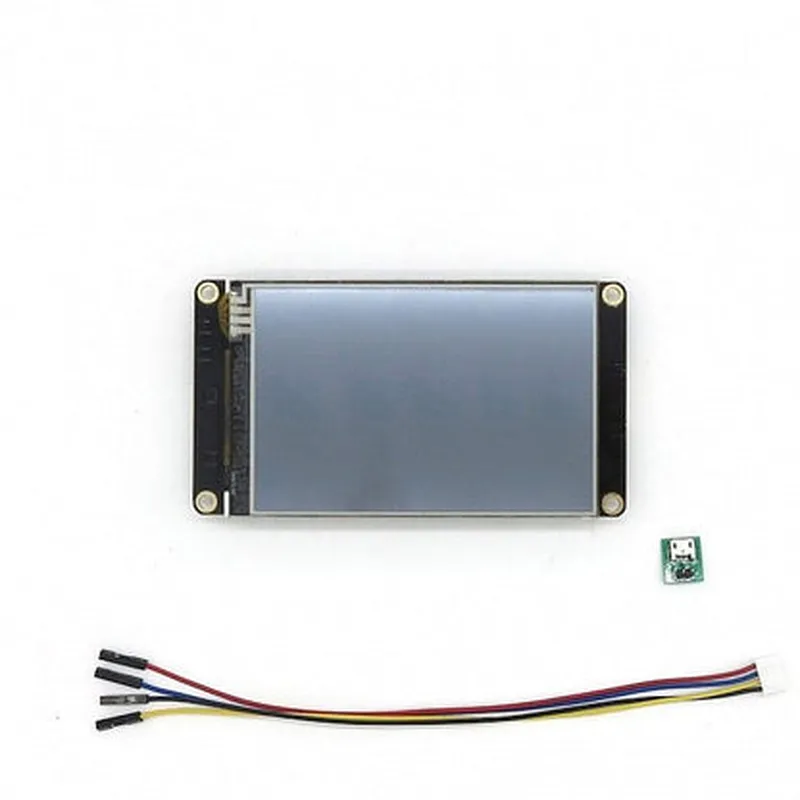
Overview

The Nextion Enhanced NX4832K035 is a 3.5-inch HMI (Human-Machine Interface) LCD module display panel designed for a wide range of IoT applications. This display module offers a user-friendly interface, high-resolution display, and enhanced functionality, making it an ideal choice for industrial control, automation, medical devices, and other IoT projects.

Functionality

The NX4832K035 is a resistive touch-enabled display module that allows users to interact with the displayed content using a stylus or finger. The module is capable of displaying high-quality graphics, text, and images, making it suitable for various applications that require a graphical user interface.

Key Features

### Display Specifications

Display Size

3.5 inches (89 mm)

Display Type

TFT LCD (Thin-Film Transistor Liquid Crystal Display)

Resolution

480 x 320 pixels (HVGA)

Aspect Ratio

43

Viewing Angle

70/70/50/50 (U/D/L/R)

Brightness

500 cd/m (typical)

Contrast Ratio

5001 (typical)
### Touch Screen Specifications

Touch Screen Type

Resistive touch screen

Touch Resolution

480 x 320 pixels

Touch Sensitivity

adjustable

### Interface and Connectivity

Interface

4-wire SPI (Serial Peripheral Interface)

Communication Protocol

Customizable protocol using NexGenie software

Power Supply

3.3V or 5V (optional)

I/O Interface1 x 20-pin FPC connector
### Additional Features

Onboard Storage

32MBFlash + 128MB RAM

Integrated MCU

STM32F030RCT6 (ARM Cortex-M0)

Audio

1 x 2W speaker (optional)

Operating Temperature

-20C to 70C

Storage Temperature

-30C to 80C

### Software and Development

NexGenie Software

A user-friendly GUI design software for creating and editing HMI projects

Customizable

Supports customization of GUI, fonts, and images

Example Code

Provided for popular microcontrollers, including Arduino, Raspberry Pi, and ESP32

Module Size

56.4 x 97.4 mm

Thickness

13.4 mm (with FPC connector)

Weight

approximately 80g

CE Certification

RoHS, REACH compliance

FCC Certification

FCC Part 15, Class B

The Nextion Enhanced NX4832K035 3.5 inch HMI LCD Module Display Panel is an all-in-one solution for IoT projects that require a user-friendly interface and high-quality display. Its versatility, customizability, and ease of use make it an ideal choice for various industrial, commercial, and consumer applications.
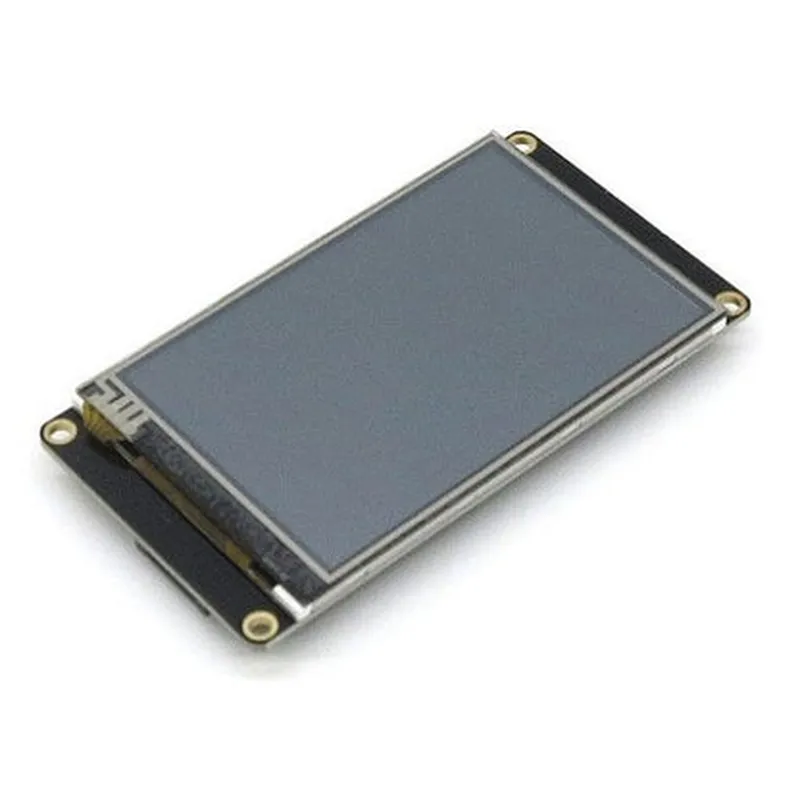
Pin Configuration

  • Nextion Enhanced NX4832K035 3.5 inch HMI LCD Module Display Panel Pinout Guide
  • The Nextion Enhanced NX4832K035 is a 3.5-inch HMI (Human-Machine Interface) LCD module display panel designed for IoT and industrial applications. This documentation provides a detailed explanation of the pinout and connection guide for the module.
  • Pinout Structure:
  • The NX4832K035 has a total of 40 pins, divided into two rows of 20 pins each. The pins are labeled from 1 to 40, with the top row having pins 1-20 and the bottom row having pins 21-40.
  • Pin Description:
  • Here is a point-by-point explanation of each pin:
  • Top Row (Pins 1-20)
  • 1. VCC: 3.3V or 5V power supply pin. Connect to a suitable power source.
  • 2. GND: Ground pin. Connect to the ground of your circuit.
  • 3. TX (UART Transmit): Serial communication transmit pin. Connect to the RX pin of your microcontroller or device.
  • 4. RX (UART Receive): Serial communication receive pin. Connect to the TX pin of your microcontroller or device.
  • 5. CTS (Clear to Send): UART clear to send pin. Used for flow control in serial communication. (Optional)
  • 6. RTS (Request to Send): UART request to send pin. Used for flow control in serial communication. (Optional)
  • 7. SCL (Serial Clock): I2C clock pin. Connect to the SCL pin of your microcontroller or device.
  • 8. SDA (Serial Data): I2C data pin. Connect to the SDA pin of your microcontroller or device.
  • 9. RST (Reset): Reset pin. Connect to a reset button or a voltage source to reset the module.
  • 10. INT (Interrupt): Interrupt pin. Used to trigger interrupts in your microcontroller or device.
  • 11. Reserved: Not used. Do not connect to this pin.
  • 12. Reserved: Not used. Do not connect to this pin.
  • 13. LED_K (Backlight Cathode): Backlight cathode pin. Connect to the cathode of the backlight LED.
  • 14. LED_A (Backlight Anode): Backlight anode pin. Connect to the anode of the backlight LED.
  • 15. GPIO0: General-purpose input/output pin. Can be used as an input or output.
  • 16. GPIO1: General-purpose input/output pin. Can be used as an input or output.
  • 17. GPIO2: General-purpose input/output pin. Can be used as an input or output.
  • 18. GPIO3: General-purpose input/output pin. Can be used as an input or output.
  • 19. GPIO4: General-purpose input/output pin. Can be used as an input or output.
  • 20. GPIO5: General-purpose input/output pin. Can be used as an input or output.
  • Bottom Row (Pins 21-40)
  • 21. VCC: 3.3V or 5V power supply pin. Connect to a suitable power source.
  • 22. GND: Ground pin. Connect to the ground of your circuit.
  • 23. GPIO6: General-purpose input/output pin. Can be used as an input or output.
  • 24. GPIO7: General-purpose input/output pin. Can be used as an input or output.
  • 25. GPIO8: General-purpose input/output pin. Can be used as an input or output.
  • 26. GPIO9: General-purpose input/output pin. Can be used as an input or output.
  • 27. GPIO10: General-purpose input/output pin. Can be used as an input or output.
  • 28. GPIO11: General-purpose input/output pin. Can be used as an input or output.
  • 29. GPIO12: General-purpose input/output pin. Can be used as an input or output.
  • 30. GPIO13: General-purpose input/output pin. Can be used as an input or output.
  • 31. GPIO14: General-purpose input/output pin. Can be used as an input or output.
  • 32. GPIO15: General-purpose input/output pin. Can be used as an input or output.
  • 33. Reserved: Not used. Do not connect to this pin.
  • 34. Reserved: Not used. Do not connect to this pin.
  • 35. Reserved: Not used. Do not connect to this pin.
  • 36. Reserved: Not used. Do not connect to this pin.
  • 37. Reserved: Not used. Do not connect to this pin.
  • 38. Reserved: Not used. Do not connect to this pin.
  • 39. Reserved: Not used. Do not connect to this pin.
  • 40. Reserved: Not used. Do not connect to this pin.
  • Connection Guide:
  • 1. Connect the VCC pin to a 3.3V or 5V power source.
  • 2. Connect the GND pin to the ground of your circuit.
  • 3. Connect the TX pin to the RX pin of your microcontroller or device.
  • 4. Connect the RX pin to the TX pin of your microcontroller or device.
  • 5. Connect the SCL pin to the SCL pin of your microcontroller or device.
  • 6. Connect the SDA pin to the SDA pin of your microcontroller or device.
  • 7. Connect the RST pin to a reset button or a voltage source to reset the module.
  • 8. Connect the INT pin to a suitable interrupt pin on your microcontroller or device.
  • 9. Connect the LED_K and LED_A pins to the backlight LED, making sure to observe the correct polarity.
  • 10. Use the GPIO pins as required for your application.
  • Important Notes:
  • Ensure to use the correct voltage and current ratings for the module.
  • Use a suitable level shifter or voltage converter if your microcontroller or device operates at a different voltage level.
  • Refer to the datasheet and user manual for specific requirements and guidelines for your application.
  • By following this pinout guide and connection guide, you can properly connect and utilize the features of the Nextion Enhanced NX4832K035 3.5-inch HMI LCD module display panel in your IoT or industrial application.

Code Examples

Nextion Enhanced NX4832K035 3.5 inch HMI LCD Module Display Panel Documentation
Overview
The Nextion Enhanced NX4832K035 is a 3.5-inch HMI LCD module display panel designed for Human-Machine Interface (HMI) applications. It features a high-resolution 480x320 pixel display, resistive touch panel, and a built-in microcontroller for easy integration with various microcontrollers and systems.
Technical Specifications
Display Size: 3.5 inches
 Resolution: 480x320 pixels
 Touch Panel: Resistive
 Microcontroller: Built-in
 Interface: UART, TTL, or 4-Wire SPI
 Power Supply: 5V
 Operating Temperature: -20C to 70C
Code Examples
### Example 1: Basic Display and Touch Interface using Arduino
In this example, we'll demonstrate how to use the Nextion NX4832K035 with an Arduino board to display a simple message and read touch inputs.
Hardware Requirements
Arduino Board (e.g., Arduino Uno)
 Nextion NX4832K035 3.5 inch HMI LCD Module Display Panel
 Jumper wires
Software Requirements
Arduino IDE (version 1.8.x or later)
Code
```c++
#include <Nextion.h>
// Define the Nextion display object
Nextion myNextion( Serial );  // Use software serial on Arduino Uno
void setup() {
  Serial.begin( 9600 );
  myNextion.init();
// Set the display brightness to 50%
  myNextion.sendCommand( "brightness=50" );
// Clear the display
  myNextion.sendCommand( "cls" );
// Print a message on the display
  myNextion.sendCommand( "t0.txt=""Hello, World!""" );
}
void loop() {
  // Read touch inputs
  int touchX, touchY;
  if ( myNextion.touchRead( &touchX, &touchY ) ) {
    Serial.print( "Touch detected at (" );
    Serial.print( touchX );
    Serial.print( ", " );
    Serial.print( touchY );
    Serial.println( ")" );
  }
  delay( 50 );
}
```
### Example 2: Displaying Sensor Data using Raspberry Pi (Python)
In this example, we'll demonstrate how to use the Nextion NX4832K035 with a Raspberry Pi to display sensor data from a BMP180 temperature and pressure sensor.
Hardware Requirements
Raspberry Pi (any model)
 Nextion NX4832K035 3.5 inch HMI LCD Module Display Panel
 BMP180 temperature and pressure sensor
 Jumper wires
Software Requirements
Raspbian OS (latest version)
 Python 3.x
Code
```python
import serial
import time
from bmp180 import BMP180
# Initialize the serial connection
ser = serial.Serial( '/dev/ttyUSB0', 9600, timeout=1 )
# Initialize the BMP180 sensor
bmp180 = BMP180()
# Define the Nextion display object
display = serial.Serial( '/dev/ttyUSB1', 9600, timeout=1 )
while True:
  # Read sensor data
  temperature, pressure = bmp180.read_data()
# Clear the display
  display.write( b'cls
' )
# Display temperature and pressure on the screen
  display.write( b't0.txt="Temp: {:.1f} C"
'.format( temperature ) )
  display.write( b't1.txt="Press: {:.1f} mbar"
'.format( pressure ) )
# Update the display
  display.write( b'refresh
' )
time.sleep( 1 )
```
Note: In this example, we assume that the Nextion display is connected to `/dev/ttyUSB1` and the BMP180 sensor is connected to the Raspberry Pi's I2C bus. You may need to adjust the serial port and I2C bus settings based on your setup.
These examples demonstrate the basic usage of the Nextion NX4832K035 display panel with Arduino and Raspberry Pi platforms. You can modify and extend these examples to suit your specific project requirements.