Stufin
Home Quick Cart Profile

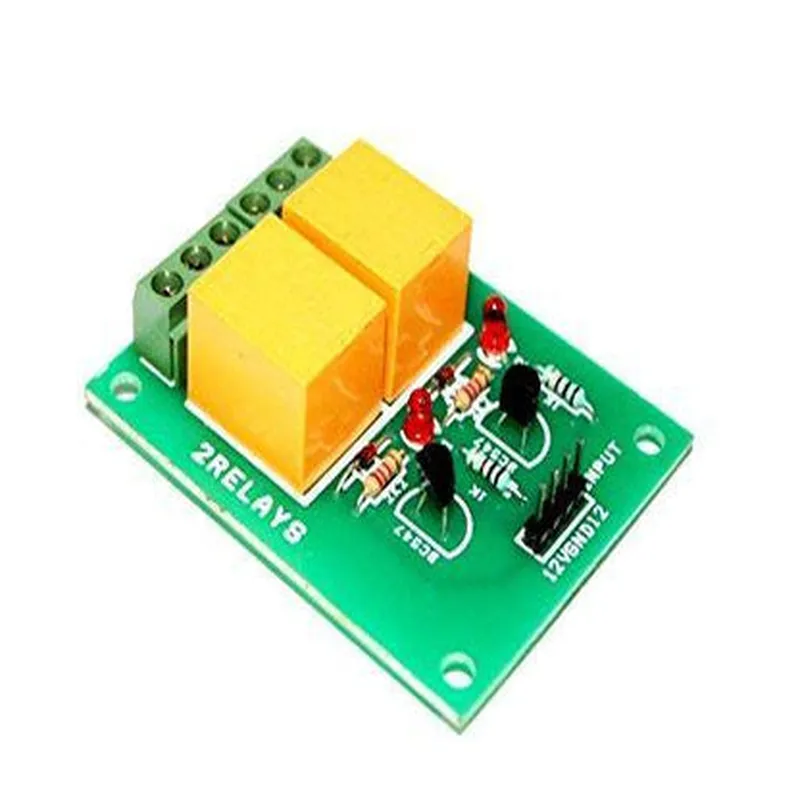
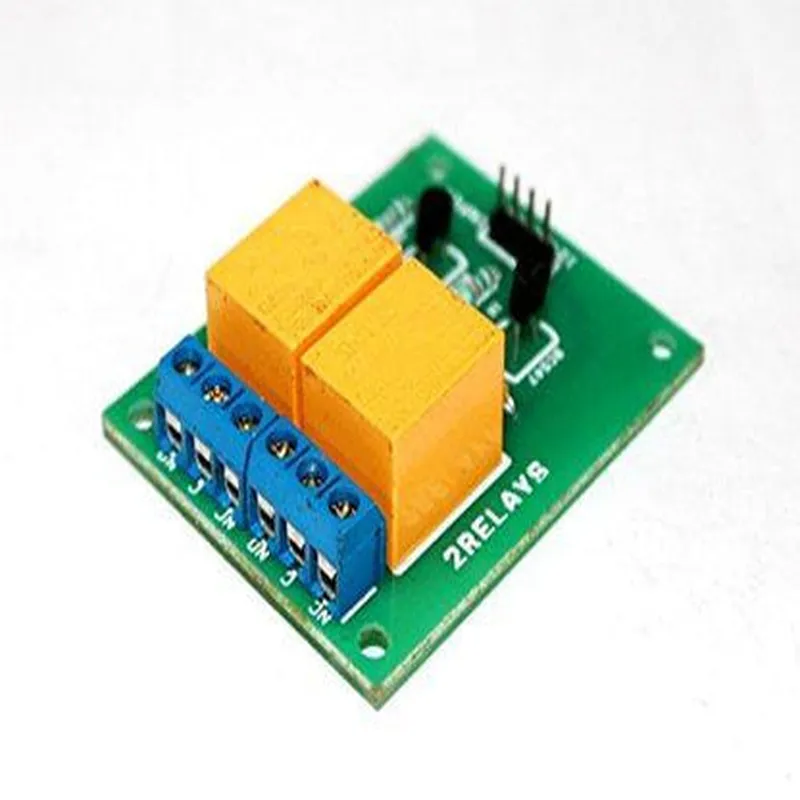
12V 2CH Relay Board

Buy Now on Stufin

Contact Rating

10A/250VAC or 10A/30VDC


Coil Voltage

12V DC

Coil Current

15mA

Operating Temperature

-40C to 85C

  • PCB Dimensions: The relay board measures 63.5mm x 43.5mm (2.5 inches x 1.7 inches) in size.

Applications

  • Home Automation: Control lights, fans, and appliances remotely using IoT platforms or microcontrollers.
  • Industrial Control: Use the relay board to switch high-power devices, such as motors, pumps, and solenoids.
  • Robotics: Implement the relay board in robotic projects to control high-power motors, servos, and other devices.
The 12V 2CH Relay Board is suitable for a wide range of applications, including

Precautions and Safety Guidelines

  • Ensure the relay board is powered from a stable 12V DC power supply.
  • Avoid overloading the relays with excessive current or voltage.
  • Keep the relay board away from moisture, dust, and extreme temperatures.
  • Use proper wiring and connections to avoid electrical shorts or damage.
  • Follow proper safety protocols when working with high-voltage and high-current devices.
When using the 12V 2CH Relay Board, please follow these precautions and safety guidelines

Pin Configuration

  • 12V 2CH Relay Board Pinout Explanation
  • The 12V 2CH Relay Board is a popular IoT component used to control high-power devices such as lights, motors, and fans using low-power signals from microcontrollers, Arduino boards, or Raspberry Pi. This documentation explains the pinout of the relay board, clarifying the function of each pin and providing guidance on how to connect them.
  • Pinout Structure:
  • The 12V 2CH Relay Board has a total of 9 pins, arranged as follows:
  • | Pin Number | Pin Name | Function |
  • | --- | --- | --- |
  • | 1 | VCC | Power Supply (12V) |
  • | 2 | GND | Ground |
  • | 3 | IN1 | Input for Relay 1 |
  • | 4 | IN2 | Input for Relay 2 |
  • | 5 | COM1 | Common Pin for Relay 1 |
  • | 6 | NC1 | Normally Closed Pin for Relay 1 |
  • | 7 | NO1 | Normally Open Pin for Relay 1 |
  • | 8 | COM2 | Common Pin for Relay 2 |
  • | 9 | NC2/NO2 | Normally Closed and Normally Open Pins for Relay 2 (Shared) |
  • Pin Explanation:
  • 1. VCC (Pin 1): This pin supplies 12V power to the relay board. Connect a 12V power source to this pin.
  • 2. GND (Pin 2): This pin is the ground connection for the relay board. Connect it to the negative terminal of the power source or a common ground point.
  • 3. IN1 (Pin 3): This pin is the input for Relay 1. When a digital signal (e.g., from an Arduino or Raspberry Pi) is applied to this pin, Relay 1 will switch on or off.
  • 4. IN2 (Pin 4): This pin is the input for Relay 2. When a digital signal is applied to this pin, Relay 2 will switch on or off.
  • 5. COM1 (Pin 5): This pin is the common connection for Relay 1. It connects to the load (e.g., a light bulb) that you want to control.
  • 6. NC1 (Pin 6): This pin is the normally closed (NC) connection for Relay 1. When the relay is deactivated, the load is connected to this pin. When the relay is activated, the load is disconnected from this pin.
  • 7. NO1 (Pin 7): This pin is the normally open (NO) connection for Relay 1. When the relay is deactivated, the load is disconnected from this pin. When the relay is activated, the load is connected to this pin.
  • 8. COM2 (Pin 8): This pin is the common connection for Relay 2. It connects to the load that you want to control with Relay 2.
  • 9. NC2/NO2 (Pin 9): This pin is a shared connection for Relay 2. It serves as both the normally closed (NC) and normally open (NO) connections for Relay 2. When the relay is deactivated, the load is connected to this pin, and when the relay is activated, the load is disconnected from this pin.
  • Connection Guide:
  • To connect the pins:
  • 1. Connect a 12V power source to VCC (Pin 1) and GND (Pin 2).
  • 2. Connect the input signals from your microcontroller or Arduino board to IN1 (Pin 3) and IN2 (Pin 4).
  • 3. Connect the load (e.g., a light bulb) to COM1 (Pin 5) and either NC1 (Pin 6) or NO1 (Pin 7), depending on your application.
  • 4. Repeat step 3 for Relay 2, connecting the load to COM2 (Pin 8) and NC2/NO2 (Pin 9).
  • Example Connection:
  • | Component | Relay Board Pin |
  • | --- | --- |
  • | 12V Power Source | VCC (Pin 1) |
  • | GND | GND (Pin 2) |
  • | Arduino Digital Output | IN1 (Pin 3) |
  • | Light Bulb (Load) | COM1 (Pin 5) and NO1 (Pin 7) |
  • In this example, when the Arduino digital output is HIGH, Relay 1 is activated, connecting the light bulb to NO1 (Pin 7) and turning it on. When the digital output is LOW, Relay 1 is deactivated, disconnecting the light bulb from NO1 (Pin 7) and turning it off.
  • Remember to consult the datasheet for your specific relay board model and load requirements to ensure proper connection and operation.

Code Examples

Component Documentation: 12V 2CH Relay Board
Overview
The 12V 2CH Relay Board is a dual-channel relay module designed to control and switch high-power devices or appliances using a microcontroller or other digital signal sources. This relay board is suitable for IoT projects, home automation, and industrial control systems.
Key Features
2-channel relay module with normally open (NO) and normally closed (NC) contacts
 Operating voltage: 12V DC
 Maximum switching current: 10A per channel
 Optocoupler isolation for AC and DC loads
 LEDs indicate relay status
 Compatible with various microcontrollers and digital signal sources
Pinout
The relay board has the following pins:
VCC (12V DC power supply)
 GND (ground)
 IN1 (input for channel 1)
 IN2 (input for channel 2)
 NO1 (normally open contact for channel 1)
 NC1 (normally closed contact for channel 1)
 NO2 (normally open contact for channel 2)
 NC2 (normally closed contact for channel 2)
Code Examples
### Example 1: Basic Relay Control using Arduino
This example demonstrates how to control the relay module using an Arduino board.
Hardware Requirements
Arduino Uno or compatible board
 12V 2CH Relay Board
 12V DC power supply
 Load devices (e.g., LED, fan, or lamp)
Software Requirements
Arduino IDE (version 1.8.x or later)
Code
```c++
const int relay1Pin = 2;  // Pin 2 for relay channel 1
const int relay2Pin = 3;  // Pin 3 for relay channel 2
void setup() {
  pinMode(relay1Pin, OUTPUT);
  pinMode(relay2Pin, OUTPUT);
}
void loop() {
  // Turn relay 1 ON for 2 seconds
  digitalWrite(relay1Pin, HIGH);
  delay(2000);
  digitalWrite(relay1Pin, LOW);
  
  // Turn relay 2 ON for 2 seconds
  digitalWrite(relay2Pin, HIGH);
  delay(2000);
  digitalWrite(relay2Pin, LOW);
}
```
### Example 2: Home Automation using Raspberry Pi and Python
This example demonstrates how to control the relay module using a Raspberry Pi and Python.
Hardware Requirements
Raspberry Pi (any model)
 12V 2CH Relay Board
 12V DC power supply
 Load devices (e.g., LED, fan, or lamp)
Software Requirements
Raspbian OS (latest version)
 Python 3.x
 RPi.GPIO library (install using `pip install RPi.GPIO`)
Code
```python
import RPi.GPIO as GPIO
import time
GPIO.setmode(GPIO.BCM)
relay1_pin = 17
relay2_pin = 23
GPIO.setup(relay1_pin, GPIO.OUT)
GPIO.setup(relay2_pin, GPIO.OUT)
while True:
    # Turn relay 1 ON for 2 seconds
    GPIO.output(relay1_pin, GPIO.HIGH)
    time.sleep(2)
    GPIO.output(relay1_pin, GPIO.LOW)
    
    # Turn relay 2 ON for 2 seconds
    GPIO.output(relay2_pin, GPIO.HIGH)
    time.sleep(2)
    GPIO.output(relay2_pin, GPIO.LOW)
```
These examples demonstrate the basic operation of the 12V 2CH Relay Board. You can modify the code to suit your specific IoT project requirements. Always ensure safe and proper connections when working with high-power devices and loads.