The module measures 17.6 mm x 15.7 mm x 2.3 mm, making it ideal for compact designs and small devices.


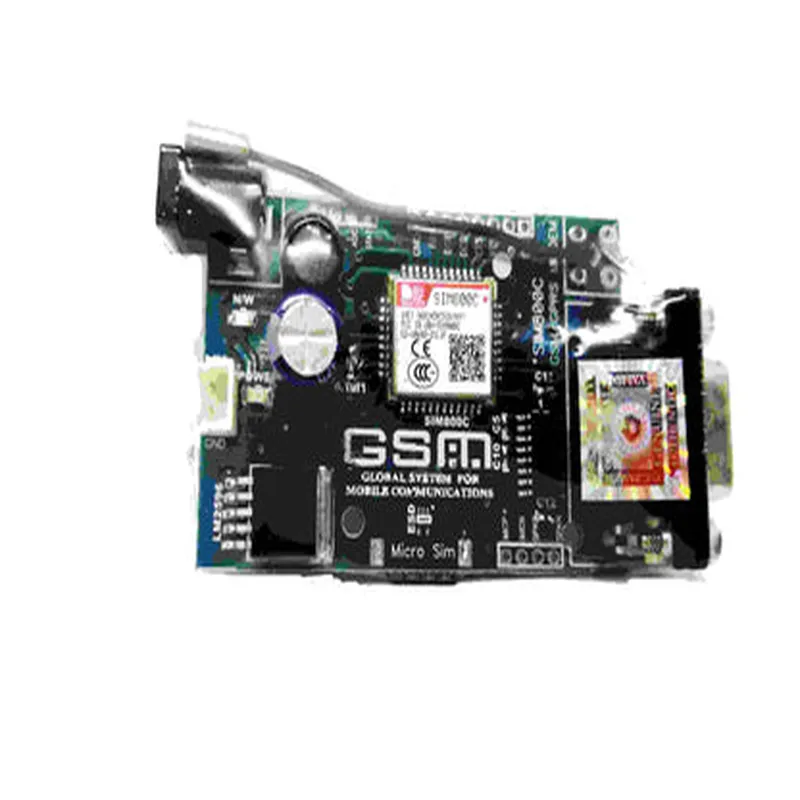
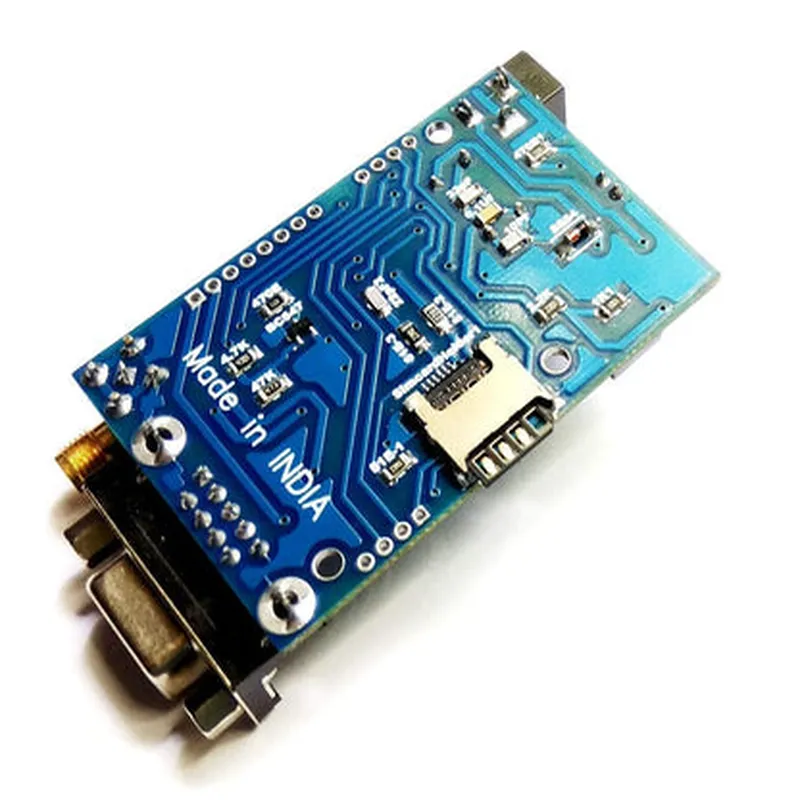
The module measures 17.6 mm x 15.7 mm x 2.3 mm, making it ideal for compact designs and small devices.
The module operates at a low power consumption of 1.5 W (average), making it suitable for battery-powered devices.
The module uses a simple, industry-standard AT command set for easy integration and control.
| The module provides multiple interfaces, including |
+ UART (up to 115200 bps)
+ USB 2.0 (up to 480 Mbps)
+ ADC and GPIO pins for analog and digital interfaces
| Internal TCP/IP stack | The module features a built-in TCP/IP stack, allowing for easy implementation of internet protocols. |
The module supports HTTP and FTP protocols, enabling easy communication with remote servers and file transfers.
The module features an onboard SIM card holder, making it easy to install and replace SIM cards.
Electrical Characteristics
3.4 V to 4.5 V
1.5 W (average), 3.5 W (peak)
-40C to +85C
-40C to +125C
Applications
| The SIM800C GSM Modem is suitable for various applications, including |
IoT devices (e.g., smart home systems, industrial automation)
M2M applications (e.g., fleet management, asset tracking)
Wireless monitoring and control systems
GPS tracking devices
Remote monitoring and control of devices
Certifications and Compliance
The module meets CTIA certification requirements.
The module complies with FCC regulations.
The module conforms to CE marking requirements.
The module is RoHS compliant.
This documentation provides a comprehensive overview of the SIM800C GSM Modem, covering its functionality, key features, electrical characteristics, applications, and certifications. It is suitable for both technical professionals and informed hobbyists looking to integrate this module into their projects.
SIM800C GSM Modem DocumentationOverviewThe SIM800C GSM Modem is a wireless communication module that allows devices to connect to a cellular network, enabling SMS, voice, and data transmission capabilities. This modem is based on the GSM/GPRS protocol and is widely used in IoT applications, such as remote monitoring, tracking, and automation systems.Pinout and InterfacesThe SIM800C GSM Modem has the following interfaces:UART (TX, RX, RTS, CTS) for serial communication
SIM card slot for cellular network connectivity
Power supply (VCC, GND)
Antenna connector for cellular signal reception and transmission
GPIO pins for additional functionality (e.g., power control, reset)Software Libraries and APIsThe SIM800C GSM Modem uses the AT command set for configuration and control. The AT command set is a standardized set of instructions for controlling modems and other communication devices.Example Code 1: Sending an SMS using ArduinoIn this example, we will demonstrate how to send an SMS using an Arduino board and the SIM800C GSM Modem.Hardware Requirements:Arduino Board (e.g., Arduino Uno)
SIM800C GSM Modem
SIM card with cellular network subscription
Breadboard and jumper wiresSoftware Requirements:Arduino IDE (version 1.8.x or later)
SIM800C GSM Modem library (available on GitHub)Code:
```c++
#include <SoftwareSerial.h>#define SIM800_TX_PIN 10
#define SIM800_RX_PIN 11SoftwareSerial sim800Serial(SIM800_TX_PIN, SIM800_RX_PIN);void setup() {
sim800Serial.begin(9600);
delay(1000);
// Initialize the modem
sim800Serial.println("AT");
delay(1000);
// Set the modem to SMS mode
sim800Serial.println("AT+CMGF=1");
delay(1000);
}void loop() {
// Send an SMS
sim800Serial.print("AT+CMGS=""+1234567890""");
delay(1000);
sim800Serial.println("Hello from SIM800C!");
delay(1000);
sim800Serial.println((char)26); // Send the SMS
delay(1000);
}
```
Example Code 2: Making a Voice Call using PythonIn this example, we will demonstrate how to make a voice call using a Python script and the SIM800C GSM Modem.Hardware Requirements:Raspberry Pi or other single-board computer
SIM800C GSM Modem
SIM card with cellular network subscription
Breadboard and jumper wiresSoftware Requirements:Python 3.x (recommended)
pyserial library (available on PyPI)Code:
```python
import serial# Open the serial connection to the modem
ser = serial.Serial('/dev/ttyUSB0', 9600, timeout=1)# Initialize the modem
ser.write(b'AT
')
response = ser.readline()
print(response.decode())# Make a voice call
ser.write(b'ATD+1234567890;
')
response = ser.readline()
print(response.decode())
```
Example Code 3: Reading Cellular Signal Strength using MicroPythonIn this example, we will demonstrate how to read the cellular signal strength using MicroPython and the SIM800C GSM Modem.Hardware Requirements:Microcontroller board (e.g., ESP32 or ESP8266)
SIM800C GSM Modem
SIM card with cellular network subscription
Breadboard and jumper wiresSoftware Requirements:MicroPython (recommended)
uPySerial library (available on GitHub)Code:
```python
import machine
import uPySerial# Initialize the serial connection to the modem
uart = machine.UART(0, 9600)
ser = uPySerial.Serial(uart)# Read the cellular signal strength
ser.write(b'AT+CSQ
')
response = ser.readline()
print(response.decode())# Parse the response to extract the signal strength
signal_strength = int(response.decode().split(':')[1].strip())
print(f'Signal strength: {signal_strength} dBm')
```
Note: These code examples are for illustration purposes only and may require modifications to work with your specific hardware and software setup. Be sure to consult the SIM800C GSM Modem datasheet and product documentation for more information on using this component.