Stufin
Home Quick Cart Profile

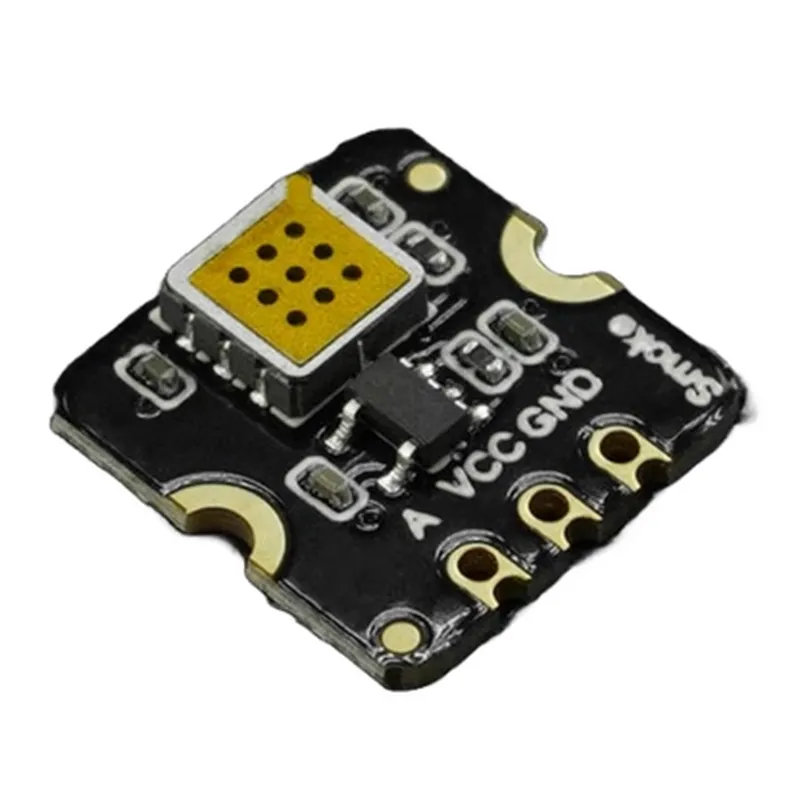
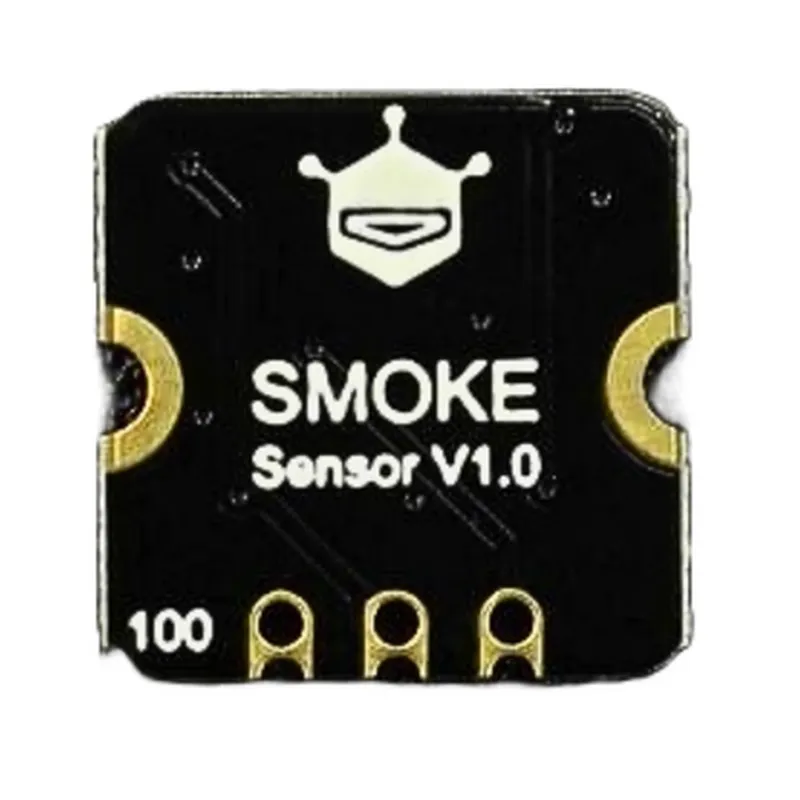
Fermion MEMS Smoke Gas Detection Sensor

Buy Now on Stufin

Pin Configuration

  • Fermion MEMS Smoke Gas Detection Sensor Pinout and Connection Guide
  • The Fermion MEMS Smoke Gas Detection Sensor is a highly sensitive and accurate sensor designed to detect smoke and gas concentrations in various environments. This sensor features a compact design and offers digital output, making it ideal for IoT applications, smart home systems, and industrial automation. Below is a detailed explanation of the sensor's pins and how to connect them:
  • Pinout:
  • The Fermion MEMS Smoke Gas Detection Sensor has 6 pins, which are:
  • 1. VCC (Power Supply)
  • Pin Number: 1
  • Function: Provides power to the sensor
  • Recommended Voltage: 3.3V or 5V (depending on the specific sensor model)
  • Connection: Connect to a stable power source, such as a battery or a power supply module
  • 2. GND (Ground)
  • Pin Number: 2
  • Function: Provides a ground connection for the sensor
  • Connection: Connect to the ground of the power source or the system's ground
  • 3. OUT (Digital Output)
  • Pin Number: 3
  • Function: Provides a digital output signal indicating the detection of smoke or gas
  • Connection: Connect to a microcontroller or a digital input of a processing unit
  • 4. INT (Interrupt)
  • Pin Number: 4
  • Function: Provides an interrupt signal when the sensor detects smoke or gas
  • Connection: Connect to an interrupt pin of a microcontroller or a processing unit
  • 5. RST (Reset)
  • Pin Number: 5
  • Function: Resets the sensor to its initial state
  • Connection: Connect to a digital output of a microcontroller or a processing unit (optional)
  • 6. NC (Not Connected)
  • Pin Number: 6
  • Function: No connection required
  • Connection: Leave this pin unconnected
  • Connection Structure:
  • To connect the Fermion MEMS Smoke Gas Detection Sensor, follow these steps:
  • 1. Connect the VCC pin to a stable power source (3.3V or 5V, depending on the specific sensor model).
  • 2. Connect the GND pin to the ground of the power source or the system's ground.
  • 3. Connect the OUT pin to a digital input of a microcontroller or a processing unit.
  • 4. Connect the INT pin to an interrupt pin of a microcontroller or a processing unit (if interrupt detection is required).
  • 5. If necessary, connect the RST pin to a digital output of a microcontroller or a processing unit to reset the sensor.
  • 6. Leave the NC pin unconnected.
  • Important Notes:
  • Ensure proper voltage and ground connections to avoid damaging the sensor.
  • Use a suitable power source and decoupling capacitors to minimize noise and ensure stable operation.
  • Refer to the sensor's datasheet and application notes for specific connection requirements and programming guidelines.
  • By following this pinout and connection guide, you can successfully integrate the Fermion MEMS Smoke Gas Detection Sensor into your IoT project or application.

Code Examples

Fermion MEMS Smoke Gas Detection Sensor Documentation
Overview
The Fermion MEMS Smoke Gas Detection Sensor is a highly sensitive and accurate gas detection sensor designed for detecting smoke and other hazardous gases in various IoT applications. This sensor utilizes Micro-Electro-Mechanical Systems (MEMS) technology to detect changes in the air composition, providing reliable and rapid detection of smoke and gas leaks.
Pinout and Connection
The Fermion MEMS Smoke Gas Detection Sensor has a standard 5-pin interface, with the following pinout:
VCC: 3.3V power supply
 GND: Ground
 OUT: Analog output signal
 INT: Interrupt pin (optional)
 RST: Reset pin (optional)
Operating Specifications
Operating Voltage: 3.3V
 Operating Temperature: -20C to 50C
 Humidity: 20% to 80% RH
 Detection Range: 0-1000 ppm CO, 0-500 ppm NOx, 0-200 ppm NO
 Response Time: <10 seconds
Code Examples
### Example 1: Basic Analog Readout with Arduino
This example demonstrates how to read the analog output signal from the Fermion MEMS Smoke Gas Detection Sensor using an Arduino board.
```c++
const int sensorPin = A0;  // Analog input pin for the sensor
void setup() {
  Serial.begin(9600);
}
void loop() {
  int sensorValue = analogRead(sensorPin);
  float voltage = sensorValue  (3.3 / 1023.0);
  Serial.print("Analog Output: ");
  Serial.print(voltage);
  Serial.println(" V");
delay(500);
}
```
### Example 2: Interrupt-based Gas Detection with ESP32
This example demonstrates how to use the interrupt pin of the Fermion MEMS Smoke Gas Detection Sensor to trigger an interrupt on an ESP32 board when a gas leak is detected.
```c++
const int interruptPin = 2;  // Interrupt pin for the sensor
volatile bool gasDetected = false;
void IRAM_ATTR gasDetectionInterrupt() {
  gasDetected = true;
}
void setup() {
  Serial.begin(115200);
  pinMode(interruptPin, INPUT_PULLUP);
  attachInterrupt(digitalPinToInterrupt(interruptPin), gasDetectionInterrupt, FALLING);
}
void loop() {
  if (gasDetected) {
    Serial.println("Gas leak detected!");
    gasDetected = false;
  }
  delay(50);
}
```
### Example 3: IC Interface with Raspberry Pi (Python)
This example demonstrates how to use the Fermion MEMS Smoke Gas Detection Sensor with a Raspberry Pi through the IC bus.
```python
import smbus
import time
# IC bus and address
bus = smbus.SMBus(1)
address = 0x1D
while True:
    # Read the sensor data
    data = bus.read_i2c_block_data(address, 0x00, 2)
    sensor_value = (data[0] << 8) | data[1]
# Convert the sensor value to a gas concentration
    concentration = sensor_value / 1024.0  1000.0
print("Gas concentration: {:.2f} ppm".format(concentration))
time.sleep(1)
```
Note: The code examples provided are for illustrative purposes only and may require modification to suit specific use cases and applications. Ensure to consult the datasheet and technical documentation for the Fermion MEMS Smoke Gas Detection Sensor for detailed specifications and operating conditions.