STMicroelectronics P-NUCLEO-LRWAN2


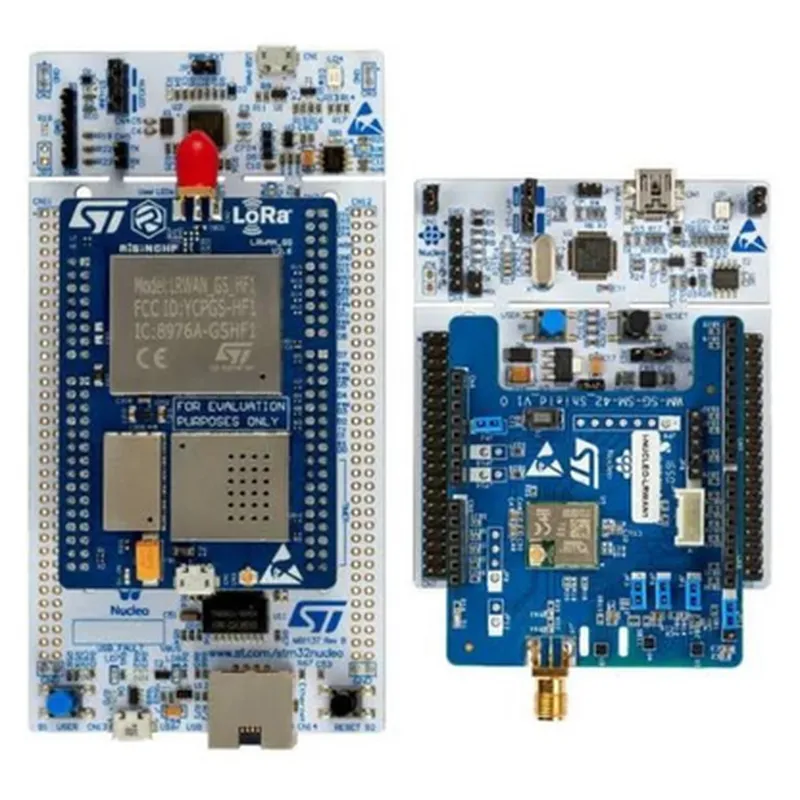
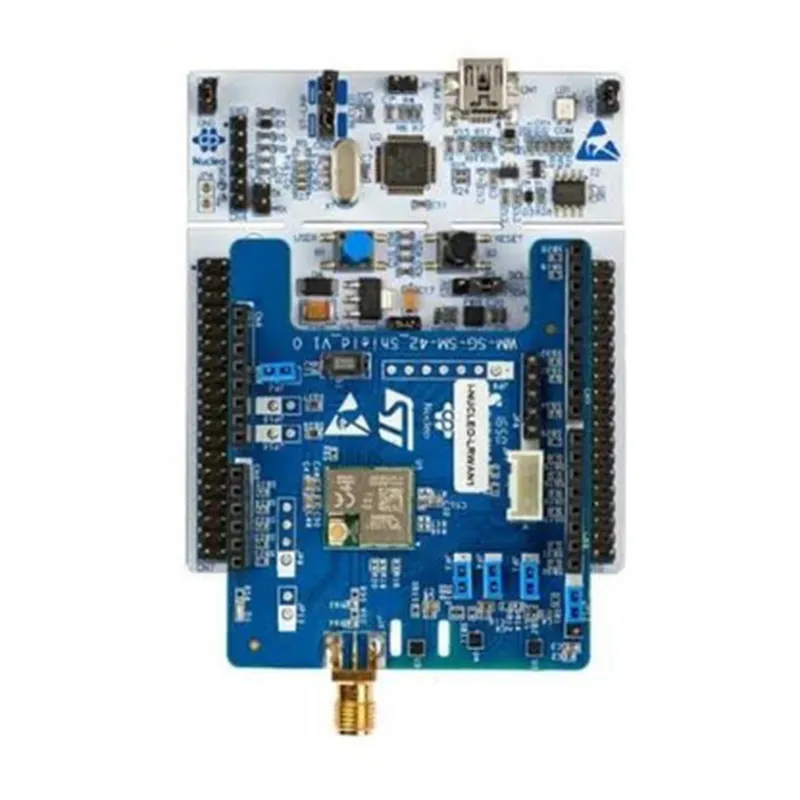
STMicroelectronics P-NUCLEO-LRWAN2
The STMicroelectronics P-NUCLEO-LRWAN2 is a development board designed for LoRaWAN IoT applications. It is a part of the NUCLEO family of boards, which are designed to provide a flexible and scalable platform for prototyping and developing IoT devices. The P-NUCLEO-LRWAN2 board is specifically tailored for LoRaWAN technology, enabling developers to create IoT devices that can connect to LoRaWAN networks.
| The P-NUCLEO-LRWAN2 board is designed to facilitate the development of LoRaWAN-based IoT devices, such as smart sensors, trackers, and gateways. The board provides a comprehensive platform for developers to create, test, and deploy LoRaWAN-enabled devices. The board's functionality can be summarized as follows |
The board features a LoRaWAN module that enables devices to connect to LoRaWAN networks, allowing for bidirectional communication between devices and the cloud.
STM32L0
The board offers a range of peripherals and interfaces, such as GPIOs, I2C, SPI, and UART, allowing developers to integrate various sensors and peripherals into their IoT devices.
The board features a power management system that enables efficient power consumption, making it suitable for battery-powered IoT devices.
Certified LoRaWAN module
The board is designed for low power consumption, making it suitable for battery-powered IoT devices.
The board features a compact form factor, making it easy to integrate into small IoT devices.
| Arduino-compatible | The board is compatible with the Arduino ecosystem, allowing developers to leverage the vast library of Arduino resources and sketches. |
| On-Board Antenna | The board features an on-board antenna, which provides a compact and convenient solution for LoRaWAN connectivity. |
The board provides extension headers for connecting additional peripherals and modules, such as GPS modules, accelerometers, and more.
868 MHz or 915 MHz (depending on the region)
Up to 10 km (urban area) or 40 km (rural area)
Low power consumption (< 10 mA in sleep mode)
-40C to +85C
45 mm x 34 mm
The STMicroelectronics P-NUCLEO-LRWAN2 is an ideal development platform for IoT developers, allowing them to create innovative LoRaWAN-based IoT devices with ease.
STMicroelectronics P-NUCLEO-LRWAN2 DocumentationThe P-NUCLEO-LRWAN2 is a development board from STMicroelectronics that integrates a LoRaWAN transceiver module, enabling the creation of low-power wide-area network (LPWAN) applications. This documentation provides an overview of the board's features, specifications, and code examples to help developers get started with using the P-NUCLEO-LRWAN2 in various contexts.Features and SpecificationsMicrocontroller: STM32WL55JC ultra-low-power microcontroller with 256 KB of flash memory and 64 KB of SRAM
LoRaWAN Transceiver: SX1262, a sub-GHz radio module with a range of up to 10 km (6.2 miles)
Frequency Bands: Supports EU868, US915, and AS923 frequency bands
Power Supply: Can be powered via USB, battery, or external power source
Interfaces: USB, UART, SPI, I2C, I2S, and GPIOCode Examples### Example 1: Sending a LoRaWAN Message Using the Arduino FrameworkThis example demonstrates how to send a LoRaWAN message using the Arduino framework.
```cpp
#include <LoRaWAN.h>// Define the LoRaWAN frequency band and spreading factor
LoRaWANFrequency band = EU868;
int spreadingFactor = 7;void setup() {
// Initialize the LoRaWAN module
LoRaWAN.begin();
LoRaWAN.setFrequency(band);
LoRaWAN.setSpreadingFactor(spreadingFactor);
}void loop() {
// Create a LoRaWAN message
char message[] = "Hello, LoRaWAN!";
// Send the message
LoRaWAN.send(message, sizeof(message));
delay(1000);
}
```
### Example 2: Receiving a LoRaWAN Message Using the Mbed FrameworkThis example demonstrates how to receive a LoRaWAN message using the Mbed framework.
```cpp
#include <mbed.h>
#include <LoRaWAN.h>// Define the LoRaWAN frequency band and spreading factor
LoRaWANFrequency band = US915;
int spreadingFactor = 12;int main() {
// Initialize the LoRaWAN module
LoRaWAN.begin();
LoRaWAN.setFrequency(band);
LoRaWAN.setSpreadingFactor(spreadingFactor);
while (true) {
// Wait for incoming data
if (LoRaWAN.available()) {
// Read the received message
char message[256];
int length = LoRaWAN.read(message, 256);
// Print the received message
printf("Received message: %s
", message);
}
}
}
```
### Example 3: Using the P-NUCLEO-LRWAN2 with the LoRaWAN OTAA (Over-the-Air Activation) ProtocolThis example demonstrates how to use the P-NUCLEO-LRWAN2 with the LoRaWAN OTAA protocol.
```cpp
#include <LoRaWAN.h>// Define the LoRaWAN frequency band and spreading factor
LoRaWANFrequency band = AS923;
int spreadingFactor = 10;// Define the OTAA keys
char appEUI[] = "YOUR_APP_EUI_HERE";
char appKEY[] = "YOUR_APP_KEY_HERE";
char devEUI[] = "YOUR_DEV_EUI_HERE";void setup() {
// Initialize the LoRaWAN module
LoRaWAN.begin();
LoRaWAN.setFrequency(band);
LoRaWAN.setSpreadingFactor(spreadingFactor);
// Set the OTAA keys
LoRaWAN.setAppEUI(appEUI);
LoRaWAN.setAppKEY(appKEY);
LoRaWAN.setDevEUI(devEUI);
}void loop() {
// Join the LoRaWAN network using OTAA
if (!LoRaWAN.joinOTAA()) {
Serial.println("Failed to join network");
delay(1000);
} else {
Serial.println("Joined network successfully");
// Send a message to the LoRaWAN network
char message[] = "Hello, LoRaWAN!";
LoRaWAN.send(message, sizeof(message));
delay(1000);
}
}
```
Note: Replace `YOUR_APP_EUI_HERE`, `YOUR_APP_KEY_HERE`, and `YOUR_DEV_EUI_HERE` with your actual OTAA credentials.These examples demonstrate the basic functionality of the P-NUCLEO-LRWAN2 and provide a starting point for developers to build their own LoRaWAN applications. For more information, please refer to the official documentation and datasheets provided by STMicroelectronics.