Each component is designed to be modular, allowing users to easily connect and disconnect them to explore different projects and applications.


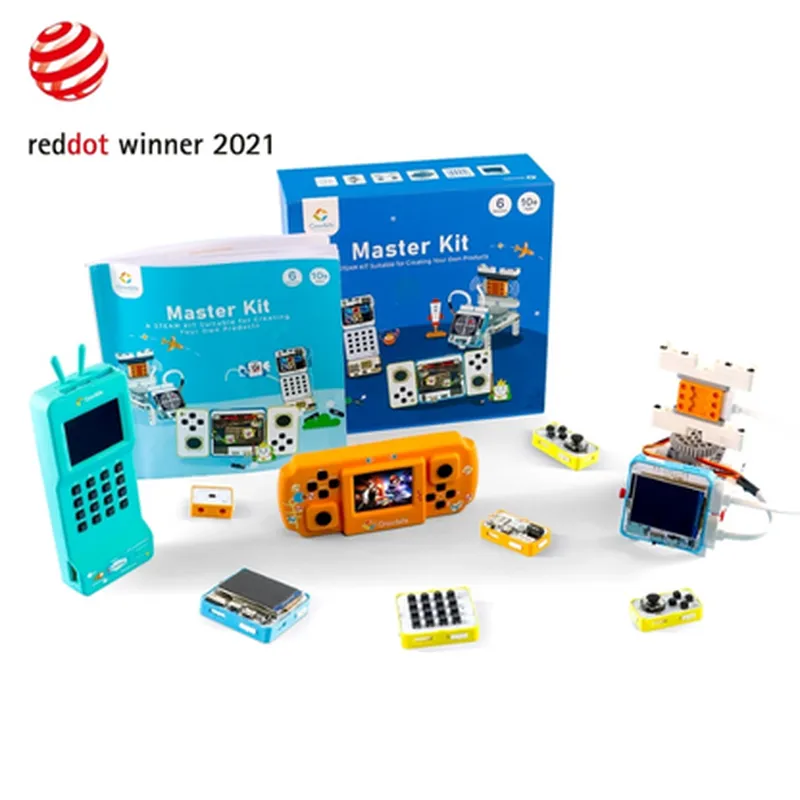
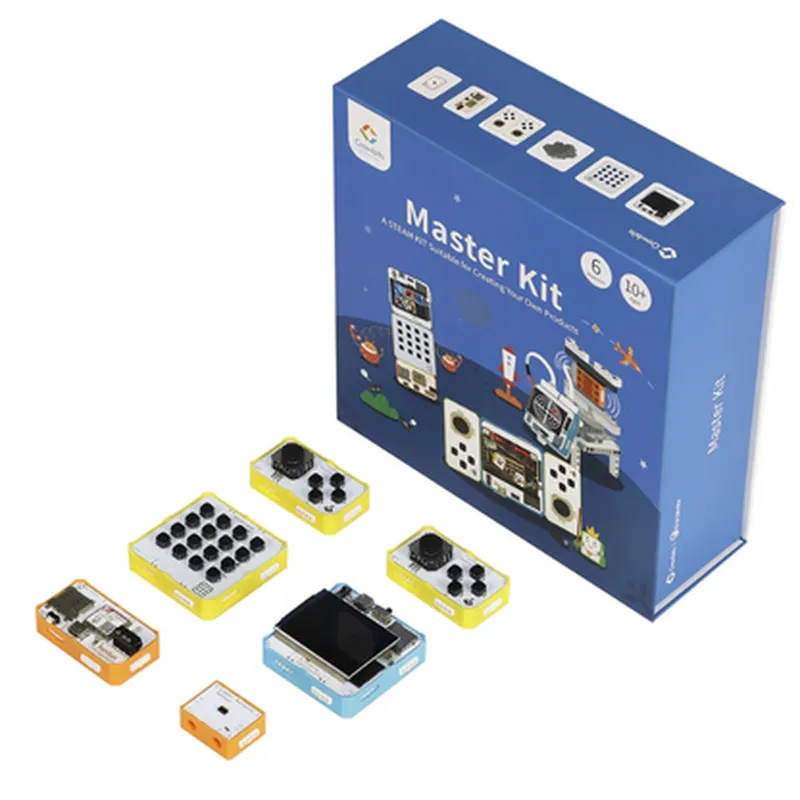
Each component is designed to be modular, allowing users to easily connect and disconnect them to explore different projects and applications.
The kit supports multiple programming languages, including Scratch, Python, C++, and JavaScript, making it accessible to users with varying levels of programming experience.
The Crowbits-Micro board features Wi-Fi and Bluetooth capabilities, enabling users to create IoT projects with wireless connectivity.
The kit includes a range of sensors, such as temperature, humidity, pressure, and light sensors, allowing users to explore various IoT applications.
The Crowbits-Robot platform features an LCD display, enabling users to display data and create interactive projects.
The Crowbits-Robot platform includes motors, allowing users to learn about motor control and robotics.
The kit comes with access to an online platform, providing users with tutorials, project ideas, and a community forum for support and collaboration.
Functionality
| The Elecrow Crowbits-Master Kit is designed to provide a comprehensive learning experience in IoT, programming, and robotics. Users can explore various projects and applications, including |
Use the Crowbits-Micro board and sensors to create home automation projects, such as temperature control and lighting systems.
Utilize the Crowbits-Robot platform to create interactive robots, such as line followers, obstacle avoiders, and remote-controlled vehicles.
Employ the Crowbits-Weather kit to monitor temperature, humidity, and pressure, and create projects that respond to environmental changes.
Use the kit to create IoT projects, such as remote monitoring systems, smart sensors, and data analytics applications.
Target Audience
| The Elecrow Crowbits-Master Kit is suitable for |
Ideal for STEM education, providing a hands-on learning experience in electronics, programming, and robotics.
Perfect for enthusiasts looking to explore IoT, programming, and robotics in a fun and interactive way.
A valuable resource for teachers and instructors looking to integrate IoT and programming into their curricula.
Technical Specifications
Crowbits-Micro Board
| + Microcontroller | ESP32 |
| + Wi-Fi | 802.11 b/g/n |
| + Bluetooth | 4.2 |
| + Programming Languages | Scratch, Python, C++, JavaScript |
Crowbits-Robot Platform
| + Microcontroller | Arduino-compatible |
| + Motors | 2 x DC motor |
| + Sensors | Infrared, ultrasonic, and light sensors |
| + LCD Display | 1602 LCD display |
Crowbits-Weather Kit
| + Temperature Sensor | DS18B20 |
| + Humidity Sensor | DHT11 |
| + Pressure Sensor | BMP180 |
| + Other Components | Breadboard, jumper wires, and other accessories |
By providing a comprehensive and interactive learning experience, the Elecrow Crowbits-Master Kit is an ideal solution for anyone looking to explore the exciting world of IoT, programming, and robotics.
Elecrow - Crowbits-Master Kit DocumentationOverviewThe Elecrow Crowbits-Master Kit is a comprehensive STEM programming educational building kit that includes three fully functional products: a microcontroller, a sensor module, and a communication module. This kit is designed to provide a hands-on learning experience for students and makers to develop skills in programming, electronics, and IoT development.Components1. Microcontroller Module: A compact, programmable microcontroller board based on the ESP32-WROVER-E module, featuring dual-core 32-bit LX6 microprocessor, Wi-Fi, and Bluetooth capabilities.
2. Sensor Module: A module equipped with various sensors, including temperature, humidity, light, sound, and motion sensors, allowing users to interact with the environment and collect data.
3. Communication Module: A module featuring Bluetooth and Wi-Fi connectivity, enabling wireless communication between the microcontroller and other devices.Programming LanguagesThe Crowbits-Master Kit is programmable using popular programming languages, including:MicroPython
C/C++
JavaScript (via Web-based IDE)Code Examples### Example 1: Environmental Monitoring using MicroPythonThis example demonstrates how to use the Sensor Module to collect environmental data and transmit it to the Microcontroller Module using MicroPython.Code:
```python
import machine
import ujson
from esp import espnow# Initialize sensor module
sensor_module = machine.SensorModule()# Initialize microcontroller module
mcu_module = machine.MicrocontrollerModule()# Get temperature and humidity readings
temperature = sensor_module.get_temperature()
humidity = sensor_module.get_humidity()# Create a JSON packet with sensor data
data_packet = ujson.dumps({'temperature': temperature, 'humidity': humidity})# Transmit data to microcontroller module using ESP-NOW
espnow.send(data_packet)# Receive data on microcontroller module
received_data = espnow.recv()# Print received data
print(received_data)
```
### Example 2: Bluetooth Low Energy (BLE) Communication using C/C++This example demonstrates how to establish a BLE connection between the Communication Module and a smartphone using C/C++.Code:
```c
#include <BLE.h>// Initialize BLE module
BLE ble;// Set BLE device name and service UUID
ble.setDeviceName("Crowbits-BLE-Device");
ble.setServiceUUID("0000ffe0-0000-1000-8000-00805f9b34fb");// Start BLE advertising
ble.startAdvertising();// Wait for BLE connection
while (!ble.isConnected()) {
delay(100);
}// Send data to connected device
ble.send("Hello, Crowbits!");// Receive data from connected device
char received_data[20];
ble.recv(received_data, 20);
printf("Received data: %s
", received_data);
```
### Example 3: Web-based IoT Application using JavaScriptThis example demonstrates how to create a web-based IoT application using JavaScript to interact with the Crowbits-Master Kit via the Communication Module.Code:
```javascript
// Import required libraries
const WebSocket = require('ws');// Establish WebSocket connection to Communication Module
const ws = new WebSocket('ws://crowbits-communication-module.local');// Send data to Communication Module
ws.send('Hello, Crowbits!');// Receive data from Communication Module
ws.onmessage = (event) => {
console.log(`Received data: ${event.data}`);
};// Close WebSocket connection
ws.close();
```
Additional ResourcesElecrow Crowbits-Master Kit User Manual (PDF)
ESP32-WROVER-E Microcontroller Datasheet (PDF)
Sensor Module Datasheet (PDF)
Communication Module Datasheet (PDF)TroubleshootingConsult the Elecrow Crowbits-Master Kit User Manual for troubleshooting common issues.
Visit the Elecrow forum for community support and discussions.Warranty and SupportThe Elecrow Crowbits-Master Kit is covered by a limited warranty. Refer to the warranty policy for details.
Contact Elecrow support for technical assistance and warranty claims.