Elecrow - Crowbits-Creator Kit Based on Arduino, 12-in-1 STEM Toy for Kids


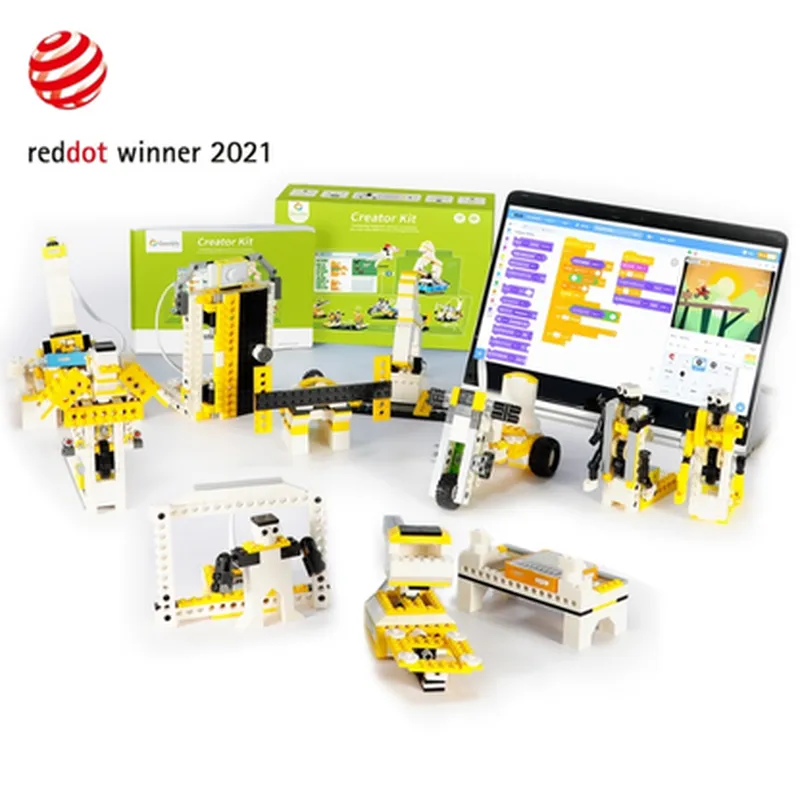
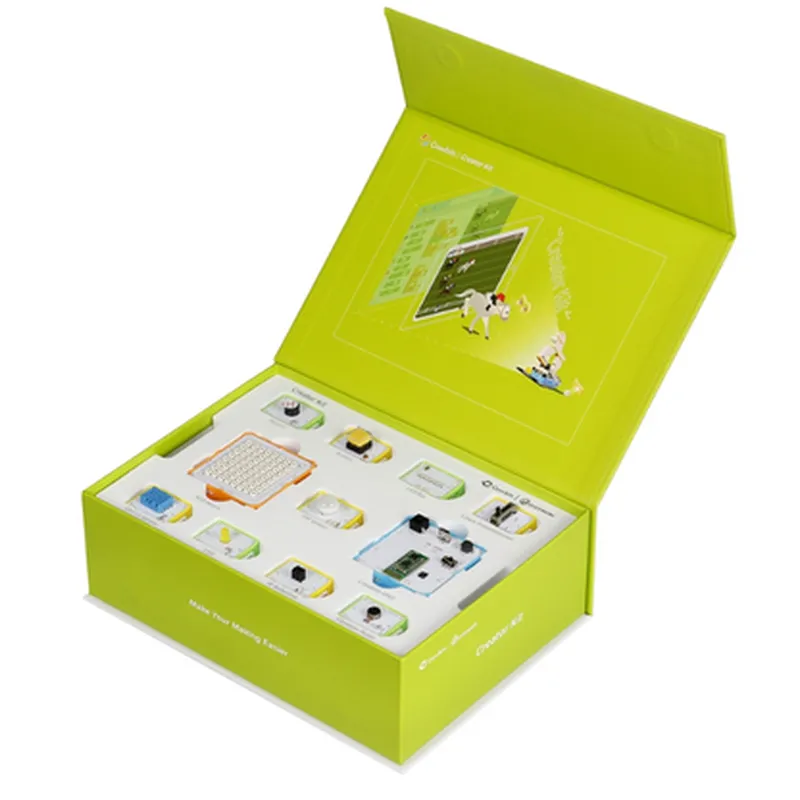
Elecrow - Crowbits-Creator Kit Based on Arduino, 12-in-1 STEM Toy for Kids
The Elecrow Crowbits-Creator Kit is a 12-in-1 STEM (Science, Technology, Engineering, and Math) toy designed for kids to learn and explore the world of programming, electronics, and robotics. Based on the popular Arduino platform, this kit provides a comprehensive and fun way for children to develop their skills in coding, problem-solving, and critical thinking.
The Crowbits-Creator Kit is a modular, build-it-yourself system that allows kids to create various projects and devices using a combination of sensors, actuators, and microcontrollers. The kit includes 12 different modules, each with its own unique functionality, which can be connected and programmed using the Arduino Integrated Development Environment (IDE).
Arduino-based, 8-bit AVR microcontroller
| 12 interchangeable modules, including | |
| + Sensors | Light, sound, temperature, and ultrasonic |
| + Actuators | Motors, buzzers, and LED lights |
| + Microcontrollers | Arduino-based |
Color-coded, modular connection system
USB-powered or battery-powered (batteries not included)
Compatible with Windows, macOS, and Linux operating systems
The Elecrow Crowbits-Creator Kit is designed for kids aged 8-14 who are interested in learning about programming, electronics, and robotics. It is also suitable for educators and parents who want to introduce their children to the world of STEM education.
Crowbits-Creator Kit main board
12 interchangeable modules
USB cable
Power adapter (optional)
Guidebook with 12 project tutorials
Online resources (access to tutorials, videos, and community forum)
Elecrow - Crowbits-Creator Kit Based on Arduino, 12-in-1 STEM Toy for KidsOverviewThe Elecrow Crowbits-Creator Kit is a comprehensive STEM educational kit designed for kids to learn programming, electronics, and robotics using Arduino. This kit includes 12 interactive modules that can be combined to create various projects, making it an ideal platform for beginners to develop their skills in programming, electronics, and critical thinking.Technical SpecificationsMicrocontroller: Arduino Board (based on ATmega328P)
Operating Voltage: 5V
Input Voltage: 7-12V
12 Interactive Modules:
+ LED Module
+ Button Module
+ Potentiometer Module
+ buzzer Module
+ RGB LED Module
+ Joystick Module
+ Ultrasonic Module
+ Temperature and Humidity Module
+ Light Sensor Module
+ Sound Sensor Module
+ Motor Module
Compatible with Arduino IDECode Examples### Example 1: Traffic Light Simulator using LED, Button, and Potentiometer ModulesThis example demonstrates how to use the LED, Button, and Potentiometer modules to create a simple traffic light simulator.Hardware Connections:Connect the LED Module to digital pins 9, 10, and 11 (red, yellow, and green LEDs, respectively).
Connect the Button Module to digital pin 2.
Connect the Potentiometer Module to analog pin A0.Code:
```c
const int redLed = 9;
const int yellowLed = 10;
const int greenLed = 11;
const int buttonPin = 2;
const int potPin = A0;int buttonState = 0;
int potValue = 0;void setup() {
pinMode(redLed, OUTPUT);
pinMode(yellowLed, OUTPUT);
pinMode(greenLed, OUTPUT);
pinMode(buttonPin, INPUT);
}void loop() {
buttonState = digitalRead(buttonPin);
potValue = analogRead(potPin);if (buttonState == HIGH) {
// Simulate traffic light sequence
digitalWrite(redLed, HIGH);
delay(500);
digitalWrite(redLed, LOW);
digitalWrite(yellowLed, HIGH);
delay(500);
digitalWrite(yellowLed, LOW);
digitalWrite(greenLed, HIGH);
delay(500);
digitalWrite(greenLed, LOW);
} else {
// Adjust brightness of LEDs based on potentiometer value
int brightness = map(potValue, 0, 1023, 0, 255);
analogWrite(redLed, brightness);
analogWrite(yellowLed, brightness);
analogWrite(greenLed, brightness);
}
}
```### Example 2: Obstacle Avoidance Robot using Ultrasonic and Motor ModulesThis example demonstrates how to use the Ultrasonic and Motor modules to create a simple obstacle avoidance robot.Hardware Connections:Connect the Ultrasonic Module to digital pins 3 and 4 (Trig and Echo pins, respectively).
Connect the Motor Module to digital pins 5 and 6 (Motor A and Motor B, respectively).Code:
```c
const int trigPin = 3;
const int echoPin = 4;
const int motorAPin = 5;
const int motorBPin = 6;long distance = 0;void setup() {
pinMode(trigPin, OUTPUT);
pinMode(echoPin, INPUT);
pinMode(motorAPin, OUTPUT);
pinMode(motorBPin, OUTPUT);
}void loop() {
// Measure distance using Ultrasonic Module
digitalWrite(trigPin, LOW);
delayMicroseconds(2);
digitalWrite(trigPin, HIGH);
delayMicroseconds(10);
digitalWrite(trigPin, LOW);
distance = pulseIn(echoPin, HIGH) / 58.2;// Avoid obstacle if distance < 20cm
if (distance < 20) {
// Reverse motor direction
digitalWrite(motorAPin, LOW);
digitalWrite(motorBPin, HIGH);
} else {
// Move forward
digitalWrite(motorAPin, HIGH);
digitalWrite(motorBPin, LOW);
}
delay(50);
}
```These examples demonstrate the versatility of the Elecrow Crowbits-Creator Kit and its ability to be used in various IoT projects.