320x240 pixels (QVGA)


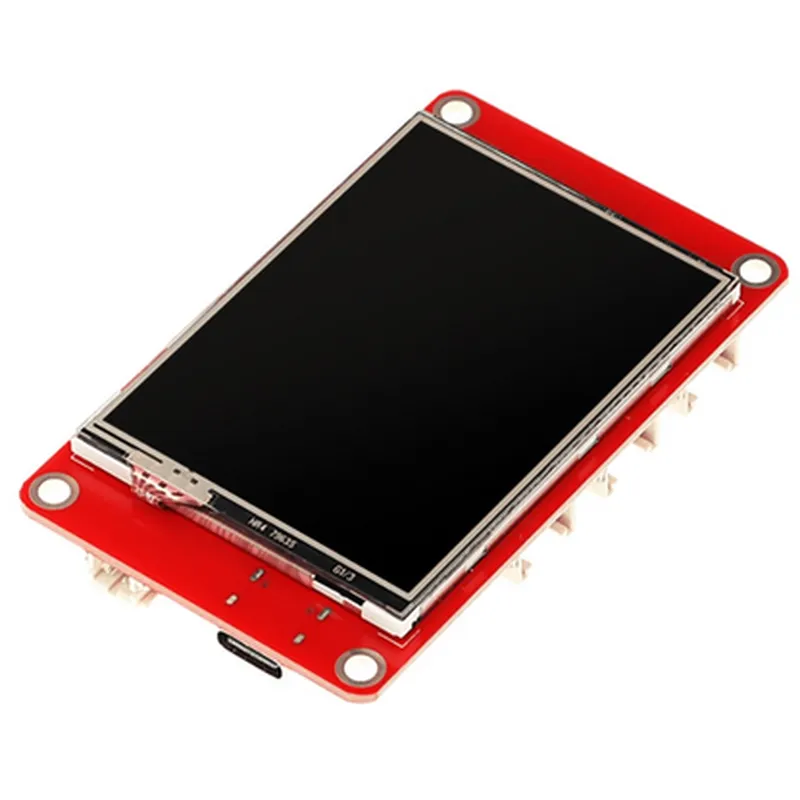
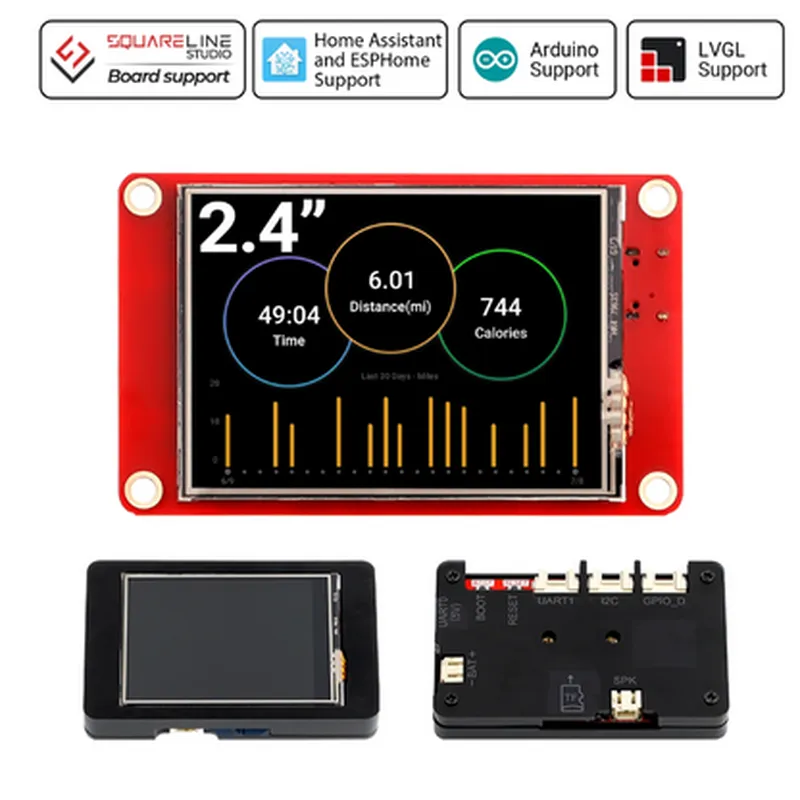
320x240 pixels (QVGA)
0.05mm x 0.15mm
| 4 | 3 |
80/80/60/60 (U/D/L/R)
250 cd/m
| 500 | 1 |
Capacitive touch technology
Support for single-touch and multi-touch gestures
320x240 pixels
Compatible with ESP32 microcontrollers
Supports Arduino and LVGL (Light and Versatile Graphics Library) frameworks
SPI (Serial Peripheral Interface) bus for communication with the microcontroller
Supports 3-wire or 4-wire SPI modes
Integrated power supply voltage regulator (3.3V)
Built-in LED backlight with adjustable brightness
Supports 65K colors
-20C to 70C
Functionality
| This display module is designed to facilitate the development of interactive applications with a user-friendly interface. The capacitive touch screen allows users to interact with the device by tapping, swiping, and pinching on the screen. The high-resolution color TFT LCD screen displays graphics, images, and text with high clarity, making it suitable for a wide range of applications, including |
Advantages
Applications
| This display module is suitable for a wide range of applications, including |
In conclusion, the ELECROW 2.4"-ESP32 HMI 320x240 SPI TFT LCD Touch Screen is a versatile display module that provides a comprehensive HMI solution for IoT and interactive projects. Its high-resolution color display, capacitive touch functionality, and microcontroller compatibility make it an ideal choice for a wide range of applications.
ELECROW 2.4"-ESP32 HMI 320x240 SPI TFT LCD Touch Screen - Arduino/LVGL CompatibleOverviewThe ELECROW 2.4"-ESP32 HMI 320x240 SPI TFT LCD Touch Screen is a compact, high-resolution display module designed for IoT and embedded system applications. It features a 2.4-inch SPI TFT LCD display with a resolution of 320x240 pixels and a capacitive touch screen. The module is compatible with Arduino and LVGL, making it an ideal choice for various projects, from simple prototyping to complex industrial applications.Technical SpecificationsDisplay Type: 2.4" SPI TFT LCD
Resolution: 320x240 pixels
Touch Screen: Capacitive
Interface: SPI
Compatible with: Arduino, LVGL, ESP32
Operating Temperature: -20C to 70C
Storage Temperature: -30C to 80CPinoutsThe module has a 14-pin interface, which includes:VCC: 3.3V power supply
GND: Ground
SCLK: SPI clock
MOSI: SPI data out
MISO: SPI data in
CS: SPI chip select
DC: Data/command select
RESET: Reset pin
TFT_LED: Backlight control
TOUCH_CS: Touch screen chip select
TOUCH_IRQ: Touch screen interrupt
TOUCH_CLK: Touch screen clockCode ExamplesHere are three code examples demonstrating how to use the ELECROW 2.4"-ESP32 HMI 320x240 SPI TFT LCD Touch Screen with Arduino and LVGL:Example 1: Basic Display Initialization and Drawing (Arduino)
```c
#include <TFT_eSPI.h>TFT_eSPI tft = TFT_eSPI();void setup() {
tft.begin();
tft.setRotation(1); // Rotate the display 90 degrees
tft.fillScreen(TFT_BLACK); // Clear the screen
tft.setTextColor(TFT_WHITE);
tft.setTextSize(2);
tft.setCursor(10, 10);
tft.println("Hello, World!");
}void loop() {
// Nothing to do here
}
```
This example initializes the display, sets the rotation to 90 degrees, clears the screen, and prints a "Hello, World!" message to the display.Example 2: Touch Screen Calibration and Event Handling (LVGL)
```c
#include <lvgl.h>
#include <lv_driver_hal.h>LV DISP_BUF_t disp_buf;
lv_indev_t indev;void lv_init(void) {
lv_init_disp_buf(&disp_buf, NULL, 320 sizeof(lv_color_t));
lv_disp_drv_init(&disp_drv);
disp_drv.disp_buf = &disp_buf;
lv_disp_drv_register(&disp_drv);
lv_indev_init(&indev);
lv_indev_set_type(&indev, LV_INDEV_TYPE_POINTER);
lv_indev_read_cb_t read_cb;
read_cb = NULL;
lv_indev_set_read_cb(&indev, read_cb);
lv_indev_register(&indev);
}int main(void) {
lv_init();
lv_obj_t label = lv_label_create(lv_scr_act());
lv_label_set_text(label, "Touch me!");
while(1) {
lv_task_handler();
}
return 0;
}
```
This example initializes the LVGL library, sets up the display buffer, and registers the touch screen input device. It then creates a label on the screen with the text "Touch me!" and enters an event loop to handle touch events.Example 3: Displaying Graphics and Handling Touch Events (Arduino)
```c
#include <TFT_eSPI.h>
#include <WiFi.h>WiFiClient client;
TFT_eSPI tft = TFT_eSPI();void setup() {
tft.begin();
tft.setRotation(1); // Rotate the display 90 degrees
tft.fillScreen(TFT_BLACK); // Clear the screen
WiFi.begin("your_wifi_ssid", "your_wifi_password");
while (WiFi.status() != WL_CONNECTED) {
delay(1000);
Serial.println("Connecting to WiFi...");
}
Serial.println("Connected to WiFi");
client.setServer("http://example.com/image.jpg", 80);
}void loop() {
int16_t x, y;
uint16_t w, h;
uint16_t data;
// Download an image from the internet
client.print("GET /image.jpg HTTP/1.1
");
client.print("Host: example.com
");
client.print("Connection: close
");
// Read the image data
uint8_t imageData[1024];
int bytesRead = 0;
while (client.available()) {
bytesRead += client.read(imageData, 1024);
}
// Create a bitmap from the image data
data = (uint16_t)imageData;
tft.pushImage(0, 0, 320, 240, data);
// Wait for touch events
while (true) {
if (tft.getTouch(&x, &y)) {
Serial.println("Touch detected at (" + String(x) + ", " + String(y) + ")");
// Handle touch event here
}
}
}
```
This example initializes the display, connects to a WiFi network, downloads an image from the internet, and displays it on the screen. It then enters a loop to wait for touch events and prints the touch coordinates to the serial console when a touch is detected.