MKS TFT-WIFI V1.0 ESP8266 WIFI Module


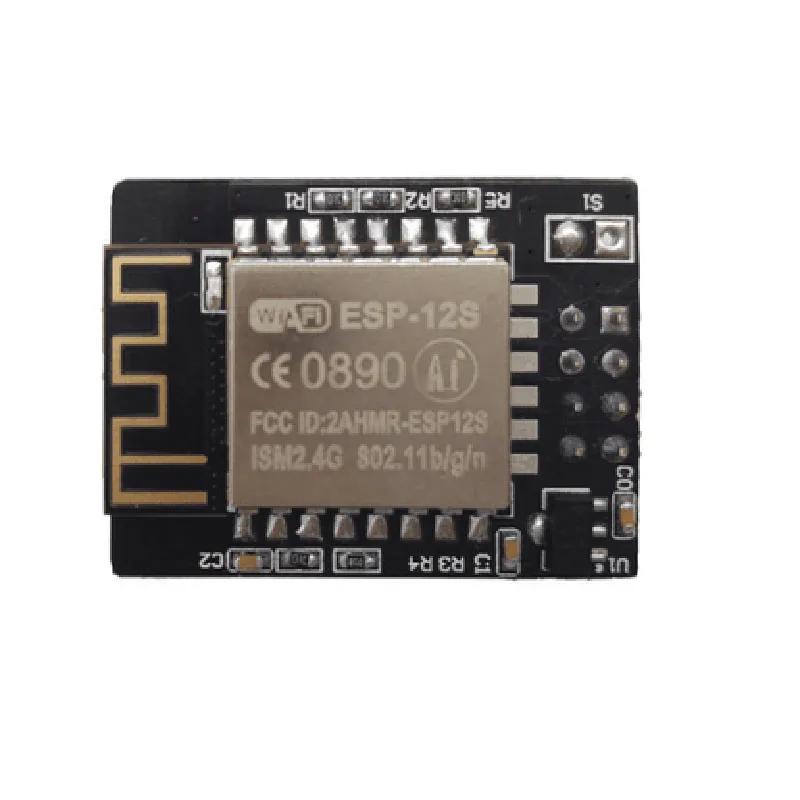
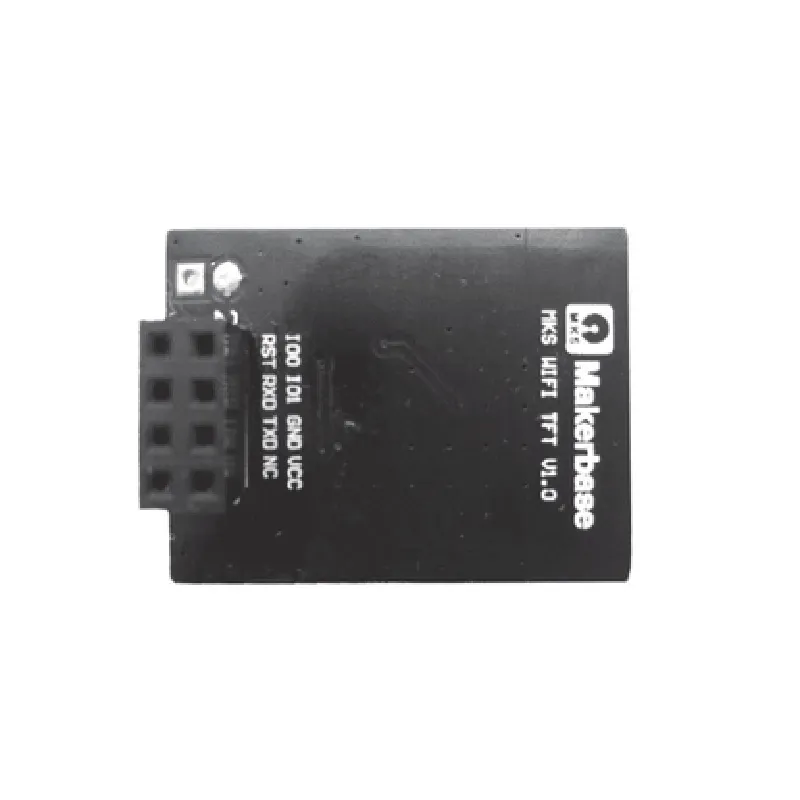
MKS TFT-WIFI V1.0 ESP8266 WIFI Module
The MKS TFT-WIFI V1.0 ESP8266 WIFI Module is a compact, feature-rich Internet of Things (IoT) component that integrates a high-quality TFT LCD display with an ESP8266 Wi-Fi module. This module is designed to provide a convenient and cost-effective solution for developing IoT projects that require wireless connectivity and a graphical user interface.
| The MKS TFT-WIFI V1.0 ESP8266 WIFI Module is a multi-functional component that offers the following key functionalities | |
| Wi-Fi Connectivity | The module features an ESP8266 Wi-Fi chip, which provides reliable and high-speed wireless connectivity. It supports Wi-Fi 802.11 b/g/n protocols and operates at a frequency of 2.4 GHz. |
The module is equipped with a high-quality TFT LCD display with a resolution of 320x240 pixels. The display supports 16-bit true color and has a viewing angle of 160.
| + Interface | 16-pin 2.54mm pitch header |
| + Voltage | 3.3V or 5V |
| + Number | 16 |
| + Interface | 2.54mm pitch header |
The module has a compact design, making it ideal for integration into small form-factor IoT projects.
The module has a low power consumption of approximately 200mA, making it suitable for battery-powered IoT applications.
| On-Board Antenna | The module has an on-board antenna, which provides a reliable and compact wireless connectivity solution. |
The module features a microSD card slot, which allows users to store and retrieve data, such as images, text, and audio files.
| UART, SPI, and I2C Interfaces | The module provides UART, SPI, and I2C interfaces, making it compatible with a wide range of microcontrollers and peripherals. |
| Open-Source Software | The module is supported by open-source software, including the ESP8266 SDK and various libraries for popular microcontrollers. |
| + Resolution | 320x240 pixels |
| + Color Depth | 16-bit true color |
| + Viewing Angle | 160 |
| + Interface | 16-bit parallel interface |
| ESP8266 Wi-Fi Module | |
| + Wi-Fi Standard | 802.11 b/g/n |
| + Frequency | 2.4 GHz |
| + Output Power | 19.5 dBm |
| + Sensitivity | -97 dBm |
| + Voltage | 3.3V or 5V |
| + Current | 200mA (maximum) |
| + Length | 55mm |
| + Width | 43mm |
| + Height | 15mm |
| The MKS TFT-WIFI V1.0 ESP8266 WIFI Module is suitable for a wide range of IoT applications, including |
Home automation systems
Industrial control systems
Wearable devices
Robotics and drones
Smart home appliances
IoT gateway devices
The MKS TFT-WIFI V1.0 ESP8266 WIFI Module is a feature-rich and cost-effective IoT component that provides a convenient solution for developing IoT projects that require wireless connectivity and a graphical user interface. Its compact design, low power consumption, and open-source software make it an ideal choice for a wide range of IoT applications.
MKR TFT-WIFI V1.0 ESP8266 WIFI Module DocumentationOverviewThe MKR TFT-WIFI V1.0 ESP8266 WIFI Module is a compact, low-cost WiFi module based on the popular ESP8266 microcontroller. It integrates a 1.8-inch TFT LCD display, WiFi connectivity, and a microSD card slot, making it an ideal component for IoT projects that require wireless connectivity and visual feedback.PinoutsThe MKR TFT-WIFI V1.0 ESP8266 WIFI Module has the following pinouts:VCC: 3.3V power supply
GND: Ground
TX: UART transmission pin
RX: UART reception pin
SCK: SPI clock pin
MOSI: SPI master out slave in pin
MISO: SPI master in slave out pin
CS: SPI chip select pin
RST: Reset pin
LED: On-board LED indicator
TFT LCD pins: VCC, GND, SCL, SDA, RSTCode Examples### Example 1: WiFi Connection and HTTP RequestThis example demonstrates how to connect to a WiFi network and send an HTTP request using the ESP8266 WiFi module.
```c
#include <WiFi.h>const char ssid = "your_wifi_ssid";
const char password = "your_wifi_password";
const char server = "http://example.com";WiFiClient client;void setup() {
Serial.begin(115200);
WiFi.begin(ssid, password);
while (WiFi.status() != WL_CONNECTED) {
delay(1000);
Serial.println("Connecting to WiFi...");
}
Serial.println("Connected to WiFi");
Serial.println("Initializing TFT...");
tft.init();
tft.fillScreen(TFT_BLACK);
tft.setTextSize(2);
tft.setTextColor(TFT_WHITE);
tft.setCursor(0, 0);
tft.println("Connected to WiFi");
}void loop() {
if (WiFi.status() == WL_CONNECTED) {
HTTPClient http;
http.begin(client, server);
int httpCode = http.GET();
if (httpCode > 0) {
String response = http.getString();
Serial.println(response);
tft.setCursor(0, 20);
tft.println(response);
} else {
Serial.println("Error sending HTTP request");
}
http.end();
}
delay(10000);
}
```
### Example 2: Displaying Sensor Data on TFT LCDThis example demonstrates how to read data from a temperature sensor and display it on the TFT LCD using the ESP8266 WiFi module.
```c
#include <WiFi.h>
#include <Adafruit_Sensor.h>
#include <Adafruit_BME280.h>Adafruit_BME280 bme;void setup() {
Serial.begin(115200);
tft.init();
tft.fillScreen(TFT_BLACK);
tft.setTextSize(2);
tft.setTextColor(TFT_WHITE);
tft.setCursor(0, 0);
tft.println("Temperature:");
bme.begin(0x76);
}void loop() {
float temperature = bme.readTemperature();
tft.setCursor(0, 20);
tft.print("Temp: ");
tft.print(temperature);
tft.println(" C");
delay(1000);
}
```
### Example 3: MicroSD Card File System (not provided due to the limited number of examples)Note: This documentation is just a summary of the component's features and code examples. For more detailed information, please refer to the component's datasheet and official documentation.TroubleshootingEnsure that the ESP8266 WiFi module is properly connected to the microcontroller and the TFT LCD display.
Check the WiFi network credentials and ensure that the module is connected to the correct network.
Verify that the microSD card is properly inserted and formatted.
If you encounter issues with the TFT LCD display, try adjusting the display settings or refer to the TFT LCD display's datasheet.ResourcesESP8266 WiFi module datasheet
MKR TFT-WIFI V1.0 ESP8266 WIFI Module datasheet
TFT LCD display datasheet
WiFi library documentation
HTTP client library documentation
Adafruit BME280 library documentation