10 Bit WS2812 5050 RGB LED


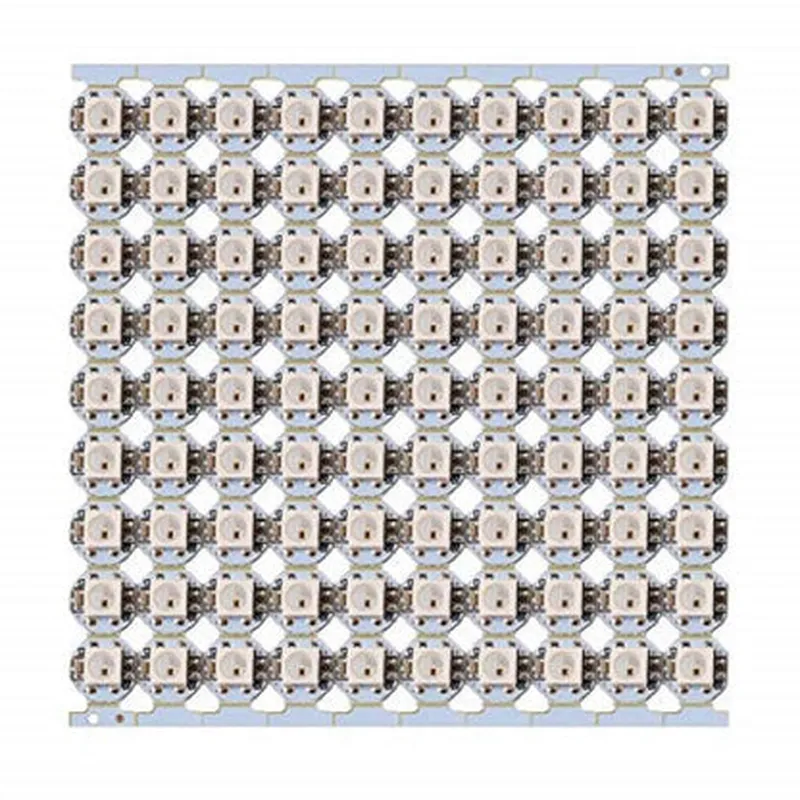
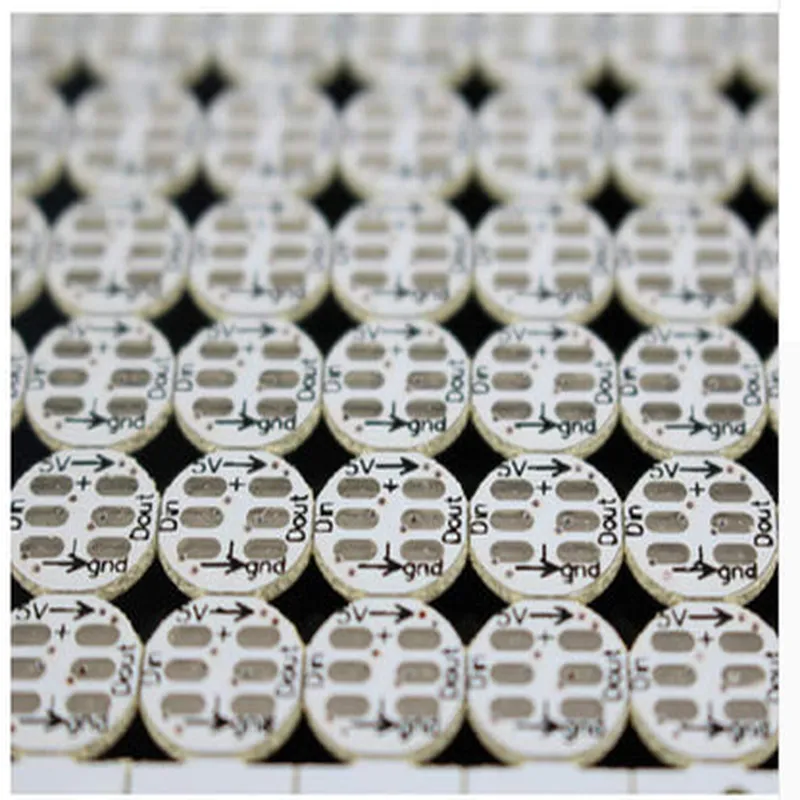
10 Bit WS2812 5050 RGB LED
The 10 Bit WS2812 5050 RGB LED is a compact, surface-mount LED component that integrates a high-brightness 5050 RGB LED, a WS2812 constant current driver, and a capacitor into a single package. This component is designed to provide a compact, easy-to-use solution for RGB LED lighting applications in various Internet of Things (IoT) devices, wearable electronics, and other embedded systems.
The WS2812 5050 RGB LED is a digitally addressable LED component that can be controlled using a single-wire communication protocol. The component receives data from a microcontroller or other digital signal source and adjusts the intensity and color of the LED accordingly. The WS2812 driver IC internally generates the necessary PWM (Pulse-Width Modulation) signals to control the LED's brightness and color.
| The 10 Bit WS2812 5050 RGB LED is suitable for various applications, including |
IoT devices and wearable electronics
LED displays and signage
RGB lighting systems
Advertising displays
Stage lighting and effects
Home automation systems
3.5 V to 5.5 V
15 mA (typical) per color element
20-30 lumens per element (red, green, and blue)
10 bits (1024 levels per color element)
Up to 800 kHz
5.0 mm x 5.0 mm
5050 RGB LED
Power supply input (3.5 V to 5.5 V)
Single-wire data input
Ground connection
By providing a compact, easy-to-use solution for RGB LED lighting applications, the 10 Bit WS2812 5050 RGB LED is an ideal component for various IoT devices and embedded systems.
10 Bit WS2812 5050 RGB LED Component DocumentationOverviewThe 10 Bit WS2812 5050 RGB LED is a digital addressable LED strip that allows for precise control over individual LEDs. This component is commonly used in various IoT applications, such as smart lighting, decorative lighting, and ambient lighting.Technical SpecificationsLED Type: 5050 RGB
Bit Depth: 10 bits (1024 levels of brightness)
Color Format: GRB (Green, Red, Blue)
Communication Protocol: One-wire protocol
Voltage: 5V
Current: 18mA per LED (total current depends on the number of LEDs connected).Arduino Example: Basic LED Strip ControlIn this example, we will demonstrate how to control a single 10 Bit WS2812 5050 RGB LED strip using an Arduino board.```cpp
#include <FastLED.h>#define LED_PIN 6 // Pin connected to the LED strip
#define NUM_LEDS 10 // Number of LEDs in the stripCRGB leds[NUM_LEDS];void setup() {
FastLED.addLeds<WS2812, LED_PIN, GRB>(leds, NUM_LEDS);
}
void loop() {
// Set the color of the first LED to red
leds[0].setRGB(255, 0, 0);
// Set the color of the second LED to green
leds[1].setRGB(0, 255, 0);
// Set the color of the third LED to blue
leds[2].setRGB(0, 0, 255);
// Update the LED strip
FastLED.show();
delay(1000); // Wait 1 second before updating again
}
```Raspberry Pi (Python) Example: LED Strip Pattern AnimationIn this example, we will demonstrate how to control a 10 Bit WS2812 5050 RGB LED strip using a Raspberry Pi and animate a pattern on the strip.```python
import time
import board
import neopixel# Initialize the LED strip
pixels = neopixel.NeoPixel(board.D18, 10, pixel_order=neopixel.GRB)while True:
# Rainbow pattern animation
for i in range(10):
pixels[i] = wheel(i 24) # Adjust the color based on the LED position
pixels.show()
time.sleep(0.05) # Wait 50ms before updating againdef wheel(pos):
# Generate a rainbow color based on the position
if pos < 85:
return (pos 3, 255 - pos 3, 0)
elif pos < 170:
pos -= 85
return (255 - pos 3, 0, pos 3)
else:
pos -= 170
return (0, pos 3, 255 - pos 3)
```ESP32 Example: Wi-Fi Controlled LED StripIn this example, we will demonstrate how to control a 10 Bit WS2812 5050 RGB LED strip using an ESP32 board and control it remotely over Wi-Fi using a mobile app.```cpp
#include <WiFi.h>
#include <FastLED.h>#define LED_PIN 5 // Pin connected to the LED strip
#define NUM_LEDS 10 // Number of LEDs in the stripCRGB leds[NUM_LEDS];// Wi-Fi credentials
const char ssid = "your_wifi_ssid";
const char password = "your_wifi_password";WiFiServer server(80);void setup() {
Serial.begin(115200);// Connect to Wi-Fi
WiFi.begin(ssid, password);
while (WiFi.status() != WL_CONNECTED) {
delay(1000);
Serial.println("Connecting to Wi-Fi...");
}
Serial.println("Connected to Wi-Fi");
server.begin();FastLED.addLeds<WS2812, LED_PIN, GRB>(leds, NUM_LEDS);
}void loop() {
WiFiClient client = server.available();if (client) {
String request = client.readStringUntil('
');
if (request.indexOf("/red") != -1) {
// Set the color of the LED strip to red
for (int i = 0; i < NUM_LEDS; i++) {
leds[i].setRGB(255, 0, 0);
}
FastLED.show();
} else if (request.indexOf("/green") != -1) {
// Set the color of the LED strip to green
for (int i = 0; i < NUM_LEDS; i++) {
leds[i].setRGB(0, 255, 0);
}
FastLED.show();
} else if (request.indexOf("/blue") != -1) {
// Set the color of the LED strip to blue
for (int i = 0; i < NUM_LEDS; i++) {
leds[i].setRGB(0, 0, 255);
}
FastLED.show();
}
client.stop();
}
}
```Note: The above examples are basic demonstrations of how to use the 10 Bit WS2812 5050 RGB LED component. You may need to adjust the code to fit your specific project requirements.