Stufin
Home Quick Cart Profile

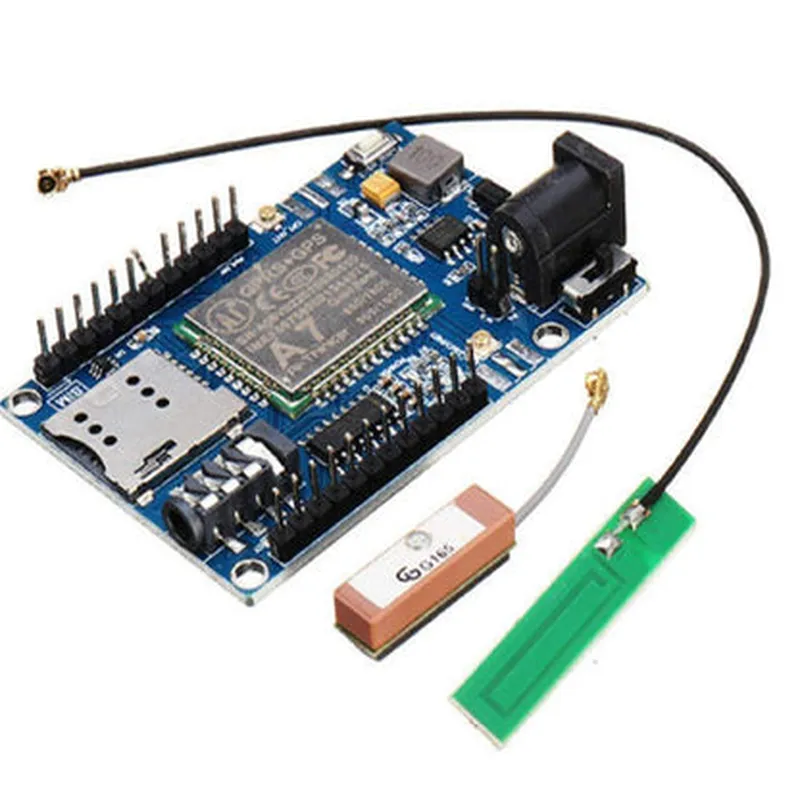
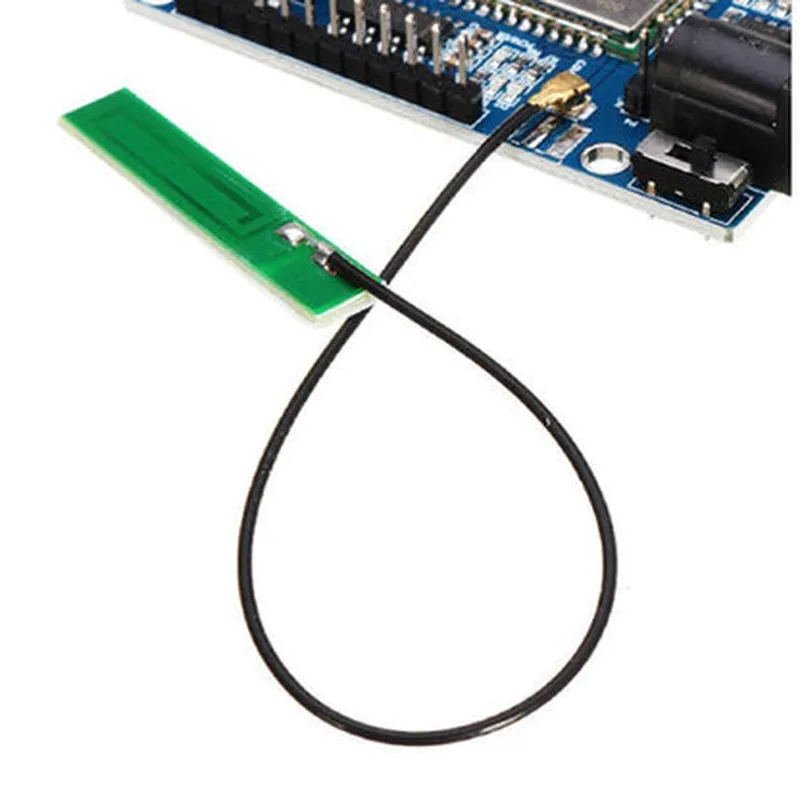
Wireless Module A7 GSM GPRS GPS

Buy Now on Stufin

Pin Configuration

  • Wireless Module A7 GSM GPRS GPS Documentation
  • Pin Description
  • The Wireless Module A7 GSM GPRS GPS has a total of 32 pins, which can be divided into several functional categories. Here is a detailed explanation of each pin:
  • Power Supply Pins
  • 1. VBAT (Pin 1): This pin is connected to the battery positive terminal. The recommended voltage range is 3.5V to 4.5V.
  • 2. GND (Pin 2): This pin is connected to the ground of the system.
  • SIM Card Interface Pins
  • 3. VSIM (Pin 3): This pin is connected to the SIM card voltage supply. The recommended voltage range is 1.8V to 3.3V.
  • 4. RST (Pin 4): This pin is used to reset the SIM card.
  • 5. CLK (Pin 5): This pin is the clock signal for the SIM card interface.
  • 6. DOUT (Pin 6): This pin is the data out signal from the SIM card.
  • 7. DIN (Pin 7): This pin is the data in signal to the SIM card.
  • GSM/GPRS Interface Pins
  • 8. MICP (Pin 8): This pin is connected to the microphone positive terminal.
  • 9. MICN (Pin 9): This pin is connected to the microphone negative terminal.
  • 10. SPKP (Pin 10): This pin is connected to the speaker positive terminal.
  • 11. SPKN (Pin 11): This pin is connected to the speaker negative terminal.
  • 12. ANT (Pin 12): This pin is connected to the GSM/GPRS antenna.
  • GPS Interface Pins
  • 13. GPSON (Pin 13): This pin is used to enable or disable the GPS module.
  • 14. GPSRX (Pin 14): This pin is the GPS receiver data input.
  • 15. GPSTX (Pin 15): This pin is the GPS transmitter data output.
  • 16. ANT_GPS (Pin 16): This pin is connected to the GPS antenna.
  • Serial Interface Pins
  • 17. TXD (Pin 17): This pin is the serial transmission data output.
  • 18. RXD (Pin 18): This pin is the serial reception data input.
  • 19. RTS (Pin 19): This pin is the request to send signal for serial communication.
  • 20. CTS (Pin 20): This pin is the clear to send signal for serial communication.
  • Reset and Status Pins
  • 21. RST (Pin 21): This pin is used to reset the module.
  • 22. PWRKEY (Pin 22): This pin is used to turn on or off the module.
  • 23. STATUS (Pin 23): This pin is used to indicate the module's status.
  • Miscellaneous Pins
  • 24. ADC_IN (Pin 24): This pin is an analog-to-digital converter input.
  • 25. DAC_OUT (Pin 25): This pin is a digital-to-analog converter output.
  • 26. IO1 (Pin 26): This pin is a general-purpose input/output pin.
  • 27. IO2 (Pin 27): This pin is a general-purpose input/output pin.
  • 28. IO3 (Pin 28): This pin is a general-purpose input/output pin.
  • 29. IO4 (Pin 29): This pin is a general-purpose input/output pin.
  • Reserved Pins
  • 30. NC (Pin 30): This pin is not connected and should be left unconnected.
  • 31. NC (Pin 31): This pin is not connected and should be left unconnected.
  • 32. NC (Pin 32): This pin is not connected and should be left unconnected.
  • Connection Structure
  • To connect the Wireless Module A7 GSM GPRS GPS, follow these steps:
  • 1. Connect the power supply pins:
  • VBAT (Pin 1) to the battery positive terminal (3.5V to 4.5V).
  • GND (Pin 2) to the ground of the system.
  • 2. Connect the SIM card interface pins:
  • VSIM (Pin 3) to the SIM card voltage supply (1.8V to 3.3V).
  • RST (Pin 4) to the SIM card reset signal.
  • CLK (Pin 5) to the SIM card clock signal.
  • DOUT (Pin 6) to the SIM card data out signal.
  • DIN (Pin 7) to the SIM card data in signal.
  • 3. Connect the GSM/GPRS interface pins:
  • MICP (Pin 8) to the microphone positive terminal.
  • MICN (Pin 9) to the microphone negative terminal.
  • SPKP (Pin 10) to the speaker positive terminal.
  • SPKN (Pin 11) to the speaker negative terminal.
  • ANT (Pin 12) to the GSM/GPRS antenna.
  • 4. Connect the GPS interface pins:
  • GPSON (Pin 13) to the GPS module enable or disable signal.
  • GPSRX (Pin 14) to the GPS receiver data input.
  • GPSTX (Pin 15) to the GPS transmitter data output.
  • ANT_GPS (Pin 16) to the GPS antenna.
  • 5. Connect the serial interface pins:
  • TXD (Pin 17) to the serial transmission data output.
  • RXD (Pin 18) to the serial reception data input.
  • RTS (Pin 19) to the request to send signal for serial communication.
  • CTS (Pin 20) to the clear to send signal for serial communication.
  • 6. Connect the reset and status pins:
  • RST (Pin 21) to the module reset signal.
  • PWRKEY (Pin 22) to the module power key signal.
  • STATUS (Pin 23) to the module status indicator.
  • 7. Connect any additional pins as required by your application.
  • Remember to consult the datasheet and user manual for specific connection requirements and recommendations for your application.

Code Examples

Wireless Module A7 GSM GPRS GPS Documentation
Overview
The Wireless Module A7 GSM GPRS GPS is a versatile IoT component that integrates GSM, GPRS, and GPS capabilities into a single module. This module allows developers to create IoT projects that require cellular connectivity, location tracking, and wireless communication. It is compatible with a wide range of microcontrollers and development boards.
Hardware Specifications
GSM/GPRS: Quad-band support (850/900/1800/1900 MHz)
 GPS: supports GPS, GLONASS, and GALILEO satellite systems
 Interface: UART, USB, and GPIO
 Power supply: 5V
 Operating temperature: -40C to 85C
Software Features
Supports SMS, MMS, and USSD
 GPRS class 10 with up to 85.6 kbps download and 42.8 kbps upload speeds
 GPS with NMEA protocol support
 AT command set for configuration and control
Code Examples
### Example 1: Send SMS using Arduino
This example demonstrates how to use the Wireless Module A7 GSM GPRS GPS to send an SMS using an Arduino board.
```c++
#include <SoftwareSerial.h>
#define GSM_RX 2
#define GSM_TX 3
SoftwareSerial gsm(GSM_RX, GSM_TX);
void setup() {
  gsm.begin(9600);
  Serial.begin(9600);
// Initialize the GSM module
  gsm.println("AT");
  delay(1000);
  gsm.println("AT+CMGF=1");
  delay(1000);
}
void loop() {
  String smsText = "Hello from Arduino!";
  String phoneNumber = "+1234567890";
// Set the SMS message
  gsm.println("AT+CMGS=""" + phoneNumber + """");
  delay(1000);
// Send the SMS
  gsm.println(smsText);
  delay(1000);
// Send the SMS termination character
  gsm.println((char)26);
  delay(1000);
}
```
### Example 2: Get GPS Coordinates using Python and Raspberry Pi
This example demonstrates how to use the Wireless Module A7 GSM GPRS GPS to retrieve GPS coordinates using a Raspberry Pi and Python.
```python
import serial
# Initialize the serial connection
ser = serial.Serial('/dev/ttyUSB0', 9600)
# Send the GPS initialization command
ser.write(b'AT+CGPS=1,1
')
# Read the GPS data
while True:
    response = ser.readline().decode()
    if response.startswith('$GNGGA'):
        # Parse the GPS data
        gps_data = response.split(',')
        latitude = gps_data[2]
        longitude = gps_data[4]
        altitude = gps_data[9]
        print(f'Latitude: {latitude}, Longitude: {longitude}, Altitude: {altitude}')
```
### Example 3: Establish a GPRS Connection using AT Commands
This example demonstrates how to use the Wireless Module A7 GSM GPRS GPS to establish a GPRS connection using AT commands.
```bash
# Initialize the GPRS connection
AT+SAPBR=3,1,"CONTYPE","GPRS"
# Set the APN
AT+SAPBR=3,1,"APN","internet"
# Set the username and password
AT+SAPBR=3,1,"USER","username"
AT+SAPBR=3,1,"PWD","password"
# Establish the GPRS connection
AT+SAPBR=1,1
# Check the GPRS connection status
AT+SAPBR=2,1
```
These examples demonstrate the versatility of the Wireless Module A7 GSM GPRS GPS and its ability to integrate with various platforms and programming languages.