Stufin
Home Quick Cart Profile

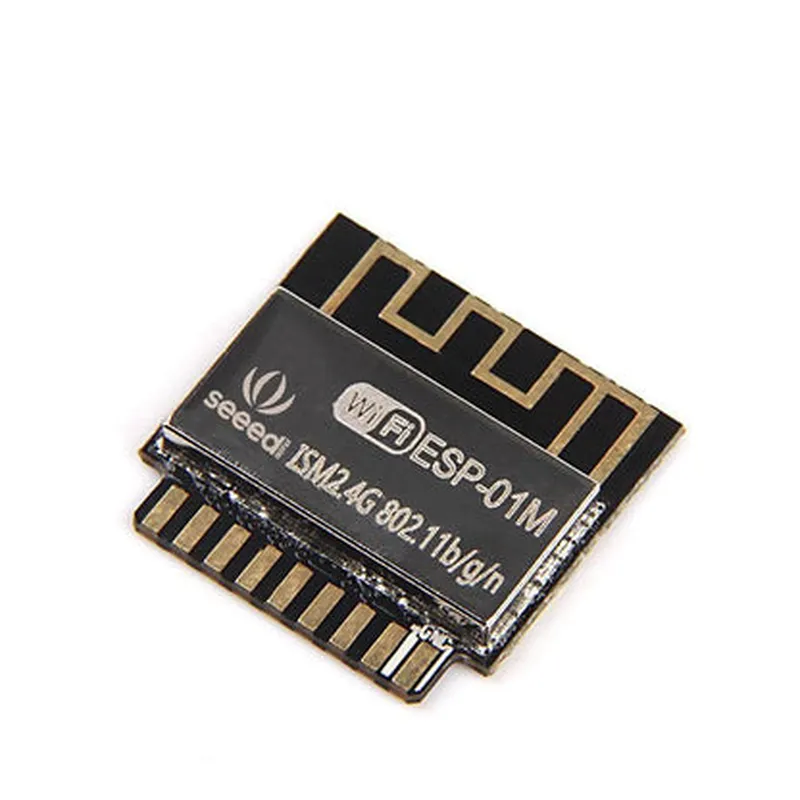
ESP8285 Wi-Fi SoC Module

Buy Now on Stufin

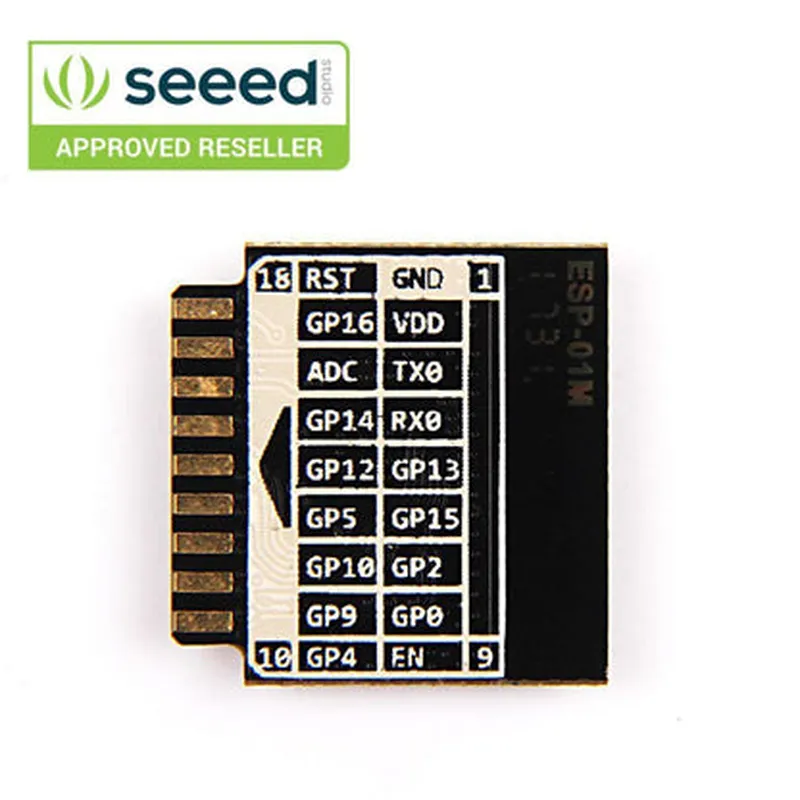
Pin Configuration

  • ESP8285 Wi-Fi SoC Module Pinout Explanation
  • The ESP8285 Wi-Fi SoC Module is a compact, low-power, and highly integrated Wi-Fi system-on-chip (SoC) module. It has a total of 24 pins, which are explained in detail below:
  • Pins 1-3: VCC, GND, and RST
  • VCC (Pin 1): Power supply pin, typically connected to a 3.3V power source. Ensure the voltage supply is within the recommended range of 2.2V to 3.6V.
  • GND (Pin 2): Ground pin, connected to the ground plane of the PCB or the negative terminal of the power source.
  • RST (Pin 3): Reset pin, active low. Connect a 10k pull-up resistor to VCC and a capacitor (e.g., 100nF) from RST to GND for proper reset functionality.
  • Pins 4-7: GPIOs
  • GPIO0 (Pin 4): General-purpose input/output pin, can be used as an input, output, or for specific functions like wake-up, strap, or SPI flash interface.
  • GPIO1 (Pin 5): General-purpose input/output pin, can be used as an input, output, or for specific functions like wake-up, strap, or SPI flash interface.
  • GPIO2 (Pin 6): General-purpose input/output pin, can be used as an input, output, or for specific functions like wake-up, strap, or SPI flash interface.
  • GPIO3 (Pin 7): General-purpose input/output pin, can be used as an input, output, or for specific functions like wake-up, strap, or SPI flash interface.
  • Pins 8-11: SPI Flash Interface
  • CS (Pin 8): Chip select pin for SPI flash interface.
  • CLK (Pin 9): Clock pin for SPI flash interface.
  • MOSI (Pin 10): Master out, slave in pin for SPI flash interface.
  • MISO (Pin 11): Master in, slave out pin for SPI flash interface.
  • Pins 12-15: UART Interface
  • RX (Pin 12): Receive pin for UART interface.
  • TX (Pin 13): Transmit pin for UART interface.
  • CTS (Pin 14): Clear to send pin for UART interface.
  • RTS (Pin 15): Request to send pin for UART interface.
  • Pins 16-19: ADC and DAC
  • A0 (Pin 16): Analog-to-digital converter input 0.
  • A1 (Pin 17): Analog-to-digital converter input 1.
  • A2 (Pin 18): Analog-to-digital converter input 2.
  • DAC (Pin 19): Digital-to-analog converter output.
  • Pins 20-22: Antenna and Shield
  • ANT (Pin 20): Antenna pin, connects to the Wi-Fi antenna.
  • SHD (Pin 21): Shield pin, connects to the Wi-Fi shield or GND.
  • NC (Pin 22): Not connected, reserved for internal use.
  • Pin 23: EN
  • EN (Pin 23): Enable pin, active high. Connect to VCC through a 10k pull-up resistor to enable the module.
  • Pin 24: GND
  • GND (Pin 24): Ground pin, connected to the ground plane of the PCB or the negative terminal of the power source.
  • connection structure:
  • When connecting the ESP8285 Wi-Fi SoC Module to your project, ensure that:
  • VCC and GND pins are connected to a stable 3.3V power source and ground plane, respectively.
  • RST pin is connected to a 10k pull-up resistor to VCC and a capacitor (e.g., 100nF) to GND.
  • GPIO pins are connected to the corresponding peripherals or components according to your project's requirements.
  • SPI flash interface pins (CS, CLK, MOSI, and MISO) are connected to an external SPI flash chip (if required).
  • UART interface pins (RX, TX, CTS, and RTS) are connected to a serial communication device or a UART-to-USB converter.
  • ADC and DAC pins (A0, A1, A2, and DAC) are connected to sensors, potentiometers, or other analog devices according to your project's requirements.
  • ANT pin is connected to a Wi-Fi antenna.
  • SHD pin is connected to the Wi-Fi shield or GND.
  • EN pin is connected to VCC through a 10k pull-up resistor to enable the module.
  • Remember to follow proper circuit design and layout guidelines to ensure reliable operation and to prevent electromagnetic interference (EMI).

Code Examples

ESP8285 Wi-Fi SoC Module Documentation
Overview
The ESP8285 Wi-Fi SoC Module is a low-power, low-cost, and highly integrated Wi-Fi system-on-chip (SoC) module designed for Internet of Things (IoT) applications. It provides a robust and reliable Wi-Fi connection, making it an ideal solution for IoT devices that require wireless connectivity.
Technical Specifications
Microcontroller: Tensilica LX6 32-bit RISC processor
 Wi-Fi Protocol: 802.11 b/g/n
 Frequency Range: 2.4 GHz
 Transmission Power: up to 20 dBm
 Receive Sensitivity: up to -96 dBm
 Interface: UART, SPI, I2C, I2S, PWM, and GPIO
 Power Supply: 3.3V
 Power Consumption: up to 200 mA (transmitting), up to 5 mA (receiving)
Code Examples
### Example 1: Connecting to a Wi-Fi Network using Arduino IDE
This example demonstrates how to connect the ESP8285 Wi-Fi SoC Module to a Wi-Fi network using the Arduino IDE.
```cpp
#include <WiFi.h>
const char ssid = "your_wifi_ssid";  // Replace with your Wi-Fi SSID
const char password = "your_wifi_password";  // Replace with your Wi-Fi password
void setup() {
  Serial.begin(115200);
  WiFi.begin(ssid, password);
  while (WiFi.status() != WL_CONNECTED) {
    delay(1000);
    Serial.println("Connecting to Wi-Fi...");
  }
  Serial.println("Connected to Wi-Fi");
  Serial.println("IP address: ");
  Serial.println(WiFi.localIP());
}
void loop() {
  // Your application code here
}
```
### Example 2: Sending Data to a Web Server using ESP8285 as a Client
This example demonstrates how to send data to a web server using the ESP8285 Wi-Fi SoC Module as a client.
```cpp
#include <WiFi.h>
#include <WiFiClient.h>
const char ssid = "your_wifi_ssid";  // Replace with your Wi-Fi SSID
const char password = "your_wifi_password";  // Replace with your Wi-Fi password
const char serverUrl = "http://example.com/data";  // Replace with your web server URL
WiFiClient client;
void setup() {
  Serial.begin(115200);
  WiFi.begin(ssid, password);
  while (WiFi.status() != WL_CONNECTED) {
    delay(1000);
    Serial.println("Connecting to Wi-Fi...");
  }
  Serial.println("Connected to Wi-Fi");
}
void loop() {
  if (WiFi.status() == WL_CONNECTED) {
    if (client.connect(serverUrl, 80)) {
      String sendData = "data=temperature&value=25.5";
      client.println("POST " + String(serverUrl) + " HTTP/1.1");
      client.println("Host: " + String(serverUrl));
      client.println("Content-Type: application/x-www-form-urlencoded");
      client.println("Content-Length: " + String(sendData.length()));
      client.println();
      client.print(sendData);
      client.stop();
    } else {
      Serial.println("Failed to connect to server");
    }
  }
  delay(5000);
}
```
### Example 3: Creating a Simple Web Server using ESP8285 (using MicroPython)
This example demonstrates how to create a simple web server using the ESP8285 Wi-Fi SoC Module with MicroPython.
```python
import network
import socket
# Initialize Wi-Fi
sta_if = network.WLAN(network.STA_IF)
sta_if.active(True)
sta_if.connect("your_wifi_ssid", "your_wifi_password")
# Create a socket object
sock = socket.socket(socket.AF_INET, socket.SOCK_STREAM)
# Bind the socket to a address and port
sock.bind(('', 80))
# Listen for incoming connections
sock.listen(5)
print("Web server started on port 80")
while True:
    conn, addr = sock.accept()
    request = conn.recv(1024)
    response = "HTTP/1.1 200 OK
Content-Type: text/html

" + "<h1>Hello, World!</h1>"
    conn.send(response)
    conn.close()
```
Note: These examples are for demonstration purposes only and may require modifications to suit your specific use case. Ensure to update the Wi-Fi SSID, password, and server URL as needed.