24.5 mm x 24.5 mm x 3.5 mm


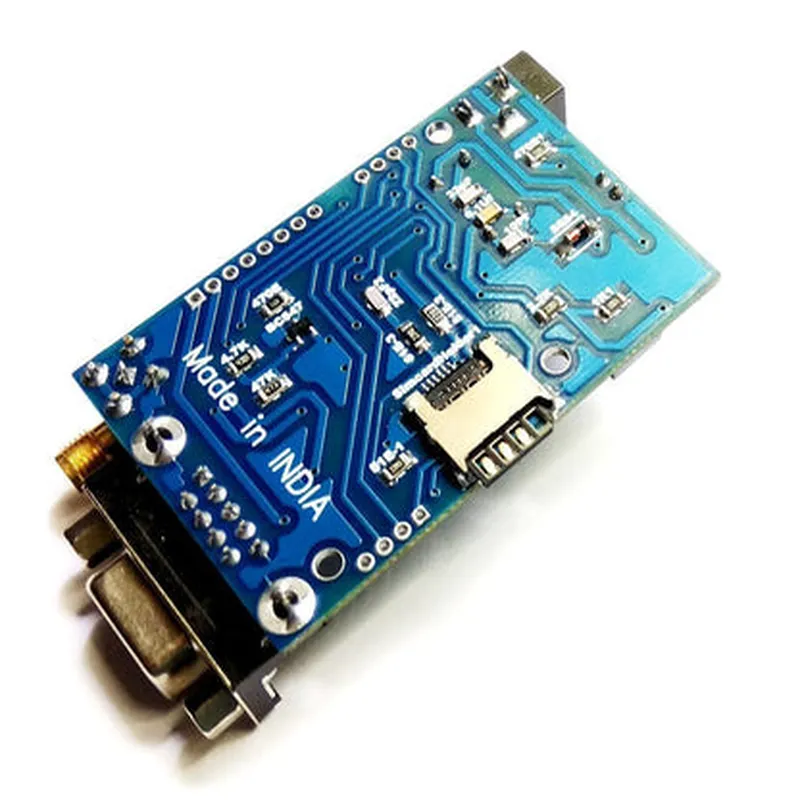
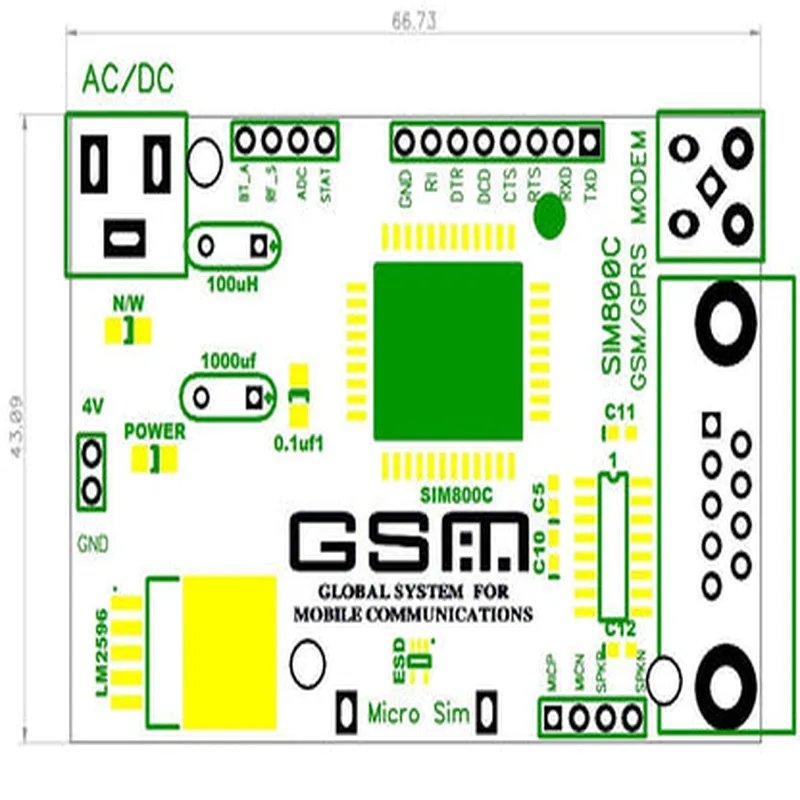
24.5 mm x 24.5 mm x 3.5 mm
Approximately 5 grams
Quad-band (850 MHz, 900 MHz, 1800 MHz, and 1900 MHz)
Up to 85.6 kbps
3.4V to 4.5V
typical 1.5mA (Idle), 300mA (Transmitting)
-40C to 85C
-45C to 125C
5% to 95% non-condensing
Applications
| The Sim 800C GSM Modem with Battery is suitable for a wide range of IoT applications, including |
M2M communication systems
Remote monitoring and control systems
Industrial automation
Vehicle tracking and fleet management
Smart home and building automation
Wearable devices and IoT-enabled accessories
Sim 800C GSM Modem with Battery DocumentationOverviewThe Sim 800C GSM Modem with Battery is a compact, cost-effective modem that enables wireless communication over GSM networks. It's widely used in IoT applications, such as remote monitoring, tracking, and automation systems. This module comes with a built-in GSM antenna and supports quad-band frequency (850/900/1800/1900 MHz). The module is powered by a rechargeable battery, making it suitable for portable or battery-powered devices.FeaturesQuad-band GSM frequency support (850/900/1800/1900 MHz)
Supports SMS, USSD, and voice calls
Built-in GSM antenna
Rechargeable battery with up to 5 hours of talk time and 200 hours of standby time
Operating voltage: 3.4-4.2V
UART interface for communication with microcontrollers
Small form factor: 24.5mm x 24.5mm x 4.5mmPinout| Pin | Function |
| --- | --- |
| VBAT | Battery voltage input |
| VEXT | External power supply input (optional) |
| GND | Ground |
| TX | UART transmit pin |
| RX | UART receive pin |
| RST | Reset pin |
| PWR | Power on/off control pin |
| ANT | GSM antenna connection |
| MIC | Microphone input |
| SPK | Speaker output |Code Examples### Example 1: Sending an SMS using ArduinoIn this example, we'll use an Arduino Uno board to send an SMS using the Sim 800C GSM Modem.```cpp
#include <SoftwareSerial.h>#define GSM_TX 2
#define GSM_RX 3SoftwareSerial gsmSerial(GSM_TX, GSM_RX);void setup() {
gsmSerial.begin(9600);
pinMode(4, OUTPUT);
digitalWrite(4, HIGH);
delay(1000);
digitalWrite(4, LOW);
delay(1000);
}void loop() {
sendSMS("Your Phone Number", "Hello from Sim 800C!");
delay(10000);
}void sendSMS(String number, String message) {
gsmSerial.println("AT");
delay(1000);
gsmSerial.println("AT+CMGF=1");
delay(1000);
gsmSerial.println("AT+CMGS=""" + number + """");
delay(1000);
gsmSerial.println(message);
delay(1000);
gsmSerial.println((char)26);
delay(1000);
}
```### Example 2: Making a voice call using Python (Raspberry Pi)In this example, we'll use a Raspberry Pi to make a voice call using the Sim 800C GSM Modem.```python
import serial
import time# Initialize the serial connection
gsmSerial = serial.Serial('/dev/ttyUSB0', 9600, timeout=1)def makeCall(number):
gsmSerial.write(b'AT
')
time.sleep(1)
gsmSerial.write(b'ATD' + number.encode() + b';
')
time.sleep(1)# Make a voice call to the specified number
makeCall('Your Phone Number')
```Note: In both examples, replace `'Your Phone Number'` with the actual phone number you want to send the SMS or make the voice call to.ImportantMake sure to provide the correct power supply to the module, and ensure that the antenna is securely connected.
Use a suitable serial terminal or software to communicate with the module, as the baud rate and communication protocol may vary depending on the specific use case.
Consult the module's datasheet and AT command set for more information on how to use the module's features and configure its settings.