Stufin
Home Quick Cart Profile

Raspberry Pi Clear Transparent Case for Raspberry Pi 2 and Raspberry Pi 3


Buy Now on Stufin

Component Name

Raspberry Pi Clear Transparent Case for Raspberry Pi 2 and Raspberry Pi 3
Description

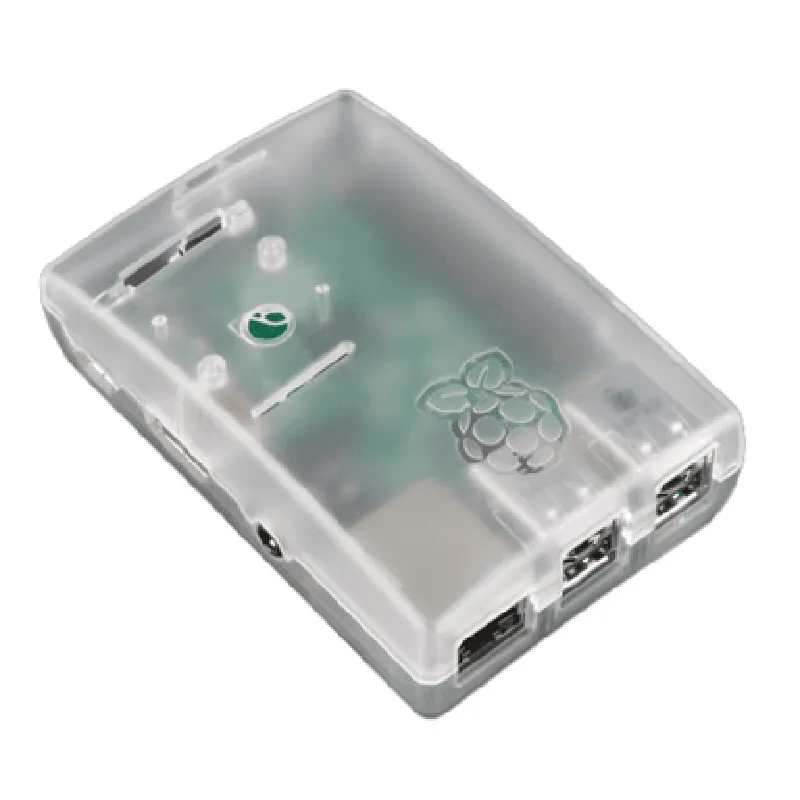
The Raspberry Pi Clear Transparent Case is a high-quality, transparent enclosure designed specifically for the Raspberry Pi 2 and Raspberry Pi 3 single-board computers. This case provides a secure and stylish way to house and protect your Raspberry Pi project, while still allowing for easy access and visibility of the board's components.

Functionality

The primary function of the Raspberry Pi Clear Transparent Case is to provide a protective and aesthetically pleasing enclosure for the Raspberry Pi 2 and Raspberry Pi 3 boards. The case is designed to

Protect the Raspberry Pi board from environmental factors such as dust, moisture, and physical damage

Provide a secure and stable platform for the board, ensuring reliable operation and minimizing the risk of damage or dislodgement

Allow for easy access to the board's components and connectors, making it ideal for prototyping, development, and debugging

Enhance the overall appearance of the Raspberry Pi project, making it suitable for display or deployment in a variety of environments

Key Features

  • Clear Transparent Design: The case is made of a high-quality, transparent plastic material that allows for unobstructed visibility of the Raspberry Pi board and its components.
  • Compatibility: The case is specifically designed to fit the Raspberry Pi 2 and Raspberry Pi 3 boards, ensuring a snug and secure fit.
  • Easy Assembly: The case consists of two parts that can be easily snapped together, making it simple to install and remove the Raspberry Pi board.
  • Ventilation: The case features carefully designed ventilation holes to ensure airflow and heat dissipation, helping to prevent overheating and maintain reliable operation.
  • Access to Ports and Connectors: The case provides cutouts and slots for easy access to the Raspberry Pi board's ports and connectors, including the USB ports, Ethernet port, HDMI port, and more.
  • Durable Construction: The case is made of a high-quality plastic material that is durable and resistant to scratches and cracks, ensuring long-term protection and reliability.
  • Compact Design: The case is designed to be compact and lightweight, making it ideal for a wide range of applications and deployments.

Material

High-quality, transparent plastic

Dimensions

95mm x 65mm x 25mm (approximately)

Weight

50g (approximately)

Compatibility

Raspberry Pi 2 and Raspberry Pi 3 boards

Color

Clear transparent

Applications

The Raspberry Pi Clear Transparent Case is suitable for a wide range of applications, including

Prototyping and development projects

IoT and robotics projects

Media centers and streaming devices

Retro gaming consoles and emulators

Educational and research projects

Industrial automation and control systems

Overall, the Raspberry Pi Clear Transparent Case is an excellent choice for anyone looking to protect and showcase their Raspberry Pi project while maintaining easy access to the board's components and connectors.

Pin Configuration

  • Raspberry Pi Clear Transparent Case for Raspberry Pi 2 and Raspberry Pi 3: Pin Explanation and Connection Guide
  • The Raspberry Pi is a popular single-board computer used in various IoT projects. The Raspberry Pi Clear Transparent Case is a protective enclosure designed specifically for the Raspberry Pi 2 and Raspberry Pi 3 models. In this documentation, we will explain each pin on the Raspberry Pi and provide a step-by-step guide on how to connect them.
  • GPIO Pins (Header P1):
  • The GPIO (General Purpose Input/Output) pins on the Raspberry Pi are located on the top-left side of the board, labeled as Header P1. There are 40 pins in total, divided into two rows of 20 pins each.
  • Here's a breakdown of each GPIO pin:
  • 1. Pin 1: 3V3 Power
  • Power supply pin providing 3.3V output.
  • Connect devices that require 3.3V power, such as sensors or modules.
  • 2. Pin 2: 5V Power
  • Power supply pin providing 5V output.
  • Connect devices that require 5V power, such as motors or peripherals.
  • 3. Pin 3: GPIO 2 (I2C SDA)
  • General-purpose input/output pin.
  • Can be used for I2C (Inter-Integrated Circuit) communication, specifically for the SDA (Serial Data) line.
  • 4. Pin 4: 5V Power
  • Power supply pin providing 5V output.
  • Connect devices that require 5V power, such as motors or peripherals.
  • 5. Pin 5: GPIO 3 (I2C SCL)
  • General-purpose input/output pin.
  • Can be used for I2C communication, specifically for the SCL (Serial Clock) line.
  • 6. Pin 6: GND (Ground)
  • Ground pin, used as a reference point for the circuit.
  • 7. Pin 7: GPIO 4
  • General-purpose input/output pin.
  • 8. Pin 8: GPIO 14 (UART TXD)
  • General-purpose input/output pin.
  • Can be used for UART (Universal Asynchronous Receiver-Transmitter) communication, specifically for transmitting data.
  • 9. Pin 9: GND (Ground)
  • Ground pin, used as a reference point for the circuit.
  • 10. Pin 10: GPIO 15 (UART RXD)
  • General-purpose input/output pin.
  • Can be used for UART communication, specifically for receiving data.
  • 11. Pin 11: GPIO 17
  • General-purpose input/output pin.
  • 12. Pin 12: GPIO 18
  • General-purpose input/output pin.
  • 13. Pin 13: GPIO 27
  • General-purpose input/output pin.
  • 14. Pin 14: GND (Ground)
  • Ground pin, used as a reference point for the circuit.
  • 15. Pin 15: GPIO 22
  • General-purpose input/output pin.
  • 16. Pin 16: GPIO 23
  • General-purpose input/output pin.
  • 17. Pin 17: 3V3 Power
  • Power supply pin providing 3.3V output.
  • Connect devices that require 3.3V power, such as sensors or modules.
  • 18. Pin 18: GPIO 24
  • General-purpose input/output pin.
  • 19. Pin 19: GPIO 10 (SPI MOSI)
  • General-purpose input/output pin.
  • Can be used for SPI (Serial Peripheral Interface) communication, specifically for the MOSI (Master Out Slave In) line.
  • 20. Pin 20: GND (Ground)
  • Ground pin, used as a reference point for the circuit.
  • 21. Pin 21: GPIO 9 (SPI MISO)
  • General-purpose input/output pin.
  • Can be used for SPI communication, specifically for the MISO (Master In Slave Out) line.
  • 22. Pin 22: GPIO 25
  • General-purpose input/output pin.
  • 23. Pin 23: GPIO 11 (SPI SCK)
  • General-purpose input/output pin.
  • Can be used for SPI communication, specifically for the SCK (Serial Clock) line.
  • 24. Pin 24: GPIO 8
  • General-purpose input/output pin.
  • 25. Pin 25: GND (Ground)
  • Ground pin, used as a reference point for the circuit.
  • 26. Pin 26: GPIO 7
  • General-purpose input/output pin.
  • 27. Pin 27: 0V (ID_SD)
  • Reserved for use with the Raspberry Pi's ID_SD pin.
  • 28. Pin 28: 0V (ID_SC)
  • Reserved for use with the Raspberry Pi's ID_SC pin.
  • 29. Pin 29: GPIO 5
  • General-purpose input/output pin.
  • 30. Pin 30: GND (Ground)
  • Ground pin, used as a reference point for the circuit.
  • 31. Pin 31: GPIO 6
  • General-purpose input/output pin.
  • 32. Pin 32: GPIO 12
  • General-purpose input/output pin.
  • 33. Pin 33: GPIO 13
  • General-purpose input/output pin.
  • 34. Pin 34: GND (Ground)
  • Ground pin, used as a reference point for the circuit.
  • 35. Pin 35: GPIO 19
  • General-purpose input/output pin.
  • 36. Pin 36: GPIO 16
  • General-purpose input/output pin.
  • 37. Pin 37: GPIO 26
  • General-purpose input/output pin.
  • 38. Pin 38: GPIO 20
  • General-purpose input/output pin.
  • 39. Pin 39: GND (Ground)
  • Ground pin, used as a reference point for the circuit.
  • 40. Pin 40: GPIO 21
  • General-purpose input/output pin.
  • Other Connectors:
  • In addition to the GPIO pins, the Raspberry Pi has several other connectors:
  • HDMI Connector: Used for connecting HDMI displays or projectors.
  • USB Ports: Used for connecting USB devices, such as keyboards, mice, and storage devices.
  • Ethernet Port: Used for connecting to a wired network.
  • Audio Jack: Used for connecting audio devices, such as headphones or speakers.
  • Camera Interface: Used for connecting the Raspberry Pi camera module.
  • Micro-USB Power Port: Used for powering the Raspberry Pi.
  • Connecting the Pins:
  • When connecting devices to the Raspberry Pi, make sure to:
  • Use the correct pinout diagram to ensure proper connections.
  • Use suitable jumper wires or cables for connecting devices.
  • Avoid connecting devices that require a different voltage or current than what the Raspberry Pi can provide.
  • Use a breadboard or prototyping board to organize and connect components.
  • Remember to always refer to the official Raspberry Pi documentation and the device's datasheet for specific connection requirements and guidelines.

Code Examples

Raspberry Pi Clear Transparent Case for Raspberry Pi 2 and Raspberry Pi 3
Overview
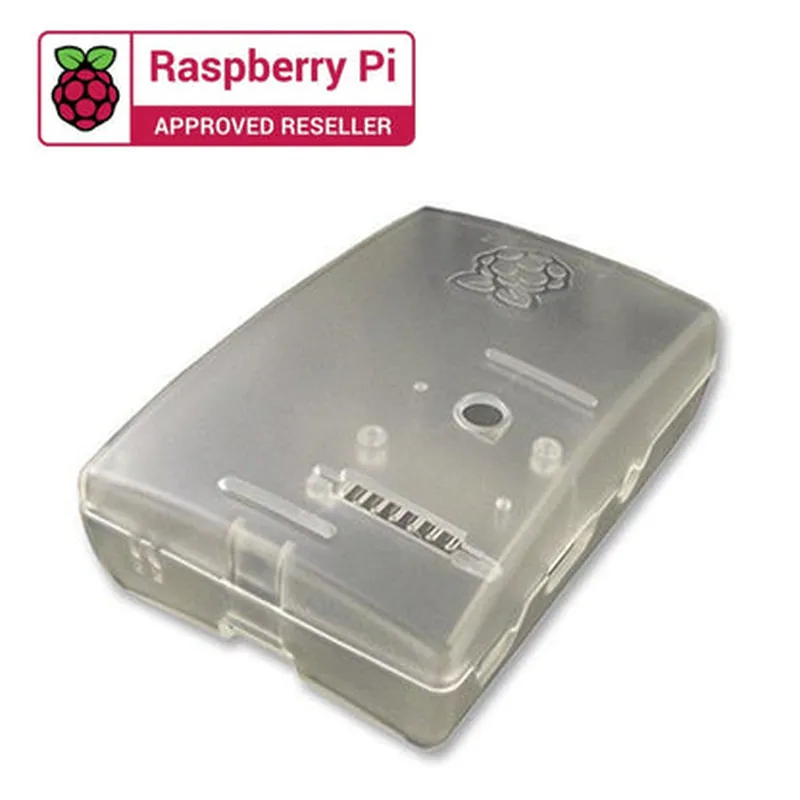
The Raspberry Pi Clear Transparent Case is a protective and aesthetically pleasing enclosure designed specifically for the Raspberry Pi 2 and Raspberry Pi 3 single-board computers. This case provides a clear transparent view of the Raspberry Pi board, making it an excellent choice for DIY projects, prototypes, and demonstrations.
Key Features
Clear transparent polycarbonate material
 Compact design with precise cutouts for ports and connectors
 Easy access to GPIO pins, camera, and display connectors
 Compatible with Raspberry Pi 2 and Raspberry Pi 3 models
 Simple snap-on assembly requires no screws or tools
Technical Specifications
Material: Clear transparent polycarbonate
 Dimensions: 85 mm x 56 mm x 25 mm (3.34 in x 2.20 in x 0.98 in)
 Weight: 60 g (2.12 oz)
 Compatibility: Raspberry Pi 2 and Raspberry Pi 3
Code Examples
Here are a few examples of how to use the Raspberry Pi Clear Transparent Case in various contexts:
Example 1: Raspberry Pi Media Center
In this example, we'll create a media center using the Raspberry Pi 3 and the clear transparent case. We'll install Raspbian OS and configure Kodi media player to stream media content.
Hardware Requirements:
Raspberry Pi 3
 Raspberry Pi Clear Transparent Case
 MicroSD card
 Power supply
 HDMI cable
 USB keyboard and mouse
Software Requirements:
Raspbian OS
 Kodi media player
Code:
```python
import os
# Install Kodi media player
os.system("sudo apt-get update")
os.system("sudo apt-get install kodi")
# Configure Kodi to start automatically on boot
os.system("sudo systemctl enable kodi")
os.system("sudo systemctl start kodi")
```
Example 2: IoT Environmental Monitoring System
In this example, we'll create an IoT environmental monitoring system using the Raspberry Pi 2, the clear transparent case, and various sensors to monitor temperature, humidity, and air quality.
Hardware Requirements:
Raspberry Pi 2
 Raspberry Pi Clear Transparent Case
 MicroSD card
 Power supply
 DHT11 temperature and humidity sensor
 MQ-2 air quality sensor
 Breadboard and jumper wires
Software Requirements:
Raspbian OS
 Python 3.x
 RPi.GPIO library
Code:
```python
import RPi.GPIO as GPIO
import time
# Set up GPIO pins for sensors
GPIO.setmode(GPIO.BCM)
GPIOsetup(17, GPIO.IN, pull_up_down=GPIO.PUD_UP)  # DHT11
GPIO.setup(23, GPIO.IN, pull_up_down=GPIO.PUD_UP)  # MQ-2
while True:
    # Read temperature and humidity values from DHT11
    temp = dht.read_temperature()
    hum = dht.read_humidity()
# Read air quality value from MQ-2
    air_quality = GPIO.input(23)
# Print sensor values
    print("Temperature: {:.1f}C, Humidity: {:.1f}%, Air Quality: {}".format(temp, hum, air_quality))
# Wait for 1 second before taking the next reading
    time.sleep(1)
```
These examples demonstrate the versatility of the Raspberry Pi Clear Transparent Case in various IoT projects and applications. The clear transparent design provides an unobstructed view of the Raspberry Pi board, making it an excellent choice for projects that require visibility and accessibility.