Original Arduino Nano 33 IoT (ABX00027)


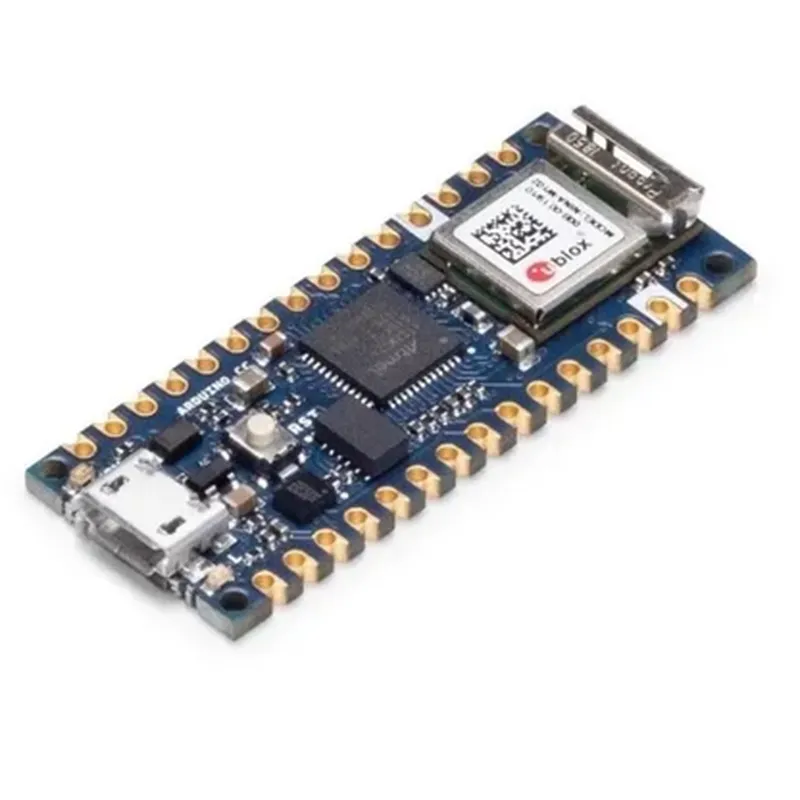
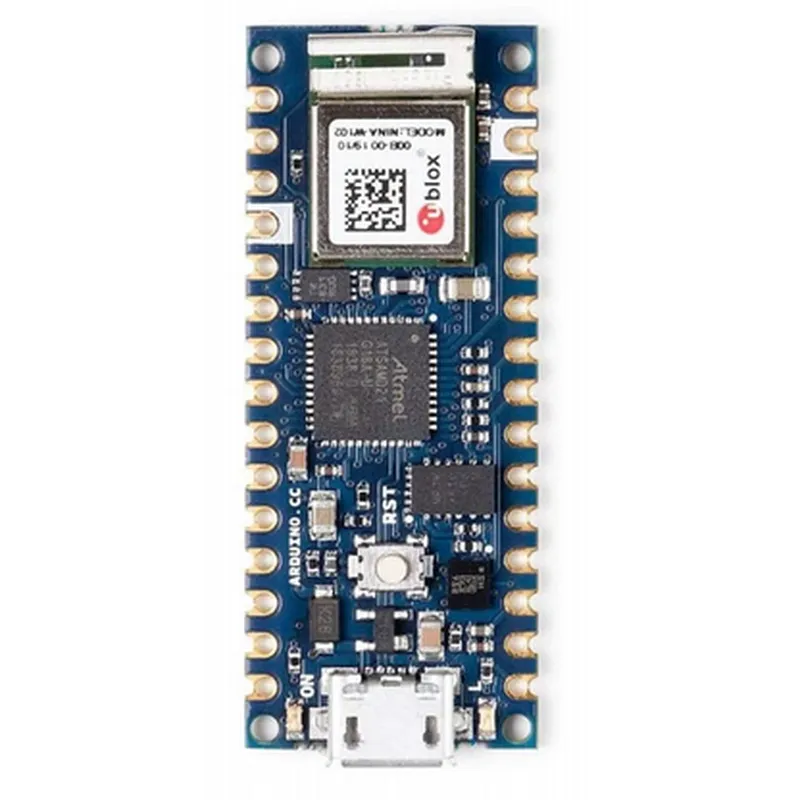
Original Arduino Nano 33 IoT (ABX00027)
The Arduino Nano 33 IoT is a miniature microcontroller board designed for building IoT projects. It combines the functionality of the Arduino Nano with the capabilities of wireless communication, enabling users to create innovative IoT projects with ease.
| The Arduino Nano 33 IoT is a fully functional microcontroller board that can be used to create a wide range of IoT projects, including |
Remote monitoring and control systems
Wireless sensor networks
Wearable devices
Home automation systems
Robotics and drones
### Hardware Features
ARM Cortex-M0+ 32-bit processor (SAMD21G18A)
48 MHz
256 KB
32 KB
4 KB
14 digital input/output pins, 8 analog input pins, 2 analog output pins
IEEE 802.11b/g/n Wi-Fi, Bluetooth 4.2, NFC
### Wireless Communication
| Wi-Fi | Onboard Wi-Fi module (u-blox NINA-W102) for wireless connectivity |
Onboard Bluetooth module (u-blox NINA-B112) for wireless communication
Onboard NFC tag (u-blox NXP NTAG) for near-field communication
### Power Management
USB or external power source (7-12V)
1.5mA (idle), 15mA (active)
Supports multiple low power modes for power-efficient operation
### Additional Features
Integrated Wi-Fi and Bluetooth antenna for improved wireless performance
Dedicated reset button for easy rebooting
Onboard LED indicators for Wi-Fi, Bluetooth, and power status
Built-in USB-TTL serial converter for debugging and programming
### Software Compatibility
Fully compatible with the Arduino Integrated Development Environment (IDE)
Supports C, C++, and MicroPython programming languages
### Dimensions and Weight
45 x 18 mm (1.77 x 0.71 in)
5 grams (0.18 oz)
Compliant with the Restriction of Hazardous Substances (RoHS) directive
Conforms to the European Union's Conformit Europene (CE) marking
Compliant with the Federal Communications Commission (FCC) regulations
| The Arduino Nano 33 IoT comes with a variety of accessories, including |
For programming and power supply
Optional external antenna for improved wireless performance
For prototyping and testing IoT projects
The Arduino Nano 33 IoT is a powerful and versatile microcontroller board that enables users to create innovative IoT projects with ease. Its onboard wireless communication capabilities, power management features, and compact design make it an ideal choice for a wide range of applications.
Original Arduino Nano 33 IOT ABX00027 DocumentationThe Original Arduino Nano 33 IOT ABX00027 is a compact and powerful microcontroller board designed for IoT applications. It is based on the ATSAMD21G18A microcontroller, which is a 32-bit ARM Cortex-M0+ processor. This board features Wi-Fi and Bluetooth capabilities, making it an ideal choice for IoT projects that require wireless connectivity.Technical SpecificationsMicrocontroller: ATSAMD21G18A
Processing Unit: 32-bit ARM Cortex-M0+
Clock Speed: 48 MHz
RAM: 256 KB
Flash Memory: 512 KB
Wi-Fi: Yes, onboard Wi-Fi module
Bluetooth: Yes, onboard Bluetooth module
Operating Voltage: 3.3V
Digital I/O Pins: 14
Analog Input Pins: 8
PWM Output Pins: 4
UART: 2
SPI: 1
I2C: 1
Analog Output Pins: 1Code Examples### Example 1: Wi-Fi Connectivity and Web ServerIn this example, we will create a simple web server using the Arduino Nano 33 IOT's Wi-Fi capabilities. The board will connect to a Wi-Fi network and serve a simple HTML page.```c++
#include <WiFi.h>const char ssid = "your_ssid"; // replace with your Wi-Fi network SSID
const char password = "your_password"; // replace with your Wi-Fi network passwordWiFiServer server(80);void setup() {
Serial.begin(9600);
WiFi.begin(ssid, password);
while (WiFi.status() != WL_CONNECTED) {
delay(1000);
Serial.println("Connecting to Wi-Fi...");
}
Serial.println("Connected to Wi-Fi");
Serial.println("Starting web server...");
server.begin();
Serial.println("Web server started");
}void loop() {
WiFiClient client = server.available();
if (client) {
Serial.println("Client connected");
String request = client.readStringUntil('
');
client.println("HTTP/1.1 200 OK");
client.println("Content-Type: text/html");
client.println("");
client.println("<!DOCTYPE HTML><html><body><h1>Hello World!</h1></body></html>");
client.stop();
Serial.println("Client disconnected");
}
}
```### Example 2: Bluetooth Low Energy (BLE) PeripheralIn this example, we will create a BLE peripheral using the Arduino Nano 33 IOT's onboard Bluetooth module. The board will advertise a BLE service and characteristic, and respond to writes to the characteristic.```c++
#include <ArduinoBLE.h>BLEService myService("180F"); // define a custom BLE service
BLEIntCharacteristic myCharacteristic("2A19", BLERead | BLEWrite); // define a custom BLE characteristicvoid setup() {
Serial.begin(9600);
if (!BLE.begin()) {
Serial.println("Failed to initialize BLE");
while (1);
}
Serial.println("BLE initialized");
BLE.setLocalName("Arduino Nano 33 IOT"); // set the BLE device name
myService.addCharacteristic(myCharacteristic); // add the characteristic to the service
BLE.addService(myService); // add the service
BLE.advertise(); // start advertising the BLE service
Serial.println("BLE advertising started");
}void loop() {
BLEDevice central = BLE.central(); // wait for a central device to connect
if (central) {
Serial.println("Connected to central device");
while (central.connected()) {
if (myCharacteristic.written()) {
int value = myCharacteristic.value(); // get the written value
Serial.print("Received value: ");
Serial.println(value);
}
}
Serial.println("Disconnected from central device");
}
}
```### Example 3: Read Analog Input and Send to Cloud using Wi-FiIn this example, we will read an analog input from a sensor connected to the Arduino Nano 33 IOT and send the data to a cloud service using Wi-Fi.```c++
#include <WiFi.h>
#include <HTTPClient.h>const char ssid = "your_ssid"; // replace with your Wi-Fi network SSID
const char password = "your_password"; // replace with your Wi-Fi network password
const char apiKey = "your_api_key"; // replace with your cloud service API key
const char cloudUrl = "https://example.com/api/data"; // replace with your cloud service URLWiFiClient client;
HTTPClient http;void setup() {
Serial.begin(9600);
WiFi.begin(ssid, password);
while (WiFi.status() != WL_CONNECTED) {
delay(1000);
Serial.println("Connecting to Wi-Fi...");
}
Serial.println("Connected to Wi-Fi");
}void loop() {
int sensorValue = analogRead(A0); // read analog input from sensor
Serial.print("Sensor value: ");
Serial.println(sensorValue);
http.begin(client, cloudUrl);
http.addHeader("Content-Type", "application/json");
http.addHeader("Authorization", "Bearer " + String(apiKey));
int httpCode = http.POST("{""value"":" + String(sensorValue) + "}");
if (httpCode == 200) {
Serial.println("Data sent to cloud successfully");
} else {
Serial.println("Error sending data to cloud");
}
http.end();
delay(1000);
}
```These examples demonstrate the capabilities of the Original Arduino Nano 33 IOT ABX00027 board in various IoT contexts.