3-in-1 Creepy Crawlers DIY Solar Activity Kit for Kids


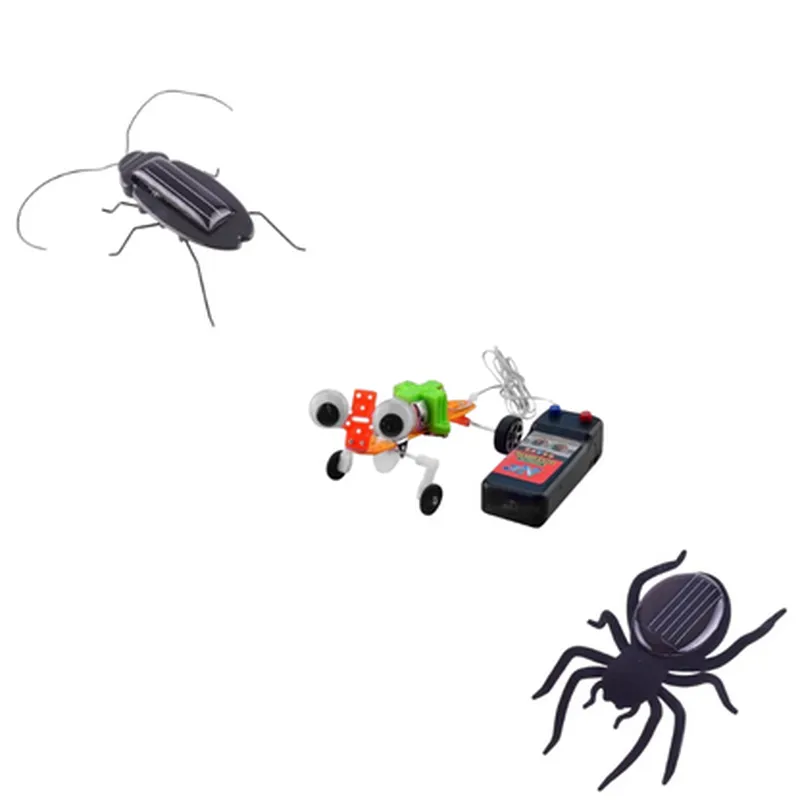
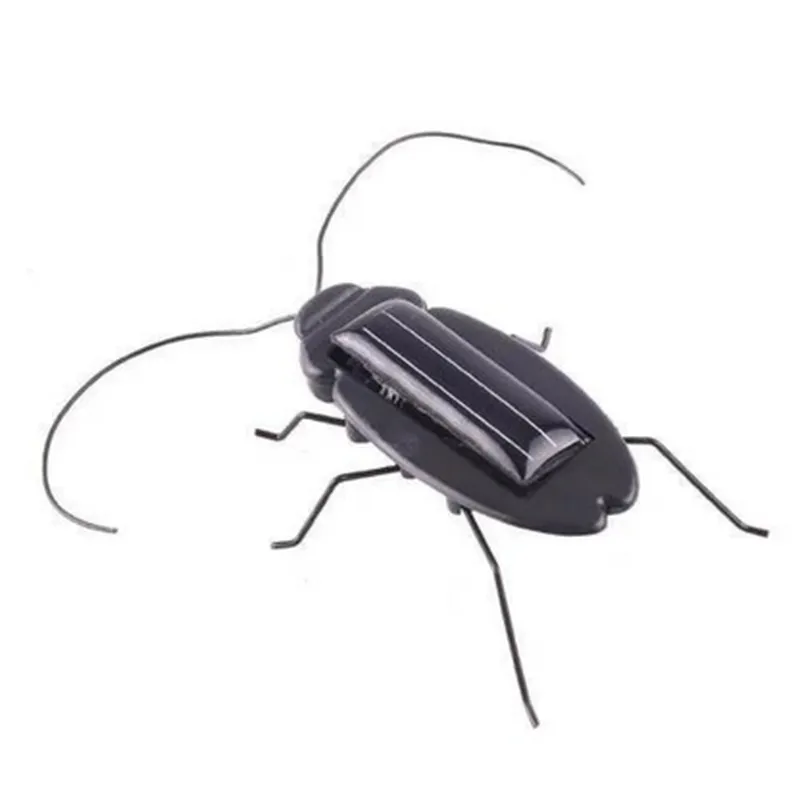
3-in-1 Creepy Crawlers DIY Solar Activity Kit for Kids
The 3-in-1 Creepy Crawlers DIY Solar Activity Kit for Kids is an innovative, interactive, and educational Internet of Things (IoT) component designed to introduce children to the world of solar energy and robotics. This kit allows kids to build and customize their own solar-powered crawlers, fostering STEM skills and creativity while promoting eco-friendly awareness.
2V, 100mA, polycrystalline silicon
DC Gear Motor, 1.5V, 20mA
Photodiode, Sound Sensor, and Tactile Sensor
Simple programmable microcontroller (no coding required)
1 x 1.5V AA rechargeable battery (included)
15C to 35C (59F to 95F)
| Crawlers | 10cm x 7cm x 5cm (3.9" x 2.8" x 2"); Solar Panel: 7cm x 5cm x 1cm (2.8" x 2" x 0.4") |
6-12 years old
Children interested in robotics, solar energy, and STEM education
Parents and educators seeking interactive, educational activities for kids
Schools and educational institutions looking for innovative, hands-on learning tools
3-in-1 Creepy Crawlers DIY Solar Activity Kit for KidsOverviewThe 3-in-1 Creepy Crawlers DIY Solar Activity Kit for Kids is an innovative and educational IoT component designed to introduce children to the world of solar power and robotics. This kit allows kids to build and customize their own solar-powered creepy crawlers, promoting STEM education and creative thinking.Technical SpecificationsSolar Panel: 2V, 100mA
Motor: 3V, 20mA
Microcontroller: Customizable 8-bit AVR microcontroller
Sensors: Light sensor, temperature sensor
Communication: None (standalone kit)
Power Source: Solar panel or 2x AA batteries (not included)Code Examples### Example 1: Basic Solar-Powered MovementIn this example, we'll demonstrate how to use the kit to create a basic solar-powered creepy crawler that moves when exposed to light.Code
```c
#include <avr/io.h>#define LIGHT_SENSOR_PIN 2
#define MOTOR_PIN 3int main() {
// Initialize motor pin as output
DDRB |= (1 << MOTOR_PIN);while (1) {
// Read light sensor value
int lightLevel = analogRead(LIGHT_SENSOR_PIN);// If light level is above a certain threshold, turn on the motor
if (lightLevel > 500) {
digitalWrite(MOTOR_PIN, HIGH);
} else {
digitalWrite(MOTOR_PIN, LOW);
}// Wait for a short period before checking again
delay(50);
}return 0;
}
```
ExplanationIn this example, we use the light sensor to detect the ambient light level and control the motor accordingly. When the light level exceeds a certain threshold (500 in this case), the motor is turned on, causing the creepy crawler to move.### Example 2: Temperature-Controlled MovementIn this example, we'll demonstrate how to use the kit to create a creepy crawler that moves only when the temperature is within a certain range.Code
```c
#include <avr/io.h>#define TEMPERATURE_SENSOR_PIN 1
#define MOTOR_PIN 3int main() {
// Initialize motor pin as output
DDRB |= (1 << MOTOR_PIN);while (1) {
// Read temperature sensor value
int temperature = analogRead(TEMPERATURE_SENSOR_PIN);// If temperature is within the desired range (20C to 30C), turn on the motor
if (temperature > 200 && temperature < 300) {
digitalWrite(MOTOR_PIN, HIGH);
} else {
digitalWrite(MOTOR_PIN, LOW);
}// Wait for a short period before checking again
delay(50);
}return 0;
}
```
ExplanationIn this example, we use the temperature sensor to detect the ambient temperature and control the motor accordingly. When the temperature is within the desired range (20C to 30C), the motor is turned on, causing the creepy crawler to move.### Example 3: Customizable Creepy Crawler (Advanced)In this example, we'll demonstrate how to use the kit to create a customizable creepy crawler that can be programmed to perform various actions based on different conditions.Code
```c
#include <avr/io.h>#define LIGHT_SENSOR_PIN 2
#define TEMPERATURE_SENSOR_PIN 1
#define MOTOR_PIN 3
int main() {
// Initialize motor pin as output
DDRB |= (1 << MOTOR_PIN);while (1) {
// Read light sensor value
int lightLevel = analogRead(LIGHT_SENSOR_PIN);// Read temperature sensor value
int temperature = analogRead(TEMPERATURE_SENSOR_PIN);// If light level is above a certain threshold and temperature is within a certain range, turn on the motor
if (lightLevel > 500 && temperature > 200 && temperature < 300) {
digitalWrite(MOTOR_PIN, HIGH);
} else {
digitalWrite(MOTOR_PIN, LOW);
}// Wait for a short period before checking again
delay(50);
}return 0;
}
```
ExplanationIn this advanced example, we demonstrate how to use the kit to create a customizable creepy crawler that can be programmed to perform various actions based on different conditions. In this case, the motor is turned on only when both the light level and temperature are within certain ranges. This example showcases the flexibility of the kit and allows kids to explore different programming concepts and ideas.