Control LED lights to create interactive light shows.


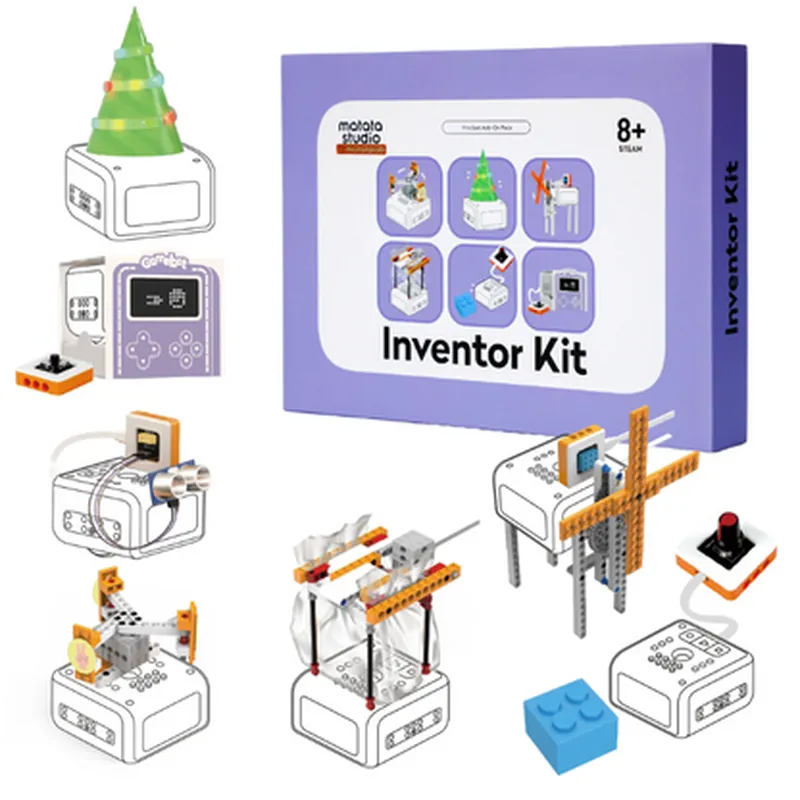
Control LED lights to create interactive light shows.
Drive small motors to create movement and animation.
Use sensors to detect light, sound, or motion.
Create interactive interfaces with push-button controls.
Generate various sounds and melodies.
Functionality
| The Matatalab 5 in 1 Programmable Electronic Module Kit is designed to provide a comprehensive learning experience in STEM education. With this kit, kids can |
Technical Specifications
Compatible with Android and iOS devices
Bluetooth 4.0
3 x AA batteries (included)
8 and above
12.6 x 9.4 x 2.4 inches (320 x 240 x 60 mm)
What's Included
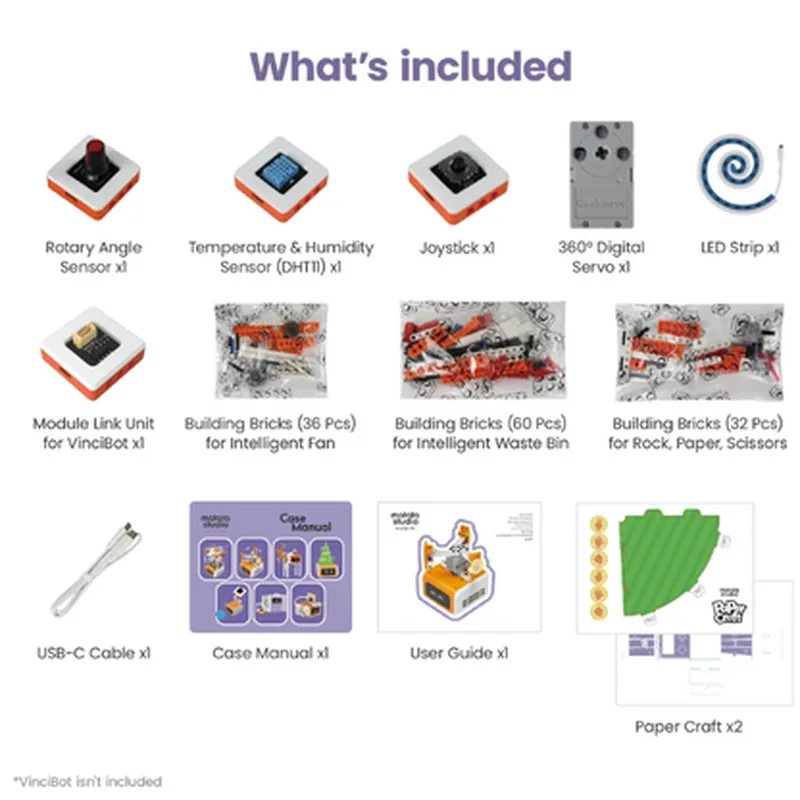
128 building bricks
5 programmable electronic modules (LED, motor, sensor, button, and beeper)
VinciBot robot platform
Power supply (3 x AA batteries)
User manual and tutorial resources
Target Audience
| The Matatalab 5 in 1 Programmable Electronic Module Kit is designed for kids aged 8 and above, providing a comprehensive STEM education experience. It is ideal for |
Conclusion
The Matatalab 5 in 1 Programmable Electronic Module Kit is a comprehensive STEM educational robotics starter kit that provides a fun and interactive learning experience for kids. With its modular design, graphical programming, and wireless connectivity, this kit is an ideal tool for kids to develop their creativity, problem-solving skills, and critical thinking.
Matatalab 5 in 1 Programmable Electronic Module Kit DocumentationOverviewThe Matatalab 5 in 1 programmable electronic module kit is a STEM educational robotics starter kit designed for children aged 8 and above. It comes with 128 building bricks and is paired with VinciBot, a interactive robot that can be programmed to perform various tasks. This kit is ideal for introducing kids to the world of robotics, programming, and electronics.Components128 Building Bricks (sensors, motors, LEDs, and other electronic components)
VinciBot (interactive robot)
Microcontroller Module
Power Module
Sensor Modules (Light, Sound, Touch)
Motor Modules
LED ModulesProgrammingThe Matatalab kit can be programmed using the Matatalab app (available for iOS and Android) or using block-based programming languages such as Scratch or Blockly. The kit also supports text-based programming languages like Python and C++.Hardware ConnectionsThe building bricks are designed to be easily connected to each other using a proprietary connector system. The microcontroller module is the brain of the kit, and it connects to the power module, sensor modules, motor modules, and LED modules.Code Examples### Example 1: Line Follower Robot using Matatalab Kit and VinciBotObjective: Create a line follower robot using the Matatalab kit and VinciBot.Code (Python):
```python
import matatalab# Initialize the VinciBot
vincibot = matatalab.VinciBot()# Define the line follower function
def line_follower():
while True:
# Read the left and right sensor values
left_sensor = matatalab.get_sensor_value(matatalab.SENSOR_LEFT)
right_sensor = matatalab.get_sensor_value(matatalab.SENSOR_RIGHT)
# If the left sensor detects the line, turn left
if left_sensor > 500:
vincibot.set_motor_speed(matatalab.MOTOR_LEFT, 100)
vincibot.set_motor_speed(matatalab.MOTOR_RIGHT, -100)
# If the right sensor detects the line, turn right
elif right_sensor > 500:
vincibot.set_motor_speed(matatalab.MOTOR_LEFT, -100)
vincibot.set_motor_speed(matatalab.MOTOR_RIGHT, 100)
# If both sensors detect the line, move forward
else:
vincibot.set_motor_speed(matatalab.MOTOR_LEFT, 100)
vincibot.set_motor_speed(matatalab.MOTOR_RIGHT, 100)# Run the line follower function
line_follower()
```
Hardware Connection:Connect the sensor modules (left and right) to the microcontroller module.
Connect the motor modules (left and right) to the microcontroller module.
Connect the VinciBot to the microcontroller module.### Example 2: Sound-Controlled LED using Matatalab KitObjective: Create a sound-controlled LED using the Matatalab kit.Code (Blockly):
```blockly
when sound sensor > 50
turn on LED
otherwise
turn off LED
```
Hardware Connection:Connect the sound sensor module to the microcontroller module.
Connect the LED module to the microcontroller module.Note: The above examples are just a starting point, and users can modify and expand them to create more complex projects using the Matatalab kit.