Stufin
Home Quick Cart Profile

Matatalab VinciBot Coding Robot for Kids 8+, STEM Educational Toy, Scratch & Python Programming Robot with Remote Controller, AI Smart Robot

Buy Now on Stufin

Component Name

Matatalab VinciBot Coding Robot for Kids 8+, STEM Educational Toy, Scratch & Python Programming Robot with Remote Controller, AI Smart Robot

Overview

The Matatalab VinciBot is a coding robot designed specifically for kids aged 8 and above, aiming to provide a fun and interactive way to learn programming concepts, STEM education, and artificial intelligence. This smart robot comes with a remote controller, allowing children to explore the world of coding and robotics while developing essential skills for the digital age.

Functionality

The VinciBot Coding Robot is designed to introduce kids to programming concepts using Scratch and Python programming languages. It offers a comprehensive learning experience, covering various aspects of robotics, coding, and AI. The robot's main functions include

Programming and Coding

Kids can program the robot using Scratch or Python, learning fundamental concepts such as loops, conditional statements, and functions.

Remote Control

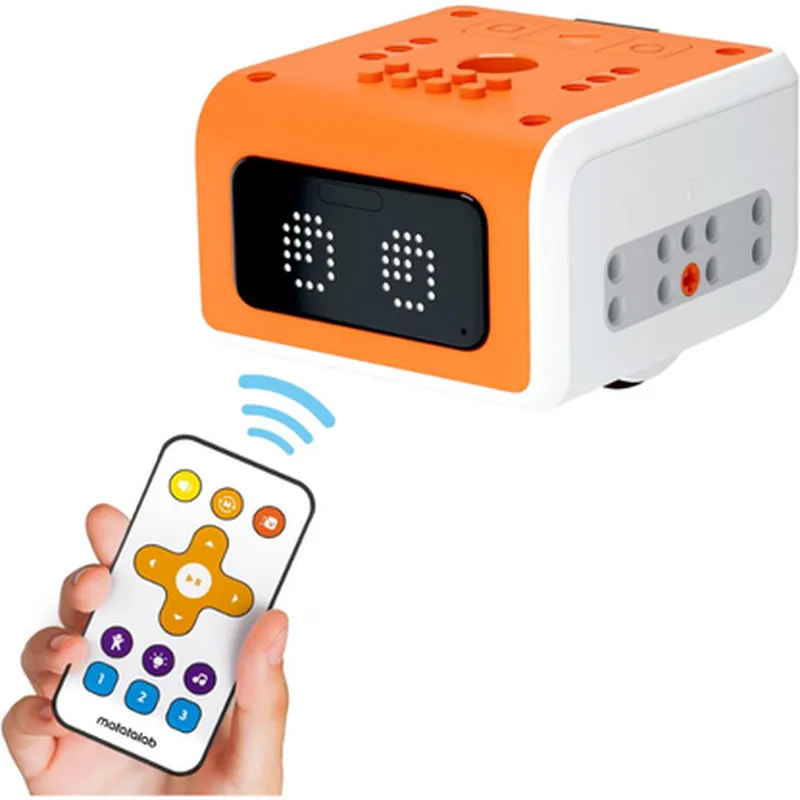
The robot comes with a remote controller, enabling kids to control its movements, direction, and speed.

Sensors and Obstacle Avoidance

The VinciBot is equipped with sensors that allow it to detect and respond to its environment, avoiding obstacles and navigating through mazes.

AI-PoweredThe robot features AI-powered capabilities, enabling it to learn and adapt to new situations and environments.

Key Features

  • Easy-to-Use Interface: The VinciBot comes with a user-friendly interface, making it easy for kids to learn and program the robot.
  • Scratch and Python Support: The robot supports both Scratch and Python programming languages, catering to different skill levels and learning styles.
  • Remote Controller: The remote controller provides kids with hands-on experience, allowing them to control the robot's movements and actions.
  • AI-Powered Sensors: The robot's AI-powered sensors enable it to detect and respond to its environment, promoting interactive learning and exploration.
  • STEM Education: The VinciBot is designed to provide a comprehensive STEM education, covering science, technology, engineering, and mathematics concepts.
  • Adjustable Difficulty Levels: The robot's programming and challenges can be adjusted to suit different age groups and skill levels, ensuring an engaging and fun learning experience.
  • Compatibility: The VinciBot is compatible with both Windows and macOS operating systems, making it accessible to a wide range of users.
  • Safety Features: The robot is designed with safety in mind, featuring protective bumpers and a sturdy construction to withstand accidental collisions.

Technical Specifications

Processor

32-bit ARM Cortex-M4 processor

Memory

256 KB flash memory, 128 KB RAM

Connectivity

Bluetooth 4.0, USB 2.0

Power

6 x AA batteries (included), rechargeable via USB

Dimensions

15.7 x 12.6 x 6.1 inches (40 x 32 x 15.5 cm)

Weight

2.2 lbs (1 kg)

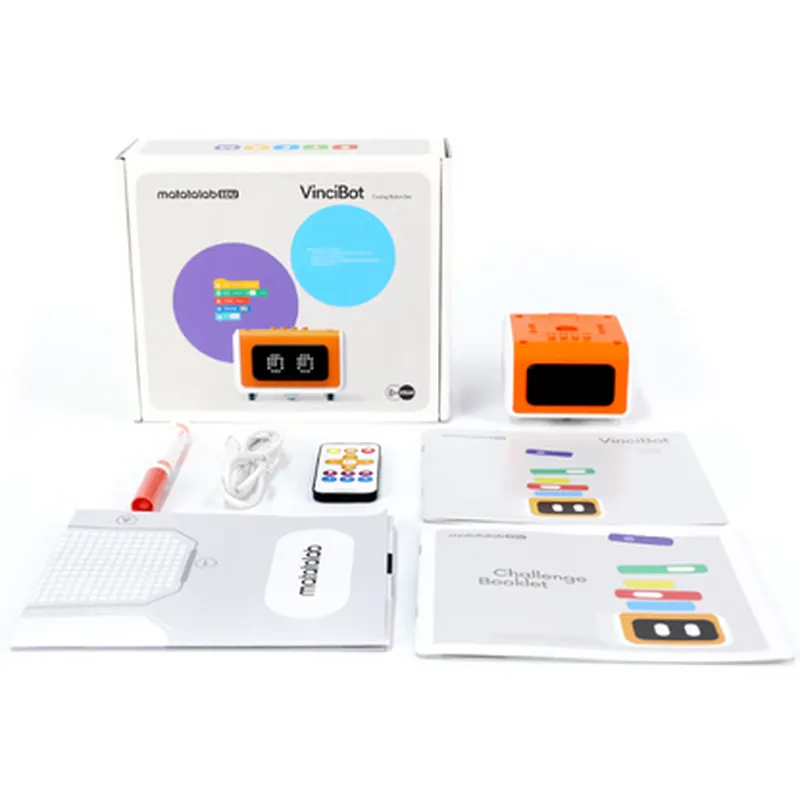
Accessories

Remote controller

USB cable

6 x AA batteries

Quick start guide

User manual

Target Audience

The Matatalab VinciBot Coding Robot is designed for kids aged 8 and above, providing a fun and interactive way to learn programming concepts, STEM education, and artificial intelligence. It is suitable for

Children interested in coding, robotics, and AI

Parents and educators looking for an engaging and educational toy

Schools and educational institutions seeking to incorporate STEM education into their curriculum

Pin Configuration

  • Matatalab VinciBot Coding Robot for Kids 8+, STEM Educational Toy, Scratch & Python Programming Robot with Remote Controller, AI Smart Robot
  • Pinout Explanation and Connection Guide
  • The Matatalab VinciBot Coding Robot features a variety of pins that allow users to connect sensors, actuators, and other devices to enhance its functionality. This section provides a detailed explanation of each pin and a step-by-step guide on how to connect them.
  • Pinout Diagram:
  • [Insert Pinout Diagram]
  • Pin Explanation and Connection Guide:
  • 1. VCC (Voltage Supply) Pin
  • Function: Provides power to the VinciBot's components.
  • Voltage: 3.3V or 5V (dependent on the module or sensor being used).
  • Connection: Connect the VCC pin to the positive terminal of a power source or a battery.
  • 2. GND (Ground) Pin
  • Function: Provides a common ground reference for the VinciBot's components.
  • Connection: Connect the GND pin to the negative terminal of a power source or a battery.
  • 3. UART_RX (UART Receive) Pin
  • Function: Receives serial data from external devices or sensors.
  • Connection: Connect the UART_RX pin to the TX (transmit) pin of an external device or sensor.
  • 4. UART_TX (UART Transmit) Pin
  • Function: Transmits serial data to external devices or sensors.
  • Connection: Connect the UART_TX pin to the RX (receive) pin of an external device or sensor.
  • 5. SCL (I2C Clock) Pin
  • Function: Generates the clock signal for I2C communication.
  • Connection: Connect the SCL pin to the SCL pin of an I2C device or sensor.
  • 6. SDA (I2C Data) Pin
  • Function: Transfers data between the VinciBot and I2C devices or sensors.
  • Connection: Connect the SDA pin to the SDA pin of an I2C device or sensor.
  • 7. IRQ (Interrupt Request) Pin
  • Function: Provides an interrupt signal to the VinciBot when an event occurs.
  • Connection: Connect the IRQ pin to the IRQ pin of an external device or sensor.
  • 8. PWM (Pulse Width Modulation) Pin
  • Function: Generates a PWM signal for controlling servos or LEDs.
  • Connection: Connect the PWM pin to the signal pin of a servo or LED.
  • 9. Digital I/O Pins (D0-D13)
  • Function: Provides digital input/output functionality for connecting sensors, LEDs, or other devices.
  • Connection:
  • + Digital Output: Connect the Digital I/O Pin to the signal pin of an LED or other device.
  • + Digital Input: Connect the Digital I/O Pin to the output pin of a sensor or device.
  • 10. Analog Input Pins (A0-A5)
  • Function: Provides analog input functionality for connecting sensors or other analog devices.
  • Connection: Connect the Analog Input Pin to the output pin of an analog sensor or device.
  • 11. ICS (In-Circuit Serial Programming) Pins
  • Function: Used for programming and debugging the VinciBot's microcontroller.
  • Connection: Connect the ICS pins to a programming adapter or debugger.
  • Connection Structure:
  • When connecting pins, follow these general guidelines:
  • 1. Ensure the power source is connected correctly to the VCC and GND pins.
  • 2. Connect sensors, actuators, or devices to the corresponding digital or analog pins.
  • 3. Use the UART_RX and UART_TX pins for serial communication with external devices or sensors.
  • 4. Use the I2C pins (SCL and SDA) for communication with I2C devices or sensors.
  • 5. Connect the IRQ pin to the IRQ pin of an external device or sensor.
  • 6. Use the PWM pin for controlling servos or LEDs.
  • 7. Use the ICS pins for programming and debugging the VinciBot's microcontroller.
  • Important Notes:
  • Always refer to the datasheet of the external device or sensor being used to ensure correct pin connections and voltage levels.
  • Make sure to handle the pins and components with care to avoid damage or electrical shock.
  • Follow the VinciBot's user manual and programming guides for specific examples and tutorials on using the pins and components.

Code Examples

Matatalab VinciBot Coding Robot for Kids 8+
Overview
The Matatalab VinciBot is a STEM educational toy designed for kids aged 8 and above to learn programming concepts using Scratch and Python. This AI smart robot comes with a remote controller, making it an engaging and interactive tool for young minds to develop their coding skills.
Key Features
Learn programming concepts using Scratch and Python
 AI-powered robot with remote controller
 Develop problem-solving skills, critical thinking, and creativity
 Suitable for kids aged 8 and above
Technical Specifications
Microcontroller: ARM Cortex-M4
 Programming Languages: Scratch, Python
 Communication: Bluetooth 4.0
 Power Supply: 6 x AA batteries (not included)
 Dimensions: 220 x 180 x 150 mm
Code Examples
### Example 1: Basic Movement Using Scratch
In this example, we will demonstrate how to use the VinciBot to move forward and backward using Scratch programming.
Scratch Code:
1. Open Scratch and create a new project.
2. Connect the VinciBot to your computer via Bluetooth.
3. Drag and drop the "When Space Key Pressed" block into the coding area.
4. Add the "Forward" block from the "VinciBot" tab and set the value to 100.
5. Add the "Wait" block and set the value to 1 second.
6. Add the "Backward" block from the "VinciBot" tab and set the value to 100.
Scratch Code:
```scratch
when space key pressed
  forward 100
  wait 1 second
  backward 100
```
Result: The VinciBot will move forward by 100 units and then move backward by 100 units when the space key is pressed.
### Example 2: Line Follower Using Python
In this example, we will demonstrate how to use the VinciBot to follow a line using Python programming.
Python Code:
```python
import vinciobot
# Initialize the VinciBot
bot = vinciobot.VinciBot()
# Set the line follower mode
bot.set_mode(vinciobot.LINE_FOLLOWER_MODE)
while True:
    # Read the line sensor values
    left_sensor = bot.get_line_sensor_left()
    right_sensor = bot.get_line_sensor_right()
# Adjust the motor speeds based on the line sensor values
    if left_sensor < 500 and right_sensor < 500:
        bot.set_motor_speeds(50, 50)  # Move forward
    elif left_sensor > 500 and right_sensor < 500:
        bot.set_motor_speeds(-50, 50)  # Turn left
    elif left_sensor < 500 and right_sensor > 500:
        bot.set_motor_speeds(50, -50)  # Turn right
    else:
        bot.set_motor_speeds(0, 0)  # Stop
# Delay for 50ms
    time.sleep(0.05)
```
Result: The VinciBot will follow a line drawn on the floor, adjusting its motor speeds based on the line sensor values.
Note: These code examples are for illustrative purposes only and may require modifications to work with your specific VinciBot setup. Refer to the official Matatalab documentation for more information on programming the VinciBot.