Stufin
Home Quick Cart Profile

MindPlus Coding Kit for Arduino


Buy Now on Stufin

Component Name

MindPlus Coding Kit for Arduino
Overview

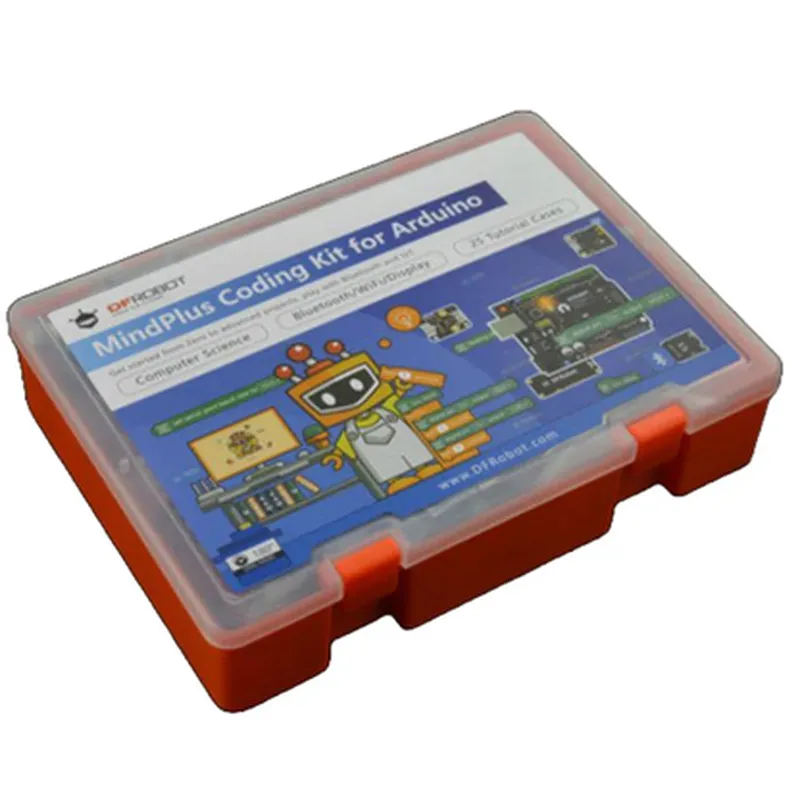
The MindPlus Coding Kit for Arduino is an innovative educational platform designed to introduce students and enthusiasts to the world of programming and IoT development using Arduino. This comprehensive kit is tailored to provide a hands-on learning experience, allowing users to explore the vast capabilities of Arduino while developing essential coding skills.
Functionality

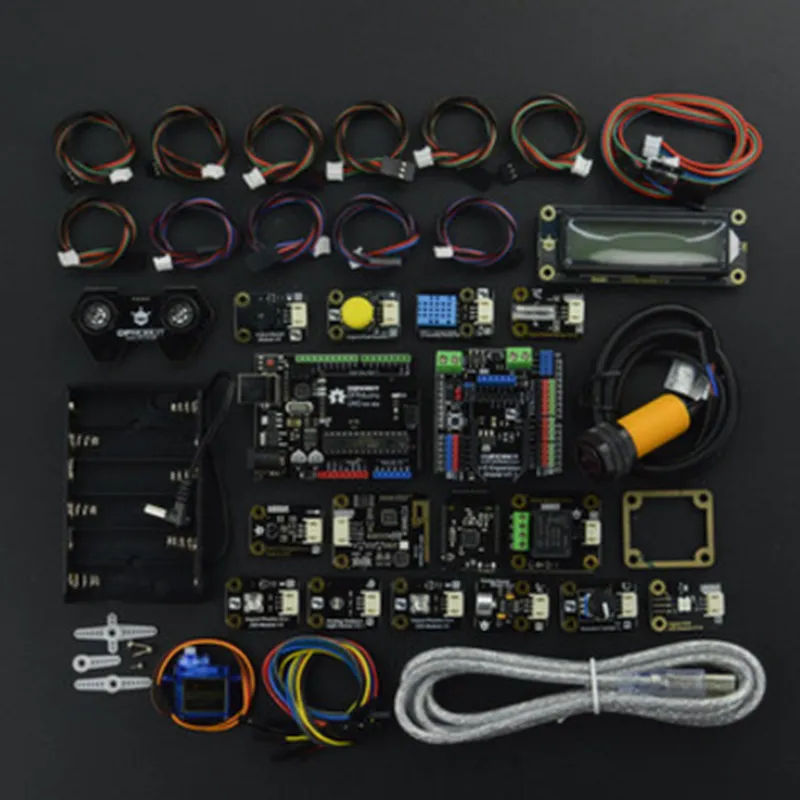
The MindPlus Coding Kit for Arduino is a comprehensive platform that combines hardware and software components to facilitate an immersive learning experience. The kit enables users to create a wide range of projects, from simple LED circuits to complex IoT applications, using the Arduino Integrated Development Environment (IDE).

  • Arduino Board: The kit includes a custom-designed Arduino board, which serves as the brain of the system. This board is compatible with the Arduino IDE and can be programmed using a variety of languages, including C, C++, and Python.
  • Sensors and Modules: The kit comes with a variety of sensors and modules, such as LED modules, button modules, temperature sensors, and more. These components allow users to interact with the physical world, collect data, and respond to environmental changes.
  • Programming Software: The MindPlus Coding Kit includes access to a web-based programming software, which provides an intuitive and visual interface for coding. This software offers a range of tutorials, projects, and exercises to help users develop their coding skills.
  • Online Resources: The kit provides access to a comprehensive online platform, featuring video tutorials, project guides, and a community forum. This platform enables users to learn from experts, share projects, and collaborate with fellow learners.
The kit's primary functionality revolves around

Key Features

  • Modular Design: The kit's modular design allows users to easily connect and disconnect components, making it simple to experiment with different projects and ideas.
  • Visual Programming Interface: The web-based programming software offers a visual interface, making it easy for users to create and edit code using drag-and-drop functionality.
  • Real-Time Feedback: The kit provides real-time feedback, allowing users to see the effects of their code changes immediately.
  • Cross-Platform Compatibility: The MindPlus Coding Kit is compatible with Windows, macOS, and Linux operating systems, ensuring that users can work with their preferred platform.
  • STEM Education: The kit is specifically designed to support STEM education, aligning with curriculum requirements and promoting critical thinking, problem-solving, and creativity.
  • Offline Capability: The kit can be used offline, allowing users to continue learning and creating even without an internet connection.
  • Durable and Reusable: The components are built to last, ensuring that the kit can be reused multiple times, reducing electronic waste and promoting sustainability.

Arduino Board

Custom-designed, compatible with Arduino IDE

Sensors and Modules

Variety of sensors and modules, including LED modules, button modules, temperature sensors, and more

Programming Software

Web-based, visual interface, supports C, C++, and Python programming languages

Online Resources

Video tutorials, project guides, community forum, and more

Operating System Compatibility

Windows, macOS, and Linux

Offline Capability

Yes

Durability

Reusable components, built to last

Target Audience

The MindPlus Coding Kit for Arduino is designed for students, educators, and enthusiasts interested in learning programming and IoT development using Arduino. The kit is suitable for

Middle school and high school students

College students and educators

Hobbyists and enthusiasts

Professionals looking to expand their skills in IoT development

Pin Configuration

  • MindPlus Coding Kit for Arduino Pinout Documentation
  • The MindPlus Coding Kit for Arduino is an innovative educational platform designed to introduce students to the world of programming and robotics using Arduino. The kit consists of a microcontroller board, various sensors, and modules, all of which connect to the board using a set of pins. Below is a comprehensive guide to the pins on the MindPlus Coding Kit for Arduino, explaining each pin's function and how to connect them.
  • Digital Pins (D0-D13)
  • 1. D0 (RX): Receive (RX) pin for serial communication. Connect to the TX pin of a serial device, such as a Bluetooth module or a serial LCD display.
  • Connection: Connect to TX pin of a serial device.
  • 2. D1 (TX): Transmit (TX) pin for serial communication. Connect to the RX pin of a serial device, such as a Bluetooth module or a serial LCD display.
  • Connection: Connect to RX pin of a serial device.
  • 3. D2: Digital input/output pin. Can be used as an input to read the state of a sensor or as an output to control an LED or a relay.
  • Connection: Connect to a sensor (e.g., button, switch) or an output device (e.g., LED, relay).
  • 4. D3: Digital input/output pin. Can be used as an input to read the state of a sensor or as an output to control an LED or a relay.
  • Connection: Connect to a sensor (e.g., button, switch) or an output device (e.g., LED, relay).
  • 5. D4: Digital input/output pin. Can be used as an input to read the state of a sensor or as an output to control an LED or a relay.
  • Connection: Connect to a sensor (e.g., button, switch) or an output device (e.g., LED, relay).
  • 6. D5: Digital input/output pin. Can be used as an input to read the state of a sensor or as an output to control an LED or a relay.
  • Connection: Connect to a sensor (e.g., button, switch) or an output device (e.g., LED, relay).
  • 7. D6: Digital input/output pin. Can be used as an input to read the state of a sensor or as an output to control an LED or a relay.
  • Connection: Connect to a sensor (e.g., button, switch) or an output device (e.g., LED, relay).
  • 8. D7: Digital input/output pin. Can be used as an input to read the state of a sensor or as an output to control an LED or a relay.
  • Connection: Connect to a sensor (e.g., button, switch) or an output device (e.g., LED, relay).
  • 9. D8: Digital input/output pin. Can be used as an input to read the state of a sensor or as an output to control an LED or a relay.
  • Connection: Connect to a sensor (e.g., button, switch) or an output device (e.g., LED, relay).
  • 10. D9: Digital input/output pin. Can be used as an input to read the state of a sensor or as an output to control an LED or a relay.
  • Connection: Connect to a sensor (e.g., button, switch) or an output device (e.g., LED, relay).
  • 11. D10: Digital input/output pin. Can be used as an input to read the state of a sensor or as an output to control an LED or a relay.
  • Connection: Connect to a sensor (e.g., button, switch) or an output device (e.g., LED, relay).
  • 12. D11: Digital input/output pin. Can be used as an input to read the state of a sensor or as an output to control an LED or a relay.
  • Connection: Connect to a sensor (e.g., button, switch) or an output device (e.g., LED, relay).
  • 13. D12: Digital input/output pin. Can be used as an input to read the state of a sensor or as an output to control an LED or a relay.
  • Connection: Connect to a sensor (e.g., button, switch) or an output device (e.g., LED, relay).
  • 14. D13: Digital input/output pin. Can be used as an input to read the state of a sensor or as an output to control an LED or a relay. Also, it's connected to the onboard LED.
  • Connection: Connect to a sensor (e.g., button, switch) or an output device (e.g., LED, relay).
  • Analog Input Pins (A0-A5)
  • 1. A0: Analog input pin. Can be used to read analog values from sensors, such as temperature, humidity, or light sensors.
  • Connection: Connect to an analog sensor (e.g., temperature sensor, photodiode).
  • 2. A1: Analog input pin. Can be used to read analog values from sensors, such as temperature, humidity, or light sensors.
  • Connection: Connect to an analog sensor (e.g., temperature sensor, photodiode).
  • 3. A2: Analog input pin. Can be used to read analog values from sensors, such as temperature, humidity, or light sensors.
  • Connection: Connect to an analog sensor (e.g., temperature sensor, photodiode).
  • 4. A3: Analog input pin. Can be used to read analog values from sensors, such as temperature, humidity, or light sensors.
  • Connection: Connect to an analog sensor (e.g., temperature sensor, photodiode).
  • 5. A4: Analog input pin. Can be used to read analog values from sensors, such as temperature, humidity, or light sensors.
  • Connection: Connect to an analog sensor (e.g., temperature sensor, photodiode).
  • 6. A5: Analog input pin. Can be used to read analog values from sensors, such as temperature, humidity, or light sensors.
  • Connection: Connect to an analog sensor (e.g., temperature sensor, photodiode).
  • Power Pins
  • 1. VIN: Input voltage pin. Connect to an external power source (e.g., battery, wall adapter).
  • Connection: Connect to a power source (e.g., battery, wall adapter).
  • 2. 5V: Regulated 5V output pin. Can be used to power external devices.
  • Connection: Connect to a device that requires a 5V power supply.
  • 3. 3V3: Regulated 3.3V output pin. Can be used to power external devices.
  • Connection: Connect to a device that requires a 3.3V power supply.
  • 4. GND: Ground pin. Connect to the ground of a power source or a device.
  • Connection: Connect to the ground of a power source or a device.
  • Other Pins
  • 1. AREF: Analog reference pin. Used to set the analog reference voltage for analog input pins.
  • Connection: Connect to a voltage reference source (e.g., potentiometer, voltage regulator).
  • 2. RST: Reset pin. Used to reset the microcontroller.
  • Connection: Connect to a reset button or a reset circuit.
  • When connecting pins, make sure to follow the correct polarity and voltage ratings to avoid damaging the MindPlus Coding Kit for Arduino or the connected devices. Always refer to the datasheet of the connected device and the MindPlus Coding Kit for Arduino for specific connection instructions.

Code Examples

MindPlus Coding Kit for Arduino Documentation
Overview
The MindPlus Coding Kit for Arduino is an innovative educational platform designed to help students and hobbyists learn programming and robotics using the popular Arduino microcontroller. This kit provides a comprehensive set of tools and resources to build and program interactive projects, promoting STEM education and creative problem-solving skills.
Components and Features
The MindPlus Coding Kit for Arduino includes:
1. Arduino-compatible microcontroller board
2. Motor driver module
3. Bluetooth module
4. LCD display
5. Breadboard and jumper wires
6. Sensors (ultrasonic, infrared, and touch)
7. Motor and servo motor
8. Power supply and battery holder
Programming Environment
The MindPlus Coding Kit for Arduino is compatible with the Arduino Integrated Development Environment (IDE). Users can write and upload code to the microcontroller board using the Arduino IDE.
Code Examples
### Example 1: Line Follower Robot
In this example, we will create a line follower robot using the MindPlus Coding Kit for Arduino.
Hardware Requirements:
MindPlus Coding Kit for Arduino board
 Motor driver module
 Motor
 Infrared sensors
Code:
```c++
const int leftSensorPin = A0;  // left infrared sensor pin
const int rightSensorPin = A1;  // right infrared sensor pin
const int leftMotorPin = 2;  // left motor pin
const int rightMotorPin = 3;  // right motor pin
void setup() {
  pinMode(leftMotorPin, OUTPUT);
  pinMode(rightMotorPin, OUTPUT);
}
void loop() {
  int leftSensorValue = analogRead(leftSensorPin);
  int rightSensorValue = analogRead(rightSensorPin);
if (leftSensorValue > 500 && rightSensorValue < 500) {
    // turn left
    digitalWrite(leftMotorPin, HIGH);
    digitalWrite(rightMotorPin, LOW);
  } else if (leftSensorValue < 500 && rightSensorValue > 500) {
    // turn right
    digitalWrite(leftMotorPin, LOW);
    digitalWrite(rightMotorPin, HIGH);
  } else {
    // move forward
    digitalWrite(leftMotorPin, HIGH);
    digitalWrite(rightMotorPin, HIGH);
  }
  delay(50);
}
```
Explanation:
This code reads the values from the infrared sensors and uses them to control the motors. When the left sensor detects a line, the robot turns left, and when the right sensor detects a line, the robot turns right. When both sensors detect a line, the robot moves forward.
### Example 2: Bluetooth-Controlled Robot Arm
In this example, we will create a Bluetooth-controlled robot arm using the MindPlus Coding Kit for Arduino.
Hardware Requirements:
MindPlus Coding Kit for Arduino board
 Bluetooth module
 Servo motor
 Breadboard and jumper wires
Code:
```c++
#include <SoftwareSerial.h>
const int bluetoothTxPin = 2;  // Bluetooth TX pin
const int bluetoothRxPin = 3;  // Bluetooth RX pin
const int servoPin = 9;  // servo motor pin
SoftwareSerial bluetooth(bluetoothTxPin, bluetoothRxPin);
void setup() {
  bluetooth.begin(9600);
  pinMode(servoPin, OUTPUT);
}
void loop() {
  if (bluetooth.available() > 0) {
    char command = bluetooth.read();
    if (command == 'u') {
      // move servo up
      servoWrite(servoPin, 0);
    } else if (command == 'd') {
      // move servo down
      servoWrite(servoPin, 180);
    }
  }
}
void servoWrite(int pin, int angle) {
  int pulseWidth = map(angle, 0, 180, 500, 2500);
  digitalWrite(pin, HIGH);
  delayMicroseconds(pulseWidth);
  digitalWrite(pin, LOW);
  delay(20);
}
```
Explanation:
This code establishes a Bluetooth connection and waits for commands from a remote device. When a command is received, the code controls the servo motor to move up or down. The `servoWrite` function generates the required pulse width modulation (PWM) signal to control the servo motor.
These examples demonstrate the versatility of the MindPlus Coding Kit for Arduino and its potential applications in robotics, automation, and IoT projects.